හැඳින්වීම
This manual provides essential information for the setup, operation, maintenance, and troubleshooting of your HP Compaq LA2206x 21.5-inch LED LCD Monitor. The monitor features a super-thin, soft black design with a 21.5-inch diagonal widescreen display, offering Full HD images. Its WLED backlight technology contributes to improved recyclability, and advanced adjustability enhances user productivity.
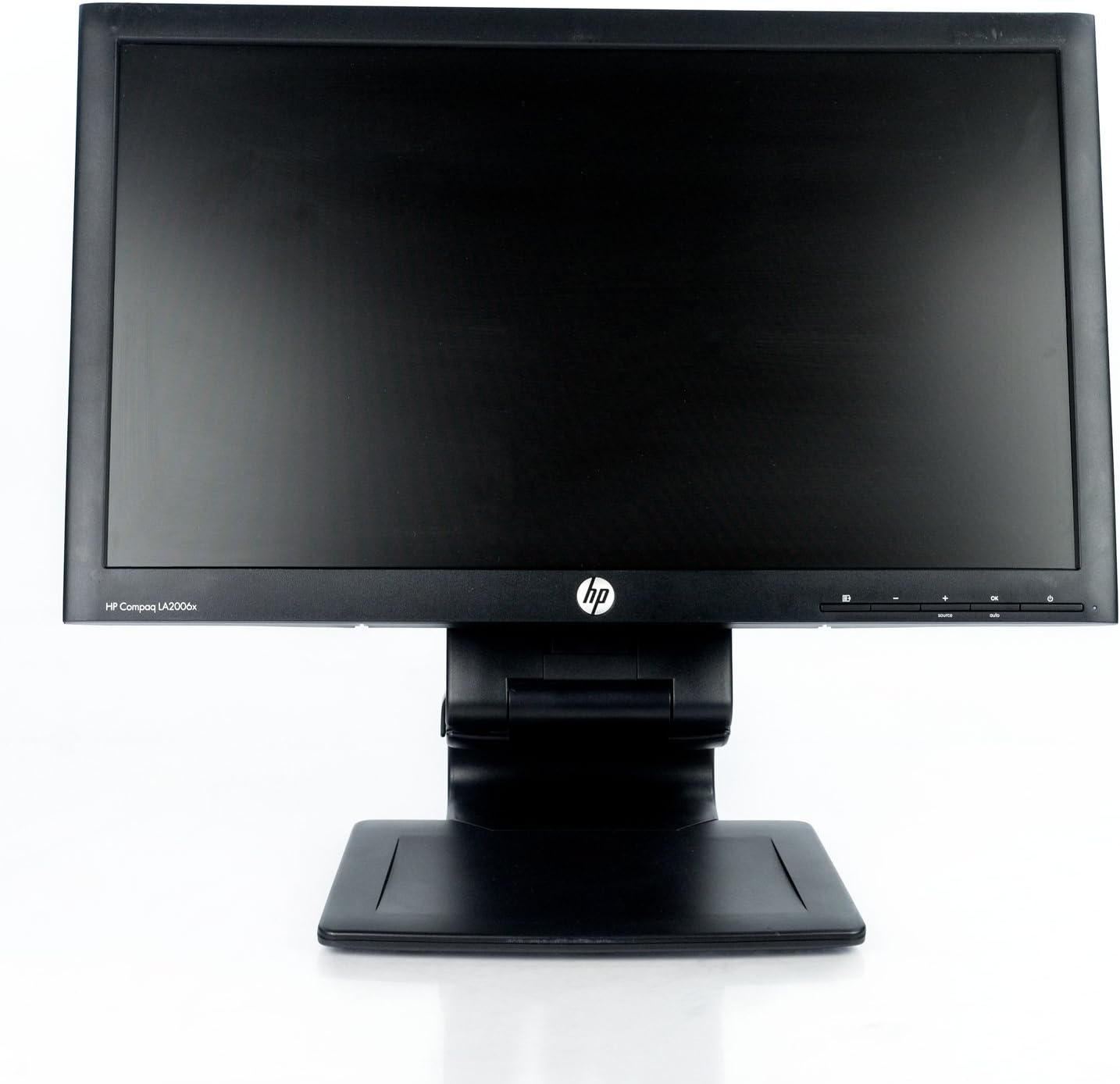
රූපය 1: ඉදිරිපස view of the HP Compaq LA2206x monitor, showcasing its slim bezel and adjustable stand.
සැලසුම
1. මොනිටරය ඉවත් කිරීම
Carefully remove all components from the packaging. Ensure all parts are present before proceeding with assembly. Retain packaging for future transport or service.
2. ස්ථාවරය එකලස් කිරීම
- සීරීම් වළක්වා ගැනීම සඳහා මොනිටරයේ මුහුණ මෘදු, පිරිසිදු මතුපිටක් මත තබන්න.
- Align the stand base with the stand column. Secure the base to the column using the provided screw, if applicable.
- Attach the assembled stand to the back of the monitor. Ensure it clicks securely into place or is fastened with screws as per the included quick setup guide.
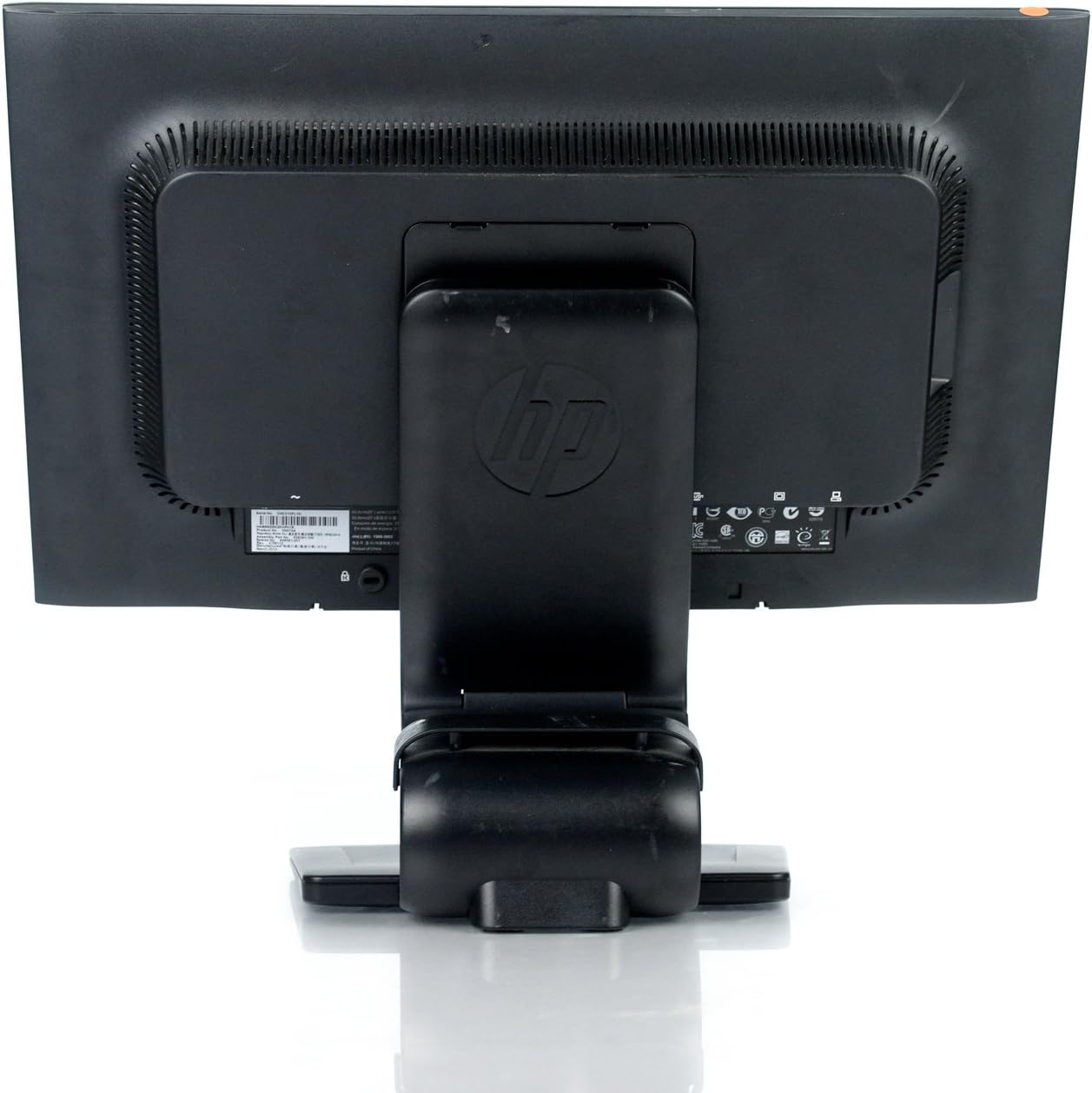
රූපය 2: පසුපස view of the monitor showing the attached stand, ready for cable connections.
3. කේබල් සම්බන්ධ කිරීම
Connect the necessary cables to the monitor and your computer. Ensure all connections are firm.
- බල කේබලය: එක් කෙළවරක් මොනිටරයේ බල ආදානයටත් අනෙක් කෙළවර භූගත විදුලි අලෙවිසැලකටත් සම්බන්ධ කරන්න.
- වීඩියෝ කේබලය: Connect a DVI, DisplayPort, or VGA cable from your computer's video output to the corresponding input on the monitor. The monitor supports 1920x1080 resolution.
- USB කේබලය (විකල්ප): Connect a USB upstream cable from your computer to the monitor's USB upstream port to enable the monitor's integrated USB 2.0 ports.

රූපය 3: සවිස්තරාත්මක view of the monitor's rear panel, highlighting the power input, DisplayPort, DVI, VGA, and USB ports.
මොනිටරය ක්රියාත්මක කිරීම
1. බලය සක්රිය / අක්රිය කරන්න
Press the power button located on the front right side of the monitor to turn it on or off. The power indicator light will illuminate when the monitor is active.
2. තිරය මත සංදර්ශකය (OSD) මෙනු සංචාලනය
The monitor features an On-Screen Display (OSD) menu for adjusting various settings. Use the control buttons located on the front bezel to navigate and select options.

රූපය 4: Close-up of the monitor's control buttons, including power, menu navigation, and input selection.
- මෙනු බොත්තම: OSD මෙනුව විවෘත කරයි.
- '+' / '-' බොත්තම්: මෙනු විකල්ප හරහා සංචාලනය කරන්න හෝ අගයන් සකස් කරන්න.
- හරි බොත්තම: තේරීමක් තහවුරු කරයි හෝ උප මෙනුවක් ඇතුල් කරයි.
- මූලාශ්ර බොත්තම: Quickly switches between available video inputs (DVI, DisplayPort, VGA).
- ස්වයං බොත්තම: Automatically adjusts the screen image for optimal display, particularly useful for analog (VGA) connections.
3. Adjusting Monitor Settings
Through the OSD menu, you can adjust settings such as:
- දීප්තිය සහ වෙනස: ආලෝක සහ අඳුරු ප්රදේශ අතර සමස්ත දීප්තිය සහ වෙනස සකසන්න.
- වර්ණ පාලනය: Select color temperature or customize RGB values.
- රූප පාලනය: Fine-tune sharpness, clock, and phase for optimal image clarity.
- ආදාන පාලනය: Manually select the video input source.
- බල කළමනාකරණය: නින්දේ කාල ගණක සහ බල ඉතිරි කිරීමේ ක්රම වින්යාස කරන්න.
නඩත්තු කිරීම
1. මොනිටරය පිරිසිදු කිරීම
- පිරිසිදු කිරීමට පෙර සෑම විටම මොනිටරය ක්රියා විරහිත කර විදුලි අලෙවිසැලෙන් විසන්ධි කරන්න.
- මෘදු, ලින්ට් රහිත රෙද්දක් සැහැල්ලුවෙන් භාවිතා කරන්නampජලය හෝ සීරීම් ඇති නොවන තිර පිරිසිදු කරන්නෙකු සමඟ ආලේප කර ඇත.
- Do not spray cleaners directly onto the screen or casing.
- Avoid using benzene, thinners, or any volatile solvents, as these may damage the monitor's surface.
2. ආරක්ෂිත පූර්වාරක්ෂාවන්
- මොනිටරයේ වාතාශ්රය විවරයන් අවහිර නොකරන්න.
- මොනිටරය සෘජු හිරු එළියෙන්, තාප ප්රභවයන්ගෙන් සහ අධික තෙතමනයෙන් ඈත් කර තබන්න.
- මොනිටරය හෝ එහි කේබල් මත බර වස්තූන් තැබීමෙන් වළකින්න.
- If the monitor is damaged or malfunctions, do not attempt to repair it yourself. Contact qualified service personnel.
දෝෂගවේෂණය
This section addresses common issues you might encounter with your HP Compaq LA2206x monitor.
බලය නැත
- බල කේබලය මොනිටරයට සහ ක්රියාකාරී විදුලි අලෙවිසැලකට ආරක්ෂිතව සම්බන්ධ කර ඇති බවට වග බලා ගන්න.
- වෙනත් උපාංගයක් සම්බන්ධ කිරීමෙන් බල සැපයුම ක්රියාකාරී බව තහවුරු කර ගන්න.
- Check if the monitor's power button is pressed.
සංඥා නැත / හිස් තිරය
- Confirm that the video cable is securely connected to both the monitor and the computer's video output port.
- Ensure the correct input source is selected on the monitor using the 'Source' button.
- ඔබේ පරිගණකය නැවත ආරම්භ කරන්න.
- Test the monitor with another computer or a different video cable if possible.
Distorted or Unclear Image
- For analog (VGA) connections, press the 'Auto' button on the monitor to automatically adjust the image.
- Adjust the brightness, contrast, sharpness, clock, and phase settings through the OSD menu.
- Ensure your computer's display resolution is set to the monitor's native resolution of 1920x1080.
පිරිවිතර
Below are the key technical specifications for the HP Compaq LA2206x monitor (Model: XN376AA):
| විශේෂාංගය | පිරිවිතර |
|---|---|
| තිර ප්රමාණය | අඟල් 21.5 |
| උපරිම තිර විභේදනය | 1920 x 1080 (FHD 1080p) |
| දර්ශන අනුපාතය | 16:9 |
| ප්රතිචාර කාලය | 5 ms |
| සංදර්ශක තාක්ෂණය | LED-LCD |
| සම්බන්ධතාවය | DisplayPort, DVI, VGA, 2x USB 2.0 Ports |
| වර්ණය | කළු |
| අයිතමයේ බර | රාත්තල් 13.45 කි |
| නිෂ්පාදන මානයන් (LxWxH) | අඟල් 8.95 x 20.39 x 13.12 |
| ආදර්ශ අංකය | XN376AA |
වගකීම් තොරතුරු
This HP Compaq LA2206x monitor is covered by a standard manufacturer's warranty. Please refer to the warranty card included with your product or visit the official HP support website for detailed terms and conditions, including warranty duration and service procedures. Keep your proof of purchase for warranty claims.
සහාය
For technical assistance, driver downloads, or further information regarding your HP Compaq LA2206x monitor, please visit the official HP support website. You may need your monitor's serial number for support inquiries.

රූපය 5: Location of the serial number label on the back of the monitor. The serial number for this unit is CNC210PLYN.
When contacting support, please have your model number (XN376AA) and serial number ready to expedite service.


