1. හැඳින්වීම
This manual provides detailed instructions for the safe and correct installation, operation, and maintenance of your RICOO R02 Tilting TV Wall Mount. Please read all instructions carefully before beginning installation to ensure proper setup and to prevent damage or injury. Keep this manual for future reference.
2 ආරක්ෂිත තොරතුරු
- බර ධාරිතාව: උපරිම බර ධාරිතාව 30 kg (රාත්තල් 66) නොඉක්මවන්න.
- තිර ප්රමාණය: මෙම සවිකිරීම අඟල් 22 ත් 37 ත් අතර රූපවාහිනී සඳහා නිර්මාණය කර ඇත.
- බිත්ති වර්ගය: The included dowels are suitable for concrete walls only. For other wall types (e.g., wood stud, brick, drywall), consult a professional or purchase appropriate mounting hardware.
- වෘත්තීය ස්ථාපනය: If you are unsure about the installation process, seek assistance from a qualified professional.
- මෙවලම්: Ensure you have all necessary tools before starting installation.
- දරුවන්: සැකසීමේදී ළමයින් ස්ථාපන ප්රදේශයෙන් ඈත් කර තබන්න.
- හානිය: Do not install if any parts are damaged. Contact customer support for replacement parts.
3. පැකේජ අන්තර්ගතය
ස්ථාපනය සමඟ ඉදිරියට යාමට පෙර සියලුම සංරචක පවතින බවත් හානි වී නොමැති බවත් තහවුරු කර ගන්න.
- Pre-assembled TV bracket
- Dowels (for concrete walls only)
- Screws for screen attachment (various sizes)
- Wall screws and other mounting accessories

රූපය 3.1: Technical drawing showing the dimensions and movement capabilities of the R02 wall mount. All measurements are in millimeters.
4. පිරිවිතර
| වෙළඳ නාමය | RICOO |
| ආදර්ශ අංකය | R02 |
| අනුකූල තිර ප්රමාණයන් | අඟල් 22 - 37 (සෙ.මී. 56 - 94) |
| උපරිම බර පැටවීමේ ධාරිතාව | 30 kg (රාත්තල් 66) |
| VESA අනුකූලතාව | 75x75 mm, 100x100 mm, 200x100 mm, 200x200 mm |
| ඇලවීමේ කෝණය | +/- අංශක 15 |
| කැරකෙන කෝණය | Up to 180 degrees (depending on screen width) |
| බිත්ති දුර | 68 මි.මී. - 450 මි.මී. |
| ද්රව්ය | ඇලෝයි වානේ |
| වර්ණය | කළු |
| නිෂ්පාදන මානයන් | 29 x 23 x 8 සෙ.මී |
| නිෂ්පාදන බර | කිලෝ ග්රෑම් 2.88 කි |

රූපය 4.1: The RICOO R02 wall mount is designed to safely support televisions weighing up to 30 kg.
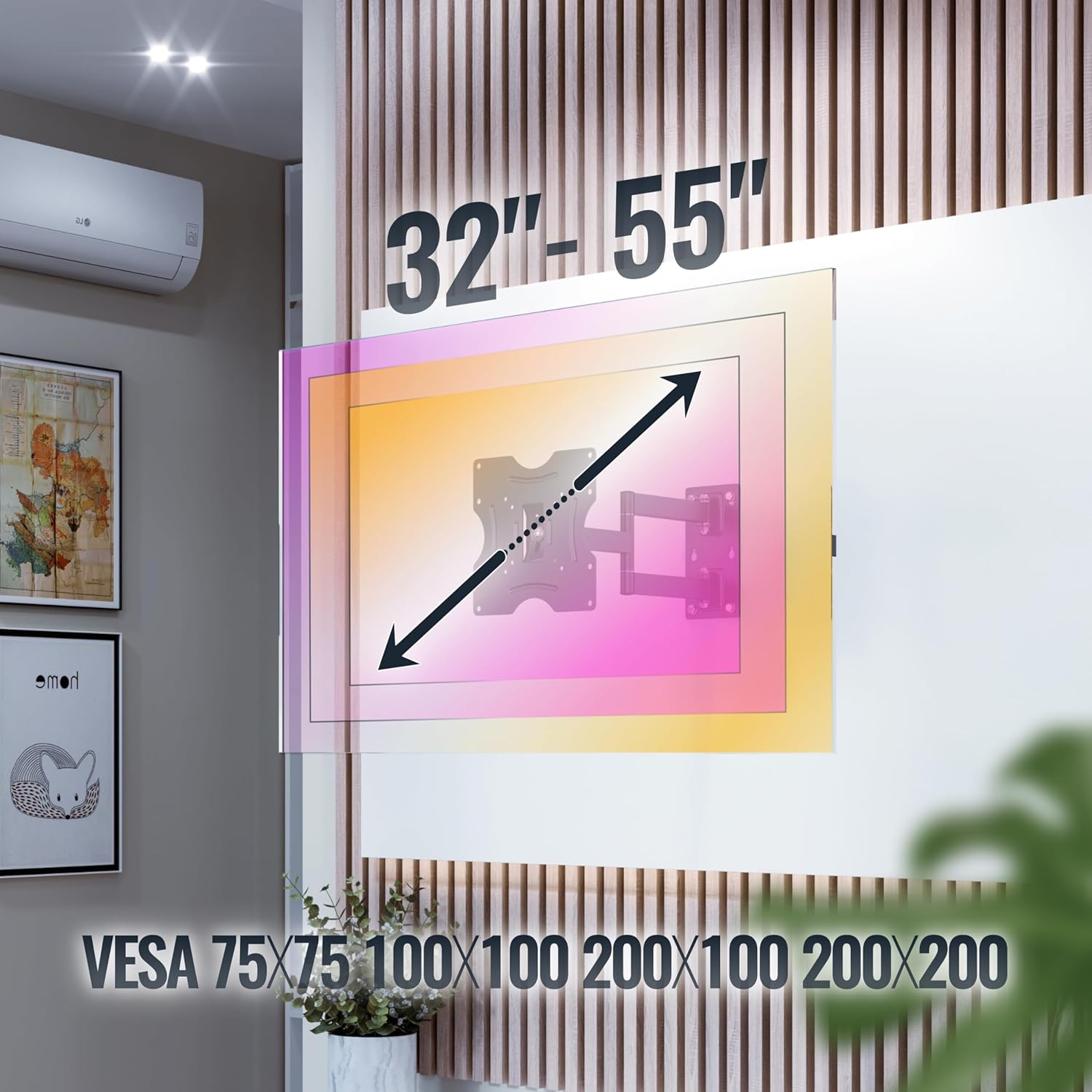
රූපය 4.2: This image illustrates the VESA compatibility (75x75, 100x100, 200x100, 200x200 mm) and the recommended screen size range for the mount. Please note that while the image shows 32"-55", the product is specified for 22"-37" TVs.
5. පිහිටුවීම සහ ස්ථාපනය
Follow these steps carefully for a secure installation. It is recommended to have two people for installation.
- බිත්තිය සකස් කරන්න:
- Identify the desired mounting location on your wall. Ensure the wall can support the weight of the mount and your TV.
- Use a stud finder to locate wall studs if mounting on a wood stud wall. For concrete walls, ensure there are no hidden pipes or electrical wires.
- Mark the drilling points for the wall plate using the mount as a template.
- සිදුරු සිදුරු:
- Drill pilot holes at the marked locations. The drill bit size will depend on your wall type and the provided screws/dowels.
- Insert the appropriate wall anchors (dowels for concrete walls) into the drilled holes.
- බිත්ති තහඩුව සවි කරන්න:
- Secure the wall plate of the mount to the wall using the provided wall screws. Ensure it is level and tightly fastened.
- රූපවාහිනී වරහන් රූපවාහිනියට අමුණන්න:
- ඔබේ රූපවාහිනී මුහුණ මෘදු, පිරිසිදු මතුපිටක් මත ප්රවේශමෙන් තබන්න.
- ඔබේ රූපවාහිනියේ පිටුපස VESA සවිකිරීමේ සිදුරු හඳුනා ගන්න.
- Select the correct size screws from the provided hardware that fit your TV's VESA holes.
- Attach the TV brackets to the back of your TV using these screws. Do not overtighten.
- රූපවාහිනිය බිත්ති තහඩුවට සවි කරන්න:
- ආධාරයෙන්, සවි කර ඇති වරහන් සහිත රූපවාහිනිය ප්රවේශමෙන් ඔසවන්න.
- Hook the TV brackets onto the wall plate. Ensure the TV is securely seated on the mount.
- Engage any safety locking mechanisms on the mount to prevent accidental dislodgement.
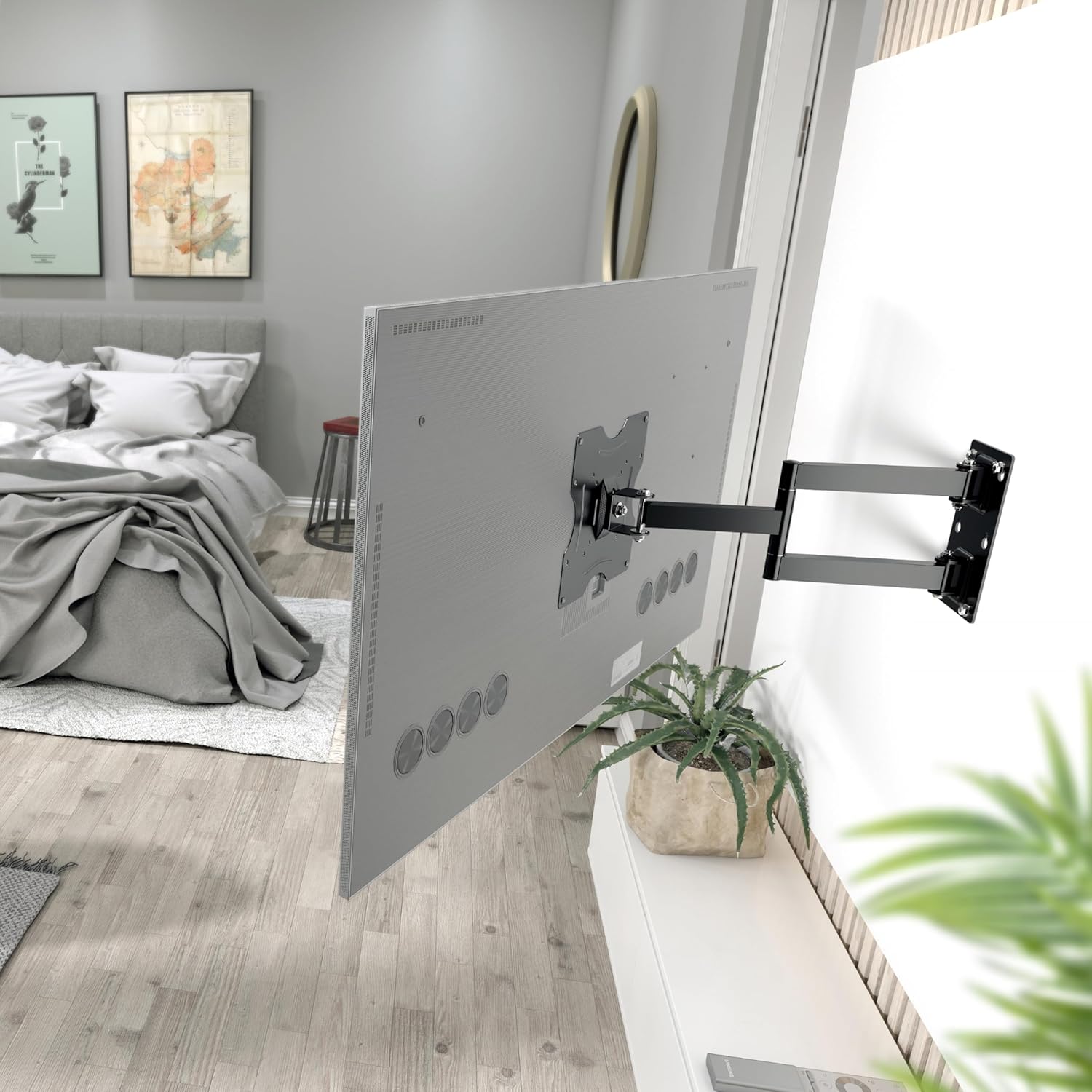
රූපය 5.1: The RICOO R02 wall mount securely installed, holding a television at an extended position from the wall.
6. මෙහෙයුම් උපදෙස්
The RICOO R02 mount offers flexible viewing විකල්ප:
- නැඹුරුව: Gently push or pull the top or bottom of the TV to adjust the tilt angle up to +/- 15 degrees. This helps reduce glare and optimize viewing.
- කරකැවීම: The mount allows for swiveling the TV up to 180 degrees horizontally. Carefully push the TV left or right to achieve the desired viewing angle. The maximum swivel range depends on the width of your TV and its distance from the wall.
- Extending/Retracting: The mount can extend the TV from the wall between 68 mm and 450 mm. Gently pull the TV forward or push it back towards the wall.

රූපය 6.1: Illustration of the mount's tilt range (+/- 15 degrees) and swivel range (up to 180 degrees), allowing for optimal viewවිවිධ තනතුරු වලින්.
7. නඩත්තු කිරීම
නිතිපතා නඩත්තු කිරීම ඔබේ රූපවාහිනී බිත්ති සවිකිරීමේ ආයු කාලය සහ ආරක්ෂිත ක්රියාකාරිත්වය සහතික කරයි.
- පිරිසිදු කිරීම: මෘදු වියළි රෙද්දකින් සවි කිරීම පිස දමන්න. උල්ෙල්ඛ පිරිසිදු කරන්නන් හෝ ද්රාවක භාවිතා කිරීමෙන් වළකින්න.
- තද බව පරීක්ෂා කිරීම: සියලුම ඉස්කුරුප්පු සහ බෝල්ට් තදින් පවතින බව සහතික කර ගැනීම සඳහා වරින් වර පරීක්ෂා කරන්න. අවශ්ය නම් නැවත තද කරන්න, නමුත් ඕනෑවට වඩා තද නොකරන්න.
- චලන පරීක්ෂාව: Occasionally move the TV through its full range of motion (tilt, swivel, extend) to ensure smooth operation.
- හානි පරීක්ෂාව: ගෙවී යාම, හානි වීම හෝ විඛාදනය වීමේ සලකුණු සඳහා මවුන්ට් එක පරීක්ෂා කරන්න. කිසියම් ගැටළුවක් හමු වුවහොත්, භාවිතය නතර කර පාරිභෝගික සහාය අමතන්න.
8. දෝශ නිරාකරණය
| ගැටලුව | විය හැකි හේතුව | විසඳුම |
|---|---|---|
| රූපවාහිනිය මට්ටමේ නැහැ. | බිත්ති තහඩුව මට්ටමින් ස්ථාපනය කර නැත. | Remove TV, adjust wall plate, and re-mount. Use a spirit level during installation. |
| කන්ද ලිහිල් හෝ අස්ථායී බවක් දැනේ. | Screws are loose; incorrect wall anchors; wall material not strong enough. | Check and tighten all screws. Ensure correct wall anchors were used for your wall type. If the wall is insufficient, consult a professional. |
| Difficulty tilting or swiveling the TV. | Joints are too tight; TV is too close to the wall or other obstructions. | Check for adjustment screws on the mount's joints and loosen slightly if needed. Ensure sufficient clearance around the TV. |
| රූපවාහිනිය සවිකිරීමට නොගැලපේ. | වැරදි VESA රටාව හෝ රූපවාහිනී ප්රමාණය/බර. | Verify your TV's VESA pattern and weight against the mount's specifications (Section 4). Ensure your TV is within the 22-37 inch range and under 30 kg. |
9. වගකීම් සහ සහාය
For warranty information or technical support, please contact RICOO customer service. Keep your purchase receipt as proof of purchase.
නිෂ්පාදකයා: ENZ Engineering GmbH
GTIN: 04260201860186
For further assistance, please visit the official RICOO webඅඩවියට පිවිසෙන්න හෝ ඔවුන්ගේ සහාය නාලිකා අමතන්න.


