1. නිෂ්පාදන අවසන්view
The AcuRite 10-inch LED digital clock is designed for clear time display in various environments such as homes, offices, or classrooms. It features large, easy-to-read numbers and multiple lighting options, including an auto-dim mode for comfortable viewing at night. The clock is powered by an included 9-foot power adapter and offers integrated cord storage for a tidy setup. It can be wall-mounted using built-in keyholes or placed on a tabletop with its fold-out stand.

රූපය 1: ඉදිරිපස view of the AcuRite 75114M LED Digital Clock.
2 ඇතුළත් සංරචක
- AcuRite 75114M 10-inch LED Digital Clock
- උපදෙස් අත්පොත
- Power Adapter (9-foot cord)
Note: 2 AA batteries are required for battery backup functionality and are not included.
3. පිහිටුවීම
3.1 ඔරලෝසුව බල ගැන්වීම
The clock operates using the included 9-foot power adapter. Plug the adapter into a standard electrical outlet. The clock requires continuous power to function. For convenience, the clock features integrated cord storage to manage excess cable.

Figure 2: Integrated cord storage on the back of the clock.
3.2 බැටරි උපස්ථ ස්ථාපනය
For battery backup functionality during power outages, install 2 AA batteries (not included) into the battery compartment located on the back of the clock. The display will not be active during battery backup mode, but the clock will maintain accurate timekeeping.

Figure 3: Back of the clock with battery compartment and controls.
3.3 ස්ථානගත කිරීමේ විකල්ප
- බිත්ති සවි කිරීම: Use the integrated keyholes on the back of the clock to securely mount it to a wall. Ensure appropriate wall anchors and screws are used for stability.
- ටැබ්ලට් භාවිතය: Utilize the fold-out stand on the back of the clock for stable placement on a desk, shelf, or table.
4. මෙහෙයුම් උපදෙස්
4.1 වේලාව සහ දිනය සැකසීම
The clock features control buttons on the back for setting the time and date. Refer to Figure 3 for button locations.
- ඔබා අල්ලාගෙන සිටින්න සකසන්න කාල සැකසුම් මාදිලියට ඇතුළු වීමට බොත්තම.
- භාවිතා කරන්න UP සහ පහළට පැය සකස් කිරීමට බොත්තම්, පසුව ඔබන්න සකසන්න තහවුරු කර මිනිත්තු වෙත යාමට.
- Repeat the process for minutes, then for the year, month, and day.
- The clock supports a 12-hour format (AM/PM indicator will be displayed).
4.2 සංදර්ශක දීප්තිය සකස් කිරීම
The clock offers six different lighting settings, including an auto-dim mode. Use the dedicated brightness control button (often labeled with a sun icon or similar, refer to Figure 3) to cycle through the available brightness levels. The auto-dim mode automatically adjusts the display brightness based on ambient light conditions.
4.3 තොරතුරු පෙන්වන්න
The clock displays the current time in large digits. Additionally, it shows the temperature, day of the week, and the current date.
5. නඩත්තු කිරීම
5.1 පිරිසිදු කිරීම
ඔරලෝසුව පිරිසිදු කිරීමට, සංදර්ශකය මෘදු ලෙස පිස දමා සී.asinමෘදු, d සහිත gamp cloth. Avoid using abrasive cleaners or solvents, as these may damage the surface.
5.2 බැටරි ප්රතිස්ථාපනය
ඔරලෝසුවට නිතර විදුලිය ඇනහිටිනවා නම් හෝtages and the time is not maintained, the AA backup batteries may need to be replaced. Open the battery compartment on the back of the clock, remove the old batteries, and insert new ones, ensuring correct polarity.
6. දෝශ නිරාකරණය
| ගැටලුව | විය හැකි හේතුව | විසඳුම |
|---|---|---|
| ඔරලෝසු සංදර්ශකය හිස් ය. | No power from adapter. | Ensure the power adapter is securely plugged into both the clock and a working electrical outlet. |
| Time is incorrect after a power interruption. | උපස්ථ බැටරි අක්රිය වී හෝ ස්ථාපනය කර නොමැත. | Install or replace 2 AA batteries in the battery compartment. Reset the time manually if necessary. |
| ඔරලෝසුව කාලය නැති කරයි හෝ සාවද්ය වේ. | Internal clock drift or power fluctuations. | Manually reset the time. If inaccuracy persists, contact AcuRite customer support. |
| සංදර්ශකය ඉතා දීප්තිමත් හෝ ඉතා අඳුරු ය. | දීප්තිය සැකසීමට ගැලපීම් අවශ්ය වේ. | Use the brightness control button on the back of the clock to cycle through the six lighting settings, including auto-dim mode. |
7. පිරිවිතර
| විශේෂාංගය | විස්තර |
|---|---|
| වෙළඳ නාමය | ඇකුරයිට් |
| ආදර්ශ අංකය | 75114M |
| වර්ණය | සුදු |
| සංදර්ශක වර්ගය | ඩිජිටල් LED |
| විශේෂ ලක්ෂණය | Light Up, Auto-Dimming |
| නිෂ්පාදන මානයන් | 10"W x 5.5"H |
| බලශක්ති ප්රභවය | Corded Electric (9-foot adapter), Battery Powered (backup) |
| අවශ්ය බැටරි | No (for main operation), Yes (2 AA for backup, not included) |
| සවිකිරීමේ වර්ගය | වෝල් මවුන්ට්, ටැබ්ලට් |
| ද්රව්ය | ප්ලාස්ටික් |
| අයිතමයේ බර | රාත්තල් 1.3 කි |
| සම්බන්ධතා තාක්ෂණය | Power (AC adapter) |
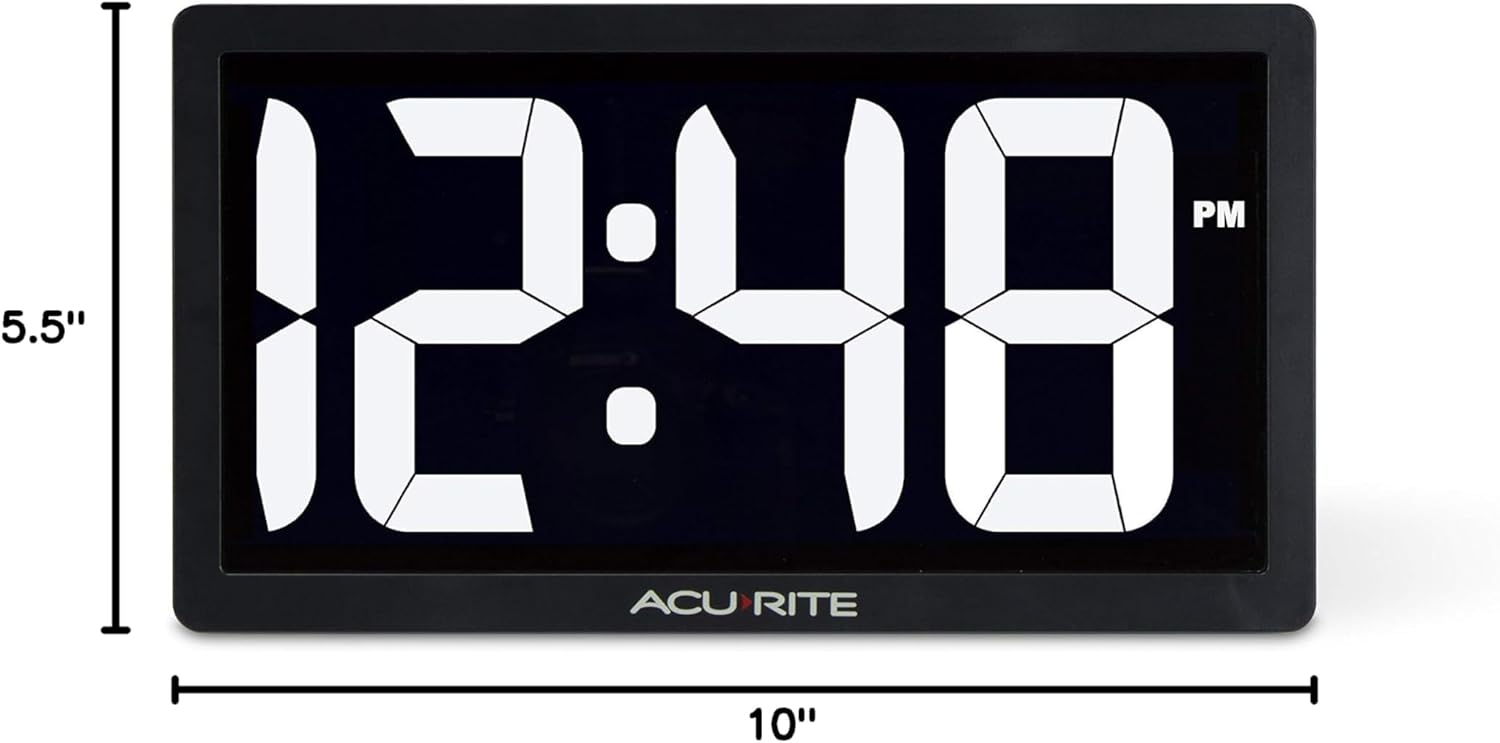
Figure 4: Product dimensions of the AcuRite 75114M clock.
8. වගකීම් සහ සහාය
8.1 වගකීම් තොරතුරු
This AcuRite 75114M LED Digital Clock comes with a one-year limited warranty. Please retain your proof of purchase for warranty claims.
8.2 පාරිභෝගික සහාය
For technical assistance, troubleshooting not covered in this manual, or warranty inquiries, please contact AcuRite customer support. Refer to the official AcuRite webවත්මන් සම්බන්ධතා තොරතුරු සඳහා අඩවිය.


