හැඳින්වීම
ස්තූතියි, උදව් කළාටasing the iCES IBT-1 Portable Bluetooth Speaker. This manual provides essential information for setting up, operating, and maintaining your device. Please read it carefully before use to ensure optimal performance and longevity.
පැකේජයේ අන්තර්ගතය
සියලුම අයිතම පැකේජයේ ඇති බවට වග බලා ගන්න:
- iCES IBT-1 Portable Bluetooth Speaker
- Mini USB Charging Cable
- පරිශීලක අත්පොත (මෙම ලේඛනය)
නිෂ්පාදනය අවසන්view
The iCES IBT-1 is a compact and versatile portable speaker designed for wireless audio playback via Bluetooth. It also supports audio playback from Micro SD cards and external devices via its AUX input.

Image: Two iCES IBT-1 speakers, one red and one silver, highlighting the product's design and portability.
සංරචක හඳුනාගැනීම
Familiarize yourself with the speaker's various ports and controls:
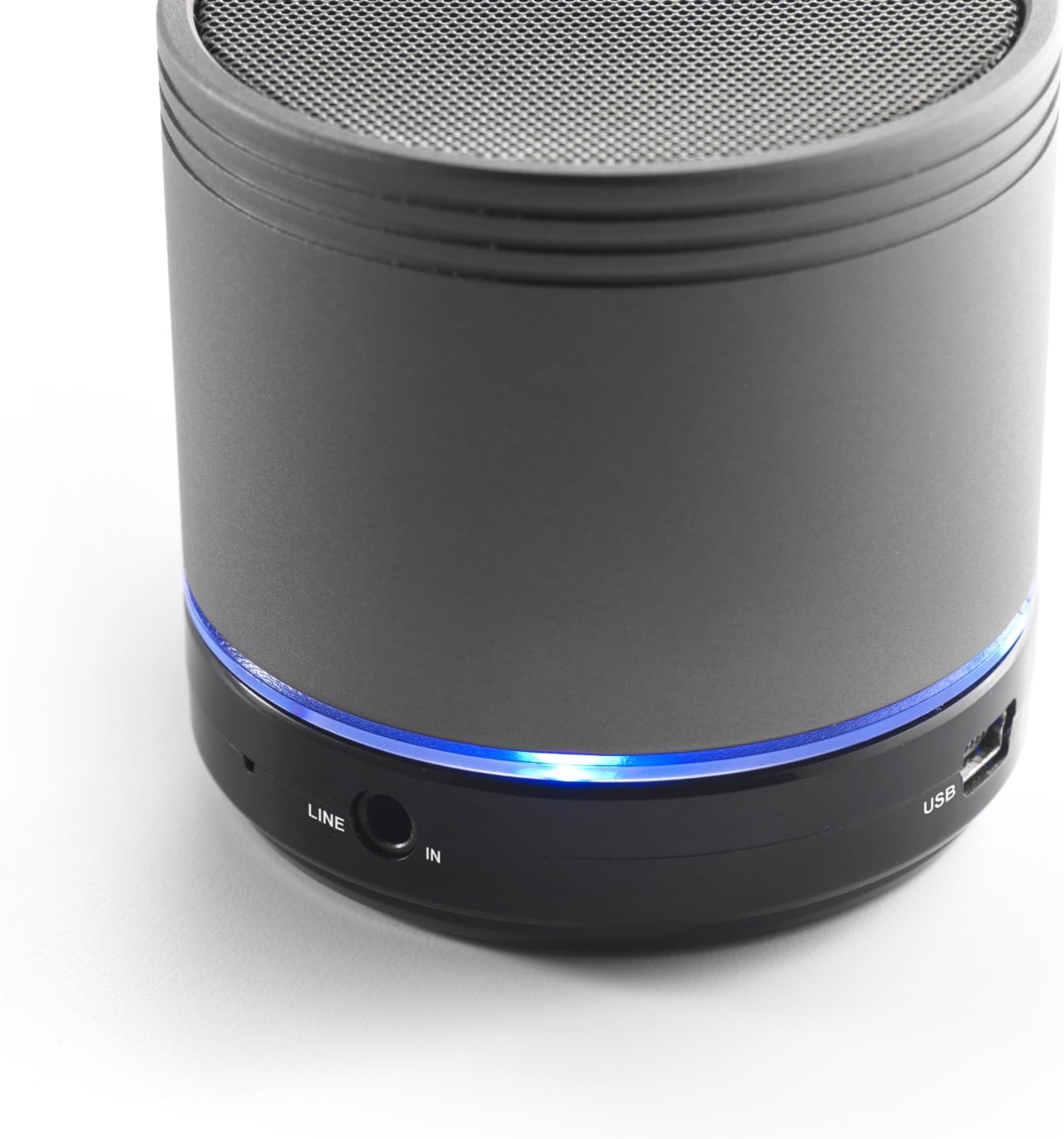
Image: Bottom section of the iCES IBT-1 speaker, displaying the LINE IN and USB ports, along with a glowing blue LED indicator.
- USB Port: අභ්යන්තර බැටරිය ආරෝපණය කිරීම සඳහා.
- LINE IN (AUX) Port: For connecting external audio devices using a 3.5mm audio cable.
- මයික්රෝ එස්ඩී කාඩ් පත: ශ්රව්ය වාදනය සඳහා fileමයික්රෝ එස්ඩී කාඩ්පතකින් කෙලින්ම.
- බල සැපයුම් සුවිචය: ON/OFF control for the speaker.
- පාලන බොත්තම්: Play/Pause, Volume Up/Next Track, Volume Down/Previous Track.
- LED දර්ශකය: බල තත්ත්වය, ආරෝපණ තත්ත්වය සහ බ්ලූටූත් යුගල කිරීමේ තත්ත්වය පෙන්වයි.
සැලසුම
බැටරිය ආරෝපණය කිරීම
Before first use, fully charge the speaker's internal battery. Use the provided Mini USB cable.
- Connect the Mini USB end of the cable to the USB port on the speaker.
- කේබලයේ සම්මත USB කෙළවර USB බල ඇඩැප්ටරයකට (ඇතුළත් කර නැත) හෝ පරිගණකයේ USB පෝට් එකකට සම්බන්ධ කරන්න.
- ආරෝපණ තත්ත්වය පෙන්වීමට LED දර්ශකය දැල්වෙනු ඇත. සම්පූර්ණයෙන්ම ආරෝපණය වූ පසු එය වෙනස් වේ හෝ අක්රිය වේ.
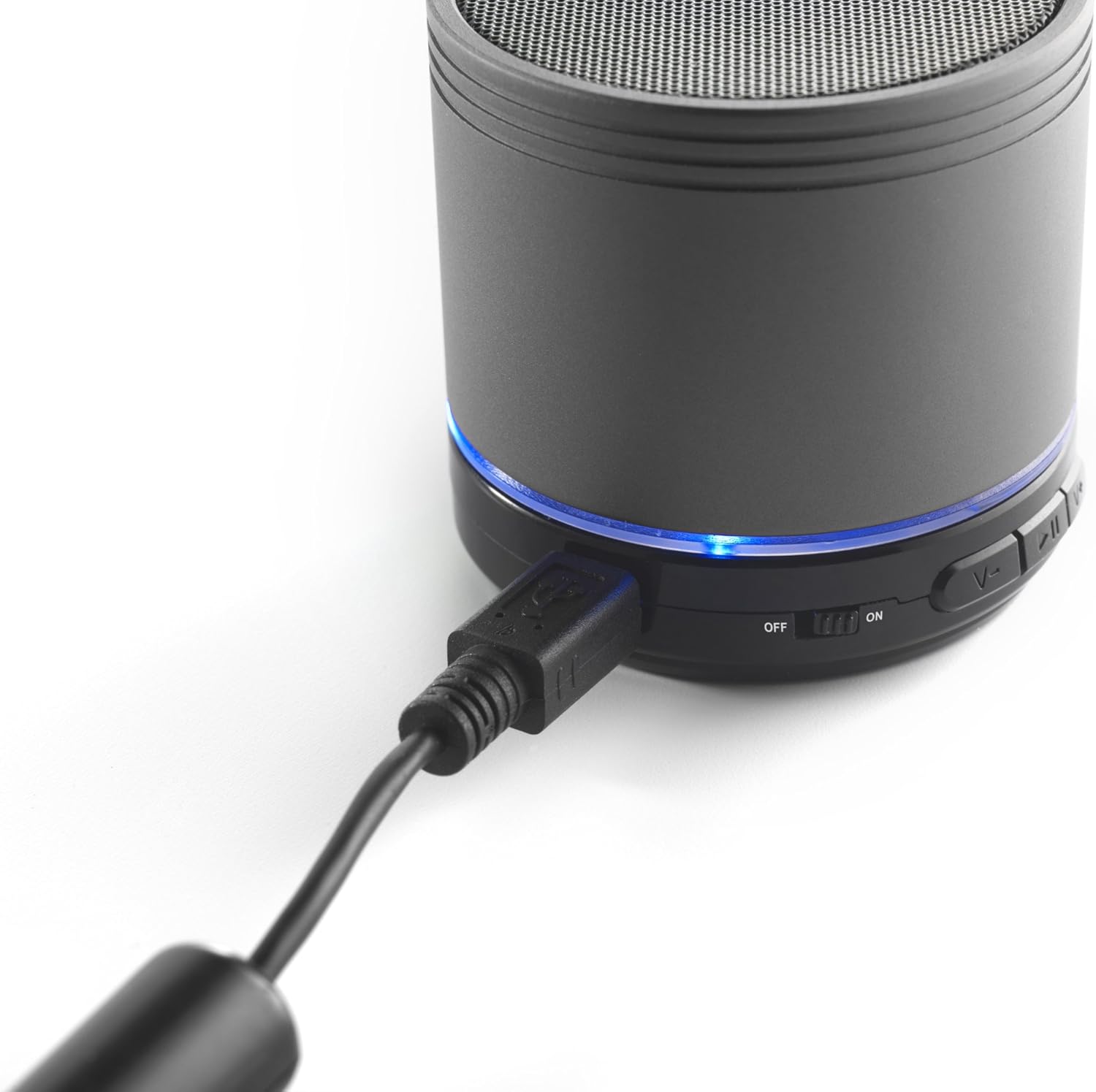
Image: The iCES IBT-1 speaker with the mini USB charging cable connected, illustrating the charging process.
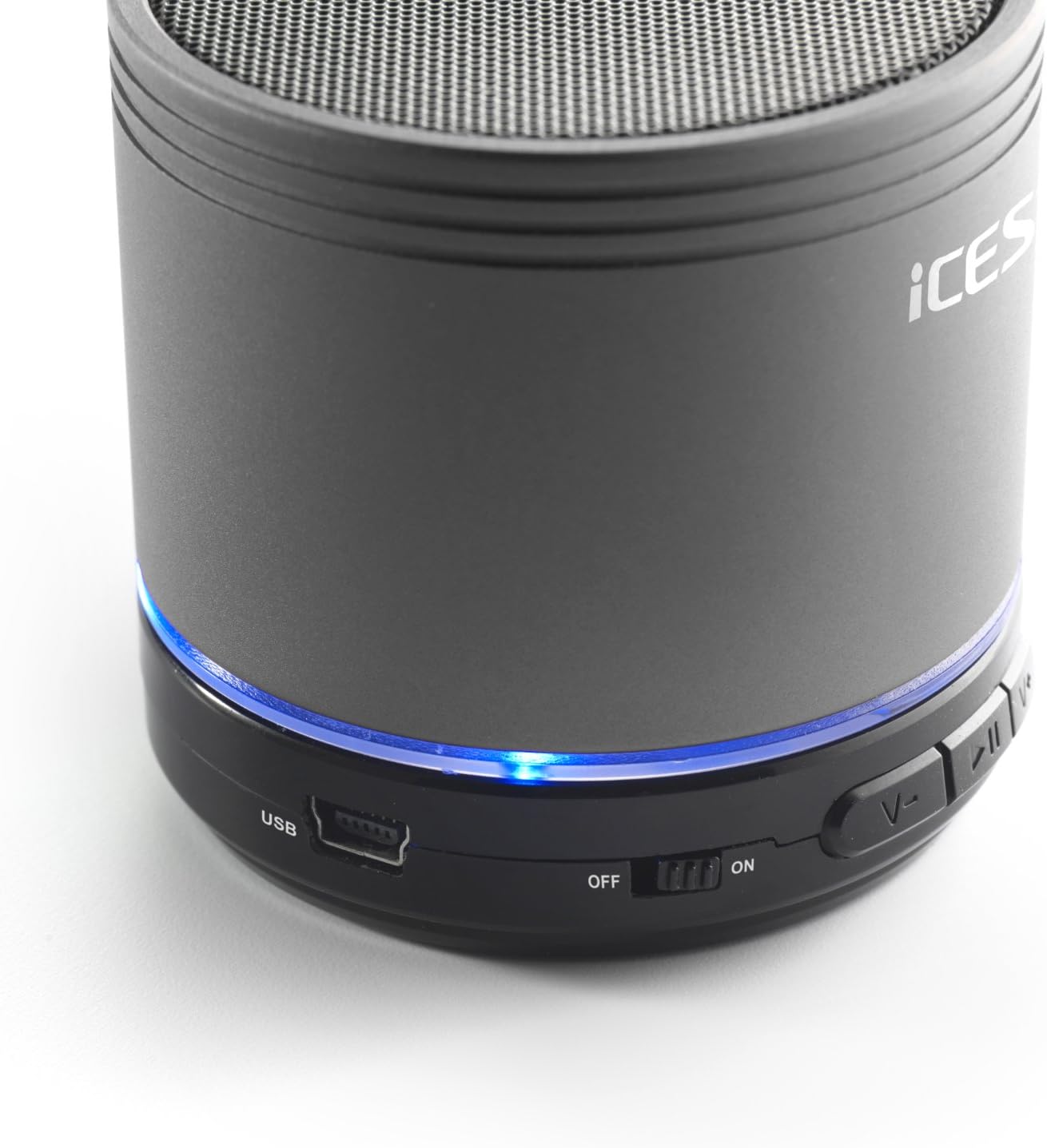
Image: The iCES IBT-1 speaker's base, highlighting the USB port and the power switch in the 'ON' position.
මෙහෙයුම් උපදෙස්
බල ගැන්වීම / අක්රිය කිරීම
- To power on, slide the power switch to the "ON" position. The LED indicator will light up.
- To power off, slide the power switch to the "OFF" position. The LED indicator will turn off.
බ්ලූටූත් සම්බන්ධතාවය
- ස්පීකරය ක්රියාත්මක කර ඇති බව සහතික කර ගන්න. LED දර්ශකය දැල්වෙනු ඇත, එය යුගල කිරීමේ ප්රකාරයේ ඇති බව දක්වයි.
- ඔබගේ බ්ලූටූත් සක්රීය උපාංගයේ (ස්මාර්ට්ෆෝන්, ටැබ්ලටය, ආදිය), බ්ලූටූත් සැකසුම් වෙත යන්න.
- ඒ සඳහා සොයන්න available devices. You should see "IBT-1" in the list.
- Select "IBT-1" to pair. Once connected, the LED indicator will stop flashing and remain solid.
- You can now play audio from your device through the iCES IBT-1 speaker.
මයික්රෝ එස්ඩී කාඩ් ප්ලේබැක්
The speaker supports Micro SD cards up to 32 GB.
- Insert a Micro SD card (with audio files) into the Micro SD card slot on the speaker.
- The speaker will automatically switch to Micro SD card mode and begin playing audio.
- Use the control buttons on the speaker to play/pause, skip tracks, or adjust volume.

Image: The iCES IBT-1 speaker's base, illustrating the Micro SD card slot and the LINE IN port.
AUX Input Playback
Connect external audio devices without Bluetooth capability.
- Connect one end of a 3.5mm audio cable (not included) to the LINE IN port on the speaker.
- Connect the other end of the 3.5mm audio cable to the headphone jack or audio output of your external device (e.g., MP3 player).
- ස්පීකරය ස්වයංක්රීයව AUX මාදිලියට මාරු වේ.
- ඔබගේ බාහිර උපාංගයෙන් නැවත ධාවනය සහ ශබ්දය පාලනය කරන්න.
පාලන බොත්තම්
- වාදනය/විරාම බොත්තම: ශ්රව්ය වාදනය කිරීමට හෝ විරාම කිරීමට වරක් ඔබන්න.
- ශබ්දය වැඩි කරන්න / ඊළඟ ධාවන පථ බොත්තම:
- කෙටි ඔබන්න: ශබ්දය වැඩි කරන්න.
- Long press: Skip to the next track.
- ශබ්දය අඩු කරන්න / පෙර ධාවන පථ බොත්තම:
- කෙටි ඔබන්න: ශබ්දය අඩු කරන්න.
- Long press: Go to the previous track.
නඩත්තු කිරීම
- ස්පීකරය වියළිව තබා ගන්න. එය ජලයට හෝ අධික තෙතමනයට නිරාවරණය නොකරන්න.
- මෘදු වියළි රෙද්දකින් ස්පීකරය පිරිසිදු කරන්න. උල්ෙල්ඛ පිරිසිදු කරන්නන් හෝ ද්රාවක භාවිතා නොකරන්න.
- Avoid extreme temperatures. Store the speaker in a cool, dry place.
- ස්පීකරය ඔබම විසුරුවා හැරීමට හෝ අලුත්වැඩියා කිරීමට උත්සාහ නොකරන්න. මෙය වගකීම් අවලංගු කරයි.
- භාවිතයේ නොමැති වුවද, බැටරි සෞඛ්යය පවත්වා ගැනීම සඳහා නිතිපතා බැටරිය ආරෝපණය කරන්න.
දෝෂගවේෂණය
| ගැටලුව | විසඳුම |
|---|---|
| ස්පීකරය ක්රියාත්මක නොවේ. | බැටරිය ආරෝපණය කර ඇති බවට වග බලා ගන්න. USB කේබලය භාවිතයෙන් ස්පීකරය බල ප්රභවයකට සම්බන්ධ කරන්න. |
| බ්ලූටූත් හරහා යුගල කළ නොහැක. |
|
| කථිකයාගෙන් ශබ්දයක් නැත. |
|
| දුර්වල ශ්රව්ය ගුණාත්මක භාවය. |
|
පිරිවිතර
| ආකෘතිය | IBT-1 |
| සම්බන්ධතාවය | Bluetooth, Micro SD Card, AUX Input (3.5mm) |
| ප්රතිදාන බලය | වොට් 3 (RMS) |
| බැටරි වර්ගය | Integrated Lithium-Polymer |
| බැටරි ධාරිතාව | 500 mAh |
| බල සැපයුම | 5V / 1A (via Mini USB) |
| මානයන් (L x W x H) | 60 x 60 x 58 මි.මී |
| බර | 180 ග්රෑම් |
| Supported Micro SD Card Size | 32 GB දක්වා |
වගකීම් සහ සහාය
For warranty information and technical support, please refer to the documentation provided at the time of purchase or visit the official iCES webවෙබ් අඩවිය. උපාංගය ඔබම අලුත්වැඩියා කිරීමට උත්සාහ නොකරන්න, මෙය ඔබගේ වගකීම් අවලංගු කළ හැකිය.


