හැඳින්වීම
This user manual provides comprehensive instructions for the VTECH Communications CS6729-2 2 Handset Answering System. It covers setup, operation, maintenance, and troubleshooting to ensure optimal performance of your new telephone system. Please read this manual thoroughly before using your phone.
සැකසුම සහ ස්ථාපනය
පැකේජයේ අන්තර්ගතය
ඔබගේ පැකේජයේ සියලුම අයිතම ඇති බවට වග බලා ගන්න:
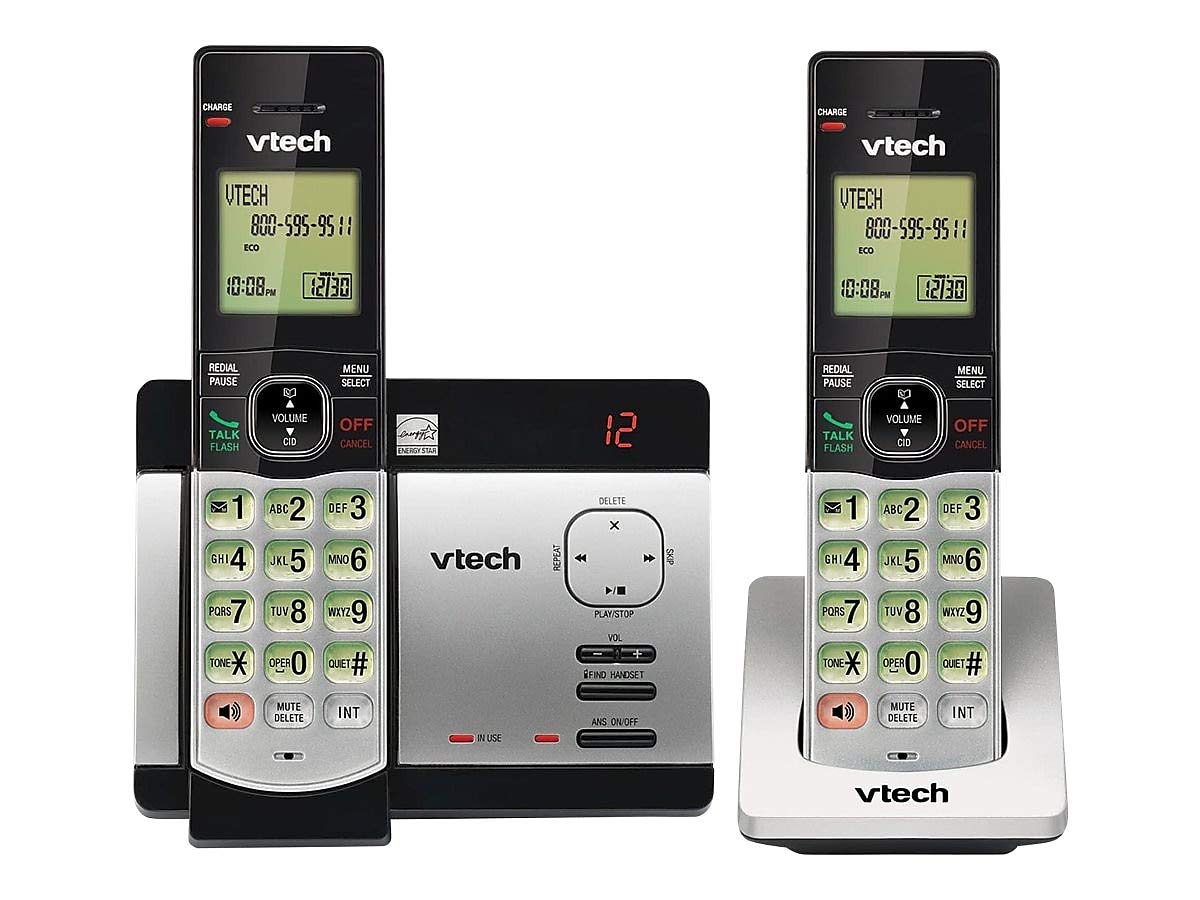
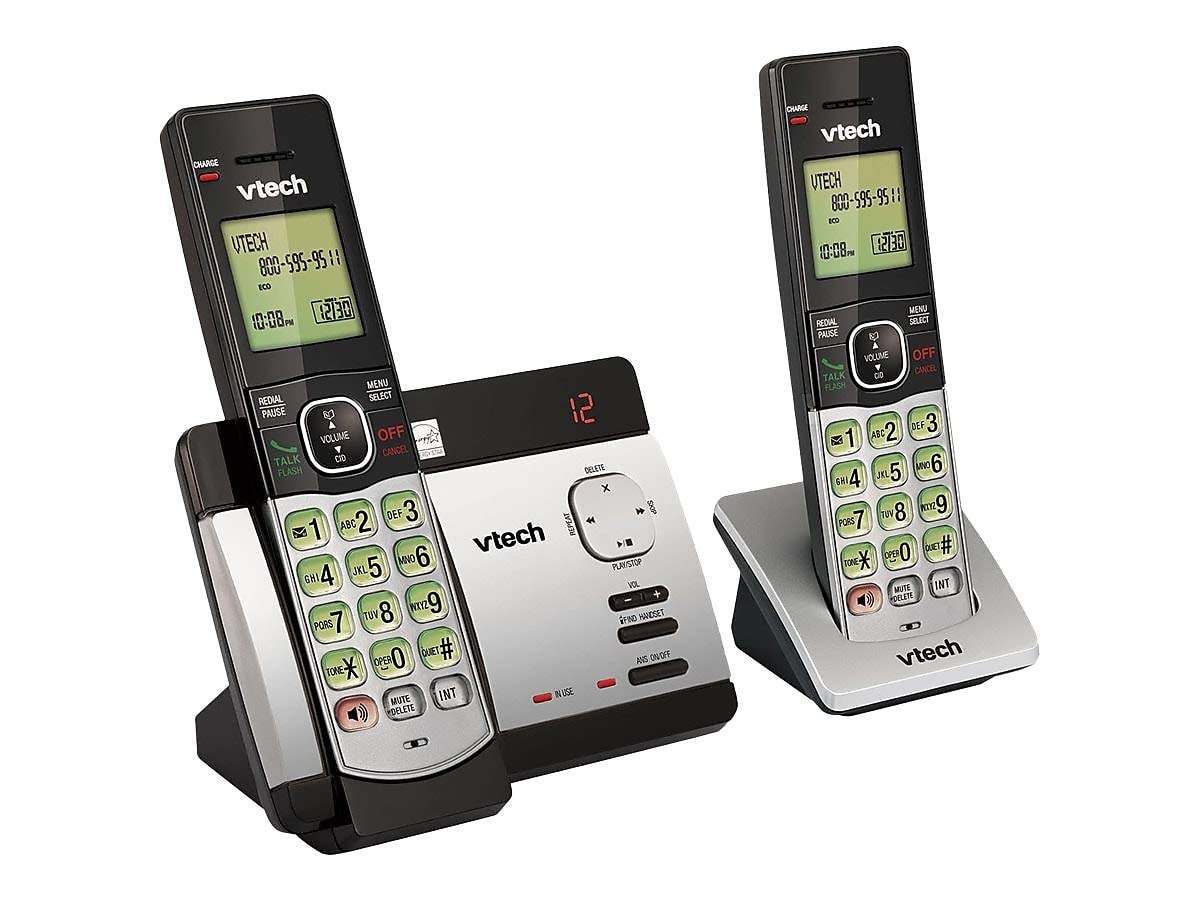
- රැහැන් රහිත ජංගම දුරකථන (2)
- ඩිජිටල් පිළිතුරු පද්ධතිය සහිත මූලික ඒකකය
- මූලික ඒකකය සඳහා AC බල ඇඩැප්ටරය
- දුරකථන රැහැන් ලණුව
- Rechargeable Batteries (4 AAA batteries required, included)
- වෝල් මවුන්ට් වරහන
බැටරි ස්ථාපනය
Before initial use, install the included AAA batteries into each cordless handset. Open the battery compartment cover on the back of the handset, insert the batteries according to the polarity markings, and close the cover. Place the handset on the base unit or charger to charge for at least 16 hours before first use.
මූලික ඒකකය සම්බන්ධ කිරීම
Connect the small end of the AC power adapter to the power jack on the back of the telephone base. Plug the large end of the AC power adapter into a wall outlet not controlled by a wall switch. Connect one end of the telephone line cord to the telephone jack on the back of the telephone base. Plug the other end of the telephone line cord into a telephone wall jack.
මෙහෙයුම් උපදෙස්
ඇමතුම් ලබා ගැනීම සහ ලබා ගැනීම
ඇමතුමක් ගැනීමට, ඔබන්න කතා/ෆ්ලෑෂ් or any dial pad key, then dial the number. To receive a call, press කතා/ෆ්ලෑෂ් when the phone rings. To end a call, press අක්රිය/අවලංගු කරන්න නැතහොත් ජංගම දුරකථනය මූලික ඒකකය/ආරෝපණය මත නැවත තබන්න.
Answering System Features
The integrated digital answering system can record up to 14 minutes of messages. You can retrieve messages from any handset or remotely. The voicemail waiting indicator will notify you of new messages. Messages are time and date stampපහසු යොමු කිරීම සඳහා ed.
Caller ID/Call Waiting
The phone displays the caller's name and number (if available) before you answer. If you have Call Waiting service, the phone will alert you to an incoming call while you are on another call.
දුරකථන පොත් නාමාවලිය
Store up to 50 names and numbers in the phonebook directory for quick dialing. Refer to the handset menu for instructions on adding, editing, and deleting entries.
ඉන්ටර්කොම්
Use the intercom feature to communicate between handsets. This system supports up to 5 handsets (additional handsets sold separately).
නැවත සකසන්න
The phone stores the last 10 dialed numbers. Press නැවත සකස් කිරීම / විරාමය to access and redial these numbers.
පරිමාව පාලනය
ඇමතුමක් අතරතුර ඉයර්පීස් සහ ස්පීකර්ෆෝන් ශබ්දය සකසන්න භාවිතා කරමින් පරිමාව buttons on the side of the handset.
නිහඬ කරන්න
ඔබන්න නිශ්ශබ්ද කරන්න/මකන්න button during a call to mute your microphone. The other party will not hear you, but you can still hear them. Press again to unmute.
සම්මන්ත්රණ ඇමතුම්
You can set up a 3-way conference call between an outside line and up to two cordless handsets.
Trilingual Prompts
The system offers trilingual prompts, allowing you to choose between English, Spanish, or French for voice announcements and menu options.
නඩත්තු කිරීම
පිරිසිදු කිරීම
දුරකථනය සහ මූලික ඒකකය මෘදු, d පිරිසිදු කරන්නෙකු භාවිතයෙන් පිරිසිදු කරන්න.amp cloth. Do not use cleaning sprays or harsh chemicals. Avoid getting moisture in any openings.
බැටරි සත්කාර
To maintain optimal battery life, fully charge the handsets regularly. If the phone will not be used for an extended period, remove the batteries to prevent leakage.
දෝෂගවේෂණය
If you experience issues with your phone system, try the following solutions:
| ගැටලුව | විසඳුම |
|---|---|
| ඩයල් ටෝන් නැත | Ensure the power adapter and telephone line cord are securely plugged into the base unit and wall outlets. Check if the phone line is active. |
| ඇමතුම් ලබා ගැනීමට/ලැබීමට නොහැකිය | Check battery charge level. Ensure the handset is within range of the base unit. Verify the telephone line connection. |
| Answering system not recording messages | පිළිතුරු පද්ධතිය සක්රිය කර ඇති බවට වග බලා ගන්න. මතකය පිරී ඇත්දැයි පරීක්ෂා කරන්න; අවශ්ය නම් පැරණි පණිවිඩ මකන්න. |
| දුර්වල ශබ්ද ගුණාත්මකභාවය | මූලික ඒකකයට සමීප වන්න. අනෙකුත් ඉලෙක්ට්රොනික උපාංගවලින් ඇතිවන බාධා පරීක්ෂා කරන්න. |
| හෑන්ඩ්සෙට් එක ආරෝපණය නොවේ | Ensure the handset is properly seated in the charging cradle. Clean the charging contacts on both the handset and cradle. |
පිරිවිතර
- ආකෘතිය: CS6729-2
- තාක්ෂණය: DECT 6.0 ඩිජිටල්
- හෑන්ඩ්සෙට්: 2 (5 දක්වා පුළුල් කළ හැකි)
- පිළිතුරු පද්ධතිය: ඩිජිටල්, මිනිත්තු 14 ක පටිගත කිරීමේ කාලය
- දුරකථන පොත් ධාරිතාව: නම් සහ අංක 50ක්
- මතකය නැවත සකසන්න: අවසාන අංක 10
- බැටරි: නැවත ආරෝපණය කළ හැකි AAA බැටරි 4ක් (ඇතුළත්)
- නිෂ්පාදන මානයන්: 1 x 3.2 x 6.9 inches (handset)
- අයිතමයේ බර: රාත්තල් 1.3 කි
- වර්ණය: අළු
- බලශක්ති ප්රභවය: රැහැන්ගත විදුලි
වගකීම් සහ සහාය
For warranty information and technical support, please refer to the warranty card included with your product or visit the official VTech webවෙබ් අඩවිය. වගකීම් හිමිකම් සඳහා මිලදී ගැනීමේ සාක්ෂියක් ලෙස ඔබේ මිලදී ගැනීමේ රිසිට්පත තබා ගන්න.


