1. නිෂ්පාදන අවසන්view
The Maul 2335225 A4 Clipboard with Cover is designed for organizing and securing documents. It features a robust construction and a practical design for everyday use in various environments.
- Made of robust cardboard with a durable foil coating.
- Equipped with adjustable hanging holes for convenient suspension.
- Features a dirt-repellent, wipeable surface for easy cleaning.

රූපය 1: ඉදිරිපස view of the Maul A4 Clipboard with Cover.
2. පිහිටුවීම
The Maul A4 Clipboard with Cover requires minimal setup and is ready for immediate use.
- ඇසුරුම්: Carefully remove the clipboard from its packaging.
- පරීක්ෂා කරන්න: Check the clipboard for any visible damage.
- භාවිතයට සූදානම්: The clipboard is now ready to hold your documents.
3. මෙහෙයුම් උපදෙස්
Follow these steps to effectively use your clipboard:
- Inserting Documents:
Gently press down on the metal clip at the top of the clipboard to open it. Slide your A4 documents under the clip. Release the clip to securely hold the papers in place. The clipboard can hold up to 80 sheets of standard A4 paper.
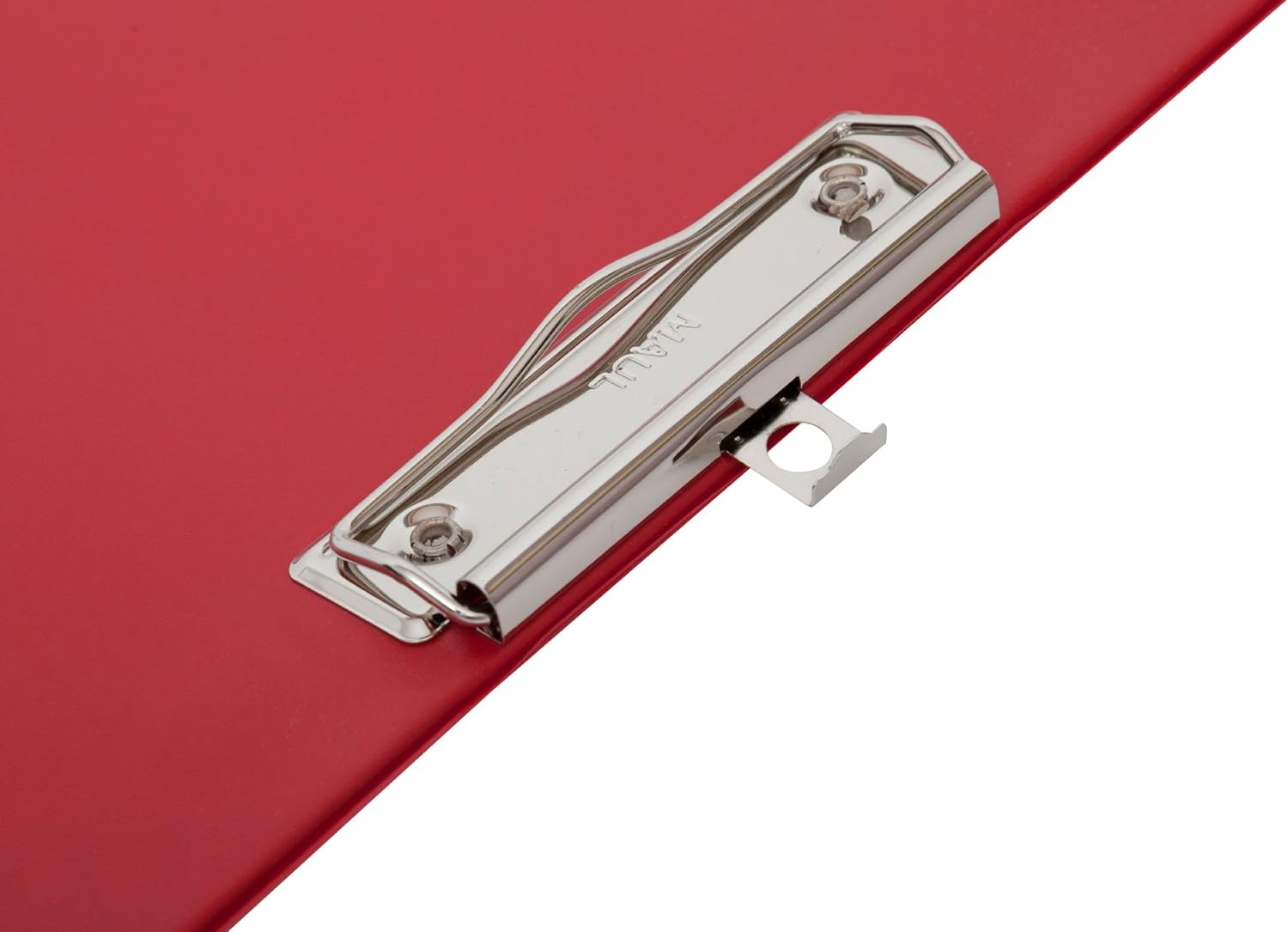
Figure 2: Detail of the flat clip mechanism.

Figure 3: Documents secured by the clip.
- කවරය භාවිතා කිරීම:
The integrated cover protects your documents from dust, spills, and provides privacy. Simply fold the cover over the documents once they are secured by the clip.
- Hanging the Clipboard:
Utilize the adjustable hanging holes located on the back of the clipboard for convenient storage or display. These holes allow for flexible hanging options on hooks or nails.

රූපය 4: ආපසු view with hanging holes.
4. නඩත්තු කිරීම
To ensure the longevity and appearance of your Maul A4 Clipboard with Cover, follow these simple maintenance guidelines:
- පිරිසිදු කිරීම: The clipboard features a dirt-repellent, wipeable surface. For general cleaning, use a soft, damp cloth. For stubborn marks, a mild soap solution can be applied, followed by wiping with a clean, damp රෙදි. උල්ෙල්ඛ පිරිසිදු කරන්නන් හෝ රළු රසායනික ද්රව්ය වලින් වළකින්න.
- ගබඩා: Store the clipboard in a dry environment, away from direct sunlight or extreme temperatures, to prevent material degradation.
- Clip Care: Periodically check the metal clip for any debris that might hinder its function. Ensure it operates smoothly.
5. දෝශ නිරාකරණය
The Maul A4 Clipboard with Cover is a simple and robust product. Most issues can be resolved with basic checks.
- Papers not held securely: Ensure the metal clip is fully closed after inserting documents. Avoid overloading the clip beyond its 80-sheet capacity.
- Surface marks: Refer to the "Cleaning" section under Maintenance for instructions on how to clean the wipeable surface.
6. පිරිවිතර
| විශේෂාංගය | විස්තර |
|---|---|
| වෙළඳ නාමය | මෝල් |
| ආදර්ශ අංකය | 2335225 |
| නිෂ්පාදන මානයන් | Approximately 2.3 x 1.3 x 0.25 cm (thickness); 100 g |
| වර්ණය | රතු |
| ද්රව්ය වර්ගය | Cardboard with Foil Coating |
| සවි කිරීමේ ධාරිතාව | Up to 80 sheets (A4) |
| අයිතම ගණන | 1 |
| ප්රමාණය | A4 |
| ගාංචු වර්ගය | Flat Clip |
| නිෂ්පාදකයා | ජේකොබ් මෝල් GmbH |
7. වගකීම් සහ සහාය
For information regarding warranty, returns, or technical support, please refer to the retailer's policy where the product was purchased or contact Maul directly through their official webවෙබ් අඩවිය. සහාය සම්බන්ධ කර ගැනීමේදී කරුණාකර ඔබේ මාදිලි අංකය (2335225) සහ මිලදී ගැනීමේ විස්තර සූදානම් කර තබා ගන්න.
නිෂ්පාදකයා: ජේකොබ් මෝල් GmbH