1. හැඳින්වීම
The Corel WordPerfect Office X7 Home & Student Edition is a comprehensive software suite designed for home and student users. It provides essential tools for creating documents, spreadsheets, and presentations. This edition allows installation on up to three devices, offering flexibility for multiple users or computers within a household or for academic use. The suite includes WordPerfect for word processing, Quattro Pro for spreadsheets, Presentations for slideshows, and a Mail Merge Wizard for various document creation tasks.
2. පිහිටුවීම සහ ස්ථාපනය
This section guides you through the process of installing Corel WordPerfect Office X7 on your computer. A digital download is included with your purchase, allowing for convenient installation.
2.1 පද්ධති අවශ්යතා
ස්ථාපනය කිරීමට පෙර, ඔබේ පද්ධතිය පහත අවම අවශ්යතා සපුරාලන බවට වග බලා ගන්න:
- මෙහෙයුම් පද්ධතිය: Windows 8/8.1, Windows 7, or Windows XP.
- සකසනය: 466 MHz or faster.
- මතකය (RAM): 256 MB හෝ ඊට වැඩි.
- තිර විභේදනය: 1024 x 768 හෝ ඊට වැඩි.
- ගබඩා: Sufficient hard disk space for installation.
- දෘශ්ය ධාවකය: DVD drive (if installing from physical media).
- ආදාන උපාංගය: Mouse, tablet, or stylus.
- අන්තර්ජාල සම්බන්ධතාවය: Required for product activation and serial number verification during installation.
2.2 ස්ථාපන පියවර
- බාගත: If you have a digital download, locate the installation file provided after purchase. If you have physical media, insert the DVD into your computer's DVD drive.
- ස්ථාපකය ක්රියාත්මක කරන්න: බාගත කළ දේ මත දෙවරක් ක්ලික් කරන්න file or the setup file on the DVD to start the installation wizard.
- විමසීම් අනුගමනය කරන්න: Adhere to the on-screen instructions. You will be prompted to accept the license agreement, choose an installation location, and enter your product serial number.
- සක්රිය කිරීම: An active internet connection is required to verify your serial number and activate the software.
- සම්පූර්ණ කිරීම: Once the installation is complete, you can launch the applications from your Start Menu or desktop shortcuts.
For additional installation guidance and resources, you may scan the QR code below or visit the official Corel webඅඩවිය:
http://www.corel.com/wordperfectx7/qr

Image: Front of Corel WordPerfect Office X7 Home & Student Edition box.
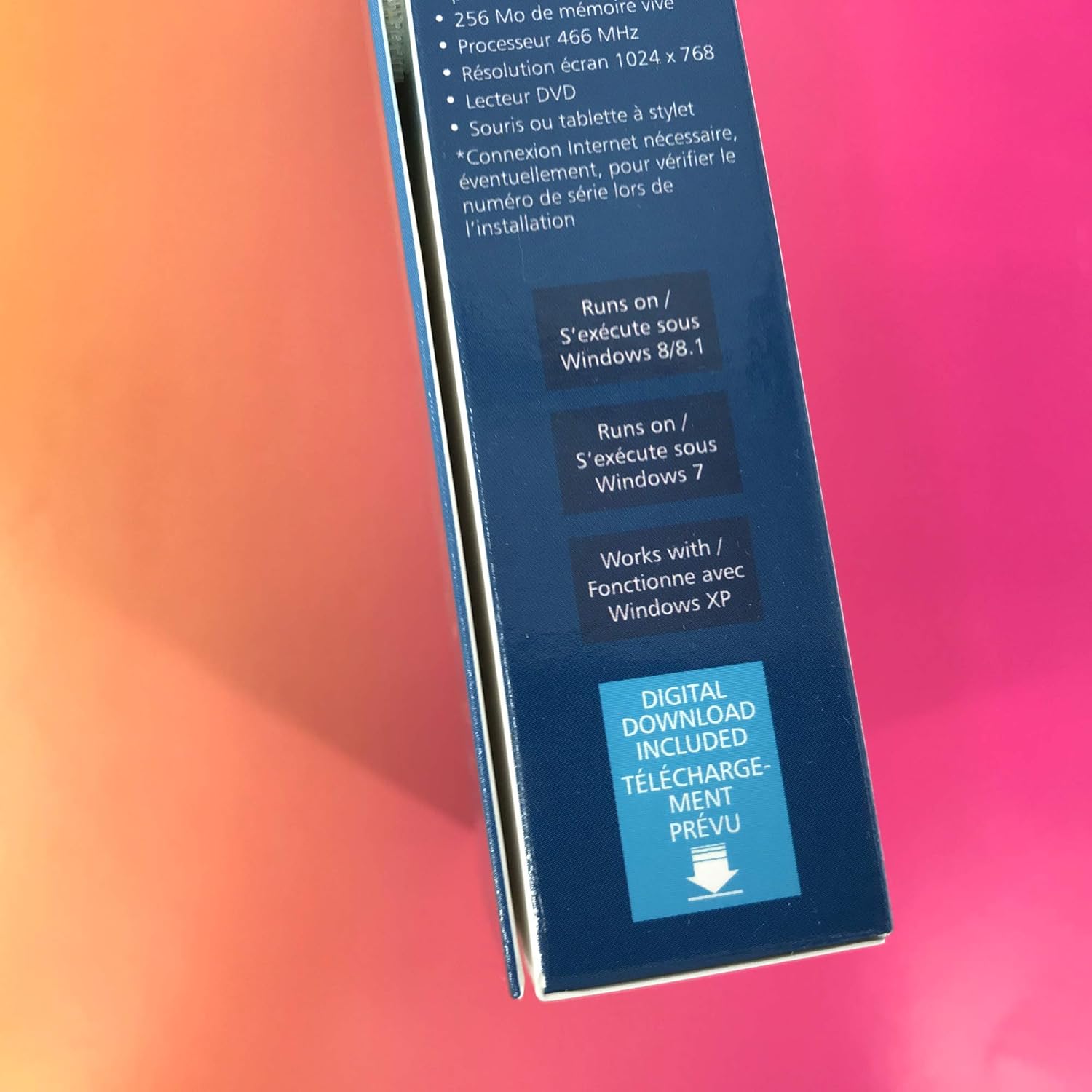
Image: Side of Corel WordPerfect Office X7 Home & Student Edition box with system requirements.
3. මෘදුකාංගය ක්රියාත්මක කිරීම
Corel WordPerfect Office X7 provides a suite of applications designed for various productivity tasks. This section offers a general overview of its primary components and key functionalities.
3.1 Core Applications
- WordPerfect: A powerful word processor for creating documents, reports, and letters. It offers advanced formatting options and robust file ගැළපුම.
- Quattro Pro: A spreadsheet program for data analysis, calculations, and creating charts.
- ඉදිරිපත් කිරීම්: For designing professional slideshows and presentations with various templates and effects.
- Mail Merge Wizard: Simplifies the creation of personalized documents, labels, and envelopes for mass distribution.
3.2 Key Features and Tips
- File ගැළපුම: WordPerfect Office X7 supports over 60 file types, including popular Microsoft Office formats, allowing for seamless collaboration and document exchange.
- Reveal Codes: A unique and powerful feature in WordPerfect (accessible via Alt+F3) that displays all formatting codes embedded in your document. This is invaluable for precise formatting control and troubleshooting layout issues.
- සැකිලි: Utilize the hundreds of free templates available to quickly start new projects, from resumes to newsletters.
- PDF Tools: Built-in PDF functionality allows you to create, edit, and publish PDF documents directly from the suite.
4. නඩත්තු කිරීම
Regular maintenance ensures the optimal performance and stability of your Corel WordPerfect Office X7 suite.
- මෘදුකාංග යාවත්කාලීන: Periodically check for software updates and patches from the Corel website. Updates often include bug fixes, performance improvements, and security enhancements.
- දත්ත උපස්ථ: Regularly back up your important documents, spreadsheets, and presentations. While the software is stable, unforeseen system issues can occur. Store backups on an external drive or cloud storage.
- පද්ධති ප්රශස්තකරණය: Ensure your operating system is up-to-date and perform regular disk cleanups and defragmentation (if applicable to your storage type) to maintain overall system health.
5. දෝශ නිරාකරණය
This section addresses common issues you might encounter while using Corel WordPerfect Office X7.
5.1 "WordPerfect X7 has stopped working" Error
If you encounter a message stating "WordPerfect X7 has stopped working," consider the following steps:
- යෙදුම නැවත ආරම්භ කරන්න: Close the program and try opening it again.
- පරිගණකය නැවත ආරම්භ කරන්න: A full system restart can often resolve temporary software conflicts.
- යාවත්කාලීන සඳහා පරීක්ෂා කරන්න: Ensure your software is fully updated. Corel often releases patches to address known stability issues.
- පද්ධති සම්පත්: Close other demanding applications to free up system memory and processor resources.
- නැවත ස්ථාපනය: If the problem persists, a clean reinstallation of the software might be necessary. Uninstall the program, restart your computer, and then reinstall using the original installation media or digital download.
5.2 Formatting and Layout Issues
For unexpected formatting changes or layout problems, the Reveal Codes feature is highly effective:
- Access Reveal Codes: ඔබන්න Alt+F3 in WordPerfect to open the Reveal Codes window.
- Identify Codes: This window shows all hidden formatting codes. You can identify and delete unwanted or conflicting codes that might be causing layout issues.
- Adjust Margins: For margin adjustments, you can often drag them directly on the ruler or use the specific formatting options within the application.
5.3 සාමාන්ය කාර්ය සාධන ගැටළු
- Verify System Requirements: Ensure your computer still meets or exceeds the minimum system requirements. Older hardware or insufficient RAM can lead to slow performance.
- පසුබිම් යෙදුම් වසන්න: Running many applications simultaneously can consume resources and slow down WordPerfect Office.
- Check for Malware: Perform a full system scan for viruses or malware, which can significantly impact system performance.
6. පිරිවිතර
Detailed specifications for Corel WordPerfect Office X7 Home & Student Edition (WPOX7HSEFMB).
| විශේෂාංගය | විස්තර |
|---|---|
| නිෂ්පාදන මාදිලි අංකය | WPOX7HSEFMB |
| ASIN | B00OMQLNMC |
| නිෂ්පාදකයා | කොරල් |
| නිෂ්පාදන මානයන් | අඟල් 5.25 x 1.25 x 7.5 |
| අයිතමයේ බර | අවුන්ස 3.68 කි |
| මෙහෙයුම් පද්ධති අනුකූලතාව | Windows 8/8.1, Windows 7, Windows XP |
| ප්රොසෙසර අවශ්යතාවය | 466 MHz or higher |
| RAM Requirement | 256 MB හෝ ඊට වැඩි |
| තිර විභේදනය | 1024 x 768 හෝ ඊට වැඩි |
| ස්ථාපන වර්ගය | Digital Download / DVD |
| උපාංග සීමාව | Install on up to 3 devices |
7. වගකීම් සහ සහාය
For detailed information regarding product warranty, technical support, and additional resources, please refer to the official Corel website or contact Corel customer service.
- Official Corel Webඅඩවිය: පිවිසෙන්න www.corel.com for product registration, FAQs, and support documentation.
- කොරල් වෙළඳසැල: For product information and other Corel offerings, you can visit the Corel Store on Amazon: Corel Store.
- පාරිභෝගික සහාය: Contact Corel's customer support for personalized assistance with installation, activation, or technical issues. Contact details are typically available on their official webඅඩවිය.


