1. හැඳින්වීම
The Tenda 4G06 is a wireless gateway designed to provide high-speed internet access via LTE cellular networks and Wi-Fi. It integrates both cellular and Ethernet uplink access, offering flexible data and voice services. This device is suitable for various environments, including remote areas, temporary setups, and homes or offices where traditional wired broadband is unavailable or inconvenient. It supports Wi-Fi 4 (IEEE 802.11b/g/n) and includes an RJ11 port for voice services.

රූපය 1.1: ඉදිරිපස view of the Tenda 4G06 Wi-Fi 4G VoLTE Router.
2. නිෂ්පාදන ලක්ෂණ
- 4G LTE සම්බන්ධතාවය: Provides internet access via a Mini SIM card, ideal for locations without wired broadband.
- High-Speed Wi-Fi: Supports Wi-Fi 4 (802.11b/g/n) with speeds up to 300Mbps, allowing up to 32 devices to connect simultaneously.
- VoLTE Voice Service: Features an RJ11 port to connect external landline phones for voice calls over the LTE network.
- ඊතර්නෙට් වරාය: Includes Fast Ethernet ports (up to 100Mbps) for wired network connections.
- Detachable Antennas: Equipped with two external detachable antennas for improved signal reception.
- Data Traffic Monitoring: Allows setting a maximum monthly data traffic limit via the web interface to manage usage.
- පහසු සැකසුම: Simple installation by inserting a SIM card and powering on the device.
3. පැකේජ අන්තර්ගතය
ඔබේ පැකේජයේ පහත අයිතම අඩංගු බව තහවුරු කරන්න:
- Tenda 4G06 Wi-Fi 4G VoLTE Router
- බල ඇඩැප්ටරය
- ඊතර්නෙට් කේබලය
- RJ11 Phone Cable
- ඉක්මන් ස්ථාපන මාර්ගෝපදේශය

වීඩියෝව 3.1: මෙම වීඩියෝව මඟින්view of the Tenda 4G06 LTE Voice Router and its included components.
4. දෘඩාංග අවසන්view
4.1 ඉදිරිපස පුවරු දර්ශක
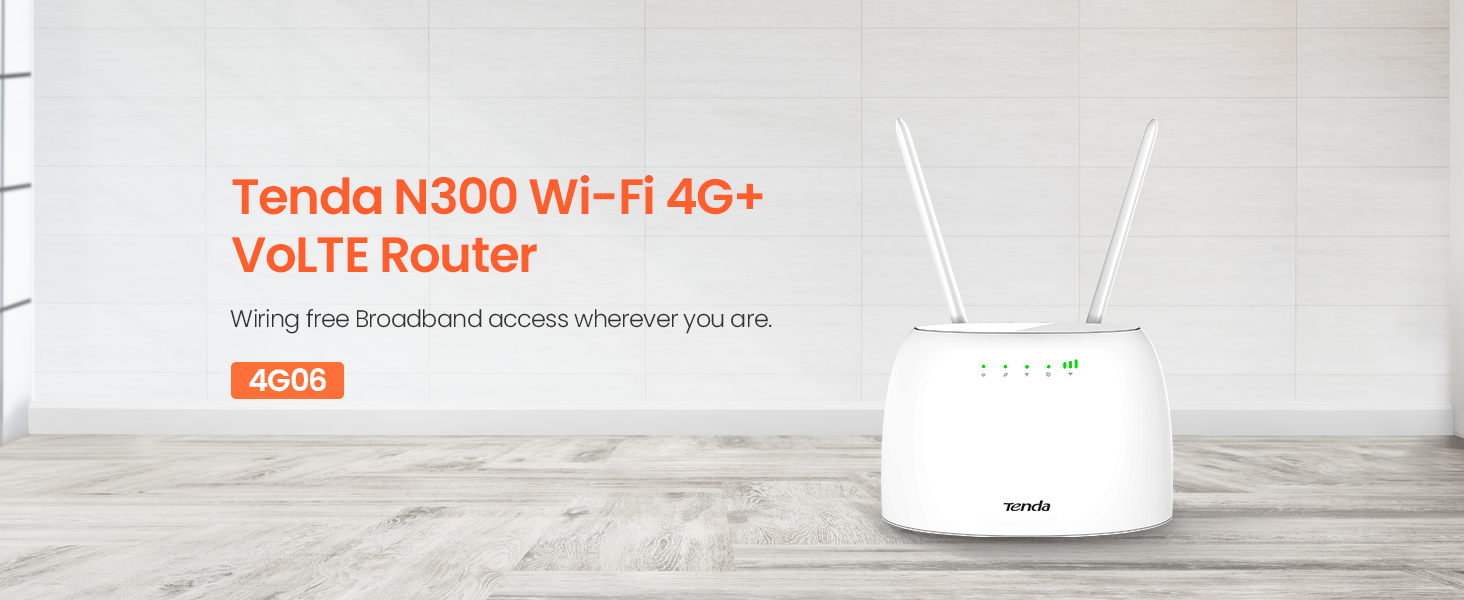
රූපය 4.1: ඉදිරිපස view of the Tenda 4G06 showing LED indicators.
- බල දර්ශකය: උපාංගයේ බල තත්ත්වය පෙන්නුම් කරයි.
- 4G සංඥා දර්ශකය: Displays the strength of the 4G cellular signal.
- Wi-Fi දර්ශකය: Wi-Fi ජාලයේ තත්ත්වය පෙන්වයි.
- Ethernet Port Indicator: Lights up when an Ethernet device is connected.
4.2 පසුපස පැනල් තොටුපළ සහ බොත්තම්

රූපය 4.2: පසුපස view of the Tenda 4G06 showing ports and buttons.
- බල බොත්තම: උපාංගය සක්රිය හෝ අක්රිය කිරීමට භාවිතා කරයි.
- විදුලිබල වරාය: ඇතුළත් කර ඇති බල ඇඩැප්ටරයට සම්බන්ධ වේ.
- RJ11/TEL Port: Connects to a landline phone for voice calls.
- Fast Ethernet Ports: Connect to wired devices such as computers or switches.
- SIM කාඩ් පත: Insert your Mini SIM card here.
- Detachable Antennas: Connect the two external antennas for optimal signal reception.
5. සැකසුම් මාර්ගෝපදේශය
Follow these steps for initial setup of your Tenda 4G06 router:
- SIM කාඩ්පත ඇතුළු කරන්න: Locate the SIM card slot on the rear panel. Carefully insert your activated Mini SIM card into the slot until it clicks into place. Ensure the SIM card is correctly oriented.
- ඇන්ටනා අමුණන්න: Screw the two detachable antennas onto the connectors on the rear of the router. Adjust their position for optimal signal reception.
- සම්බන්ධක බලය: Connect the power adapter to the router's power port and then plug the adapter into a power outlet. Press the power button to turn on the device.
- දර්ශක පරීක්ෂා කරන්න: Wait for the Power, 4G Signal, and Wi-Fi indicators on the front panel to stabilize. The 4G Signal indicator will show the strength of your cellular connection.
- උපාංග සම්බන්ධ කරන්න:
- Wifi: On your computer or mobile device, search for the Wi-Fi network name (SSID) printed on the label at the bottom of the router. Connect to this network using the default Wi-Fi password (also on the label).
- ඊතර්නෙට්: රවුටරයේ LAN port එකකින් ඔබේ පරිගණකයේ Ethernet port එකට Ethernet කේබලයක් සම්බන්ධ කරන්න.
- ප්රවේශය Web අතුරු මුහුණත: a විවෘත කරන්න web බ්රවුසර කර පෙරනිමි IP ලිපිනය ඇතුලත් කරන්න (උදා.
192.168.0.1) into the address bar. Log in using the default username and password (usuallyadminfor both, check the router label).
6. මෙහෙයුම් උපදෙස්
6.1 Basic Internet Configuration
ලොග් වූ පසු web interface, the router should automatically detect your SIM card's network settings. If not, navigate to the අන්තර්ජාල සැකසුම් or WAN සැකසුම් section to manually configure the APN (Access Point Name) provided by your cellular service provider.
6.2 Wi-Fi සැකසුම්
දී web අතුරු මුහුණත, වෙත යන්න Wi-Fi සැකසුම් or රැහැන් රහිත සැකසුම් section. Here you can:
- Wi-Fi ජාල නාමය (SSID) වෙනස් කරන්න.
- Change the Wi-Fi password for security.
- Wi-Fi සක්රීය හෝ අබල කරන්න.
- Adjust Wi-Fi channel and mode for better performance.
6.3 Voice Service (VoLTE)
To use the voice service, connect a standard landline phone to the RJ11/TEL port on the rear of the router using the provided phone cable. Ensure your SIM card plan supports VoLTE. You can then make and receive calls through the connected phone while simultaneously using the internet.
6.4 Data Traffic Monitoring
The Tenda 4G06 allows you to monitor and manage your data usage. In the web interface, look for a දත්ත භාවිතය or රථවාහන සංඛ්යාලේඛන section. You can set a monthly data limit, and the router will automatically disconnect from the network once this limit is reached, helping you avoid unexpected charges.
7. නඩත්තු කිරීම
To ensure optimal performance and longevity of your Tenda 4G06 router, consider the following maintenance tips:
- ස්ථානගත කිරීම: Place the router in a central location, away from obstructions and other electronic devices that may cause interference. Ensure good ventilation.
- පිරිසිදු කිරීම: Regularly clean the router's exterior with a soft, dry cloth. Avoid using liquid cleaners or aerosols.
- ස්ථිරාංග යාවත්කාලීන කිරීම්: ටෙන්ඩා නිලධාරියා වරින් වර පරීක්ෂා කරන්න website for firmware updates. Updating the firmware can improve performance, add new features, and fix bugs. Follow the instructions provided with the firmware update carefully.
- නැවත ආරම්භ කිරීම: ඔබට මන්දගාමී ක්රියාකාරිත්වය හෝ සම්බන්ධතා ගැටළු ඇති වුවහොත්, තත්පර 10ක් සඳහා බල ඇඩැප්ටරය විසන්ධි කර නැවත පේනුගත කිරීමෙන් රවුටරය නැවත ආරම්භ කිරීමට උත්සාහ කරන්න.
8. දෝශ නිරාකරණය
If you encounter issues with your Tenda 4G06 router, refer to the following common problems and solutions:
| ගැටලුව | හැකි විසඳුම |
|---|---|
| අන්තර්ජාල ප්රවේශය නැත |
|
| දුර්වල Wi-Fi සංඥා |
|
| ප්රවේශ විය නොහැක web අතුරු මුහුණත |
|
| Voice calls not working |
|
9. පිරිවිතර
| විශේෂාංගය | විස්තර |
|---|---|
| ආකෘතිය | 4G06 |
| රැහැන් රහිත වර්ගය | 802.11b/g/n (Wi-Fi 4) |
| රැහැන් රහිත වේගය | 300 Mbps දක්වා |
| සෙලියුලර් ජාලය | 4G LTE |
| SIM කාඩ්පත් වර්ගය | කුඩා සිම් |
| ඊතර්නෙට් වරාය | Fast Ethernet (10/100 Mbps) |
| හඬ වරාය | RJ11/TEL |
| ඇන්ටනා | 2 x වෙන් කළ හැකි බාහිර ඇන්ටනා |
| මානයන් (LxWxH) | අඟල් 7.3 x 5 x 2.4 |
| අයිතමයේ බර | අවුන්ස 12.3 කි |
| මෙහෙයුම් පද්ධතිය | TendaOS |
| වෙළුමtage | වෝල්ට් 12 |
10. වගකීම් සහ සහාය
The Tenda 4G06 router comes with a වසර 3ක නිෂ්පාදන වගකීමක්. For technical assistance, product inquiries, or warranty claims, please contact Tenda Customer Support.
පාරිභෝගික සහාය සම්බන්ධතා:
- දුරකථනය: +44 0800 041 8955
- විද්යුත් තැපෑල: support.uk@tenda.cn
සහාය සම්බන්ධ කර ගැනීමේදී කරුණාකර ඔබේ නිෂ්පාදන ආකෘතිය සහ මිලදී ගැනීමේ තොරතුරු සූදානම්ව තබා ගන්න.


