1. හැඳින්වීම
This manual provides essential information for the safe and efficient operation of your TORNADO Smart LED TV 43ES1500E. Please read these instructions thoroughly before using your television and retain them for future reference.

Image: The TORNADO Smart LED TV 43ES1500E displayed in a modern living room environment.
The TORNADO Smart LED TV 43ES1500E features a 43-inch Full HD display, integrated Wi-Fi, and multiple connectivity options including RF, USB, and HDMI. It operates on the TORNADO Smart Portal operating system, offering access to various applications and internet browsing capabilities.
වීඩියෝ: ඉවරයිview of the TORNADO Smart LED TV, demonstrating its features and setup process.
2. පිහිටුවීම
2.1 පෙට්ටි ඉවත් කිරීම සහ අන්තර්ගතය
Carefully open the television packaging. Ensure all components are present and undamaged. The box should contain:
- TORNADO Smart LED TV Unit
- දුරස්ථ පාලකය
- රූපවාහිනී ස්ටෑන්ඩ් (කෑලි 2)
- ස්ටෑන්ඩ් ස්ථාපනය සඳහා ඉස්කුරුප්පු
- බල කේබලය
- පරිශීලක අත්පොත සහ වගකීම් කාඩ්පත
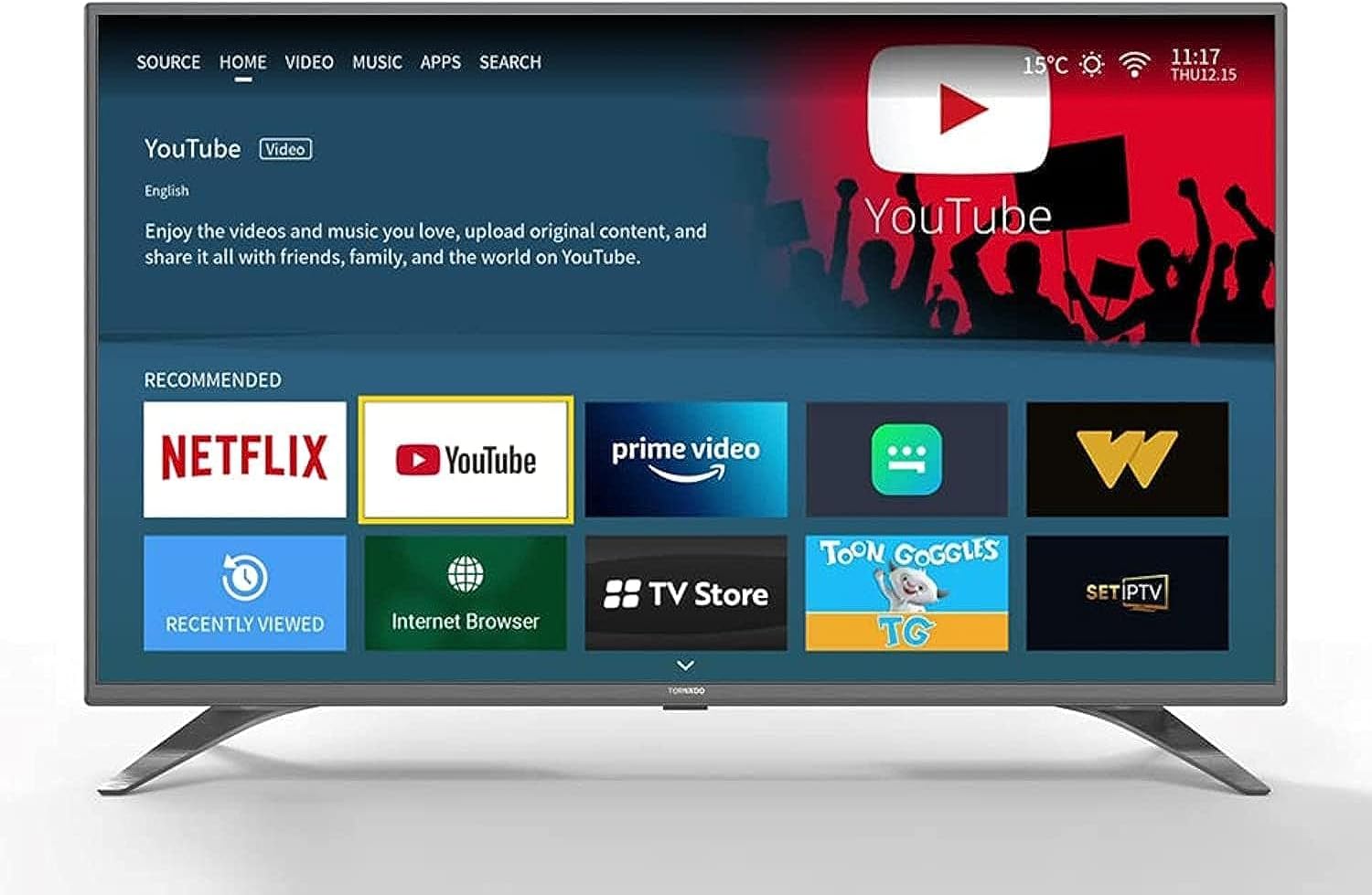
Image: The TORNADO Smart LED TV and its accompanying accessories, including the remote control, stands, and documentation.
2.2 ස්ථාවර ස්ථාපනය
To install the TV stands:
- සීරීම් වළක්වා ගැනීම සඳහා රූපවාහිනී තිරය මෘදු, පැතලි මතුපිටක් මත තබන්න.
- රූපවාහිනියේ පතුලේ ඇති අනුරූප තව් සමඟ එක් එක් ස්ථාවරය පෙළගස්වන්න.
- සපයා ඇති ඉස්කුරුප්පු භාවිතයෙන් සෑම ස්ථාවරයක්ම සුරක්ෂිත කරන්න. ඒවා තදින් තද කර ඇති බවට වග බලා ගන්න.

රූපය: ඉදිරිපස view of the TORNADO Smart LED TV 43ES1500E with its two stands securely attached.
2.3 බිත්ති සවි කිරීම (විකල්ප)
If you choose to wall-mount your TV, ensure you use a compatible wall mount bracket for the TV's size and weight. It is recommended to have a qualified technician perform the installation to ensure safety and proper mounting.
- Remove any pre-installed screws from the back of the TV if they interfere with the wall mount.
- Attach the wall mount brackets to the TV using the appropriate screws, ensuring they are securely fastened to the VESA mounting points.
- Mount the TV to the wall bracket according to the wall mount manufacturer's instructions.
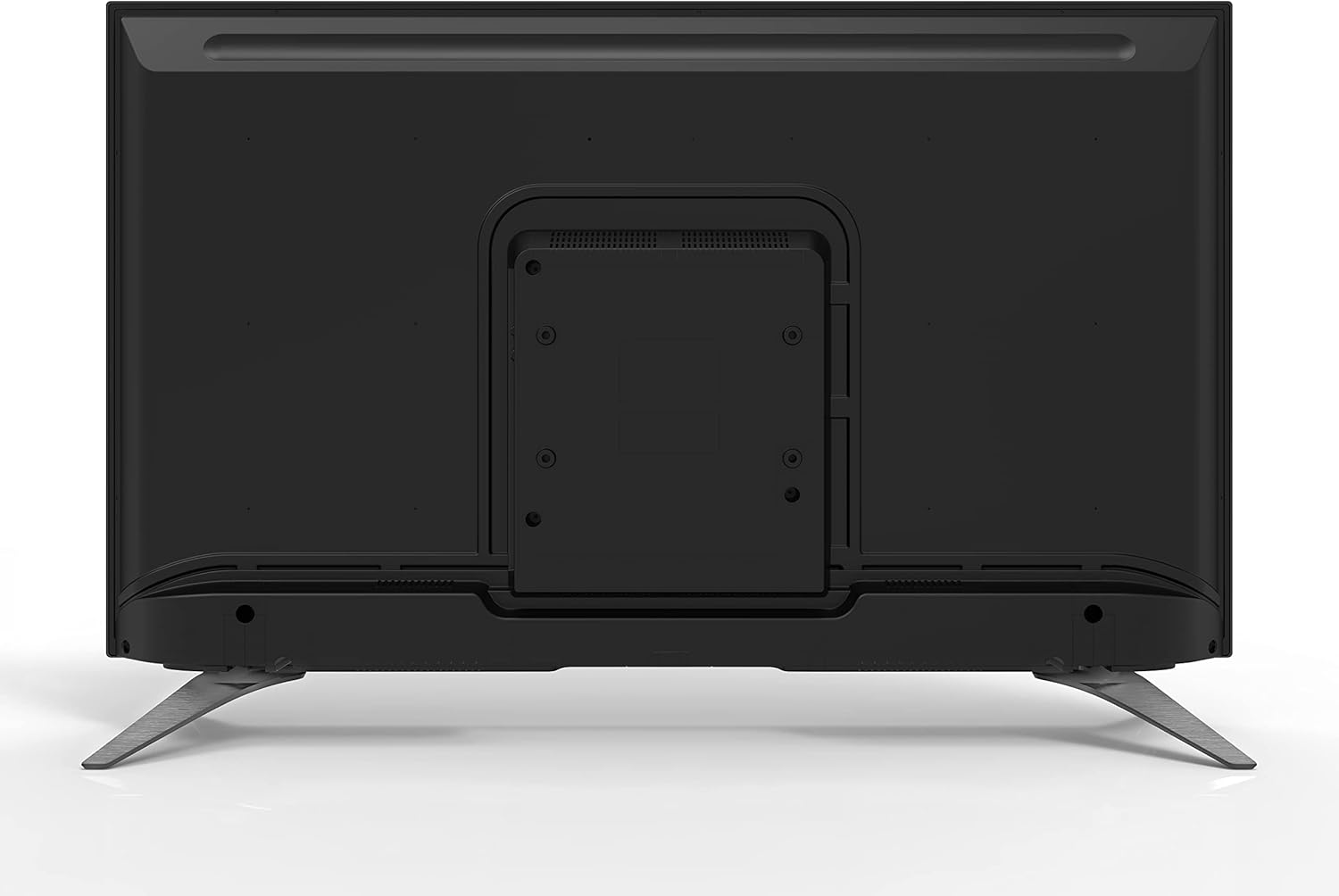
රූපය: පසුපස view of the TORNADO Smart LED TV 43ES1500E, highlighting the VESA mounting points for wall installation.
2.4 Connecting Power and Initial Power-Up
Connect the power cable to the TV's power input and then to a wall outlet. Ensure the outlet is easily accessible. Press the power button on the remote control or the TV to turn it on. Follow the on-screen instructions for initial setup, including language selection, network connection, and channel scanning.

රූපය: පැති ප්රෝfile of the TORNADO Smart LED TV 43ES1500E, displaying its connectivity ports including HDMI and USB.
3. මෙහෙයුම් උපදෙස්
3.1 දුරස්ථ පාලන කාර්යයන්
The remote control allows you to navigate the TV's menus and control various functions. Familiarize yourself with the button layout for optimal use.
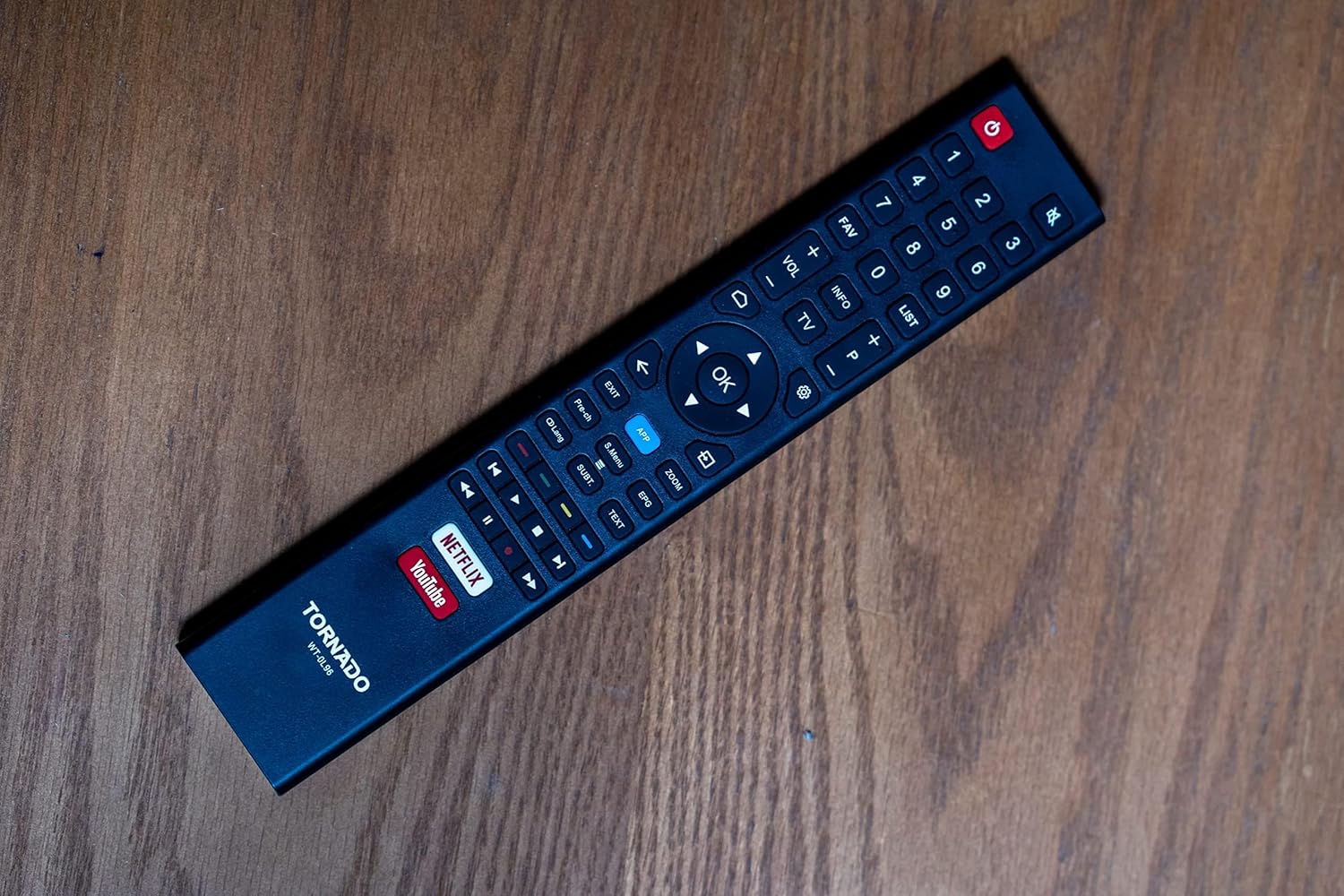
Image: The remote control for the TORNADO Smart LED TV 43ES1500E, showing its various buttons and layout.
3.2 ස්මාර්ට් ටීවී විශේෂාංග
Your TORNADO Smart LED TV runs on the TORNADO Smart Portal operating system, providing access to a range of smart features:
- Web බ්රවුසරය: ඔබේ රූපවාහිනියෙන් කෙලින්ම අන්තර්ජාලයට පිවිසෙන්න.
- පෙර-ස්ථාපිත යෙදුම්: Enjoy popular streaming services like Netflix, YouTube, and Prime Video.
- තිරයේ ප්රතිබිම්බය: Connect your mobile device to the TV to display content from your phone or tablet on the larger screen.

Image: The smart TV interface of the TORNADO 43ES1500E, showing recommended applications like Netflix, YouTube, and Prime Video.
3.3 PVR (Personal Video Recorder) Function
The PVR function allows you to record live television broadcasts directly to a USB storage device connected to your TV. To use this feature, ensure a USB drive with sufficient storage is connected.
3.4 Time Shift Function
With the Time Shift function, you can pause live TV and resume watching later. This feature also requires a USB storage device to be connected to the TV.
Video: A demonstration of the TORNADO Smart LED TV's PVR and Time Shift functions, showing how to record and pause live television.
4. නඩත්තු කිරීම
To ensure the longevity and optimal performance of your TORNADO Smart LED TV, follow these maintenance guidelines:
- තිරය පිරිසිදු කිරීම: මෘදු, වියලි, ලින්ට් රහිත රෙද්දකින් තිරය මෘදු ලෙස පිස දමන්න. මුරණ්ඩු සලකුණු සඳහා, තරමක් dampජලය හෝ විශේෂිත තිර පිරිසිදු කරන්නෙකු සහිත රෙදි කැබැල්ලකින් (තිරය මත කෙලින්ම ඉසින්න එපා).
- ශරීරය පිරිසිදු කිරීම: Use a soft, dry cloth to clean the TV's frame and back panel.
- වාතාශ්රය: අධික උනුසුම් වීම වැළැක්වීම සඳහා රූපවාහිනියේ පිටුපස ඇති වාතාශ්රය විවරයන් අවහිර නොවන බවට වග බලා ගන්න.
- විදුලිය විසන්ධි කිරීම: Always turn off the TV and unplug it from the power outlet before cleaning or when it will not be used for an extended period.
5. දෝශ නිරාකරණය
This section addresses common issues you might encounter with your TORNADO Smart LED TV.
5.1 Image Distortion or Interference
If the image appears distorted, blurry, or has interference (repeated or overlapping images):
- සම්බන්ධතා පරීක්ෂා කරන්න: Ensure all antenna/satellite (RF) and HDMI cables are securely connected to the TV and external devices.
- බාධා කිරීම් අවම කරන්න: Keep the TV away from other electronic devices that might cause electromagnetic interference, such as hair dryers or other appliances. Ensure signal cables are not running parallel to power cables.
5.2 TV Turns Off Automatically
If the TV turns off by itself:
- Check Sleep Timer: Verify that the sleep timer function is not activated in the TV settings.
- ස්වයංක්රීය පොරොත්තු: Ensure the automatic standby feature (if available) is not set to turn off the TV after a specific period of inactivity. Adjust or disable this setting in the system menu.
5.3 දුරස්ථ පාලකය ක්රියා නොකරයි
If the remote control is unresponsive:
- බැටරි පරීක්ෂා කරන්න: Replace the batteries in the remote control with new ones, ensuring correct polarity.
- බාධා: දුරස්ථ පාලකය සහ රූපවාහිනියේ අධෝරක්ත සංවේදකය අතර කිසිදු බාධාවක් නොමැති බවට වග බලා ගන්න.
Video: Troubleshooting guide for common issues with the TORNADO Smart LED TV, including image problems and remote control functionality.
6. පිරිවිතර
Detailed technical specifications for the TORNADO Smart LED TV 43ES1500E:
| විශේෂාංගය | පිරිවිතර |
|---|---|
| ආදර්ශ අංකය | 43ES1500E |
| තිර ප්රමාණය | අඟල් 43 |
| සංදර්ශක තාක්ෂණය | LED |
| විභේදනය | 1920 x 1080 (සම්පූර්ණ HD) |
| දර්ශන අනුපාතය | 16:9 |
| පරස්පර අනුපාතය | 1:3000 |
| Viewing කෝණය | 178° |
| Refresh Rate | 60 Hz |
| විකාශන වර්ගය | ඩිජිටල් (DVB-T/T2/S2) |
| මෙහෙයුම් පද්ධතිය | TORNADO Smart Portal |
| සම්බන්ධතාවය | Wi-Fi, RF, USB (2), HDMI (2), Video In (1) |
| ශ්රව්ය ප්රතිදාන බලය | 2 x 10 වොට් |
| විශේෂ ලක්ෂණ | Built-in Receiver, Web Browser, Netflix, YouTube, Screen Mirroring, PVR, Time Shift |
| මානයන් (ස්ථාවරයකින් තොරව) | 970 x 566 x 85 මි.මී |
| මානයන් (ස්ථාවරය සමඟ) | 970 x 618 x 220 මි.මී |
| ශුද්ධ බර | 7.3 කි.ග්රෑ |
| දළ බර | 9.8 කි.ග්රෑ |
| බලශක්ති කාර්යක්ෂමතා පන්තිය | A |
| මුල් රට | ඊජිප්තුව |

Image: The TORNADO Smart LED TV 43ES1500E with its key dimensions (width, height, depth) clearly indicated.
7. වගකීම් සහ සහාය
Your TORNADO Smart LED TV 43ES1500E comes with a 3-year full free warranty from the manufacturer. For warranty claims, technical support, or service inquiries, please refer to the contact information provided on your warranty card or visit the official Tornado service center.
වගකීම් වලංගු කිරීම සඳහා කරුණාකර ඔබගේ මිලදී ගැනීමේ සාක්ෂි තබා ගන්න.


