හැඳින්වීම
Thank you for choosing the Technoline WT 745 Radio Controlled Alarm Clock. This digital alarm clock features precise timekeeping, dual alarms with snooze, date and weekday display, and indoor temperature monitoring. Please read this manual carefully to ensure proper setup and operation.
පැකේජයේ අන්තර්ගතය
- Technoline WT 745 Radio Controlled Alarm Clock
- පරිශීලක අත්පොත
Note: 2x AAA batteries are required and not included.
නිෂ්පාදනය අවසන්view
Familiarize yourself with the main components of your WT 745 alarm clock.
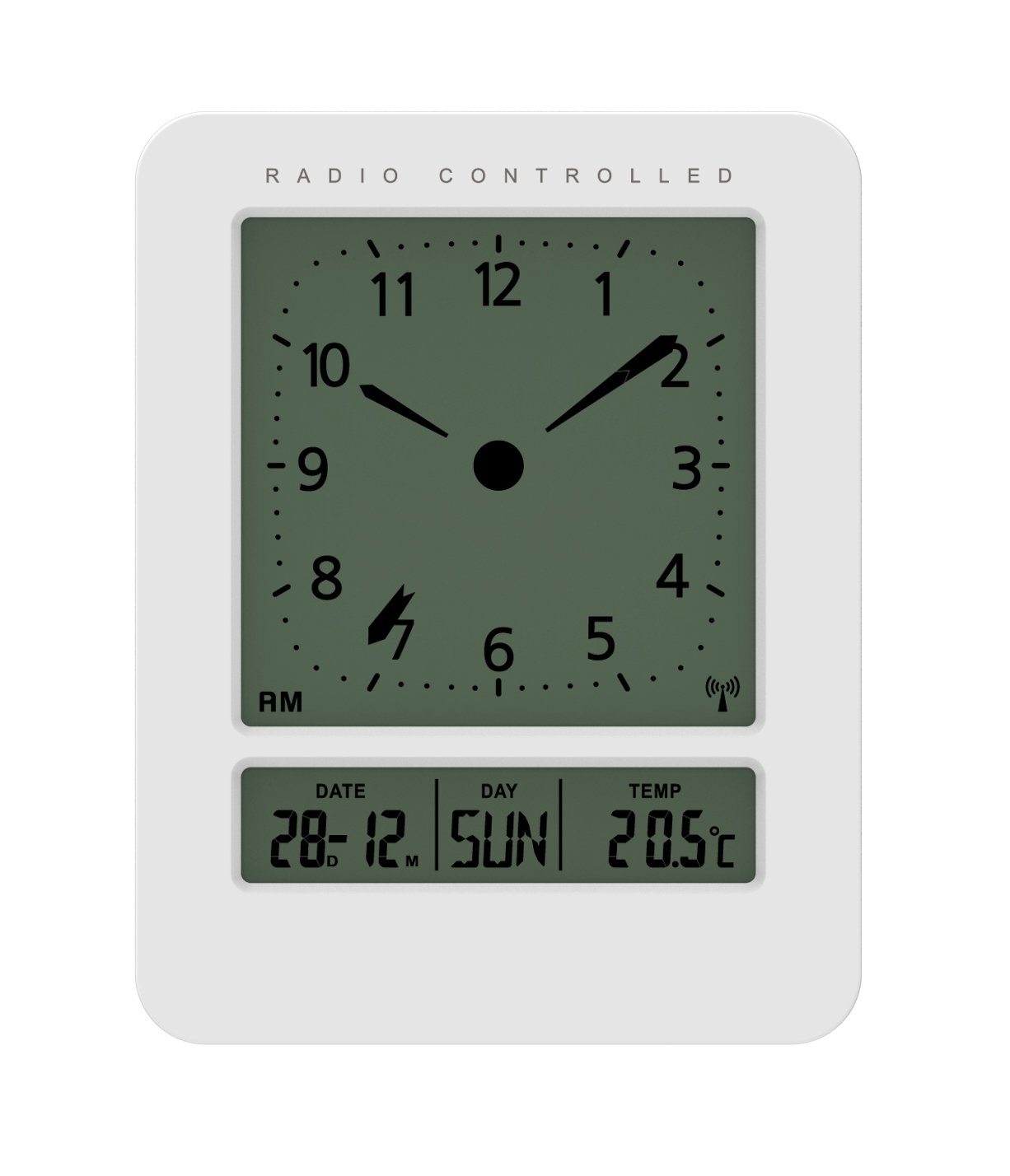
රූපය: ඉදිරිපස සහ පැත්ත view of the Technoline WT 745 Radio Controlled Alarm Clock, showing the digital display with time, date, day, and temperature, and the analog clock face. The clock is white with a light grey display.
- Analog Clock Face: Displays current time with hour, minute, and second hands.
- සංඛ්යාංක දර්ශකය: Shows date, day of the week, and indoor temperature.
- Radio Controlled Indicator: Symbol indicating successful radio signal reception.
- පාලන බොත්තම්: Buttons for setting time, alarm, and other functions, typically located on the back or side.
- බැටරි මැදිරිය: Located on the back for 2x AAA batteries.
සැලසුම
1. බැටරි ඇතුල් කිරීම
- අනතුරු ඇඟවීමේ ඔරලෝසුවේ පිටුපස ඇති බැටරි මැදිරි කවරය විවෘත කරන්න.
- Insert 2 new AAA batteries, observing the correct polarity (+/-).
- බැටරි මැදිරි කවරය ආරක්ෂිතව වසා දමන්න.
Note: The clock will automatically start searching for the radio time signal after battery insertion. This process may take several minutes.
2. Initial Radio Signal Reception
- ප්රශස්ත සංඥා පිළිගැනීම සඳහා ඔරලෝසුව කවුළුවක් අසල තබන්න.
- බාධා ඇති කළ හැකි ඉලෙක්ට්රොනික උපාංග අසල තැබීමෙන් වළකින්න.
- Once the signal is received, the time, date, and day will be automatically set. The radio controlled indicator will appear on the display.
If the signal is not received within 10 minutes, try repositioning the clock or manually setting the time (see "Manual Time Setting").
මෙහෙයුම් උපදෙස්
එලාම් සැකසීම
- ඔබන්න අනතුරු ඇඟවීමේ කට්ටලය button (location not specified, assume standard placement). The alarm time will flash.
- භාවිතා කරන්න UP or පහළට පැය සකස් කිරීමට බොත්තම්.
- ඔබන්න අනතුරු ඇඟවීමේ කට්ටලය පැය තහවුරු කර මිනිත්තු වෙත යාමට නැවතත්.
- භාවිතා කරන්න UP or පහළට මිනිත්තු සකස් කිරීමට බොත්තම්.
- ඔබන්න අනතුරු ඇඟවීමේ කට්ටලය අනතුරු ඇඟවීමේ කාලය ඉතිරි කර ගැනීමට.
- අනතුරු ඇඟවීම සක්රිය/අක්රිය කිරීමට, ඔබන්න අනතුරු ඇඟවීම සක්රිය / අක්රිය කරන්න බොත්තම. සංදර්ශකය මත අනතුරු ඇඟවීමේ නිරූපකයක් දිස්වනු ඇත/අතුරුදහන් වනු ඇත.
The WT 745 supports two independent alarms. Repeat the steps above to set the second alarm.
ස්නූස් කාර්යය
- අනතුරු ඇඟවීමේ ශබ්දය ඇසෙන විට, එය ඔබන්න ස්නූස් කරන්න button (usually a large button on top). The alarm will pause for approximately 5 minutes and then sound again.
- To stop the alarm completely, press any other button (e.g., ALARM ON/OFF) or let it ring for its full duration.
Backlight Activation
- ඔබන්න ආලෝකය or ස්නූස් කරන්න button to temporarily illuminate the display for easy viewඅඩු ආලෝක තත්වයන් යටතේ.
Viewing Date, Day, and Temperature
- The digital display continuously shows the current date, day of the week, and indoor temperature. No specific action is required to view මේවා.
Manual Time Setting (if radio signal is unavailable)
- ඔබා අල්ලාගෙන සිටින්න ටයිම් සෙට් button for a few seconds until the hour digits flash.
- භාවිතා කරන්න UP or පහළට පැය සකස් කිරීමට බොත්තම්.
- ඔබන්න ටයිම් සෙට් පැය තහවුරු කර මිනිත්තු වෙත යාමට නැවතත්.
- භාවිතා කරන්න UP or පහළට මිනිත්තු සකස් කිරීමට බොත්තම්.
- දිගටම ඔබන්න ටයිම් සෙට් to cycle through and adjust year, month, and day as needed.
- ඔබන්න ටයිම් සෙට් one last time to exit manual setting mode.
නඩත්තු කිරීම
- පිරිසිදු කිරීම: මෘදු වියළි රෙද්දකින් ඔරලෝසුව පිස දමන්න. උල්ෙල්ඛ පිරිසිදු කරන්නන් හෝ ද්රාවක භාවිතා නොකරන්න.
- බැටරි ආදේශනය: Replace batteries when the display dims or functions become erratic. Always replace both batteries simultaneously with new ones.
- ගබඩා: ඔරලෝසුව දිගු කාලයක් ගබඩා කරන්නේ නම්, කාන්දු වීම වැළැක්වීම සඳහා බැටරි ඉවත් කරන්න.
- පරිසරය: ඔරලෝසුව සෘජු හිරු එළියෙන්, අධික උෂ්ණත්වයෙන් සහ අධික ආර්ද්රතාවයෙන් ඈත් කර තබන්න.
දෝෂගවේෂණය
| ගැටලුව | විය හැකි හේතුව | විසඳුම |
|---|---|---|
| සංදර්ශකය හිස් හෝ අඳුරු ය. | බැටරි අඩුයි හෝ වැරදි ලෙස ඇතුළත් කර ඇත. | නිවැරදි ධ්රැවීයතාව සහතික කරමින් බැටරි නව AAA බැටරි සමඟ ප්රතිස්ථාපනය කරන්න. |
| Clock does not receive radio signal. | Interference, poor location, or signal too weak. | Move the clock closer to a window, away from electronic devices. Try manual time setting. |
| එලාම් එක නාද වෙන්නේ නැහැ. | අනතුරු ඇඟවීම සක්රිය කර හෝ වැරදි ලෙස සකසා නැත. | Ensure the alarm icon is visible on the display. Recheck alarm time settings. |
| වැරදි වේලාවක් දර්ශනය වී ඇත. | Radio signal lost or manual time set incorrectly. | Allow the clock to resynchronize with the radio signal. If persistent, manually set the time. |
පිරිවිතර
- ආකෘතිය: WT 745
- වෙළඳ නාමය: ටෙක්නොලයින්
- මානයන්: 7.1 x 4.5 x 9.2 cm (L x W x H)
- බර: 150 ග්රෑම්
- ද්රව්ය: ප්ලාස්ටික්
- සංදර්ශක වර්ගය: Digital with Analog Clock Face
- බලශක්ති ප්රභවය: 2 x AAA බැටරි (ඇතුළත් කර නැත)
- විශේෂ ලක්ෂණ: Radio Controlled Time, Dual Alarms, Snooze Function, Date Display, Day of Week Display, Indoor Temperature Display, Backlight.
- භාවිතය: ගෘහස්ථ
වගකීම් සහ සහාය
For warranty information or technical support, please refer to the warranty card included with your product or visit the official Technoline webවෙබ් අඩවිය. මිලදී ගැනීම පිළිබඳ සාක්ෂියක් ලෙස ඔබේ මිලදී ගැනීමේ රිසිට්පත තබා ගන්න.
නිල Webඅඩවිය: www.technoline.eu


