1. හැඳින්වීම
The Intermec PM43 is a mid-range industrial label printer designed for reliable performance and ease of use. This printer supports both direct thermal and thermal transfer printing methods, making it versatile for various labeling applications. It features a user-friendly interface, available with either a color touch-screen or universal icons, to simplify operation and reduce training requirements. This manual provides essential information for setting up, operating, maintaining, and troubleshooting your PM43 printer.

රූපය 1: ඉදිරිපස view of the Intermec PM43 printer, showing the control panel and media output slot.
2. පිහිටුවීම
2.1 ඇසිරීම සහ ස්ථානගත කිරීම
Carefully remove the printer from its packaging. Ensure all packing materials are removed. Place the printer on a stable, flat surface with adequate space around it for ventilation and access to ports and media loading areas.
2.2 සම්බන්ධක බලය
- Ensure the printer's power switch is in the OFF (O) position.
- Connect the power cord to the printer's AC inlet.
- විදුලි රැහැනේ අනෙක් කෙළවර බිම්ගත විදුලි අලෙවිසැලකට සම්බන්ධ කරන්න.
2.3 Connecting to a Host System
The PM43 printer supports USB and Ethernet connectivity.
- USB සම්බන්ධතාවය: මුද්රණ යන්ත්රයේ USB පෝට් එකෙන් USB කේබලයක් ඔබේ පරිගණකයේ ඇති USB පෝට් එකකට සම්බන්ධ කරන්න.
- ඊතර්නෙට් සම්බන්ධතාවය: මුද්රණ යන්ත්රයේ ඊතර්නෙට් වරායෙන් ඊතර්නෙට් කේබලයක් ඔබේ ජාල රවුටරයට හෝ ස්විචයට සම්බන්ධ කරන්න.

Figure 2: Rear panel of the PM43 printer, illustrating the power inlet, power switch, USB ports, and Ethernet port.
2.4 මාධ්ය පූරණය වෙමින් පවතී
The PM43 printer can use various media types, including labels, tags, and continuous media. For thermal transfer printing, a ribbon is also required.
- Open the printer's media cover.
- Place the roll of labels onto the media supply spindle, ensuring the labels feed from the bottom of the roll.
- Thread the media through the guides and under the printhead assembly.
- If using thermal transfer, load the ribbon onto the ribbon supply spindle and thread it according to the internal diagrams.
- මාධ්ය කවරය වසන්න.

රූපය 3: අභ්යන්තර view of the PM43 printer, highlighting the media and ribbon loading mechanisms.
3. මෙහෙයුම් උපදෙස්
3.1 බල ගැන්වීම සක්රිය / අක්රිය කිරීම
- To power on, flip the power switch on the rear panel to the ON (I) position. The printer will perform a self-test.
- To power off, flip the power switch to the OFF (O) position.
3.2 මූලික මුද්රණය
Once the printer is connected and media is loaded, you can send print jobs from your host system. Ensure the correct printer drivers are installed on your computer.
- ඔබට මුද්රණය කිරීමට අවශ්ය ලේඛනය හෝ යෙදුම විවෘත කරන්න.
- Select the Intermec PM43 printer from the print dialog.
- Adjust print settings (e.g., label size, print density) as needed.
- මුද්රණ කාර්යය ආරම්භ කරන්න.
3.3 Using the User Interface
The PM43 features either a color touch-screen or a universal-icon interface for direct control and configuration. Navigate through menus to adjust settings such as media calibration, network configuration, and printer status.
4. නඩත්තු කිරීම
4.1 මුද්රණ ශීර්ෂය පිරිසිදු කිරීම
Regular cleaning of the printhead is crucial for maintaining print quality and extending the printhead's lifespan. Use a lint-free cloth or a printhead cleaning pen with isopropyl alcohol.
- Power off the printer and disconnect the power cord.
- මාධ්ය ආවරණය විවෘත කරන්න.
- Gently wipe the printhead element from the center outwards.
- කවරය වසා මුද්රණ යන්ත්රය ක්රියාත්මක කිරීමට පෙර මුද්රණ ශීර්ෂය සම්පූර්ණයෙන්ම වියළීමට ඉඩ දෙන්න.
4.2 Replacing Media and Ribbon
Replace media rolls and thermal transfer ribbons as they run out. Refer to section 2.4 for loading instructions. Always ensure the correct media and ribbon types are used for optimal performance.
5. දෝශ නිරාකරණය
This section addresses common issues you might encounter with your PM43 printer.
5.1 දුර්වල මුද්රණ ගුණාත්මකභාවය
- Faded or incomplete print: Clean the printhead (see section 4.1). Ensure the ribbon (if thermal transfer) is correctly loaded and not depleted. Adjust print density settings.
- Smudged print: Verify media type is compatible. Ensure printhead pressure is correctly set.
5.2 Media Jams
- මුද්රණ යන්ත්රය ක්රියා විරහිත කරන්න.
- Open the media cover and carefully remove any jammed media.
- Ensure media is loaded correctly and guides are properly adjusted.
- Close the cover and power on.
5.3 සම්බන්ධතා ගැටළු
- Printer not detected: Check all cable connections (USB/Ethernet). Restart the printer and host system. Verify driver installation.
- ජාල ගැටළු: Confirm network cable is connected. Check network settings on the printer and host system.
6. පිරිවිතර
The following table outlines the key technical specifications for the Intermec PM43 printer.
| විශේෂාංගය | පිරිවිතර |
|---|---|
| මාදිලියේ නම | PM43 |
| මුද්රණ තාක්ෂණය | Direct Thermal / Thermal Transfer |
| මුද්රණ වර්ණය | ඒකවර්ණ (කළු) |
| උපරිම මුද්රණ වේගය | තත්පරයට අඟල් 12 කි |
| උපරිම මුද්රණ විභේදනය | 203 dpi |
| සහාය දක්වන මාධ්ය වර්ග | Black Mark, Continuous Label, Fanfold, Gap, Label, Linered Label, Linerless, Notch, Roll Fed, Tag |
| උපරිම මාධ්ය ප්රමාණය | අඟල් 4 x 6 |
| සම්බන්ධතාවය | USB, ඊතර්නෙට් |
| මතකය | 128 MB |
| පාලන ක්රමය | Touch-screen or Universal-icon interface |
| නිෂ්පාදන මානයන් | අඟල් 25 x 18 x 16 |
| අයිතමයේ බර | රාත්තල් 1ක් |
| බලශක්ති ප්රභවය | AC සැපයුම |
| Language Emulation | DSim, Fingerprint, IPL, XML |
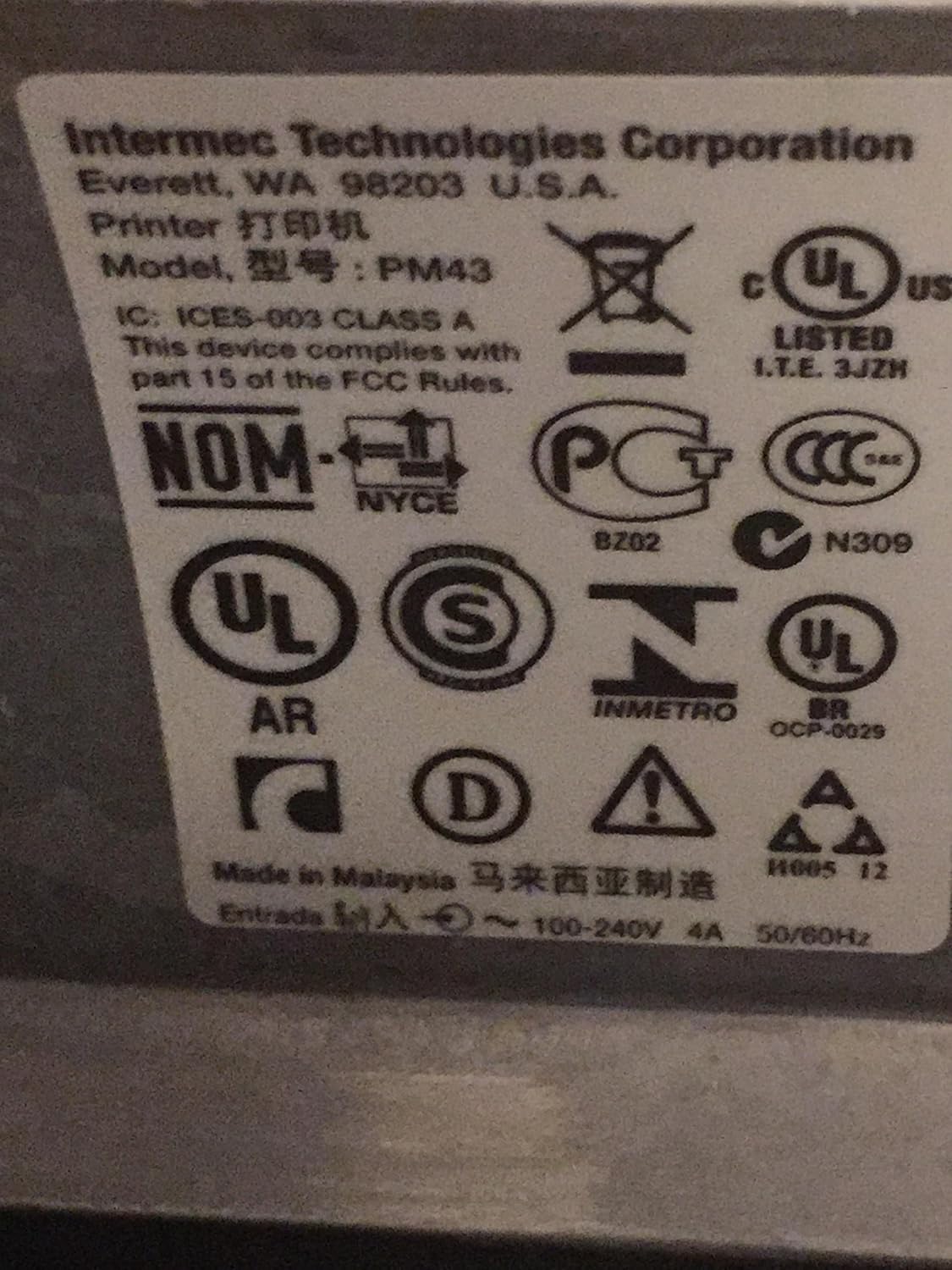
Figure 4: Regulatory and compliance labels found on the Intermec PM43 printer.
7. වගකීම් තොරතුරු
The Intermec PM43 printer is covered by a limited warranty. For specific terms and conditions, please refer to the warranty documentation included with your product or visit the official Intermec support webඅඩවිය.
8. සහාය
For further assistance, technical support, or to download the latest drivers and firmware, please visit the official Intermec support website or contact your authorized Intermec dealer. Ensure you have your printer's model number (PM43A01000000201) and serial number available when seeking support.


