1. හැඳින්වීම
This manual provides essential information for the setup, operation, and maintenance of your TomTom GO 620 GPS navigation device. Please read these instructions carefully to ensure proper use and to maximize the device's features.
2. පිහිටුවීම
2.1. පෙට්ටියේ ඇති දේ
- TomTom GO 620 device
- Active magnetic mount
- USB කේබලය
- කාර් චාජර්
- ලේඛනගත කිරීම
2.2. උපාංගය සවි කිරීම
The TomTom GO 620 comes with an active magnetic mount for easy attachment to your vehicle's windshield or dashboard.
- Clean the chosen area on your windshield or dashboard.
- Attach the suction cup of the mount firmly to the surface. Ensure it is securely fixed.
- Connect the TomTom GO 620 device to the magnetic mount. The device will click into place.
- Adjust the angle of the device for optimal viewing without obstructing your view මාර්ගයේ.

රූපය 1: පසුපස view of the TomTom GO 620 device showing the magnetic mount connection point. This illustrates how the device attaches to its active mount.

රූපය 2: පැති ගැතිfile of the TomTom GO 620 with the magnetic mount. This view highlights the compact design and the secure attachment mechanism.
2.3. Powering On සහ Initial Configuration
- Connect the USB cable to the device and the car charger, then plug the charger into your vehicle's 12V power outlet.
- The device will power on automatically or by pressing the power button located on the back.
- ඔබගේ භාෂාව, කලාපය තෝරා ගැනීමට සහ නියමයන් සහ කොන්දේසි වලට එකඟ වීමට තිරයේ ඇති විමසීම් අනුගමනය කරන්න.
- Connect to a Wi-Fi network to download the latest map updates and software. This is crucial for optimal performance.
3. Operating Your TomTom GO 620
3.1. මූලික සංචාලනය
To plan a route, tap the screen and select 'Search'. You can enter an address, point of interest, or coordinates. The device will calculate the fastest route and provide clear voice-guided instructions.

රූපය 3: The TomTom GO 620 display showing an active navigation route, current speed, estimated arrival time, and a hands-free message notification. This illustrates the primary user interface during navigation.
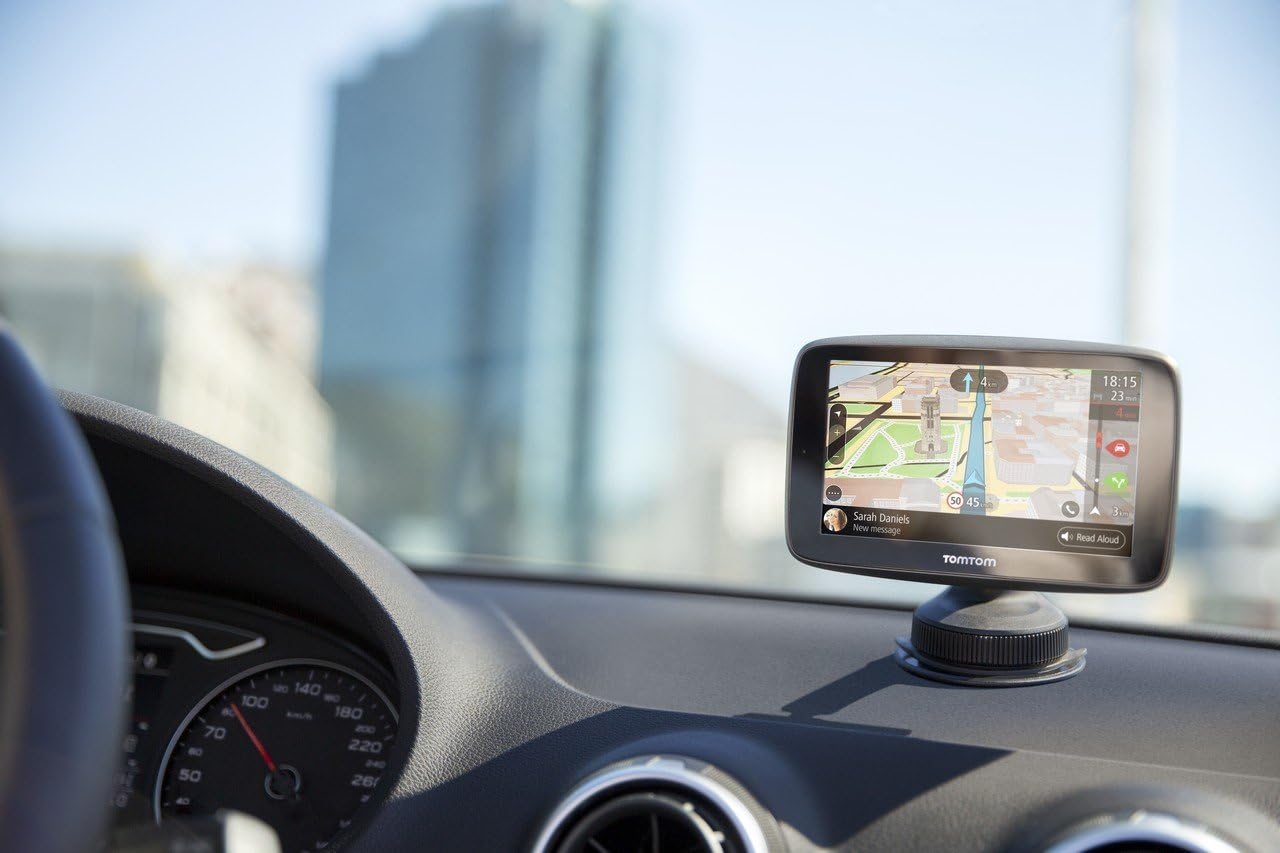
රූපය 4: සමීප රූපයක් view of the TomTom GO 620 mounted on a car dashboard, displaying navigation. This image emphasizes the device's integration into a vehicle's interior.
3.2. TomTom Traffic
The TomTom GO 620 provides real-time traffic information via a smartphone connection. This feature helps you avoid delays by suggesting alternative routes.
- Ensure your smartphone is paired with the GO 620 via Bluetooth.
- Open the TomTom MyDrive app on your smartphone to enable traffic data sharing.
- Traffic incidents and delays will be displayed on your device's map, and the device will automatically reroute if a faster alternative is available.

රූපය 5: A smartphone screen showing notifications from the TomTom Traffic Checker app, indicating traffic conditions and estimated travel times to common destinations. This illustrates the smartphone integration for traffic services.
3.3. Danger Zones and Speed Camera Alerts
Your device includes regular updates for fixed and mobile danger zones (speed cameras). These alerts help you maintain awareness of your surroundings and adhere to speed limits.
- Alerts are automatically provided as you approach a known danger zone.
- Ensure your device software and danger zone database are up to date via Wi-Fi.
3.4. හෑන්ඩ්ස්-ෆ්රී ඇමතීම
Connect your smartphone to the TomTom GO 620 via Bluetooth to make and receive calls safely while driving.
- On your TomTom device, go to the main menu and select 'Phone'.
- ඔබගේ ස්මාර්ට් ජංගම දුරකතනයේ බ්ලූටූත් සබල කර එය සොයා ගත හැකි බවට පත් කරන්න.
- Select your phone from the list of available devices on the TomTom screen and follow the pairing instructions.
- Once paired, you can manage calls directly from your GO 620 screen.

රූපය 6: The TomTom GO 620 mounted on a car dashboard, viewed from the driver's seat. This perspective shows the device's placement for easy access and visibility during driving.

රූපය 7: The TomTom GO 620 mounted on a car dashboard, viewed from the passenger's seat. This image demonstrates the device's visibility for both driver and passenger.
4. නඩත්තු කිරීම
4.1. මෘදුකාංග සහ සිතියම් යාවත්කාලීන කිරීම්
Regularly update your device's software and maps via Wi-Fi to ensure you have the most accurate navigation data and the latest features.
- ඔබගේ උපාංගය ස්ථාවර Wi-Fi ජාලයකට සම්බන්ධ කරන්න.
- Go to the main menu, select 'Settings', then 'Updates & New Items'.
- පවතින යාවත්කාලීන බාගත කර ස්ථාපනය කිරීමට තිරයේ ඇති උපදෙස් අනුගමනය කරන්න.
4.2. උපාංගය පිරිසිදු කිරීම
මෘදු, ඩී භාවිතා කරන්නamp cloth to clean the screen and exterior of your TomTom GO 620. Avoid abrasive cleaners or solvents.
5. දෝශ නිරාකරණය
5.1. උපාංගය ක්රියාත්මක නොවේ
- Ensure the device is properly connected to a power source using the provided car charger and USB cable.
- වාහනයේ 12V බල සැපයුම ක්රියාත්මක වේදැයි පරීක්ෂා කරන්න.
- Press and hold the power button for at least 10 seconds to perform a soft reset.
5.2. No GPS Signal
- උපාංගයේ පැහැදිලි බව සහතික කර ගන්න view of the sky. Obstructions like tall buildings or tunnels can interfere with the GPS signal.
- Move to an open area and allow the device a few minutes to acquire a signal.
- උපාංගයේ මෘදුකාංගය යාවත්කාලීන දැයි තහවුරු කරගන්න.
5.3. Map or Software Update Issues
- Ensure a strong and stable Wi-Fi connection during updates.
- Free up storage space on the device if necessary by deleting old maps you no longer use.
- Try restarting the device and attempting the update again.
5.4. Bluetooth Connectivity Problems
- Ensure Bluetooth is enabled on both your TomTom device and your smartphone.
- Make sure your smartphone is discoverable.
- Delete previous pairings on both devices and attempt to pair again.
- උපාංග දෙකම නැවත ආරම්භ කරන්න.
6. පිරිවිතර
| විශේෂාංගය | විස්තර |
|---|---|
| වෙළඳ නාමය | ටොම් ටොම් |
| මාදිලියේ නම | යන්න 620 |
| වාහන සේවා වර්ගය | Truck, Motorcycle, Car |
| තිර ප්රමාණය | අඟල් 6 |
| විශේෂ ලක්ෂණ | Voice Control, Voice Guidance, Pedestrian Mode |
| සම්බන්ධතා තාක්ෂණය | USB |
| සිතියම් වර්ගය | ලෝකය |
| ඇතුළත් සංරචක | බැටරි |
| ශ්රව්ය ප්රතිදාන ප්රකාරය | හෑන්ඩ්ස්-ෆ්රී |
| බැටරි ආයු කාලය | පැය 1 යි |
7. වගකීම් සහ සහාය
Your TomTom GO 620 device is covered by a manufacturer's warranty. For detailed warranty information, please refer to the documentation included with your product or visit the official TomTom support webඅඩවිය.
For technical assistance, software updates, or further inquiries, please visit the TomTom support portal at www.tomtom.com/support.


