හැඳින්වීම
This manual provides essential information for setting up, operating, maintaining, and troubleshooting your HP OMEN 870-120 Desktop. Please read these instructions carefully to ensure proper use and longevity of your device.
සැලසුම
1. ඇසිරීම
Carefully remove the desktop and all accessories from the packaging. Ensure all components listed in the packing slip are present.
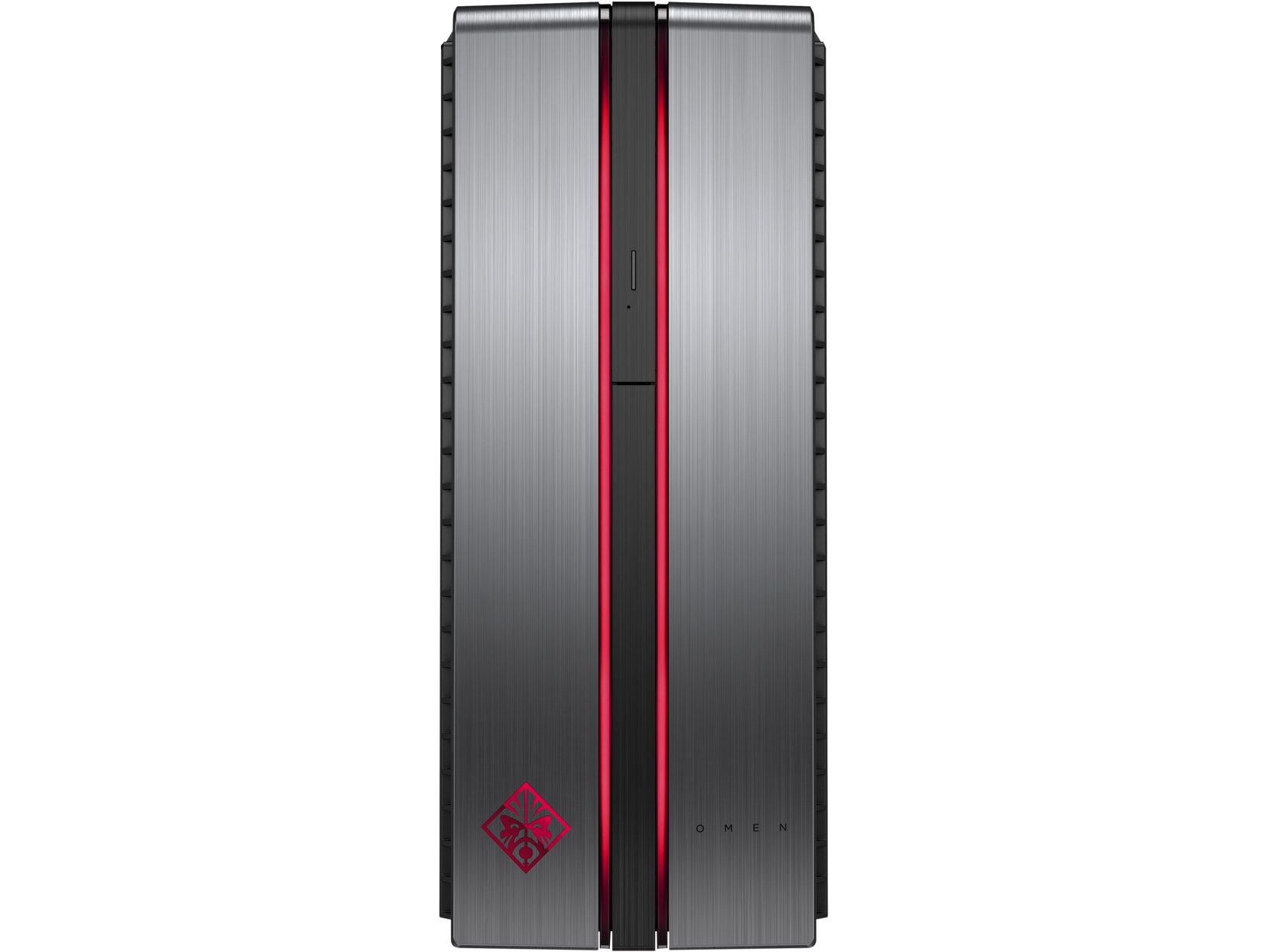
Image: The HP OMEN 870-120 Desktop tower, shown from the front-left angle.
2. පර්යන්ත සම්බන්ධ කිරීම
- නිරීක්ෂණය: Connect your monitor to the graphics card's display output ports (HDMI, DisplayPort, DVI) on the rear of the desktop.
- යතුරුපුවරුව සහ මූසිකය: Connect the HP USB Wired Keyboard and Wired Optical Mouse to any available USB ports.
- බලය: Connect the power cord to the desktop's power input and then to a grounded electrical outlet.
- ජාලය (විකල්ප): For a wired connection, connect an Ethernet cable from your router or modem to the Ethernet port on the desktop. For wireless, ensure your desktop is within range of a Wi-Fi network.
3. Initial Power-On and Windows Setup
Press the power button on the front of the desktop. Follow the on-screen instructions to complete the Windows 10 operating system setup, including language selection, network configuration, and user account creation.

රූපය: සමීප රූපය view of the HP OMEN 870-120 Desktop's front panel, highlighting the OMEN logo and red accent lighting.
මෙහෙයුම් උපදෙස්
බලය සක්රිය / අක්රිය
- බල ගැන්වීමට: ඩෙස්ක්ටොප් එකේ ඉදිරිපස ඇති බල බොත්තම ඔබන්න.
- වසා දැමීමට: Windows හි Start බොත්තම ක්ලික් කරන්න, ඉන්පසු Power > Shut down තෝරන්න.
- නැවත ආරම්භ කිරීමට: Windows හි Start බොත්තම ක්ලික් කරන්න, ඉන්පසු Power > Restart තෝරන්න.
Using the Optical Drive
The desktop includes a DVD-Writer. To use it, press the eject button on the drive bay cover to open the tray, insert a disc, and close the tray. Windows will typically prompt you for action or you can access the drive through 'This PC'.
අන්තර්ජාලයට සම්බන්ධ වෙමින්
- රැහැන්ගත සම්බන්ධතාවය: If an Ethernet cable is connected, the system should automatically detect the network.
- රැහැන් රහිත සම්බන්ධතාවය: In Windows 10, click the network icon in the taskbar, select your Wi-Fi network, enter the password, and click Connect.
නඩත්තු කිරීම
පිරිසිදු කිරීම
Regularly clean the exterior of the desktop with a soft, dry cloth. Ensure ventilation grilles are free from dust to maintain optimal airflow. Do not use liquid cleaners directly on the components.
මෘදුකාංග යාවත්කාලීන
Keep your Windows 10 operating system and device drivers updated. Windows Update can be accessed via Settings > Update & Security > Windows Update. Regularly check the HP support website for the latest drivers for your OMEN 870-120 model.
පද්ධති උපස්ථ
දත්ත නැතිවීම වැළැක්වීම සඳහා ඔබේ වැදගත් දත්ත වරින් වර බාහිර ධාවකයකට හෝ වලාකුළු ගබඩාවකට උපස්ථ කරන්න.
Component Upgrades
The HP OMEN 870-120 Desktop supports upgrades for certain components. The system can be expanded to 64GB of DDR4 RAM. Additional storage drives can also be installed. Refer to the official HP service manual for detailed instructions on component installation to avoid voiding your warranty.
දෝෂගවේෂණය
බලය නැත
- Verify the power cord is securely connected to both the desktop and the electrical outlet.
- Test the outlet with another device to ensure it is functional.
සංදර්ශකය නැත
- Ensure the monitor is powered on and the video cable is securely connected to both the desktop's graphics card and the monitor.
- තිබේ නම් වෙනත් වීඩියෝ කේබලයක් හෝ මොනිටරයක් උත්සාහ කරන්න.
මන්දගාමී කාර්ය සාධනය
- පසුබිමේ ධාවනය වන අනවශ්ය යෙදුම් වසා දමන්න.
- තැටි පිරිසිදු කිරීමක් සහ defragmentation එකක් (HDD සඳහා) ක්රියාත්මක කරන්න.
- ඕනෑම අපේක්ෂිත Windows හෝ ධාවක යාවත්කාලීන කිරීම් පරීක්ෂා කර ස්ථාපනය කරන්න.
- අනිෂ්ට මෘදුකාංග හෝ වෛරස් සඳහා පරිලෝකනය කරන්න.
For more complex issues or if the problem persists, contact HP customer support or visit the official HP support webවැඩිදුර සහාය සඳහා අඩවිය.
පිරිවිතර

Image: The HP OMEN 870-120 Desktop tower, showcasing its design and side ventilation.
| විශේෂාංගය | විස්තර |
|---|---|
| මාදිලියේ නම | OMEN 870-120 |
| ප්රොසෙසරය | Intel Core i5-6400 (2.7 GHz Quad-Core) |
| RAM | 8 GB DDR4-2133 SDRAM (1x8 GB), expandable to 64 GB |
| ග්රැෆික් කාඩ්පත | NVIDIA GeForce GTX 1060 with 3 GB GDDR5 dedicated memory |
| ගබඩා කිරීම | 1 TB 7200RPM SATA දෘඪ තැටිය |
| ඔප්ටිකල් ධාවකය | DVD-රයිටර් |
| මෙහෙයුම් පද්ධතිය | වින්ඩෝස් 10 |
| USB Ports | 6 x USB 2.0 (additional USB 3.0/3.1 ports may be present depending on configuration) |
| රැහැන් රහිත සම්බන්ධතාව | 802.11b/g/n |
| වට්tage | වොට් 500 යි |
| මානයන් (H x W x D) | 40.11 x 16.51 x 42.01 cm (15.79 x 6.5 x 16.54 අඟල්) |
| බර | කිලෝ ග්රෑම් 10.52 කි |
වගකීම් සහ සහාය
Your HP OMEN 870-120 Desktop comes with a standard manufacturer's warranty. For detailed information regarding warranty terms, coverage, and duration, please refer to the warranty documentation included with your product or visit the official HP support webඅඩවිය.
For technical assistance, driver downloads, or service requests, please visit the HP support website or contact HP customer service directly. Have your product model number (870-120) and serial number ready when contacting support.