හැඳින්වීම
This manual provides essential information for the safe and efficient operation of your Amazon Basics 15-Sheet Cross-Cut Paper, CD, and Credit Card Shredder. Please read all instructions carefully before use and retain this manual for future reference.
ආරක්ෂිත තොරතුරු
ආරක්ෂිත ක්රියාකාරිත්වය සහතික කිරීම සඳහා, සෑම විටම පහත මාර්ගෝපදේශ පිළිපදින්න:
- අත්, හිසකෙස් සහ ලිහිල් ඇඳුම් කඩදාසි ඇතුල් කිරීමේ ස්ලට් එකෙන් ඈත් කර තබන්න.
- ෂ්රෙඩරය තුළ හෝ අවට කිසිදු aerosol නිෂ්පාදන ඉසීම හෝ තබා නොගන්න.
- Do not shred items like metallic credit cards, adhesive labels, or continuous forms.
- භාවිතයේ නොමැති විට හෝ පිරිසිදු කිරීමට පෙර ඉරීම විසන්ධි කරන්න.
- Keep the shredder out of reach of children and pets.
- විදුලි රැහැනට හානි සිදුවුවහොත් ඉරීම යන්ත්රය ක්රියාත්මක නොකරන්න.
නිෂ්පාදනය අවසන්view
The Amazon Basics 15-Sheet Cross-Cut Shredder is designed for efficient document destruction, offering a high level of security for personal and office use.

රූපය 1: ඉදිරිපස view of the Amazon Basics 15-Sheet Cross-Cut Shredder.
ප්රධාන ලක්ෂණ:
- 15-Sheet Capacity: Shreds up to 15 sheets of 20 lb. paper at once.
- Cross-Cut Shredding: Shreds paper into 3/16" x 1-7/32" (4.7 x 31mm) particles for enhanced security (Security Level P-4).
- Multi-Material Shredding: Also destroys CD/DVDs, credit cards, staples, and small paper clips.
- දිගු ධාවන කාලය: Features a 20-minute continuous run time.
- ආරක්ෂිත විශේෂාංග: Includes Overheat / Overload protection.
- LED දර්ශක: Provides visual alerts for Standby, Overheat, Overload, Door open, and Bin full status.
- Large Capacity Bin: Equipped with a 6-gallon pull-out basket for easy waste disposal.
- සංචලතාව: Casters included for convenient movement.
- 4-Mode Switch: Auto/Off/Forward/Reverse settings for versatile control.
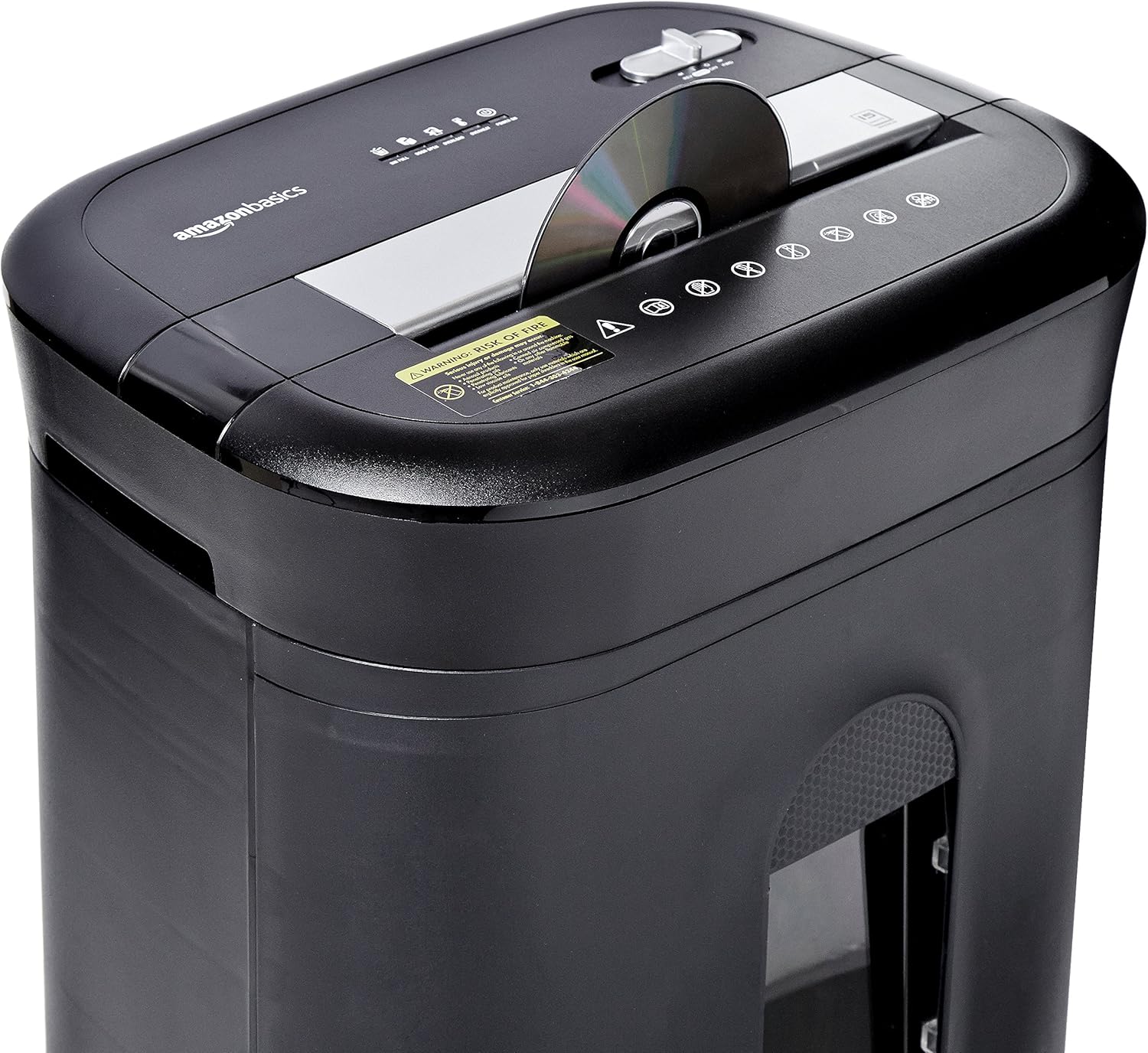
Figure 2: Diagram illustrating key features of the shredder.
සැලසුම
Follow these steps to set up your shredder:
- ඇසුරුම්: ඇසුරුම්කරණයෙන් සියලුම සංරචක ප්රවේශමෙන් ඉවත් කරන්න.
- තනතුර: Place the shredder on a flat, stable surface. Ensure the waste bin is securely closed and properly inserted into the main unit.
- සම්බන්ධක බලය: Plug the power cord into a standard 120-volt AC outlet.
Video 1: Official product video demonstrating the setup and basic operation of the Amazon Basics 15-Sheet Cross-Cut Shredder.
මෙහෙයුම් උපදෙස්
බල මාදිලියේ ස්විචය:
The shredder features a 4-mode slide switch located on the top panel:
- AUTO (I): The shredder will automatically start when paper is inserted and stop when shredding is complete. This is the recommended setting for normal use.
- OFF (O): Turns off all shredder functions. Always select this setting when emptying the waste bin or when the shredder is not in use.
- FORWARD (▶▶): Manually activates the shredder to continuously cut. Useful for clearing minor jams.
- REVERSE (◀◀): Reverses the shredder mechanism to help clear paper jams.

Figure 3: Close-up of the control panel with the 4-mode switch.
කඩදාසි ඉරා දැමීම:
- Ensure the power mode switch is set to AUTO (I).
- Insert up to 15 sheets of paper (20 lb. bond) straight into the paper entry slot. The shredder will automatically start and stop.
- Do not force paper into the shredder. If the shredder struggles, reduce the number of sheets.

Figure 4: Inserting paper into the shredder.
Shredding Credit Cards and CDs/DVDs:
- Ensure the power mode switch is set to AUTO (I).
- Insert one credit card or CD/DVD at a time into the dedicated slot.
- The shredder will automatically start and stop.

Figure 5: Shredding a credit card.
නඩත්තු කිරීම
Emptying the Shredder Bin:
Regularly empty the waste bin to prevent paper jams and ensure optimal performance.
- Set the power mode switch to අක්රිය (ඕ) and unplug the shredder.
- Pull out the waste bin from the front of the shredder.
- ඉරා දැමූ ද්රව්ය බැහැර කරන්න.
- Slide the waste bin back into the shredder until it clicks securely into place.

Figure 6: Pull-out waste bin for easy emptying.
ෂ්රෙඩරයට තෙල් දැමීම:
To maintain the shredder's performance and longevity, it is recommended to oil the cutting blades periodically, especially after emptying the bin multiple times or if performance decreases.
- Apply shredder oil (or vegetable oil) in a zigzag pattern across the paper entry slot.
- Set the power mode switch to FORWARD (▶▶) for 2-3 seconds to distribute the oil.
- Then, set the switch to REVERSE (◀◀) තත්පර 2-3 සඳහා.
- Shred a few sheets of paper to remove any excess oil.
දෝෂගවේෂණය
The shredder is equipped with LED indicators to help diagnose common issues:
- Standby (Green): ෂ්රෙඩරය ක්රියාත්මක කර ක්රියාත්මක වීමට සූදානම් බව අඟවයි.
- Overheat (Red): The shredder has exceeded its maximum operating temperature. Allow it to cool down for approximately 20-30 minutes before resuming use.
- Overload (Red): Too much material has been inserted. Use the REVERSE (◀◀) function to clear the jam, then reduce the amount of material.
- Door Open (Red): The waste bin is not properly closed or inserted. Ensure the bin is fully pushed in.
- Bin Full (Red): The waste bin is full and needs to be emptied.
| ගැටලුව | විය හැකි හේතුව | විසඳුම |
|---|---|---|
| ෂ්රෙඩර් එක ඔන් වෙන්නේ නෑ. | Not plugged in; Power switch in OFF position; Waste bin not properly inserted. | Check power connection; Set switch to AUTO; Re-insert waste bin securely. |
| ක්රියාත්මක වන විට ෂ්රෙඩරය නතර වේ. | Overheat protection activated; Overload protection activated; Bin full. | Allow to cool down; Clear jam using REVERSE, then reduce material; Empty bin. |
| කඩදාසි තදබදය. | Too much paper inserted; Paper inserted at an angle. | Use REVERSE function; Reduce paper quantity; Insert paper straight. |
පිරිවිතර
| විශේෂාංගය | පිරිවිතර |
|---|---|
| වෙළඳ නාමය | Amazon Basics |
| ආදර්ශ අංකය | PBH-49976 |
| ඉරීම වර්ගය | හරස් කැපීම |
| ඉරා දැමූ ප්රමාණය | 3/16" x 1-7/32" (4.7 x 31mm) |
| ආරක්ෂක මට්ටම | P-4 |
| පත්ර ධාරිතාව | 15 sheets (20 lb. paper) |
| අඛණ්ඩ ධාවන කාලය | 20 විනාඩි |
| සිසිල් කිරීමේ කාලය | 30 විනාඩි |
| අපද්රව්ය බඳුන් ධාරිතාව | ගැලුම් 6 ක් |
| අයිතමයේ බර | රාත්තල් 22 කි |
| නිෂ්පාදන මානයන් | අඟල් 11 x 14.4 x 20.9 |
| වර්ණය | කළු |
වගකීම් සහ සහාය
For warranty information or technical support, please refer to the documentation included with your product or contact Amazon Basics customer service.
පාරිභෝගික සේවය: 1-844-303-4244
අමතර සම්පත් සඳහා, පිවිසෙන්න ඇමසන් මූලික වෙළඳසැල.


