1. හැඳින්වීම
The VIVOSUN Digital pH Meter is designed for accurate measurement of pH levels in various liquids. This pen-type tester provides precise readings for applications such as hydroponics, household drinking water, pools, and aquariums. Its compact design and automatic temperature compensation (ATC) feature ensure reliable performance.

රූපය 1.1: The VIVOSUN Digital PH Meter, a pen-type device with a clear LCD display, designed for accurate pH measurement.
පැකේජයේ අන්තර්ගතය:
- VIVOSUN pH Meter
- පරිශීලක අත්පොත
- 2 x 1.5V Button Cells (built-in)
- 3 x pH Buffer Powders (for calibration)
2. නිෂ්පාදන අවසන්view
Familiarize yourself with the components of your VIVOSUN Digital pH Meter.
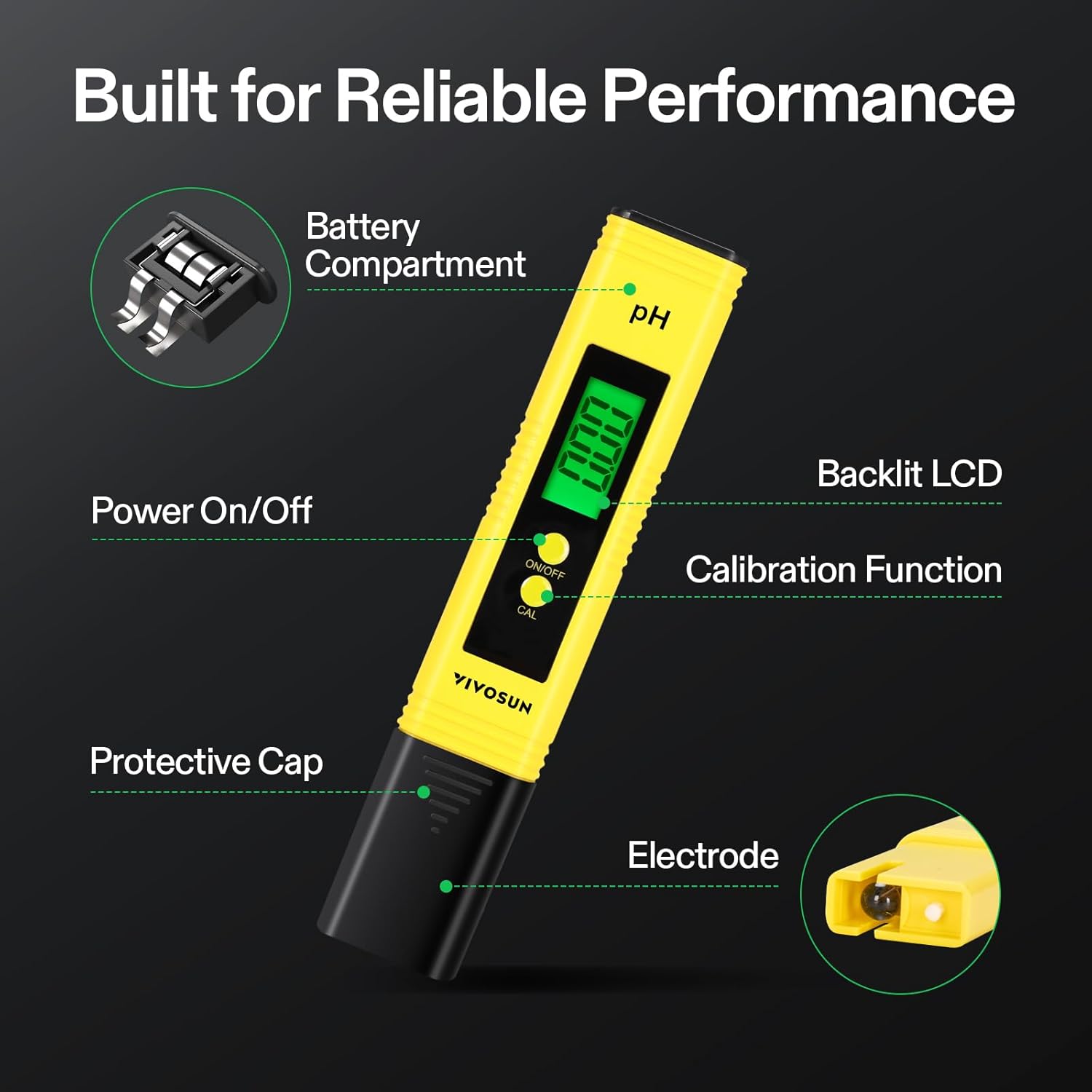
රූපය 2.1: Diagram illustrating the components of the VIVOSUN Digital PH Meter, including the battery compartment, power on/off button, backlit LCD display, calibration function button, protective cap, and electrode.
- ආරක්ෂිත තොප්පිය: Covers the electrode when not in use.
- ඉලෙක්ට්රෝඩය: The sensor responsible for measuring pH.
- Backlit LCD: Displays pH readings and temperature.
- සක්රිය / අක්රිය බොත්තම: උපාංගය සක්රිය හෝ අක්රිය කරයි.
- CAL බොත්තම: ක්රමාංකන ක්රියාවලිය ආරම්භ කරයි.
- බැටරි මැදිරිය: Houses the 2 x 1.5V button cells.
3. පිරිවිතර
Technical specifications for the VIVOSUN Digital pH Meter.
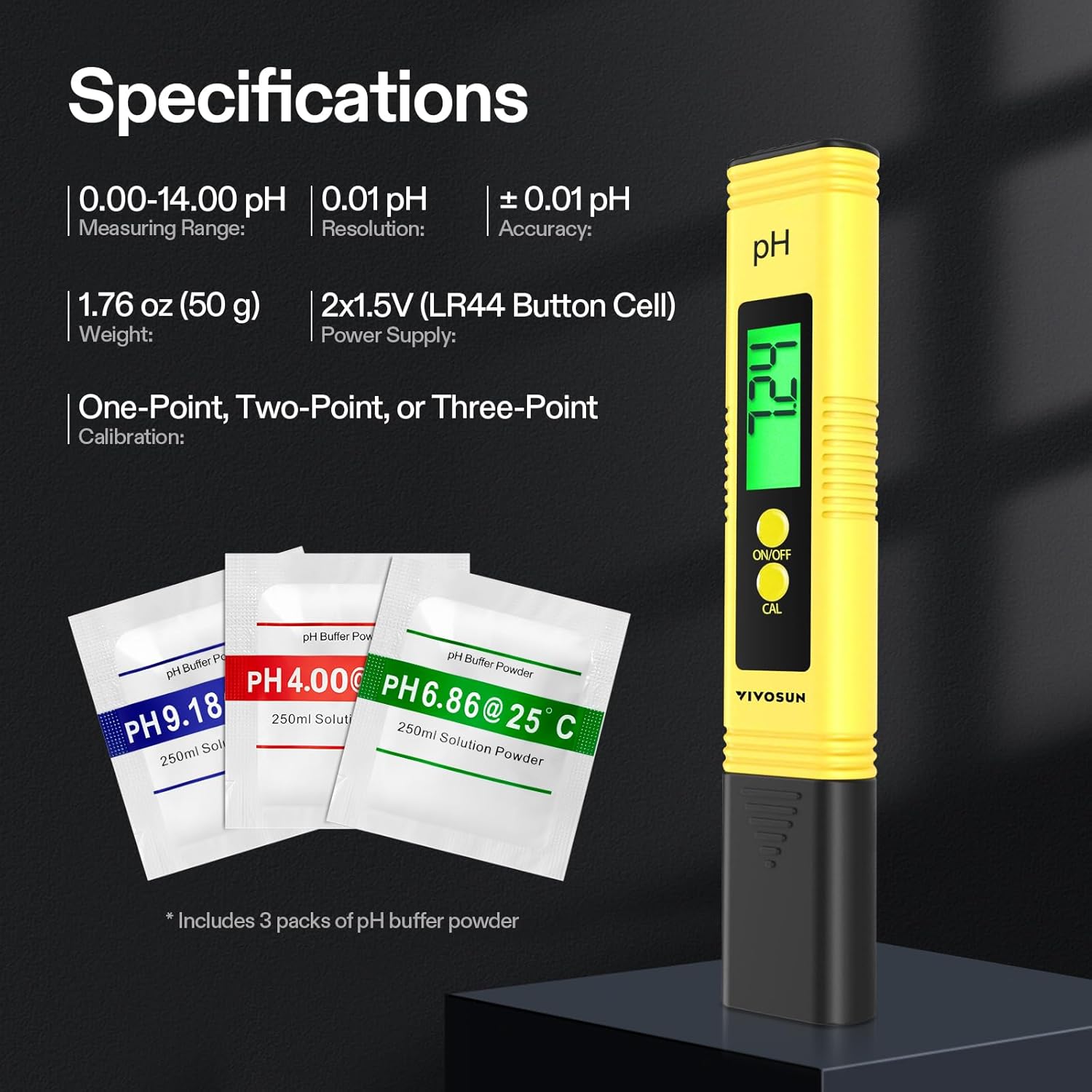
රූපය 3.1: Visual representation of the VIVOSUN Digital PH Meter's specifications, including measuring range, resolution, accuracy, weight, power supply, and calibration method.
| මිනුම් පරාසය | 0.00 - 14.00 pH අගය |
| විභේදනය | 0.01 pH අගය |
| නිරවද්යතාව | ± 0.01 pH |
| බල සැපයුම | 2 x 1.5V (LR44 Button Cell) |
| මෙහෙයුම් පරිසරය | 0℃ - 80℃ (32℉ - 176℉) |
| මානයන් | 15.5 x 2.9 x 1.6 සෙ.මී |
| බර | ග්රෑම් 50 |
| ද්රව්ය | ABS |
4. පිහිටුවීම
4.1. බැටරි ස්ථාපනය
The pH meter comes with two 1.5V button cells pre-installed. If replacement is needed:
- Slide off the battery compartment cover located at the top of the meter.
- Remove the old batteries and insert two new 1.5V LR44 button cells, ensuring correct polarity.
- බැටරි මැදිරි කවරය ප්රතිස්ථාපනය කරන්න.
4.2. මූලික සූදානම
Before first use or after prolonged storage:
- ඉලෙක්ට්රෝඩයෙන් ආරක්ෂිත තොප්පිය ඉවත් කරන්න.
- ආස්රැත ජලය සමග ඉලෙක්ට්රෝඩය සේදීම.
- Gently blot dry with a clean tissue. Do not rub.
- It is recommended to calibrate the meter before initial use.
5 ක්රමාංකනය
Calibration ensures accurate readings. The VIVOSUN pH meter supports one-point, two-point, or three-point calibration. It is recommended to calibrate the pH meter before each use, especially if it hasn't been used for a while or has been exposed to moisture for an extended period.
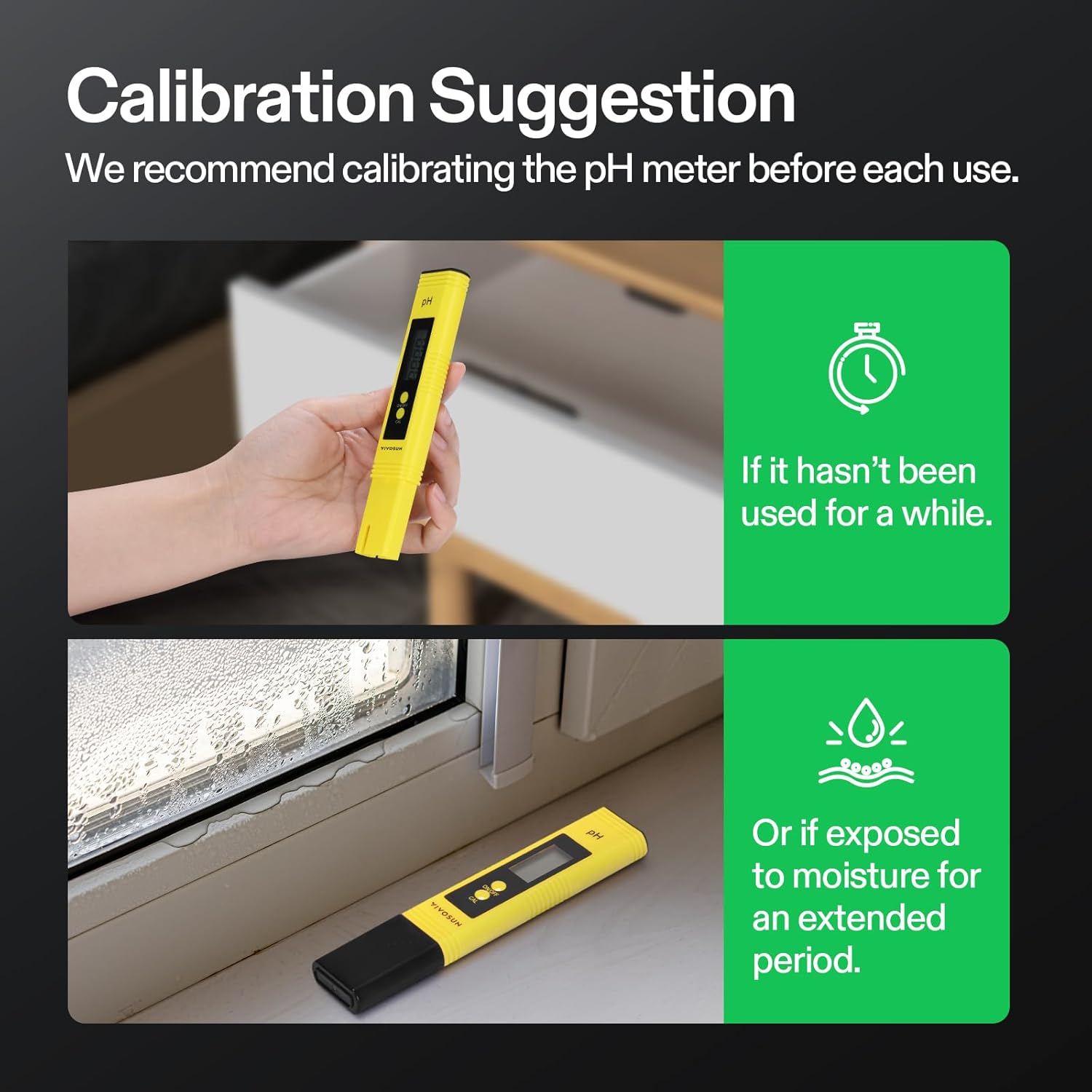
රූපය 5.1: Illustration recommending calibration of the pH meter before each use, particularly if unused for a while or exposed to moisture.
5.1. Preparing Buffer Solutions
The meter comes with three pH buffer powders (pH 4.00, pH 6.86, pH 9.18). To prepare the solutions:
- Empty one packet of buffer powder into a clean 250ml beaker or container.
- Add 250ml of distilled water to the beaker.
- Stir until the powder is completely dissolved.
- Repeat for each buffer powder.
5.2. Calibration Procedure (Three-Point Recommended)
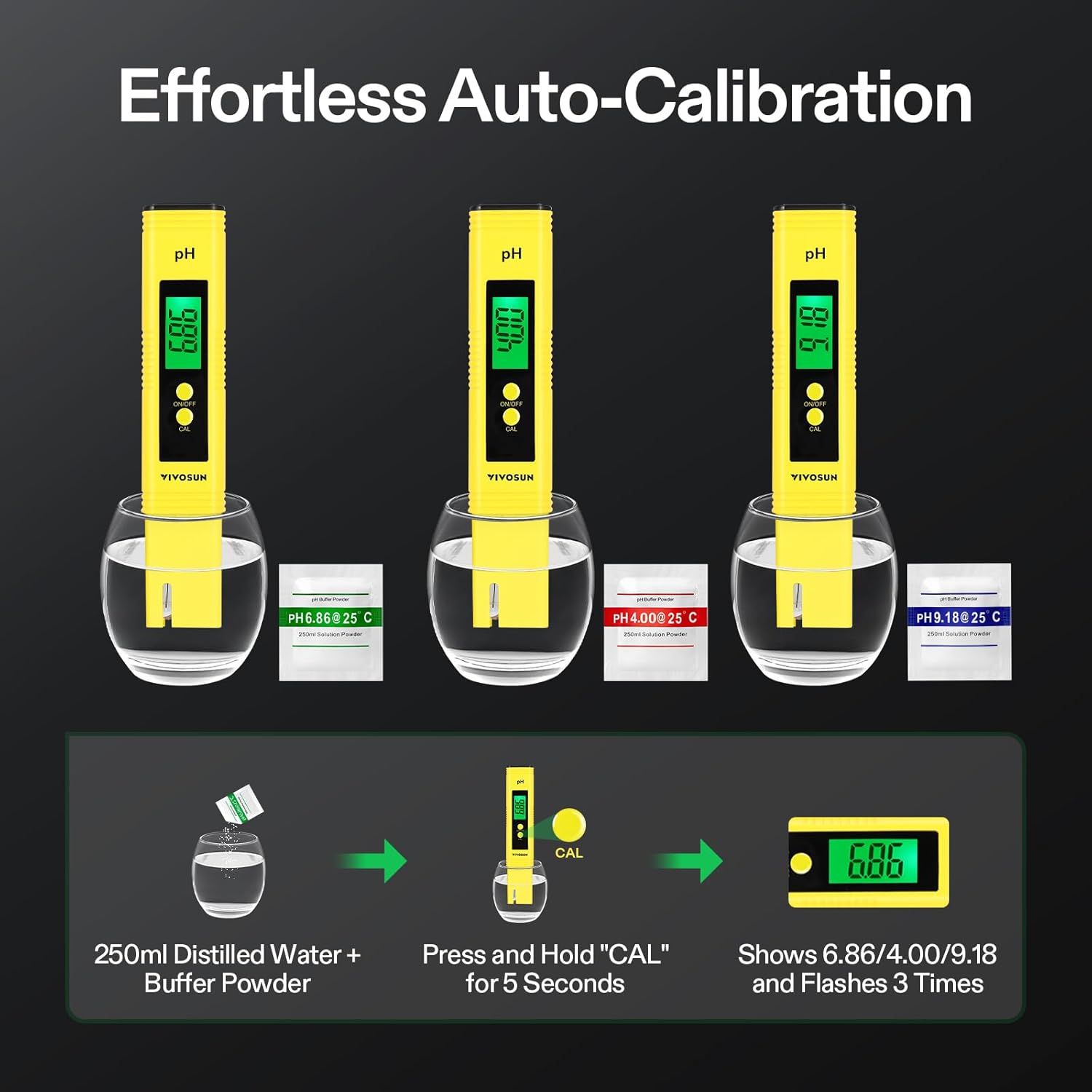
රූපය 5.2: Step-by-step visual guide for auto-calibration, showing the process of dissolving buffer powder, immersing the meter, pressing the CAL button, and observing the flashing display.
- Turn on the pH meter by pressing the "ON/OFF" button.
- Immerse the electrode into the pH 6.86 buffer solution (at 25°C).
- Press and hold the "CAL" button for 5 seconds. The display will flash "6.86" three times, indicating successful calibration at this point.
- Rinse the electrode with distilled water and gently blot dry.
- Immerse the electrode into the pH 4.00 buffer solution (at 25°C).
- Press and hold the "CAL" button for 5 seconds. The display will flash "4.00" three times.
- Rinse the electrode with distilled water and gently blot dry.
- (Optional for three-point calibration) Immerse the electrode into the pH 9.18 buffer solution (at 25°C).
- (Optional) Press and hold the "CAL" button for 5 seconds. The display will flash "9.18" three times.
- After calibration, the meter will automatically save the calibration data and return to measurement mode.
සටහන: If the meter cannot identify the buffer solution, it will display "----" and exit calibration mode. Ensure buffer solutions are correctly prepared and the electrode is clean.
6. මෙහෙයුම් උපදෙස්
6.1. Measuring pH
- ආරක්ෂිත තොප්පිය ඉවත් කරන්න.
- Rinse the electrode with distilled water and gently blot dry.
- Turn on the meter by pressing the "ON/OFF" button.
- Immerse the electrode into the solution to be tested. Ensure the electrode is fully submerged.
- Gently stir the solution and wait for the reading to stabilize. The display will show the pH value.
- The meter features Automatic Temperature Compensation (ATC), which adjusts the pH reading based on the solution's temperature, ensuring accuracy across varying temperatures.
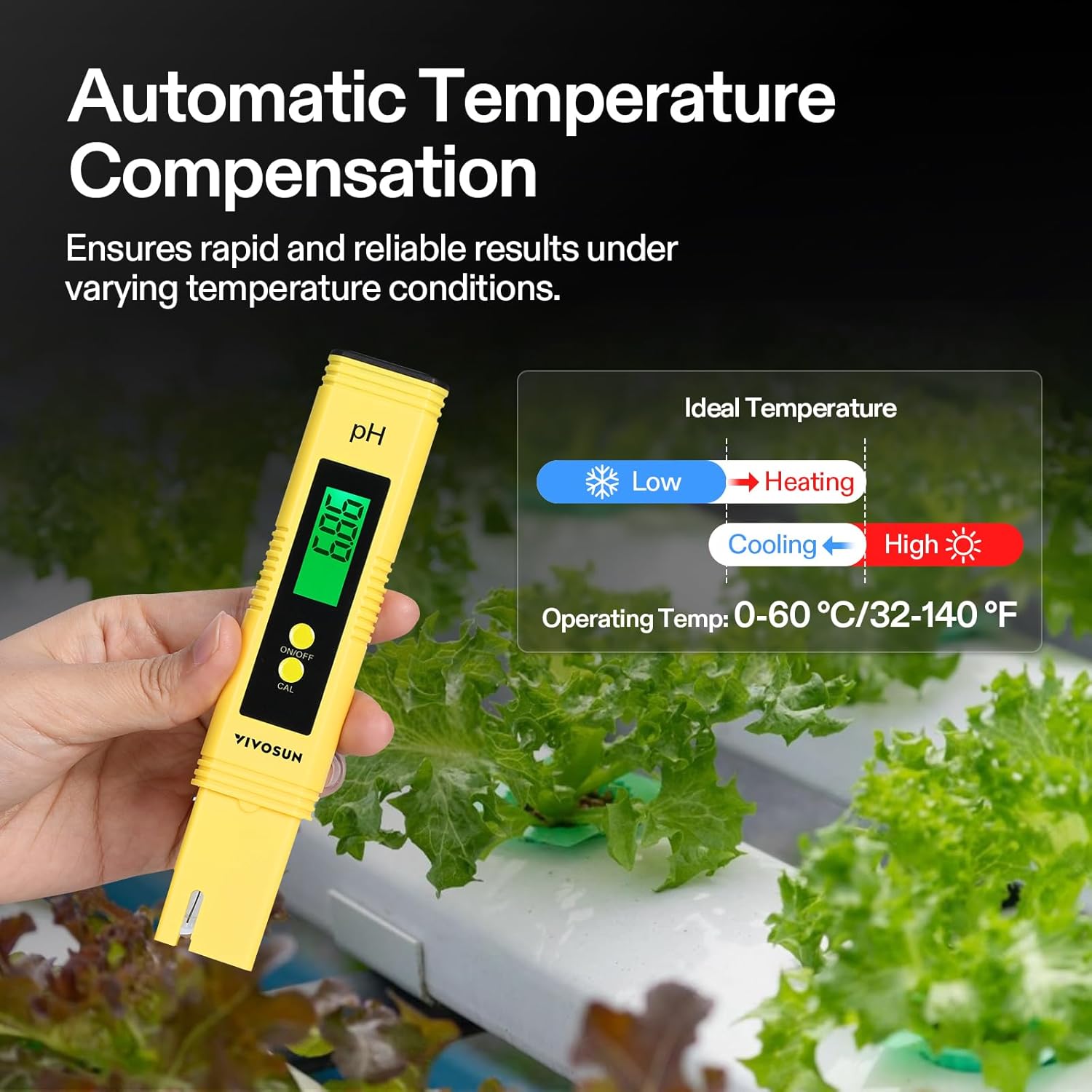
රූපය 6.1: Diagram illustrating the Automatic Temperature Compensation (ATC) feature, showing how the meter adjusts for temperature variations (low, heating, cooling, high) to provide reliable pH results.
6.2. මිනුම් කිරීමෙන් පසු
- ආස්රැත ජලය සමග ඉලෙක්ට්රෝඩය සේදීම.
- Gently blot dry with a clean tissue.
- ආරක්ෂිත තොප්පිය ප්රතිස්ථාපනය කරන්න.
- Turn off the meter by pressing the "ON/OFF" button.
7. නඩත්තු කිරීම
7.1. Cleaning the Electrode
Regular cleaning of the electrode is crucial for accurate readings and extending the meter's lifespan.
- After each use, rinse the electrode thoroughly with distilled water.
- If the electrode is heavily contaminated, soak it in a mild cleaning solution (e.g., pH electrode cleaning solution or a dilute acid solution like vinegar) for 10-20 minutes, then rinse with distilled water.
- Never touch the electrode with your fingers or abrasive materials.
7.2. ගබඩා කිරීම
- Always replace the protective cap after use to keep the electrode moist. If the electrode dries out, soak it in pH 4.00 buffer solution or electrode storage solution for at least 30 minutes before use.
- Store the meter in a cool, dry place, away from direct sunlight and extreme temperatures.
8. දෝශ නිරාකරණය
- වැරදි කියවීම්:
- Ensure the meter is properly calibrated. Recalibrate if necessary.
- Clean the electrode thoroughly.
- බැටරි මට්ටම් පරීක්ෂා කර අඩු නම් මාරු කරන්න.
- Ensure the electrode is fully submerged in the solution.
- Slow Response:
- The electrode might be dry. Soak it in pH 4.00 buffer solution or electrode storage solution for 30 minutes.
- The electrode might be dirty. Clean it as per maintenance instructions.
- Display Shows "----":
- During calibration, this indicates the meter could not recognize the buffer solution. Recheck buffer preparation and ensure the correct solution is used for the calibration point.
- Outside calibration, this might indicate a sensor error or extremely out-of-range measurement.
- Meter Does Not Turn On:
- බැටරි ස්ථාපනය සහ ධ්රැවීයතාව පරීක්ෂා කරන්න.
- බැටරි නව ඒවා සමඟ ප්රතිස්ථාපනය කරන්න.
9. යෙදුම්
The VIVOSUN Digital pH Meter is suitable for a wide range of applications requiring pH measurement.
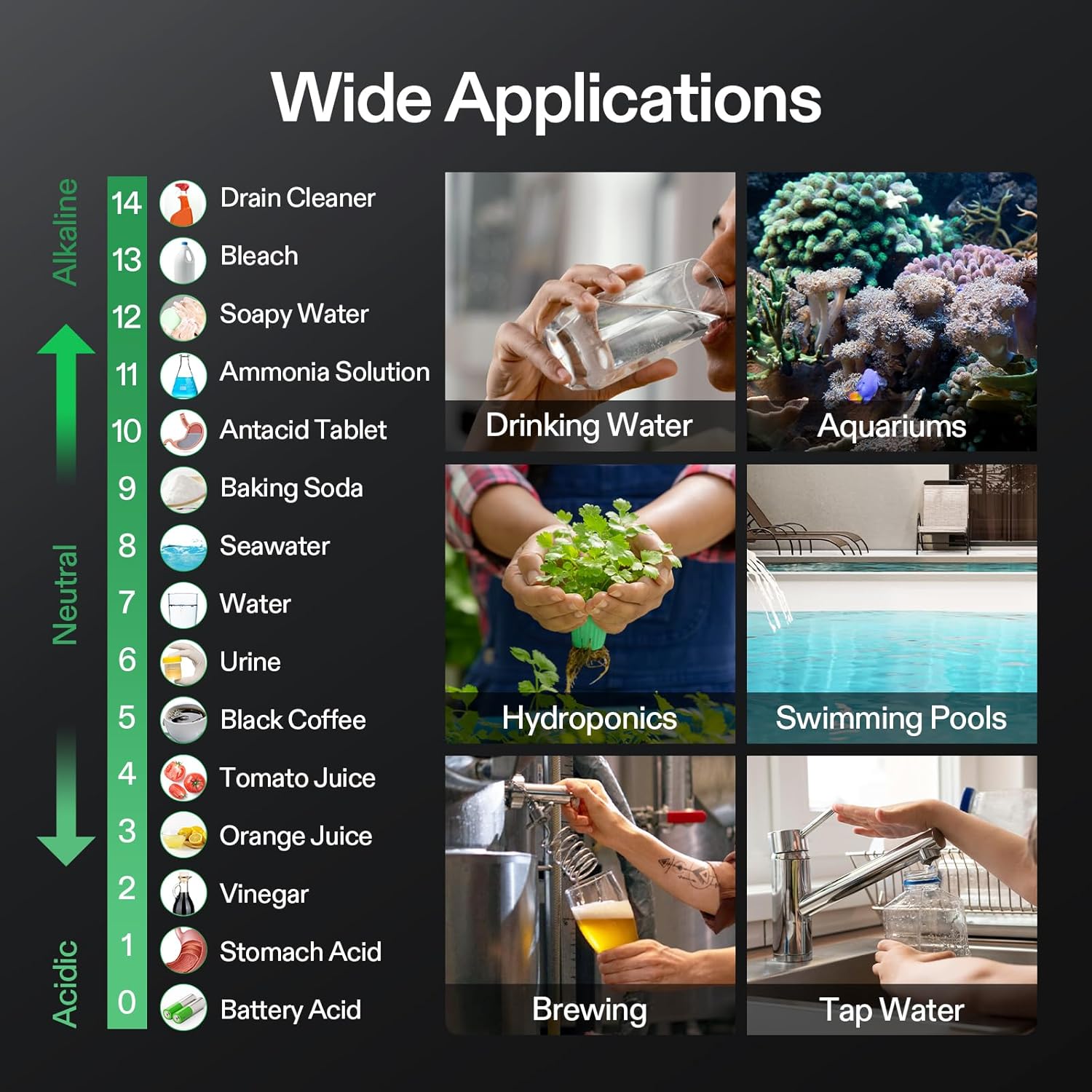
රූපය 9.1: Visual chart displaying various applications for the pH meter, including drinking water, aquariums, hydroponics, swimming pools, brewing, and tap water, alongside a pH scale with common substances.
- හයිඩ්රොපොනික්ස්: Monitoring nutrient solution pH for optimal plant growth.
- මින්මැදුර: Maintaining ideal water conditions for aquatic life.
- Swimming Pools & Spas: Ensuring proper chemical balance for safety and comfort.
- Household Drinking Water: Checking the pH of tap water or filtered water.
- රසායනාගාර භාවිතය: General pH testing in educational or research settings.
- Liquid Food: Testing pH of beverages or other liquid food products.
- බීර සෑදීම: Monitoring pH during beer or wine making processes.
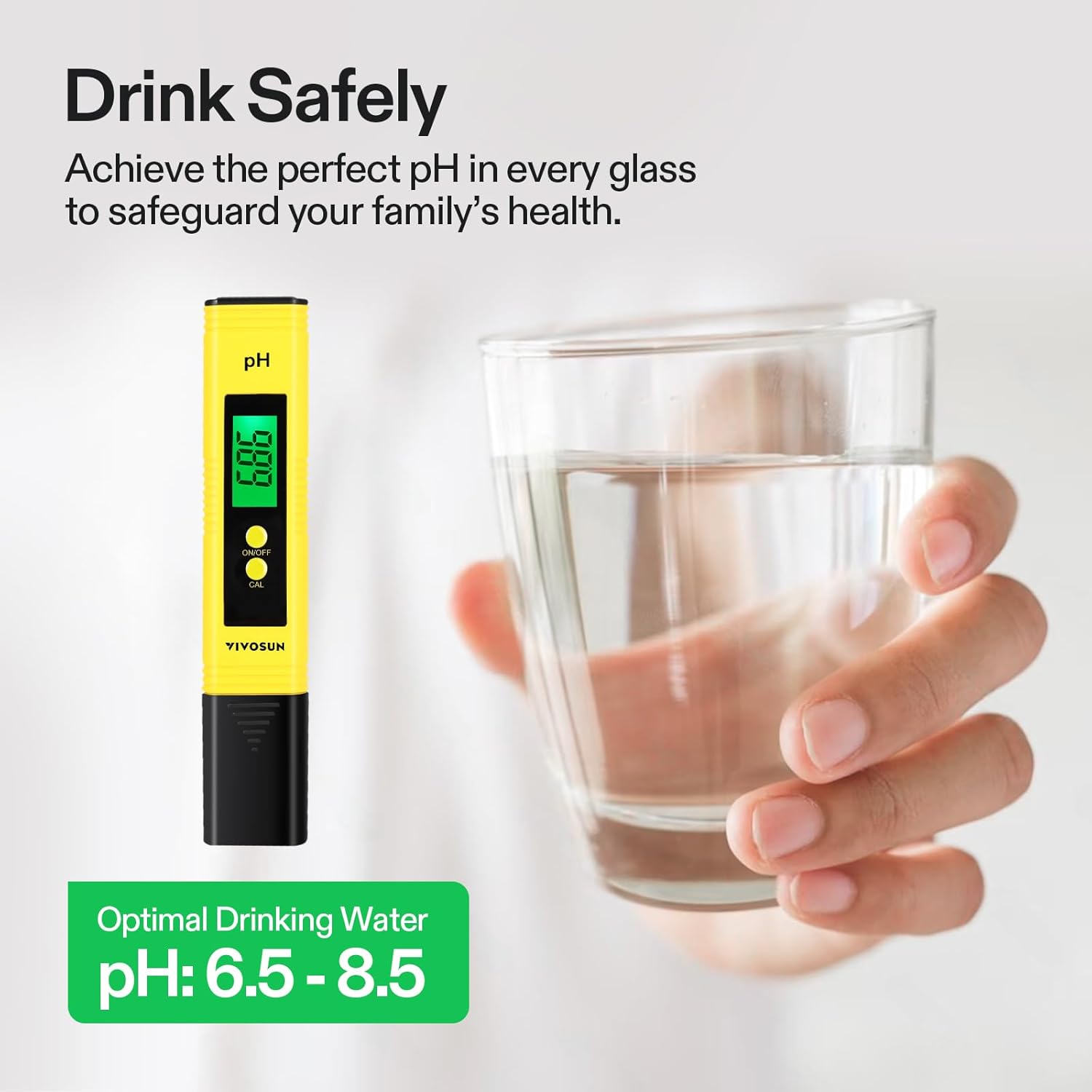
රූපය 9.2: Image showing the VIVOSUN Digital PH Meter next to a glass of water, highlighting the optimal pH range for drinking water (6.5 - 8.5).
10. වගකීම් සහ සහාය
For warranty information or technical support, please refer to the VIVOSUN official webවෙබ් අඩවියට හෝ ඔවුන්ගේ පාරිභෝගික සේවය අමතන්න. වගකීම් හිමිකම් සඳහා ඔබේ මිලදී ගැනීමේ රිසිට්පත තබා ගන්න.
VIVOSUN Official Webඅඩවිය: www.vivosun.com


