1. හැඳින්වීම
Thank you for choosing the SCS Sentinel EcoBell 100 Wireless Plug-in Doorbell. This innovative, battery-free doorbell system is designed for ease of use and environmental responsibility. It features a 100-meter open-field range, 25 selectable melodies, and an integrated LED light indicator, making it suitable for various environments, including those with hearing-impaired individuals or noisy conditions.
This manual provides detailed instructions for the installation, operation, and maintenance of your EcoBell 100 doorbell to ensure optimal performance and longevity.
2. ආරක්ෂිත උපදෙස්
- Ensure the chime unit is plugged into a standard 230V AC electrical outlet. Do not use with incompatible power sources.
- Do not expose the chime unit to water or excessive humidity. It is designed for indoor use only.
- The push button is IP55 rated for outdoor use and resistance to weather conditions. However, avoid submerging it in water.
- උපාංගය ඔබම විවෘත කිරීමට හෝ අලුත්වැඩියා කිරීමට උත්සාහ නොකරන්න. සියලුම සේවා සුදුසුකම් ලත් පුද්ගලයින් වෙත යොමු කරන්න.
- උපාංගය දරුවන්ට ළඟාවිය නොහැකි ලෙස තබා ගන්න.
- මෘදු වියළි රෙද්දකින් උපාංගය පිරිසිදු කරන්න. උල්ෙල්ඛ පිරිසිදු කරන්නන් හෝ ද්රාවක භාවිතා නොකරන්න.
3. පැකේජ අන්තර්ගතය
Verify that all items are present in your EcoBell 100 package:
- 1 x Plug-in Chime Unit
- 1 x Wireless, Battery-Free Push Button (IP55 rated)
- 1 x පරිශීලක අත්පොත
- සවි කරන ඉස්කුරුප්පු සහ බිත්ති ප්ලග්

Image 3.1: EcoBell 100 Product Packaging. The package contains the chime unit, push button, and accessories.
4. පිහිටුවීම සහ ස්ථාපනය
4.1 Chime Unit Installation
- Select an indoor electrical outlet within 100 meters (open field) of your desired push button location.
- Plug the chime unit directly into the electrical outlet. The unit will power on, and the LED indicator may flash briefly.

Image 4.1: Chime unit plugged into a wall outlet, ready for use.
4.2 Push Button Installation
The push button is battery-free and generates its own power when pressed. It is IP55 rated for outdoor use.
- Choose a suitable location for the push button, such as next to your front door or gate. Ensure it is within the 100-meter range of the chime unit.
- Use the provided screws and wall plugs to securely mount the push button to a flat surface. Alternatively, a strong adhesive (not included) can be used for mounting on smooth surfaces.
- Ensure the push button is mounted vertically to maintain its IP55 weather resistance.
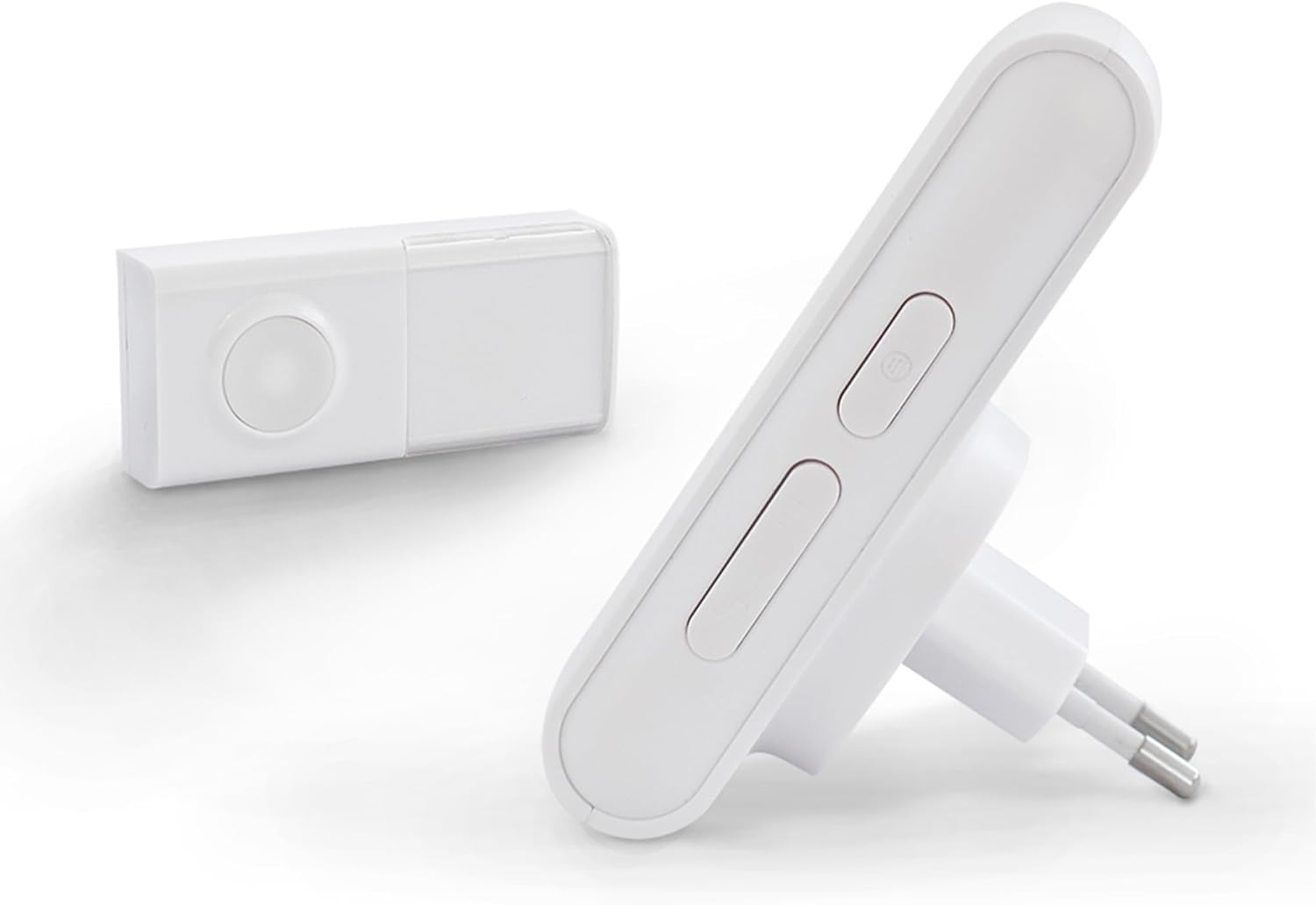
Image 4.2: Chime unit and push button. The push button is designed for outdoor installation.
4.3 Pairing (Pre-programmed)
Your EcoBell 100 system is pre-programmed at the factory for immediate use. No manual pairing is typically required. Simply plug in the chime and mount the push button.
4.4 Melody Selection
The chime unit offers 25 selectable melodies. To change the melody:
- Locate the melody selection button on the side of the chime unit.
- Press the button repeatedly to cycle through the available melodies. The chime will play each melody as you press the button.
- Once you hear your desired melody, stop pressing the button. The selected melody will be saved.
5. මෙහෙයුම් උපදෙස්
5.1 මූලික මෙහෙයුම
To operate the doorbell, simply press the push button. The chime unit will sound the selected melody and the LED indicator will flash simultaneously.
5.2 LED Light Indicator
The chime unit features an LED light indicator that flashes when the doorbell is activated. This provides a visual alert, which is particularly useful in noisy environments or for individuals with hearing impairments.
5.3 Range and Expansion
The EcoBell 100 offers a wireless range of up to 100 meters in open-field conditions. This range may be reduced by obstacles such as walls, metal structures, or other electronic devices.
The EcoBell range is expandable. You can add up to 5 additional push buttons within the 100m range or add additional chime units to extend the range and repeat the chime throughout your home (up to 350m with multiple chimes).

Image 5.1: EcoBell system range and expansion capabilities.
6. නඩත්තු කිරීම
6.1 පිරිසිදු කිරීම
- Wipe the chime unit and push button with a soft, dry cloth.
- Do not use liquid cleaners, aerosols, or solvents, as these can damage the device.
6.2 පාරිසරික සලකා බැලීම්
The push button is designed to withstand various weather conditions due to its IP55 rating. However, regularly check for any debris or blockages around the button mechanism to ensure smooth operation.
7. දෝශ නිරාකරණය
| ගැටලුව | විය හැකි හේතුව | විසඳුම |
|---|---|---|
| Chime unit does not sound or light up when button is pressed. | Chime unit is not powered. Push button is out of range. වෙනත් උපාංග වලින් ඇතිවන බාධා. | Ensure chime unit is securely plugged into a working 230V outlet. Move chime unit closer to the push button. Relocate chime unit or push button away from potential sources of interference (e.g., large metal objects, other wireless devices). |
| රැහැන් රහිත පරාසය අඩු කිරීම. | Obstacles between units. මැදිහත් වීම. | Ensure a clear line of sight between the push button and chime unit as much as possible. Avoid placing units near large metal objects or thick walls. See above for interference solutions. |
| Selected melody does not save after unplugging the chime unit. | This model may not retain melody selection after power loss. | Re-select your preferred melody after plugging the chime unit back in. Keep the chime unit plugged in to retain the setting. |
| Push button is difficult to press or unresponsive. | Debris or obstruction. Damage to the button mechanism. | Inspect the button for any dirt or debris and clean if necessary. If damaged, contact customer support for assistance. |
8. පිරිවිතර
- ආකෘතිය: CSF0078
- වෙළඳ නාමය: SCS සෙන්ටිනල්
- Power Source (Chime): Electrical cable (230 Volts)
- බල ප්රභවය (තල්ලු බොත්තම): Battery-free (self-powered)
- පාලන ක්රමය: ස්පර්ශය
- ශබ්ද මට්ටම: ඩෙසිබල් 90 යි
- Fixation Type: බිත්ති සවි කිරීම
- සංවේදක තාක්ෂණය: Audio sensor
- Product Dimensions (Chime): 6.9 x 6.6 x 10.5 සෙ.මී
- බර: ග්රෑම් 190 කි
- ද්රව්ය: ABS
- විලාසය: ආලෝක දර්ශකය
- රැහැන් රහිත පරාසය: මීටර් 100 දක්වා (විවෘත ක්ෂේත්රය)
- තනු: 25 තෝරාගත හැක
- Push Button IP Rating: IP55 (කාලගුණයට ඔරොත්තු දෙන)
9 වගකීම් සහතිකය
The SCS Sentinel EcoBell 100 comes with a වසර 2ක වගකීමක් from the date of purchase. This warranty covers manufacturing defects under normal use. Please retain your proof of purchase for warranty claims. The warranty does not cover damage caused by misuse, accidents, unauthorized modifications, or improper installation.

Image 9.1: 2-Year Warranty Icon.
10. සහාය
For technical assistance, installation guidance, or any questions regarding your SCS Sentinel EcoBell 100, please contact our customer support. Our technical support team is based in France and is available to provide expert and personalized advice.
කරුණාකර නිෂ්පාදන ඇසුරුම්කරණයේ සපයා ඇති සම්බන්ධතා තොරතුරු හෝ අපගේ නිලධාරියා වෙත යොමු වන්න. webවඩාත්ම යාවත්කාලීන සහාය විස්තර සඳහා අඩවිය.


