නිෂ්පාදනය අවසන්view
This manual provides instructions for the Delock USB 2.0 A-B Cable, model 83687. This cable is designed for connecting devices with a USB Type-A port to devices with a USB Type-B port, facilitating data transfer.
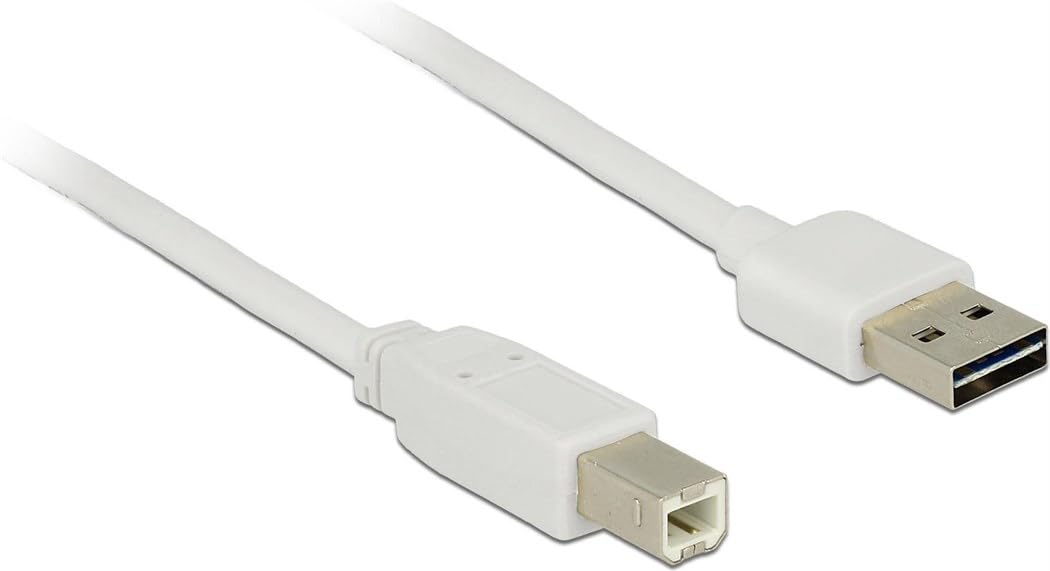
Image: The Delock USB 2.0 A-B Cable, featuring a white cable and gold-plated connectors. The USB Type-A connector is visible on the right, and the USB Type-B connector is on the left.
සැලසුම
The Delock USB 2.0 A-B Cable is designed for simple plug-and-play operation. Follow these steps to connect your devices:
- වරායන් හඳුනා ගන්න: Locate the USB Type-A port on your host device (e.g., computer, laptop) and the USB Type-B port on your peripheral device (e.g., printer, scanner, external hard drive).
- Connect USB Type-A: Insert the USB Type-A connector of the cable into the corresponding USB Type-A port on your host device. Ensure it is fully seated.
- Connect USB Type-B: Insert the USB Type-B connector of the cable into the corresponding USB Type-B port on your peripheral device. Ensure it is fully seated.
- සම්බන්ධතාවය තහවුරු කරන්න: Once both ends are connected, your operating system should automatically detect the peripheral device. If necessary, install any required drivers for your peripheral device as per its manufacturer's instructions.
This cable is compatible with devices such as laptops and personal computers.
මෙහෙයුම් උපදෙස්
Once the cable is properly connected, it facilitates data transfer between the connected devices. The cable supports USB 2.0 specifications, allowing for data transfer rates of up to 480 Mbit/s.
- Ensure both connected devices are powered on for proper communication.
- Initiate data transfer operations (e.g., printing, scanning, file transfer) through the software or operating system interface of your host device.
- For optimal performance, avoid disconnecting the cable during active data transfer.
නඩත්තු කිරීම
To ensure the longevity and optimal performance of your Delock USB 2.0 A-B Cable, follow these maintenance guidelines:
- ගබඩා: Store the cable in a cool, dry place away from direct sunlight and extreme temperatures. Avoid tightly coiling or bending the cable, especially near the connectors, to prevent internal damage.
- පිරිසිදු කිරීම: If the cable or connectors become dirty, gently wipe them with a soft, dry, lint-free cloth. Do not use liquid cleaners or abrasive materials.
- හැසිරවීම: Always grasp the connector housing when plugging or unplugging the cable, rather than pulling on the cable itself. This prevents strain on the cable's internal wires and connections.
- ආරක්ෂාව: Keep the cable away from sharp objects, heavy furniture, or areas where it might be stepped on or pinched, as this can damage the insulation and internal conductors.
දෝෂගවේෂණය
If you encounter issues with your Delock USB 2.0 A-B Cable, consider the following troubleshooting steps:
| ගැටලුව | විය හැකි හේතුව / විසඳුම |
|---|---|
| උපාංගය හඳුනාගෙන නොමැත |
|
| මන්දගාමී දත්ත හුවමාරුව |
|
| අතරමැදි සම්බන්ධතාවය |
|
පිරිවිතර
| විශේෂාංගය | විස්තර |
|---|---|
| වෙළඳ නාමය | ඩිලොක් |
| ආදර්ශ අංකය | 83687 |
| කේබල් වර්ගය | USB 2.0 AB කේබලය |
| කේබල් දිග | මීටර් 2 (අඩි 6.56) |
| සම්බන්ධකය 1 | USB වර්ගය-A පිරිමි |
| සම්බන්ධකය 2 | USB Type-B Male |
| USB අනුවාදය | 2.0 |
| දත්ත හුවමාරු අනුපාතය (උපරිම) | 480 Mbit/s |
| සම්බන්ධතා | රන් ආලේපිත |
| වර්ණය | සුදු |
| ගැළපෙන උපාංග | Laptop, Personal Computer, and other devices with USB A and B ports |
| විශේෂ ලක්ෂණය | දත්ත හුවමාරුව |
වගකීම් සහ සහාය
For information regarding warranty coverage and technical support for your Delock USB 2.0 A-B Cable, please refer to the official Delock webවෙබ් අඩවියට හෝ ඔවුන්ගේ පාරිභෝගික සේවයට සෘජුවම සම්බන්ධ වන්න. නිශ්චිත වගකීම් කොන්දේසි කලාපය සහ සිල්ලර වෙළෙන්දා අනුව වෙනස් විය හැකිය.
Manufacturer: DeLOCK
මුලින්ම ලබා ගත හැකි දිනය: 2017 අගෝස්තු 29


