හැඳින්වීම
ස්තූතියි, උදව් කළාටasing the Muse M-1520 SBT Soundbar. This device is designed to enhance your audio experience with 50W of power and versatile connectivity options including Bluetooth, AUX-IN, RCA, and Optical inputs. Please read this manual carefully before use to ensure proper setup and operation.

The Muse M-1520 SBT Soundbar integrated into a home entertainment setup.
ආරක්ෂිත උපදෙස්
- ඒකකය වැසි හෝ තෙතමනය නිරාවරණය නොකරන්න.
- c එක අරින්න එපාasing; සියලුම සේවා සුදුසුකම් ලත් පුද්ගලයින් වෙත යොමු කරන්න.
- ඒකකය වටා නිසි වාතාශ්රය සහතික කරන්න.
- ඒකකය සෘජු හිරු එළිය, තාප ප්රභවයන් සහ ශක්තිමත් චුම්භක ක්ෂේත්ර වලින් ඈත් කර තබන්න.
- සපයන ලද බල ඇඩැප්ටරය පමණක් භාවිතා කරන්න.
- Do not place heavy objects on the soundbar.
- වගකීමෙන් යුතුව බැටරි බැහැර කරන්න.
පැකේජයේ අන්තර්ගතය
පහත ලැයිස්තුගත කර ඇති සියලුම අයිතම ඔබේ පැකේජයට ඇතුළත් කර ඇත්දැයි කරුණාකර පරීක්ෂා කරන්න:
- Muse M-1520 SBT Soundbar
- AC බල ඇඩැප්ටරය
- RCA කේබල්
- 3.5 mm Aux-In Cable
- දුරස්ථ පාලකය
- 2 x AA බැටරි (දුරස්ථ පාලකය සඳහා)

All accessories included with the Muse M-1520 SBT Soundbar.
පාලන සහ සම්බන්ධතා
පසුපස පැනල් සම්බන්ධතා

සවිස්තරාත්මක view of the soundbar's rear input ports.
- AUX 1 (3.5mm): 3.5mm ශ්රව්ය කේබලයක් භාවිතයෙන් බාහිර ශ්රව්ය උපාංග සම්බන්ධ කරන්න.
- AUX 2 (RCA L/R): Connect external audio devices using an RCA stereo cable.
- ඔප්ටිකල්: Connect to a TV or other device with an optical digital audio output.
- DC 12V: Connect the provided AC power adapter.
Top Panel Controls and Indicators
Top panel controls and LED indicator for the soundbar.
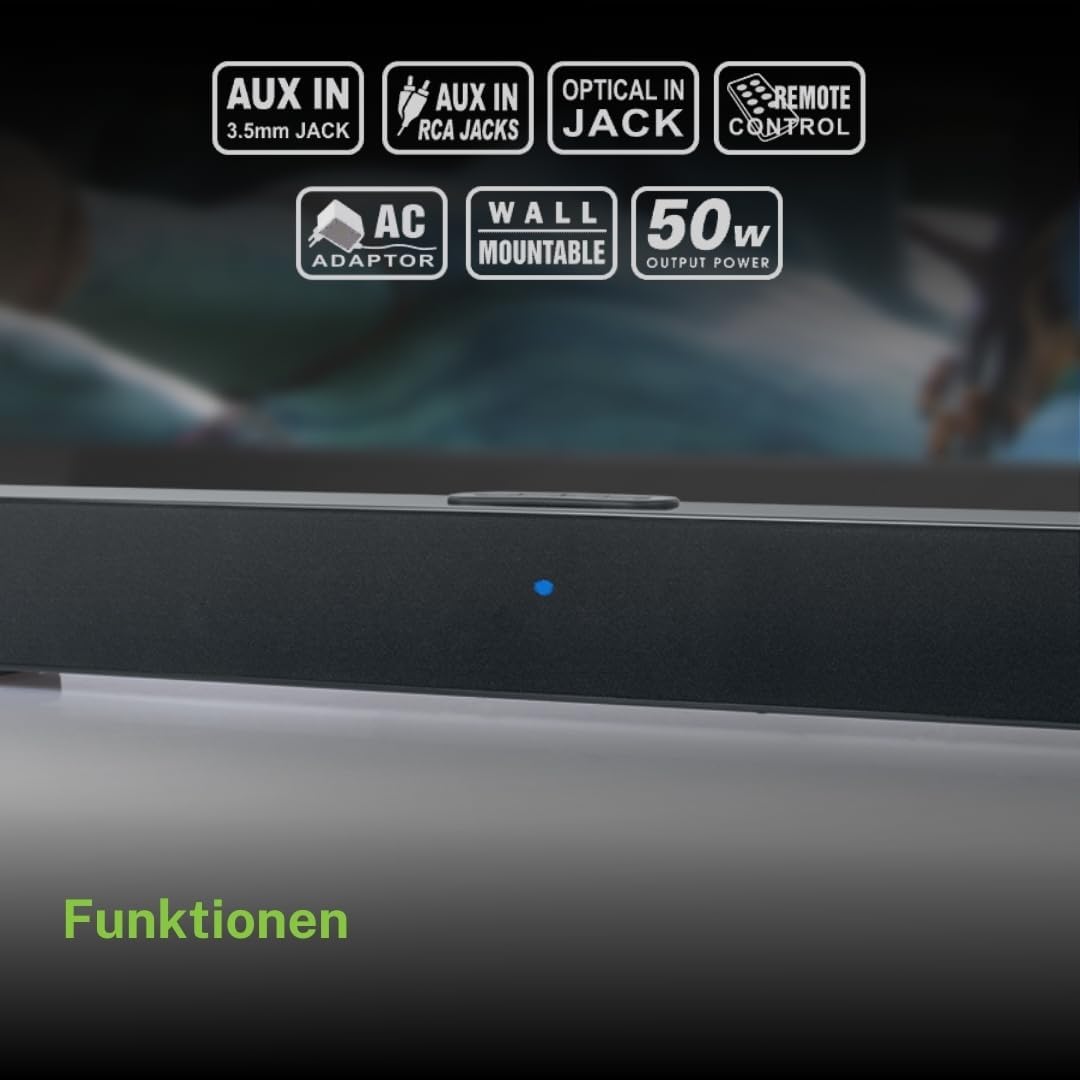
The top panel features buttons for power, volume control, and source selection. A blue LED indicator shows the current status or selected input.
සැලසුම
1. ස්ථානගත කිරීම
Place the soundbar on a stable, flat surface in front of your television, or mount it on the wall below your TV. Ensure there are no obstructions blocking the sound.
2. බල සම්බන්ධතාවය
- Connect the AC power adapter to the DC 12V input on the rear of the soundbar.
- Plug the AC power adapter into a wall outlet.
3. ශ්රව්ය සම්බන්ධතාව
Choose one of the following methods to connect the soundbar to your audio source (e.g., TV, DVD player):
- දෘශ්ය සම්බන්ධතාවය: For best audio quality, connect an optical cable (not included) from your TV's optical output to the OPTICAL input on the soundbar.
- RCA සම්බන්ධතාවය: Connect the supplied RCA cable from your audio source's RCA L/R output to the AUX 2 (RCA) input on the soundbar.
- 3.5mm AUX-IN Connection: Connect the supplied 3.5mm Aux-In cable from your audio source's headphone jack or AUX output to the AUX 1 (3.5mm) input on the soundbar.
මෙහෙයුම් උපදෙස්
බලය සක්රිය / අක්රිය
- ඔබන්න බලය button on the remote control or the soundbar's top panel to turn the unit on or off.
මූලාශ්ර තේරීම
- ඔබන්න මූලාශ්රය button on the remote control or the soundbar's top panel repeatedly to cycle through input sources: Bluetooth, AUX 1, AUX 2, Optical.
- The LED indicator will change color or pattern to indicate the selected source.
පරිමාව පාලනය
- ඔබන්න VOL+ or VOL- buttons on the remote control or the soundbar's top panel to adjust the volume.
බ්ලූටූත් යුගලනය
- Turn on the soundbar and select the Bluetooth input source. The LED indicator will flash, indicating it is in pairing mode.
- ඔබගේ ජංගම උපාංගයේ (ස්මාර්ට්ෆෝන්, ටැබ්ලටය, ආදිය) බ්ලූටූත් සක්රීය කරන්න.
- ඒ සඳහා සොයන්න available Bluetooth devices. The soundbar will appear as "M-1520 SBT".
- Select "M-1520 SBT" to pair. Once connected, the LED indicator will stop flashing and remain solid.
- දැන් ඔබට ශබ්ද තීරුව හරහා ඔබගේ උපාංගයෙන් ශ්රව්ය වාදනය කළ හැක.
සටහන: මුරපදයක් ඉල්ලා සිටියහොත්, "0000" ඇතුළත් කරන්න.
බිත්ති සවි කිරීම
The Muse M-1520 SBT Soundbar is designed to be wall-mountable. Mounting hardware (screws, anchors) is not typically included and must be purchased separately based on your wall type.
වැදගත්: Ensure the wall can support the weight of the soundbar (approximately 1.2 kg). Consult a professional if you are unsure about wall mounting.
නඩත්තු කිරීම
- පිරිසිදු කිරීම: ශබ්ද තීරුවේ මතුපිට පිරිසිදු කිරීම සඳහා මෘදු වියළි රෙද්දක් භාවිතා කරන්න. දියර පිරිසිදු කරන්නන් හෝ උල්ෙල්ඛ ද්රව්ය භාවිතා නොකරන්න.
- ගබඩා: ඒකකය දිගු කාලයක් ගබඩා කරන්නේ නම්, එය විදුලිබල පද්ධතියෙන් විසන්ධි කර සිසිල් වියළි ස්ථානයක ගබඩා කරන්න.
දෝෂගවේෂණය
| ගැටලුව | විය හැකි හේතුව | විසඳුම |
|---|---|---|
| බලය නැත | Power adapter not connected or wall outlet not active. | බල ඇඩැප්ටරය ශබ්ද තීරුවට සහ වැඩ කරන බිත්ති අලෙවිසැලකට ආරක්ෂිතව සම්බන්ධ කර ඇති බවට වග බලා ගන්න. |
| ශබ්දයක් නැත | වැරදි ආදාන මූලාශ්රයක් තෝරාගෙන ඇත, ශබ්දය ඉතා අඩුය, නැතහොත් ශ්රව්ය කේබලය නිසි ලෙස සම්බන්ධ වී නොමැත. | Select the correct input source. Increase the volume. Check all audio cable connections. Ensure the TV/source audio output is enabled. |
| බ්ලූටූත් යුගල කිරීම අසාර්ථකයි | Soundbar not in pairing mode, device too far, or interference. | Ensure the soundbar is in Bluetooth pairing mode (flashing LED). Move your device closer to the soundbar. Turn off other Bluetooth devices to reduce interference. |
| දුරස්ථ පාලකය ක්රියා නොකරයි | Batteries are dead or inserted incorrectly, or line of sight is blocked. | Replace the batteries (2 x AA). Ensure batteries are inserted with correct polarity. Remove any obstructions between the remote and the soundbar. |
පිරිවිතර
| මාදිලියේ නම | M-1520 SBT |
| ප්රතිදාන බලය | වොට් 50 |
| සම්බන්ධතාවය | Bluetooth, AUX-IN (3.5mm), RCA, Optical |
| රැහැන් රහිත තාක්ෂණය | බ්ලූටූත් |
| ගැළපෙන උපාංග | TV, smartphone, PC, tablet |
| මානයන් (L x W x H) | 66 x 6 x 5.9 cm (25.98 x 2.36 x 2.32 අඟල්) |
| බර | 1.2 kg (රාත්තල් 2.65) |
| පාලන ක්රමය | දුරස්ථ පාලකය |
| බලශක්ති ප්රභවය | AC ඇඩැප්ටරය (12V DC) |
| වර්ණය | කළු |

Dimensional diagram of the Muse M-1520 SBT Soundbar.
වගකීම් සහ සහාය
Specific warranty information for the Muse M-1520 SBT Soundbar is not available in the provided product details. Please refer to the warranty card included in your product packaging or contact your retailer for details regarding warranty coverage and customer support.


