1. හැඳින්වීම
ස්තූතියි, උදව් කළාටasing the SMART SENSOR Digital Anemometer AS806. This compact and lightweight device is designed for accurate measurement of wind speed and wind temperature. It features multiple functions including current, maximum, minimum, and average value display, data hold, manual/auto power off, low battery indication, and backlight. Please read this manual thoroughly before use to ensure proper operation and to extend the life of your device.
2 ආරක්ෂිත තොරතුරු
- උපාංගය විසුරුවා හැරීමට හෝ වෙනස් කිරීමට උත්සාහ නොකරන්න.
- උපාංගය ජලයෙන් සහ අධික ආර්ද්රතා පරිසරයන්ගෙන් ඈත් කර තබන්න.
- දිගු කාලයක් සඳහා උපාංගය අධික උෂ්ණත්වයට හෝ සෘජු හිරු එළියට නිරාවරණය කිරීමෙන් වළකින්න.
- කාන්දු වීම වැළැක්වීම සඳහා උපාංගය දිගු කාලයක් භාවිතා නොකරන්නේ නම් බැටරිය ඉවත් කරන්න.
- Handle the impeller carefully to prevent damage.
3. නිෂ්පාදන අවසන්view
3.1 සංරචක
The SMART SENSOR AS806 Digital Anemometer consists of a main body with an LCD display and an integrated impeller for wind speed measurement.
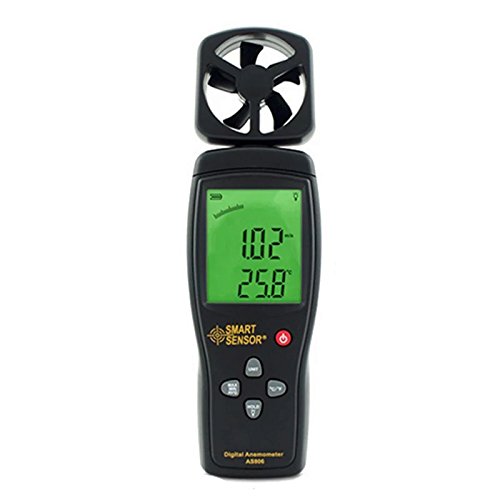
රූපය 1: ඉදිරිපස view of the SMART SENSOR AS806 Digital Anemometer.
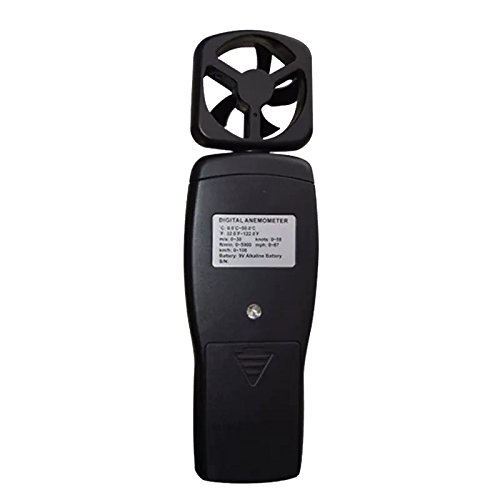
රූපය 2: ආපසු view of the device, showing the battery compartment.
3.2 සංදර්ශකය සහ බොත්තම්
The device features an LCD display that shows measurement readings and various indicators. Control buttons allow for mode selection, unit conversion, data hold, and backlight activation.
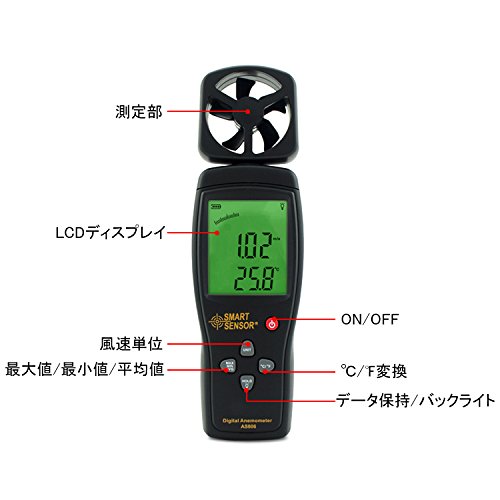
රූපය 3: සවිස්තරාත්මක view of the LCD display and control buttons. Key elements include the measurement section (impeller), LCD display, ON/OFF button, wind unit selection, Max/Min/Avg function, °C/°F conversion, and Data Hold/Backlight button.
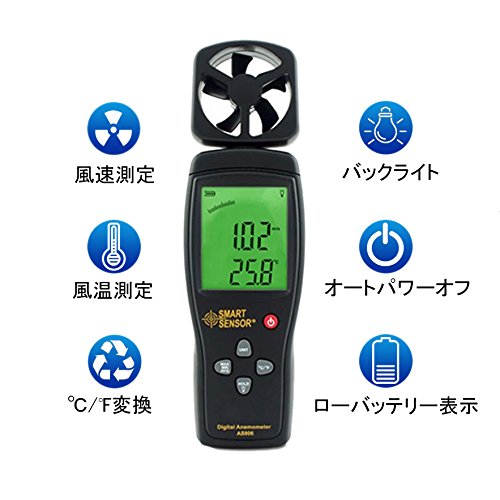
රූපය 4: අවසන්view of key features: Wind Speed Measurement, Wind Temperature Measurement, °C/°F Conversion, Backlight, Auto Power Off, and Low Battery Indicator.
4. පිරිවිතර
4.1 තාක්ෂණික පරාමිතීන්
| පරාමිතිය | වටිනාකම |
|---|---|
| සුළං වේගය පරාසය | 0.3 ~ 45 m / s |
| සුළං වේග නිරවද්යතාවය | ±3% + 0.1 |
| සුළං වේග ඒකක | m/s, Ft/min, Knots, km/h, Mph |
| සුළං උෂ්ණත්ව පරාසය | 0 ~ 45 °C |
| සුළං උෂ්ණත්ව නිරවද්යතාවය | ±2 °C |
| විභේදනය | 0.001 m/s |
| Max/Min/Average Value | ඔව් |
| °C/°F පරිවර්තනය | ඔව් |
| පසුතල ආලෝකය | ඔව් |
| අතින්/ස්වයං බලය අක්රියයි | ඔව් |
| ඇනලොග් සංදර්ශකය | ඔව් |
| දත්ත රඳවා ගැනීමේ කාර්යය | ඔව් |
4.2 සාමාන්ය පිරිවිතර
- බල සැපයුම: 9V බැටරි
- බර: ග්රෑම් 170
- මානයන්: 220 x 65 x 30 මි.මී
- ද්රව්ය: Plastic PCB
- UPC: 799789670206
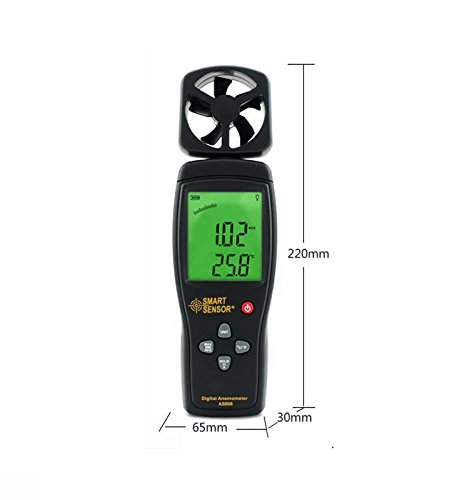
Figure 5: Device dimensions: 220mm (height), 65mm (width), 30mm (depth).
5. පිහිටුවීම
5.1 බැටරි ස්ථාපනය
- උපාංගයේ පිටුපස බැටරි මැදිරි කවරය සොයා ගන්න (රූපය 2 බලන්න).
- මැදිරිය විවෘත කිරීම සඳහා කවරය පහළට තල්ලු කරන්න.
- Insert a 9V battery, ensuring the correct polarity (+/-).
- බැටරි මැදිරි කවරය නිසි තැනට ක්ලික් කරන තෙක් ඉහළට ලිස්සා යාමෙන් එය වසා දමන්න.
සටහන: A low battery indicator will appear on the display when the battery needs replacement.
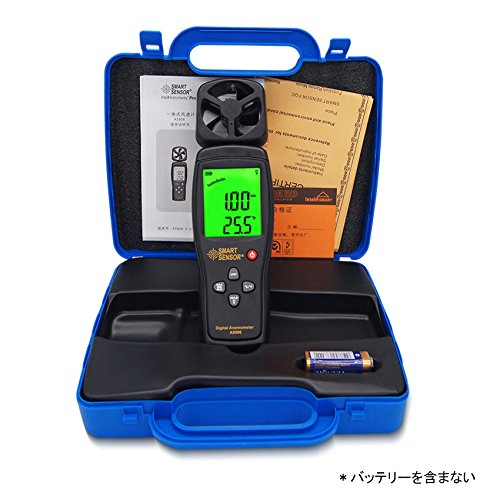
Figure 6: Package contents, including the anemometer and user manual. Note: Battery is not included.
6. මෙහෙයුම් උපදෙස්
6.1 බලය සක්රිය / අක්රිය
- උපාංගය ක්රියාත්මක කිරීමට, ඔබන්න සක්රිය / අක්රිය බොත්තම.
- උපාංගය ක්රියා විරහිත කිරීමට, ඔබා අල්ලාගෙන සිටින්න සක්රිය / අක්රිය තත්පර කිහිපයක් සඳහා බොත්තම.
- The device also features an auto power-off function to conserve battery life. It will automatically shut down after a period of inactivity.
6.2 Wind Speed and Temperature Measurement
Once powered on, the device will immediately begin measuring wind speed and temperature. Hold the device so that the impeller faces the wind source for accurate readings. The current wind speed and temperature will be displayed on the LCD.
6.3 ඒකක පරිවර්තනය
- Wind Speed Units: ඔබන්න ඒකකය button to cycle through available wind speed units: m/s, Ft/min, Knots, km/h, Mph.
- උෂ්ණත්ව ඒකක: ඔබන්න ° C / ° F. button to switch between Celsius and Fahrenheit for temperature display.
6.4 දත්ත රඳවා ගැනීමේ කාර්යය
To freeze the current readings on the display, press the අල්ලා ගන්න button. Press it again to release the hold and resume live measurement.
6.5 පසුබිම් ආලෝකය
To activate the display backlight for better visibility in low-light conditions, press the ආලෝකය button (often combined with HOLD). Press it again to turn off the backlight.
6.6 උපරිම/අවම/සාමාන්ය මිනුම්
The device can display the maximum, minimum, and average wind speed values recorded during a measurement session. Refer to the specific button labeled for these functions (e.g., MAX/MIN/AVG or similar) and press it to cycle through these modes.
7. නඩත්තු කිරීම
- පිරිසිදු කිරීම: මෘදු වියළි රෙද්දකින් උපාංගය පිස දමන්න. උල්ෙල්ඛ පිරිසිදු කරන්නන් හෝ ද්රාවක භාවිතා නොකරන්න.
- ගබඩා: Store the device in a cool, dry place when not in use. Remove the battery for long-term storage.
- Impeller Care: Ensure the impeller is free from dust and debris for accurate readings. Avoid touching the impeller blades directly.
8. දෝශ නිරාකරණය
| ගැටලුව | විය හැකි හේතුව | විසඳුම |
|---|---|---|
| උපාංගය බලගන්වන්නේ නැත. | අඩු හෝ මිය ගිය බැටරිය; වැරදි බැටරි ස්ථාපනය. | 9V බැටරිය ප්රතිස්ථාපනය කරන්න; නිවැරදි ධ්රැවීයතාව සහතික කරන්න. |
| වැරදි කියවීම්. | Impeller obstructed; device not positioned correctly. | Clear any obstructions from the impeller; ensure impeller faces the wind directly. |
| සංදර්ශකය අඳුරු හෝ හිස් ය. | බැටරිය අඩුයි; පසුතල ආලෝකය අක්රියයි. | Replace battery; press the backlight button. |
9. වගකීම් සහ සහාය
This product comes with a manufacturer's warranty. Please refer to the warranty card included in the package for details regarding coverage and duration. For technical support or warranty claims, please contact your retailer or the manufacturer directly.


