නිෂ්පාදනය අවසන්view
The Amazon Basics Full Size Ergonomic Wireless Mouse is designed for comfort and seamless functionality, ideal for right-hand use. This black wireless mouse provides reliable performance for both laptops and PCs, enhancing your computing experience with its advanced features.
Key features include fast-scrolling capabilities, a clickable scroll wheel, and convenient forward/back thumb buttons for streamlined navigation. It connects via a compact USB receiver, allowing for a tidy workspace without occupying additional ports. The optical sensor offers a 1600 DPI resolution for smooth and accurate tracking on most surfaces. An integrated on/off switch helps extend battery life, making it a dependable choice for continuous use. The mouse operates on a stable 2.4 GHz non-Bluetooth wireless connection and comes with 2 AA batteries and a battery LED light for user convenience.
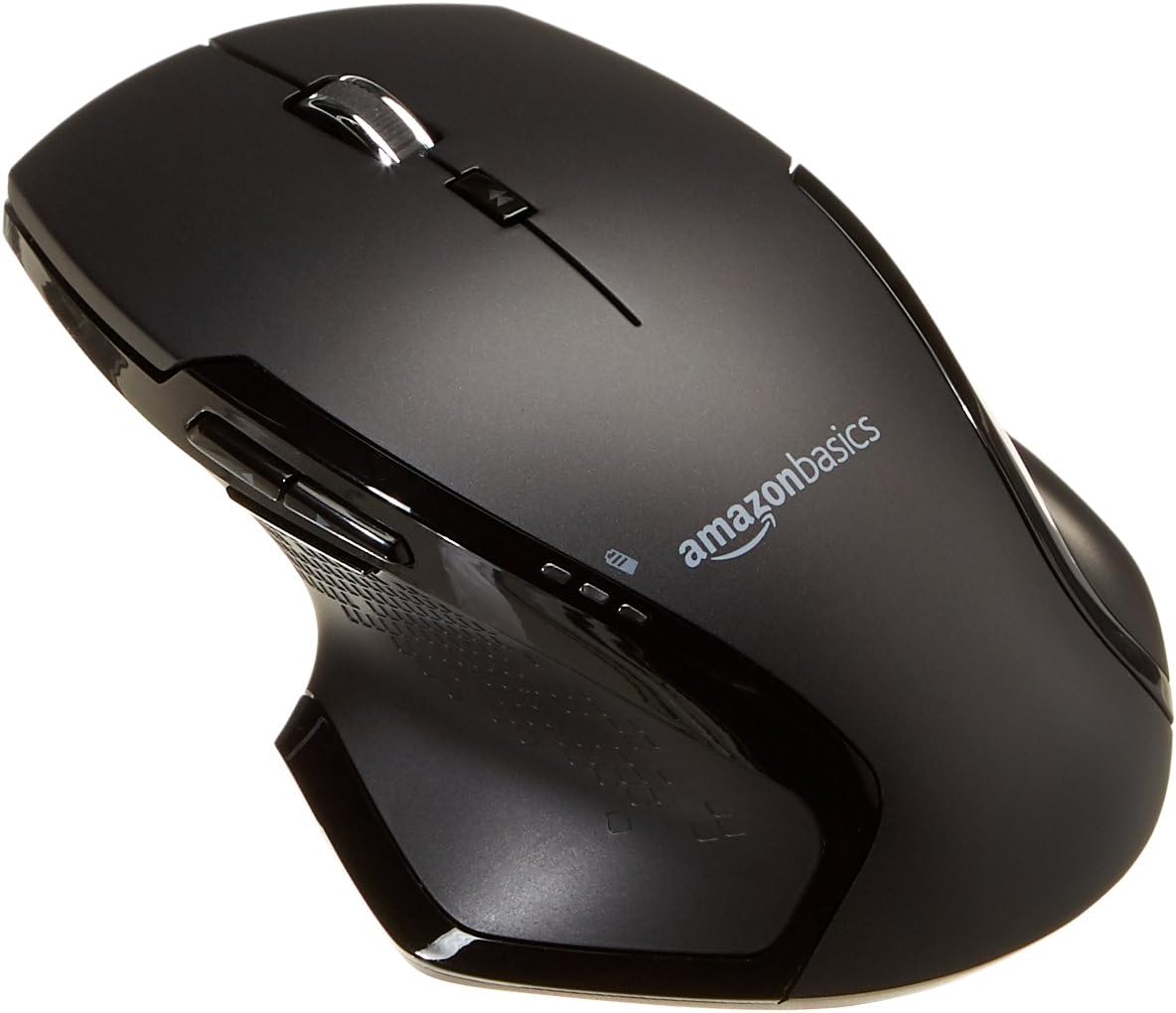
රූපය: ඉහළට view of the Amazon Basics Full Size Ergonomic Wireless Mouse, showcasing its black finish and ergonomic design.
පැකේජයේ අන්තර්ගතය
සැකසීම සමඟ ඉදිරියට යාමට පෙර සියලුම අයිතම පවතින බවට වග බලා ගන්න:
- රැහැන් රහිත මූසිකය
- 2 x AA බැටරි
- USB ලබන්නා
සැලසුම
1. බැටරි ස්ථාපනය කිරීම
- මූසිකය උඩු යටිකුරු කරන්න.
- මූසිකයේ යටි පැත්තේ බැටරි මැදිරි කවරය සොයා ගන්න.
- කවරය විවෘත කරන්න.
- මැදිරිය තුළ දක්වා ඇති පරිදි නිවැරදි ධ්රැවීයතාව (+/-) සහතික කරමින්, (2) AA බැටරි දෙක ඇතුළු කරන්න.
- බැටරි මැදිරි කවරය ආරක්ෂිතව වසා දමන්න.

Image: Underside of the mouse with the battery compartment open, showing the slots for two AA batteries and the stored USB receiver.
2. USB ග්රාහකය සම්බන්ධ කිරීම
- Remove the USB receiver from its storage slot within the battery compartment of the mouse.
- USB ග්රාහකය ඔබේ පරිගණකයේ (PC හෝ Mac) තිබෙන USB පෝට් එකකට සම්බන්ධ කරන්න.
- මූසිකය හරවන්න ON using the on/off switch located on the underside of the mouse.
- ඔබේ පරිගණකය අවශ්ය ධාවක ස්වයංක්රීයව හඳුනාගෙන ස්ථාපනය කළ යුතුය. මෙයට මිනිත්තු කිහිපයක් ගත විය හැකිය.

Image: The Amazon Basics wireless mouse positioned next to a laptop, illustrating a typical setup.
The mouse is plug-and-play and does not require additional software installation. For pointer speed adjustments, refer to your operating system's system settings.
මෙහෙයුම් උපදෙස්
මූලික කාර්යයන්
- වම් ක්ලික් කරන්න: අයිතම තේරීම, විවෘත කිරීම සඳහා ප්රාථමික බොත්තම files, සහ මෘදුකාංග සමඟ අන්තර් ක්රියා කිරීම.
- දකුණු ක්ලික් කරන්න: සන්දර්භ මෙනු සහ අමතර විකල්ප වෙත ප්රවේශ වීම සඳහා ද්විතියික බොත්තම.
- අනුචලන රෝදය: ලේඛන හරහා ඉහළට හෝ පහළට අනුචලනය කරන්න සහ web pages. The wheel is also clickable for middle-click functions.

රූපය: පැත්ත view of the Amazon Basics wireless mouse, highlighting its ergonomic contours and side buttons.
Advanced Functions (Thumb Buttons)
- ඉදිරි බොත්තම: ඉදිරියට සංචාලනය කරයි web බ්රවුසර හෝ file ගවේෂකයන්.
- පසුපස බොත්තම: පසුපසට සංචාලනය කරයි web බ්රවුසර හෝ file ගවේෂකයන්.

Image: A hand demonstrating the ergonomic grip on the Amazon Basics wireless mouse, showing natural placement of fingers and thumb on the buttons.
නඩත්තු කිරීම
- පිරිසිදු කිරීම: මූසිකය පිරිසිදු කිරීම සඳහා මෘදු වියළි රෙද්දක් භාවිතා කරන්න. මුරණ්ඩු අපිරිසිදුකම සඳහා, තරමක් damp රෙදි භාවිතා කළ හැකි නමුත් තෙතමනය අභ්යන්තර කොටස් වලට ඇතුළු නොවන බවට වග බලා ගන්න.
- බැටරි ආදේශනය: When the battery LED light indicates low power, replace both AA batteries promptly to ensure optimal performance.
- ගබඩා: When not in use for extended periods, turn off the mouse using the on/off switch to conserve battery life. The USB receiver can be stored inside the battery compartment for safekeeping.
දෝෂගවේෂණය
| ගැටලුව | විය හැකි හේතුව | විසඳුම |
|---|---|---|
| මූසිකය ප්රතිචාර නොදක්වයි. |
|
|
| කර්සරයේ චලනය අක්රමවත් හෝ පැනීමකි. |
|
|
| Forward/Back buttons not working on Mac. |
|
|
පිරිවිතර
| විශේෂාංගය | විස්තර |
|---|---|
| වෙළඳ නාමය | Amazon Basics |
| ආදර්ශ අංකය | GP8-BK |
| සම්බන්ධතා තාක්ෂණය | 2.4 GHz රැහැන් රහිත (USB ග්රාහකය) |
| චලන හඳුනාගැනීමේ තාක්ෂණය | ඔප්ටිකල් |
| DPI විභේදනය | 1600 DPI |
| බලශක්ති ප්රභවය | 2 x AA බැටරි (ඇතුළත්) |
| වර්ණය | කළු |
| අයිතමයේ බර | අවුන්ස 8 (ආසන්න වශයෙන් ග්රෑම් 227) |
| නිෂ්පාදන මානයන් (LxWxH) | 4.96 x 1.77 x 3.24 අඟල් (ආසන්න වශයෙන් 12.6 x 4.5 x 8.2 සෙ.මී.) |
| අනුකූල මෙහෙයුම් පද්ධති | PC (Windows 7 and above), Mac, Laptop, Chromebook |
වගකීම් සහ සහාය
වගකීම් තොරතුරු සහ පාරිභෝගික සහාය සඳහා, කරුණාකර නිල Amazon Basics වෙත යොමු වන්න. website or the documentation included with your product. You can also find additional resources and contact information via the following links:
වැඩිදුර සහාය සඳහා, කරුණාකර Amazon Basics පාරිභෝගික සේවාව අමතන්න.


