හැඳින්වීම
ස්තූතියි, උදව් කළාටasing the Esschert Design FB416 Bird Sounds Clock. This manual provides essential information for the safe and proper operation, setup, and maintenance of your clock. Please read these instructions thoroughly before use and retain them for future reference.

රූපය: ඉදිරිපස view of the Esschert Design FB416 Bird Sounds Clock, featuring a dark brown frame and a clock face with various bird illustrations at each hour mark.
වැදගත් ආරක්ෂක තොරතුරු
- This clock is designed for ගෘහස්ථ භාවිතය පමණි. Do not expose it to outdoor elements.
- Batteries are not included. Use 3x AA බැටරි.
- නව සහ භාවිතා කළ බැටරි මිශ්ර නොකරන්න.
- Clean battery contacts and device contacts prior to battery installation.
- Ensure batteries are installed correctly, observing polarity (+ and -).
- Always remove batteries if they are expired or if the product will be left unused for an extended period.
- To adjust the time, turn the setting wheel clockwise only. Turning it anti-clockwise may disrupt the bird sound sequence.

රූපය: පසුපස view of the clock, highlighting the battery compartment and the time setting wheel. This area is crucial for setup and maintenance.
පැකේජයේ අන්තර්ගතය
- 1x Esschert Design FB416 Bird Sounds Clock
- 1x උපදෙස් අත්පොත (මෙම ලේඛනය)
Note: 3x AA batteries are required and not included in the package.
සැලසුම
- බැටරි ස්ථාපනය:
- ඔරලෝසුවේ පිටුපස බැටරි මැදිරිය සොයා ගන්න.
- බැටරි මැදිරි කවරය විවෘත කරන්න.
- මැදිරිය තුළ දක්වා ඇති පරිදි නිවැරදි ධ්රැවීයතාව (+ සහ -) සහතික කරමින්, AA බැටරි තුනක් (3) ඇතුළු කරන්න.
- බැටරි මැදිරි කවරය ආරක්ෂිතව වසා දමන්න.
- වේලාව සැකසීම:
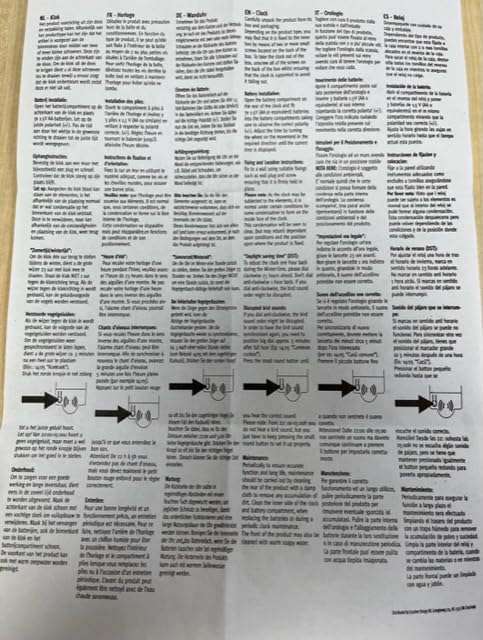
- Locate the time setting wheel on the back of the clock (refer to the image in the Safety Information section).
- Gently turn the setting wheel clockwise only until the clock hands display the correct time.
- Important: Turning the wheel counter-clockwise may disrupt the sequence of bird sounds.
- ස්ථානගත කිරීම:
- Hang the clock on a wall using the integrated hanging mechanism. Ensure it is securely mounted.
- Place the clock in an indoor location, away from direct sunlight or extreme temperatures.
මෙහෙයුම් උපදෙස්
The Esschert Design FB416 Bird Sounds Clock features a unique bird song for each hour. The clock will play a different bird sound every hour, on the hour.
- නිහඬ කාලය: To ensure peaceful nights, the clock automatically silences its bird sounds between 10:00 PM (22:00) and 5:00 AM (05:00). Sounds will resume automatically at 6:00 AM.
- පක්ෂි හඳුනාගැනීම: Each hour mark on the clock face features an illustration of a specific bird. The clock plays the corresponding bird's song at that hour.
රූපය: සවිස්තරාත්මක view of the clock face, showcasing the various bird species depicted at each hour, corresponding to the sounds played.
නඩත්තු කිරීම
- පිරිසිදු කිරීම: Wipe the clock surface with a soft, damp රෙදි. උල්ෙල්ඛ පිරිසිදු කරන්නන්, ද්රාවක හෝ රළු රසායනික ද්රව්ය භාවිතා නොකරන්න, මන්ද මේවා නිමාවට හෝ අභ්යන්තර සංරචක වලට හානි කළ හැකිය.
- බැටරි ආදේශනය: Replace all three AA batteries when the clock stops functioning or the sounds become faint. Always replace all batteries at once and ensure correct polarity.
- දිගු කාලීන ගබඩා: If the clock will not be used for an extended period, remove the batteries to prevent leakage and potential damage to the clock.
දෝෂගවේෂණය
| ගැටලුව | විය හැකි හේතුව | විසඳුම |
|---|---|---|
| Clock not working / No bird sounds |
|
|
| Incorrect bird sound sequence | Time setting wheel turned anti-clockwise during adjustment. | Reset the time by turning the setting wheel clockwise until the correct time is displayed. This should re-synchronize the bird sounds. |
| Faint or distorted bird sounds | අඩු බැටරි බලය. | Replace all three AA batteries with new ones. |
පිරිවිතර
| වෙළඳ නාමය | Eschert නිර්මාණය |
| ආකෘතිය | FB416 |
| වර්ණය | තද දුඹුරු |
| සංදර්ශක වර්ගය | ඇනලොග් |
| විශේෂ ලක්ෂණය | Bird Sounds (hourly, silent 10 PM - 5 AM), Silent Clock Movement |
| නිෂ්පාදන මානයන් | 12"W x 12"H (approximately 30.5 cm x 30.5 cm) |
| බලශක්ති ප්රභවය | බැටරි බලයෙන් ක්රියාත්මක (3x AA, ඇතුළත් නොවේ) |
| ගෘහස්ථ / එළිමහන් භාවිතය | ගෘහස්ථ පමණි |
වගකීම් සහ සහාය
Specific warranty information for the Esschert Design FB416 Bird Sounds Clock is typically provided at the point of purchase or on the manufacturer's official website. Please refer to your purchase documentation for details regarding warranty coverage and how to obtain support.
For further assistance or inquiries, please visit the official Esschert Design webවෙබ් අඩවිය හෝ ඔවුන්ගේ පාරිභෝගික සේවා දෙපාර්තමේන්තුව අමතන්න.


