1. හැඳින්වීම
This manual provides detailed instructions for the proper use and maintenance of your Edifier W820BT Bluetooth Headphones. Please read this manual thoroughly before using the product to ensure optimal performance and longevity.
2. පැකේජ අන්තර්ගතය
Verify that all items listed below are included in your package. If any items are missing or damaged, please contact Edifier customer support.
- Edifier W820BT Bluetooth Headphones
- ආරෝපණ කේබලය (USB)
- ශ්රව්ය කේබල් (මි.මී. 3.5)
- පරිශීලක අත්පොත (මෙම ලේඛනය)
3. නිෂ්පාදන අවසන්view
The Edifier W820BT headphones are designed for comfort and extended listening, featuring Bluetooth v4.1 connectivity and a long-lasting battery.
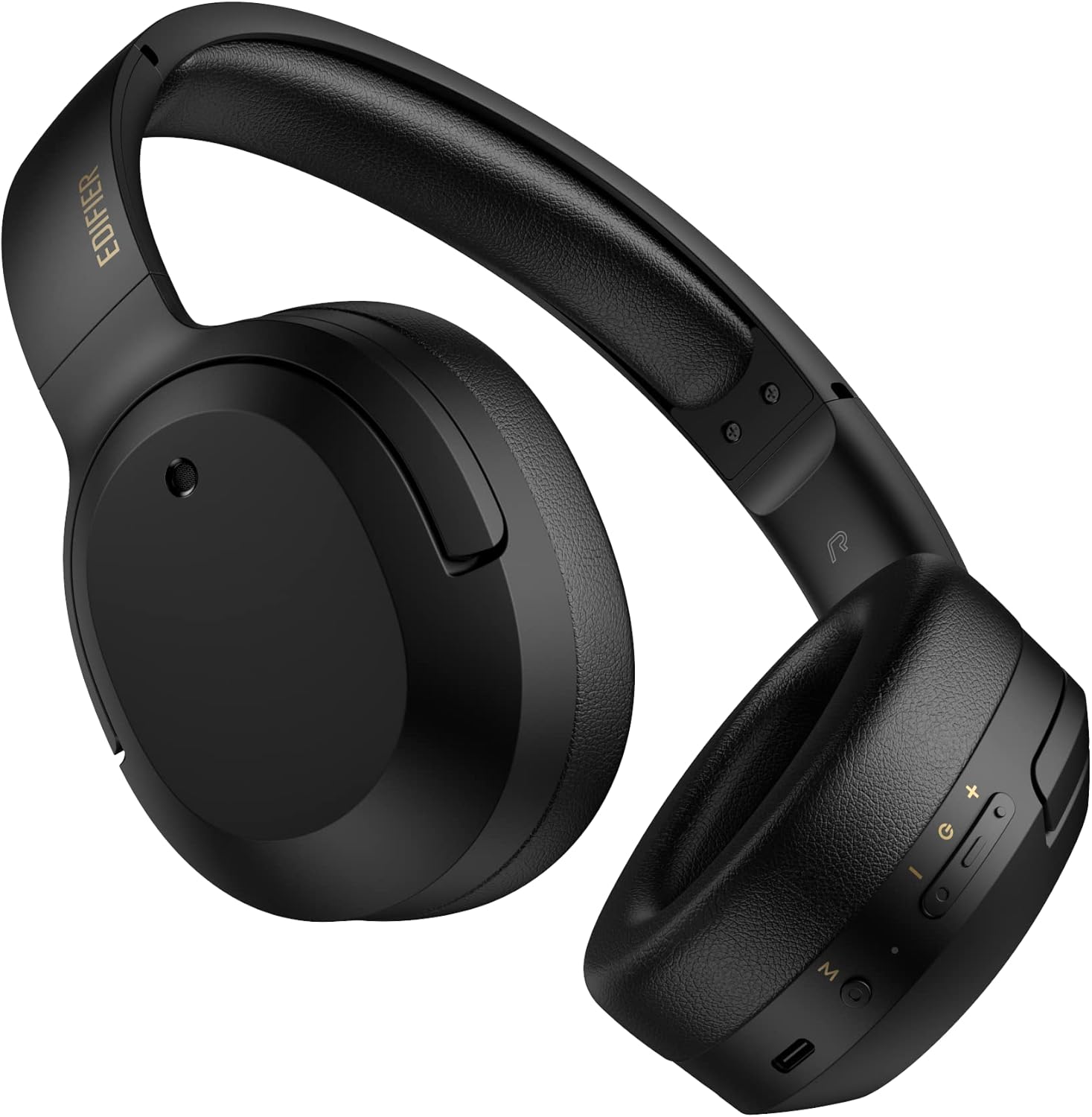
රූපය 3.1: ඉදිරිපස view of the Edifier W820BT Bluetooth Headphones.

රූපය 3.2: පැත්ත view of the Edifier W820BT Bluetooth Headphones, highlighting the control buttons.
ප්රධාන ලක්ෂණ:
- Bluetooth V4.1 with CSR Technology for stable wireless connection.
- පැය 80 දක්වා බැටරි ආයු කාලයක්.
- Foldable design for portability.
- Soft leather ear pads for comfort.
- Durable and flexible steel headband.
- On-ear controls for media playback and calls.
4. පිහිටුවීම
4.1 හෙඩ්ෆෝන් ආරෝපණය කිරීම
පළමු භාවිතයට පෙර, හෙඩ්ෆෝන් සම්පූර්ණයෙන්ම ආරෝපණය කරන්න.
- Connect the micro-USB end of the charging cable to the charging port on the headphone (located on the right earcup).
- ආරෝපණ කේබලයේ USB-A කෙළවර USB බල ඇඩැප්ටරයකට (ඇතුළත් කර නැත) හෝ පරිගණකයේ USB පෝට් එකකට සම්බන්ධ කරන්න.
- The LED indicator will illuminate during charging and turn off once fully charged.
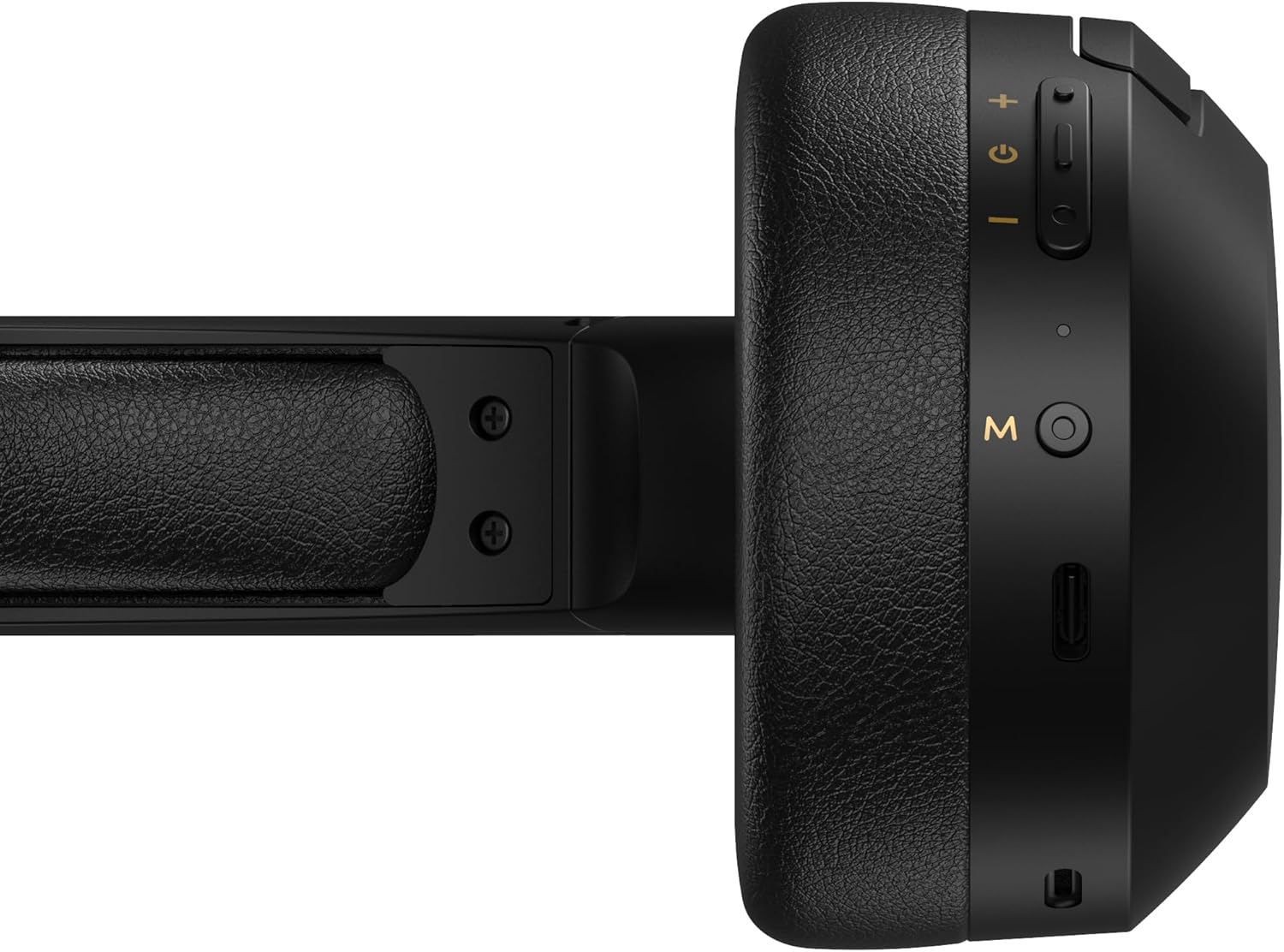
Figure 4.1: Close-up of the charging port and control buttons on the right earcup.
4.2 බල ගැන්වීම සක්රිය / අක්රිය කිරීම
- බල ගැන්වීමට: Press and hold the multi-function button (usually marked with a power icon or 'M') for approximately 3 seconds until the LED indicator flashes blue.
- බලය අක්රිය කිරීමට: LED දර්ශකය රතු පැහැයෙන් දැල්වී පසුව නිවා දමන තෙක් බහුකාර්ය බොත්තම ආසන්න වශයෙන් තත්පර 5ක් ඔබාගෙන සිටින්න.
4.3 බ්ලූටූත් යුගල කිරීම
ඔබගේ හෙඩ්ෆෝන් බ්ලූටූත් සක්රීය උපාංගයකට සම්බන්ධ කිරීමට:
- හෙඩ්ෆෝන් ක්රියා විරහිත කර ඇති බවට සහතික වන්න.
- Press and hold the multi-function button for approximately 5-7 seconds until the LED indicator flashes red and blue alternately. This indicates pairing mode.
- ඔබගේ උපාංගයේ (ස්මාර්ට්ෆෝන්, ටැබ්ලටය, පරිගණකය), බ්ලූටූත් සක්රීය කර පවතින උපාංග සොයන්න.
- Select "EDIFIER W820BT" from the list of found devices.
- යුගලනය වූ පසු, LED දර්ශකය සෙමෙන් නිල් පැහැයෙන් දැල්වෙයි.
සටහන: හෙඩ්ෆෝන් ක්රියාත්මක වූ විට අවසන් වරට යුගල කළ උපාංගයට ස්වයංක්රීයව නැවත සම්බන්ධ වීමට උත්සාහ කරයි.
5. මෙහෙයුම් උපදෙස්
5.1 කණ මත පාලනයන්
The control buttons are located on the right earcup.
| බොත්තම/ක්රියාව | කාර්යය |
|---|---|
| Multi-function Button (M) |
|
| ශබ්දය වැඩි කරන්න (+) |
|
| ශබ්දය පහළට (-) |
|
5.2 වයර් සම්බන්ධතාවය
The W820BT headphones can also be used with a wired connection.
- Connect one end of the 3.5mm audio cable to the audio input jack on the left earcup of the headphones.
- 3.5mm ශ්රව්ය කේබලයේ අනෙක් කෙළවර ඔබගේ උපාංගයේ ශ්රව්ය ප්රතිදාන ජැක් එකට සම්බන්ධ කරන්න.
- හෙඩ්ෆෝන් ස්වයංක්රීයව රැහැන්ගත ප්රකාරයට මාරු වනු ඇත. බ්ලූටූත් ක්රියාකාරිත්වය අබල වනු ඇත.

Figure 5.1: Connecting the 3.5mm audio cable for wired listening.
6. නඩත්තු කිරීම
- මෘදු වියළි රෙද්දකින් හෙඩ්ෆෝන් පිරිසිදු කරන්න. උල්ෙල්ඛ පිරිසිදු කරන්නන් හෝ ද්රාවක භාවිතා නොකරන්න.
- හෙඩ්ෆෝන් අධික උෂ්ණත්වයන්ට, ආර්ද්රතාවයට හෝ සෘජු හිරු එළියට නිරාවරණය වීමෙන් වළකින්න.
- භාවිතයේ නොමැති විට හෙඩ්ෆෝන් සිසිල් වියළි ස්ථානයක ගබඩා කරන්න. නැමිය හැකි සැලසුම සංයුක්ත ගබඩා කිරීම සඳහා ඉඩ සලසයි.
- Do not disassemble the headphones. This will void the warranty.
7. දෝශ නිරාකරණය
If you encounter issues with your Edifier W820BT headphones, refer to the following common problems and solutions:
| ගැටලුව | විසඳුම |
|---|---|
| බලය සක්රිය කළ නොහැක | Ensure the headphones are charged. Connect to a power source using the charging cable. |
| බ්ලූටූත් හරහා යුගල කළ නොහැක. |
|
| ශබ්දයක් නැත |
|
| දුර්වල ශබ්ද ගුණාත්මකභාවය |
|
8. පිරිවිතර
| විශේෂාංගය | විස්තර |
|---|---|
| මාදිලියේ නම | W820BT |
| සම්බන්ධතා තාක්ෂණය | රැහැන් රහිත (බ්ලූටූත්), රැහැන්ගත (3.5mm ජැක්) |
| බ්ලූටූත් අනුවාදය | 4.1 |
| බැටරි ආයු කාලය | පැය 80 දක්වා |
| ඉයර්පීස් හැඩය | කනට උඩින් |
| ද්රව්ය | Steel (headband) |
| අයිතමයේ බර | රාත්තල් 1.14 (දළ වශයෙන් ග්රෑම් 517) |
| නිෂ්පාදන මානයන් | අඟල් 9.25 x 7.64 x 3.41 |
| නිෂ්පාදකයා | සංස්කාරකය |
9. වගකීම් සහ සහාය
Edifier provides a වසරක වගකීමක් in the USA and Canada for the W820BT headphones. For warranty claims or technical support, please contact Edifier customer service.
For more information, visit the official Edifier webඅඩවිය හෝ ඔබේ මිලදී ගැනීමේ ලියකියවිලි වෙත යොමු වන්න.
10. වීඩියෝ නිරූපණය
Watch the official product video for a visual guide on the Edifier W820BT Bluetooth Headphones' features and usage.
වීඩියෝ 10.1: නිල නිෂ්පාදනය අවසන්view of the Edifier W820BT Bluetooth Headphones, demonstrating features like battery life, comfort, foldable design, and on-ear controls.