හැඳින්වීම
This manual provides essential instructions for the safe and efficient use of your itel it2160 dual SIM mobile phone. Please read this guide thoroughly before operating the device and retain it for future reference.
පැකේජයේ අන්තර්ගතය
ඔබගේ නිෂ්පාදන පැකේජයේ සියලුම අයිතම ඇති බව තහවුරු කරගන්න:
- itel it2160 Mobile Phone
- බැටරි
- චාජර්
- පරිශීලක අත්පොත (මෙම ලේඛනය)
උපාංග පිරිසැලසුම
Familiarize yourself with the key components of your itel it2160 phone.

රූපය: ඉදිරිපස view of the itel it2160 mobile phone, showing the display, keypad, and navigation buttons.
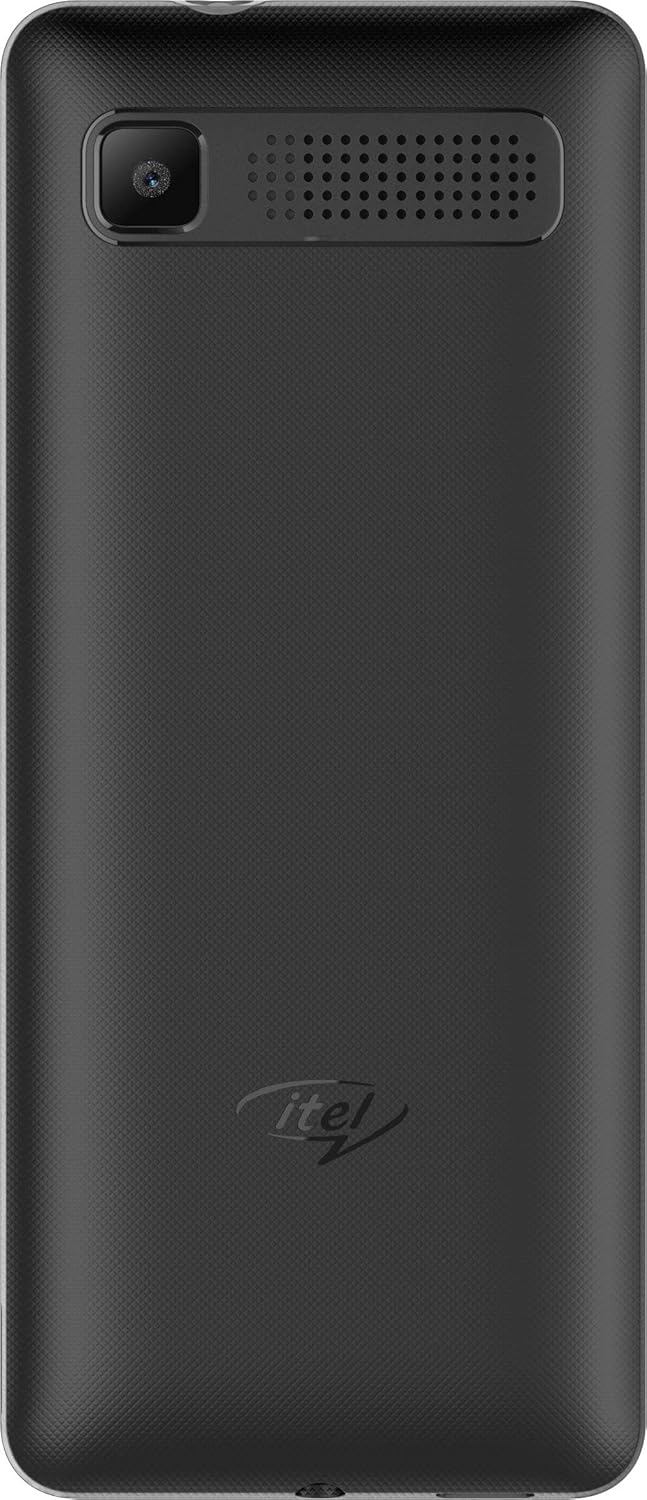
රූපය: පසුපස view of the itel it2160 mobile phone, showing the camera and speaker grille.
- සංදර්ශකය: අඟල් 1.77 තිරයක් සඳහා viewතොරතුරු.
- යතුරු පෑඩ්: Alphanumeric keys for dialing and text input.
- සංචාලන යතුරු: මෙනු සංචාලනය සහ තේරීම සඳහා.
- ඇමතුම්/අවසන් යතුරු: To initiate and terminate calls.
- පසුපස කැමරාව: Located on the back for capturing photos.
- කථානායක: ශ්රව්ය ප්රතිදානය සඳහා.
සැලසුම
1. Installing SIM Cards and Battery
- දුරකථනයේ පිටුපස කවරය මෘදු ලෙස නොච් එකෙන් විවෘත කර ඉවත් කරන්න.
- Insert your SIM card(s) into the designated SIM slots. Ensure the gold contacts face downwards. This phone supports dual SIM cards.
- If applicable, insert a microSD card into the memory card slot for expanded storage.
- Insert the battery, aligning the contacts correctly.
- ආරක්ෂිතව ස්ථානයට ක්ලික් වන තුරු පිටුපස කවරය ප්රතිස්ථාපනය කරන්න.
2. බැටරිය ආරෝපණය කිරීම
- ඔබගේ දුරකථනයේ ආරෝපණ තොටට චාජරය සම්බන්ධ කරන්න.
- චාජරය බල පිටවන ස්ථානයකට සම්බන්ධ කරන්න.
- Allow the phone to charge completely before first use. The battery indicator on the screen will show charging status.
3. බල ගැන්වීම / අක්රිය කිරීම
- බල ගැන්වීමට: Press and hold the Power/End key until the screen lights up.
- බලය අක්රිය කිරීමට: Press and hold the Power/End key until the power-off options appear, then select "Power off".
මෙහෙයුම් උපදෙස්
1. ඇමතුම් ලබා ගැනීම සහ ලබා ගැනීම
- ඇමතුමක් ගැනීමට: Enter the phone number using the keypad and press the Call key. If using dual SIM, select the desired SIM for the call.
- ඇමතුමක් ලබා ගැනීමට: දුරකථනය නාද වන විට ඇමතුම් යතුර ඔබන්න.
- ඇමතුමක් අවසන් කිරීමට: අවසන් යතුර ඔබන්න.
2. කෙටි පණිවිඩ යැවීම සහ ලැබීම
- To Send SMS: Go to "Menu" > "Messages" > "Write message". Enter your message and the recipient's number, then send.
- To Read SMS: New messages will be indicated on the screen. Go to "Menu" > "Messages" > "Inbox" to view.
3. කැමරාව භාවිතා කිරීම
- Navigate to "Menu" > "Camera".
- සංදර්ශකය භාවිතයෙන් ඔබේ ඡායාරූපය රාමු කරන්න.
- Press the center navigation key or a designated camera key to capture the image.
4. එෆ්එම් රේඩියෝව
- Connect headphones to the phone's audio jack (headphones act as an antenna).
- "මෙනුව" > "එෆ්එම් රේඩියෝව" වෙත යන්න.
- ස්ථාන සඳහා ස්කෑන් කිරීමට හෝ අතින් සුසර කිරීමට සංචාලන යතුරු භාවිතා කරන්න.
නඩත්තු කිරීම
- බැටරි සත්කාර:
- අධික උෂ්ණත්වයෙන් වළකින්න.
- Do not overcharge or completely drain the battery frequently.
- උපාංගය සමඟ සපයා ඇති මුල් චාජරය පමණක් භාවිතා කරන්න.
- පිරිසිදු කිරීම:
- Wipe the phone with a soft, dry cloth.
- Avoid using liquid cleaners or aerosols.
- ගබඩා:
- Store the phone in a cool, dry place away from direct sunlight.
- ළමයින්ට සහ සුරතල් සතුන්ට ළඟාවිය නොහැකි ලෙස තබා ගන්න.
දෝෂගවේෂණය
| ගැටලුව | හැකි විසඳුම |
|---|---|
| දුරකථනය ක්රියාත්මක නොවේ. | බැටරිය නිවැරදිව ඇතුළු කර ආරෝපණය කර ඇති බවට වග බලා ගන්න. චාජරය සම්බන්ධ කර නැවත උත්සාහ කරන්න. |
| ජාල සංඥා නැත. | Check if SIM cards are properly inserted. Move to an area with better network coverage. Contact your service provider. |
| ඇමතුම් ගැනීමට හෝ ලබා ගැනීමට නොහැකිය. | Verify network signal. Check if call barring is active. Ensure sufficient balance on your SIM card. |
| බැටරිය ඉක්මනින් බැස යයි. | තිරයේ දීප්තිය අඩු කරන්න. භාවිතයට නොගත් යෙදුම් වසා දමන්න. පසුබිම් ක්රියාකාරකම් සීමා කරන්න. |
පිරිවිතර
| විශේෂාංගය | විස්තර |
|---|---|
| මාදිලියේ නම | IT2160 |
| සංදර්ශක ප්රමාණය | අඟල් 1.77 |
| සංදර්ශක විභේදනය | 128 x 160 පික්සල |
| පසුපස කැමරාව | 1.3 මෙගාපික්සල් |
| ඉදිරිපස කැමරාව | කිසිවක් නැත |
| පද්ධති RAM | 4 Megabytes |
| ගබඩා ධාරිතාව | 256 Gigabytes (Expandable) |
| මෙහෙයුම් පද්ධතිය | Proprietary Feature Phone OS |
| CPU ආකෘතිය | Basic Feature Phone Processor |
| CPU වේගය | 260 MHz |
| නිෂ්පාදන මානයන් | 11.2 x 4.8 x 1.43 cm; ග්රෑම් 80 යි |
වගකීම් තොරතුරු
Your itel it2160 mobile phone comes with a warranty. Please review පහත සඳහන් කොන්දේසි:
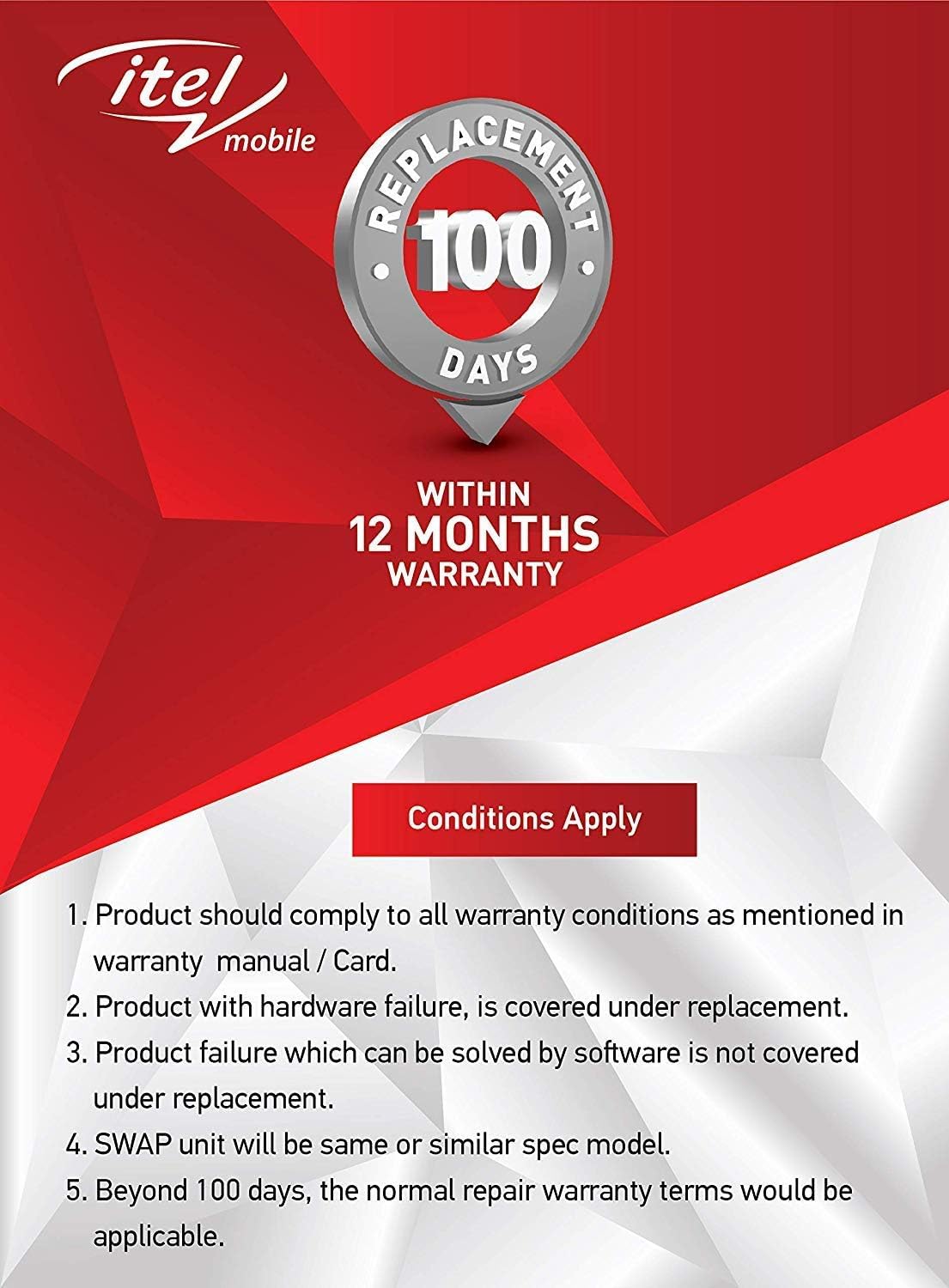
රූපය: Warranty details for itel mobile products, indicating 100 days replacement and 12 months warranty.
- Product must comply with all warranty conditions as mentioned in the warranty manual/card.
- Product with hardware failure is covered under replacement.
- Product failure which can be solved by software is not covered under replacement.
- A SWAP unit will be the same or a similar spec model.
- Beyond 100 days, the normal repair warranty terms would be applicable.
- The warranty period is typically 12 months from the date of purchase.
For detailed warranty terms and conditions, refer to the warranty card included in your package or contact itel customer support.
සහාය
For further assistance, technical support, or service inquiries, please contact itel customer service. Contact details can typically be found on the official itel webවෙබ් අඩවිය හෝ ඔබගේ වගකීම් කාඩ්පතේ.
සබැඳි සම්පත්: You may find additional support and FAQs on the official itel brand store.