1. හැඳින්වීම
Thank you for choosing the WAP ROBOT W300 Robot Vacuum Cleaner. This manual provides essential information for the safe operation, maintenance, and troubleshooting of your device. Please read it thoroughly before use to ensure optimal performance and longevity of the product.
2. ආරක්ෂිත උපදෙස්
- බලය පරිමාව සහතික කරන්නtage in your region matches the product's specifications (Bivolt: 110V/220V) before connecting the charger.
- This appliance is for indoor use only. Do not use it outdoors or in wet environments.
- Do not allow children to operate the robot vacuum cleaner. Supervise children and pets when the device is in operation.
- හිසකෙස්, ලිහිල් ඇඳුම්, ඇඟිලි සහ සියලුම ශරීර කොටස් විවරයන් සහ චලනය වන කොටස් වලින් ඈත් කරන්න.
- Do not pick up large or sharp objects, liquids, burning or smoking materials, or anything that could damage the device.
- Do not use the appliance in areas where there are lit candles or fragile objects on the floor.
- Always turn off the robot vacuum and disconnect it from the power source before cleaning or performing maintenance.
- Do not modify or attempt to repair the appliance yourself. Contact qualified service personnel for repairs.
3. පැකේජ අන්තර්ගතය
පෙට්ටිය ප්රවේශමෙන් ඉවත් කර සියලුම අයිතම පවතින බවත් හොඳ තත්ත්වයේ පවතින බවත් සහතික කර ගන්න:
- 1 x WAP ROBOT W300 Robot Vacuum Cleaner
- 1 x ආරෝපණ තටාකය
- 1 x Bivolt Charger
- 2 x AAA 1.5V Batteries (for remote control)
- 1 x පිරිසිදු කිරීමේ බුරුසුව
- 1 x Right Swivel Brush
- 1 x Left Swivel Brush
- 1 x Right Replacement Brush
- 1 x Left Replacement Brush
- 1 x HEPA පෙරහන
- 1 x Washable Fabric Filter
- 1 x උපදෙස් අත්පොත
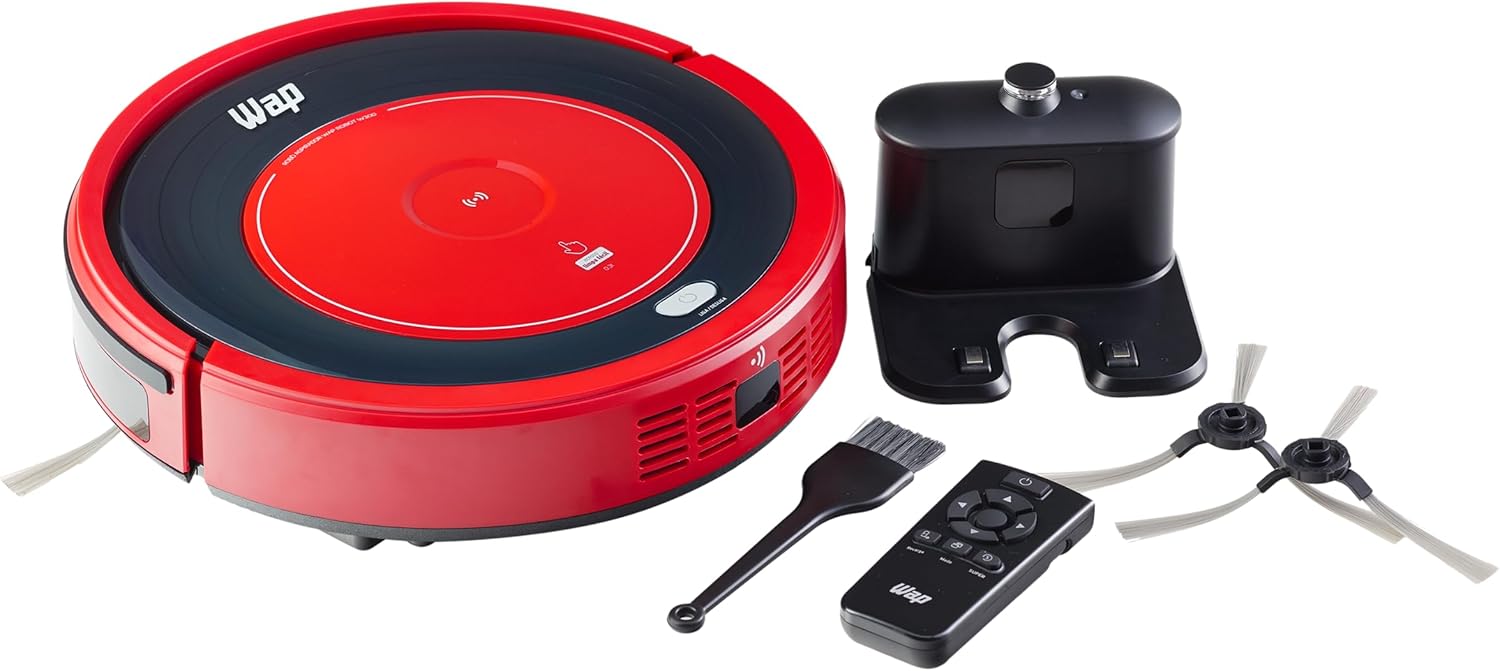
Image: The WAP ROBOT W300 robot vacuum cleaner shown with its charging dock, remote control, cleaning brush, and various replacement brushes and filters.
4. නිෂ්පාදන අවසන්view
4.1 රොබෝ වැකුම් ක්ලීනර්
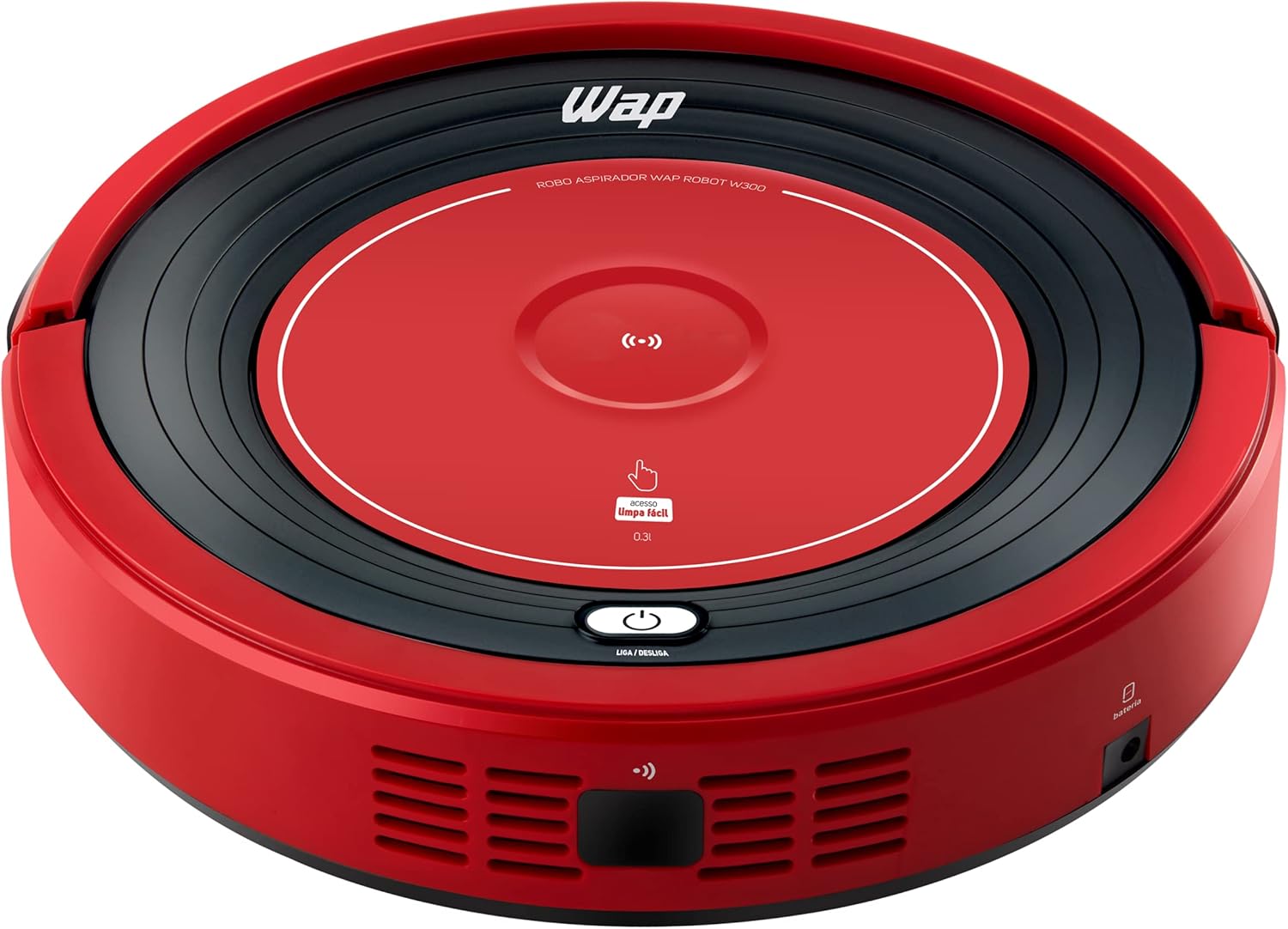
රූපය: ඉහළට view of the WAP ROBOT W300, showing the power button and dustbin access.
The WAP ROBOT W300 features a compact design, allowing it to clean under furniture. It is equipped with anti-fall and anti-collision sensors to navigate your home safely.
4.2 ආරෝපණ තටාකය

Image: The black charging dock for the WAP ROBOT W300, where the robot automatically returns to recharge.
The charging dock serves as the home base for your robot vacuum. The robot will automatically return to this base when its battery is low.
4.3 දුරස්ථ පාලනය

Image: The remote control for the WAP ROBOT W300, featuring navigation, mode selection, and power buttons.
The multifunction remote control allows you to select various cleaning programs and manually direct the robot.
4.4 පහළ View and Brushes

Image: Underside of the WAP ROBOT W300, displaying the rotating side brushes, main brush, and wheels.
The robot is equipped with rotating side brushes to effectively clean corners and edges, and rubber wheels for easy navigation over obstacles like rugs.
5. පිහිටුවීම
5.1 පැති බුරුසු සවි කිරීම
- රොබෝ රික්තය උඩු යටිකුරු කරන්න.
- Align the left (L) and right (R) side brushes with their corresponding posts on the robot's underside.
- Press firmly until they click into place.
5.2 Placing the Charging Dock
- ආරෝපණ තටාකය විවෘත, අපිරිසිදු ප්රදේශයක බිත්තියකට එරෙහිව තබන්න.
- Ensure there is at least 1 meter (3 feet) of clear space on both sides of the dock and 2 meters (6 feet) in front of it.
- Plug the charger into the charging dock and then into a wall outlet.
5.3 මූලික ගාස්තුව
- Place the robot vacuum onto the charging dock, ensuring the charging contacts align.
- Allow the robot to charge completely before its first use. A full charge typically takes 3 to 5 hours.
6. මෙහෙයුම් උපදෙස්
6.1 බල ගැන්වීම සක්රිය / අක්රිය කිරීම
- To power on, press the power button on the robot or the remote control.
- To power off, press and hold the power button on the robot or the remote control until the indicator light turns off.
6.2 Cleaning Modes (via Remote Control)
The remote control offers five distinct cleaning modes:
- ස්වයං පිරිසිදු කිරීම: රොබෝවරයා පරිසරයට අනුවර්තනය වෙමින් ස්වයංක්රීයව පිරිසිදු කරයි.
- විශේෂ පිරිසිදු කිරීම: Focuses on a specific area with a spiral pattern.
- Random Cleaning: The robot moves randomly to cover the area.
- කෙළවර පිරිසිදු කිරීම: Directs the robot to clean along walls and corners.
- Zigzag Cleaning: The robot cleans in a systematic zigzag pattern.
6.3 SUPER Function
සක්රිය කරන්න සුපිරි function on the remote control to increase the suction power for deeper cleaning. Note that this mode may reduce battery autonomy.
6.4 සංචාලනය සහ සංවේදක
The WAP ROBOT W300 is equipped with anti-fall and anti-collision sensors. These sensors help the robot avoid stairs, ledges, and obstacles, redirecting its path as needed.
6.5 Automatic Recharge
When the battery level is low, the robot will automatically return to its charging dock to recharge. Ensure the charging dock is accessible and powered on.
7. නඩත්තු කිරීම
Regular maintenance ensures the optimal performance and extends the lifespan of your robot vacuum cleaner.
7.1 Emptying and Cleaning the Dustbin

Image: The WAP ROBOT W300 with its top cover lifted, revealing the dustbin compartment for easy access and cleaning.
- Press the dustbin release button and remove the dustbin (capacity: 300ml).
- කුණු බඳුනේ කවරය විවෘත කර එහි අඩංගු දෑ කුණු බඳුනකට දමන්න.
- The dust collector is washable. Rinse it with water and allow it to air dry completely before reinserting.
7.2 පෙරහන් පිරිසිදු කිරීම
The WAP ROBOT W300 features triple filtration, including a HEPA filter, which retains up to 99.9% of dust mites and bacteria.
- Remove the filters from the dustbin.
- Tap the HEPA filter gently to remove loose debris. Do not wash the HEPA filter with water.
- The washable fabric filter can be rinsed with water. Ensure it is completely dry before reinstallation.
- Replace filters regularly for optimal performance (check manufacturer recommendations).
7.3 පිරිසිදු කිරීමේ පැති බුරුසු
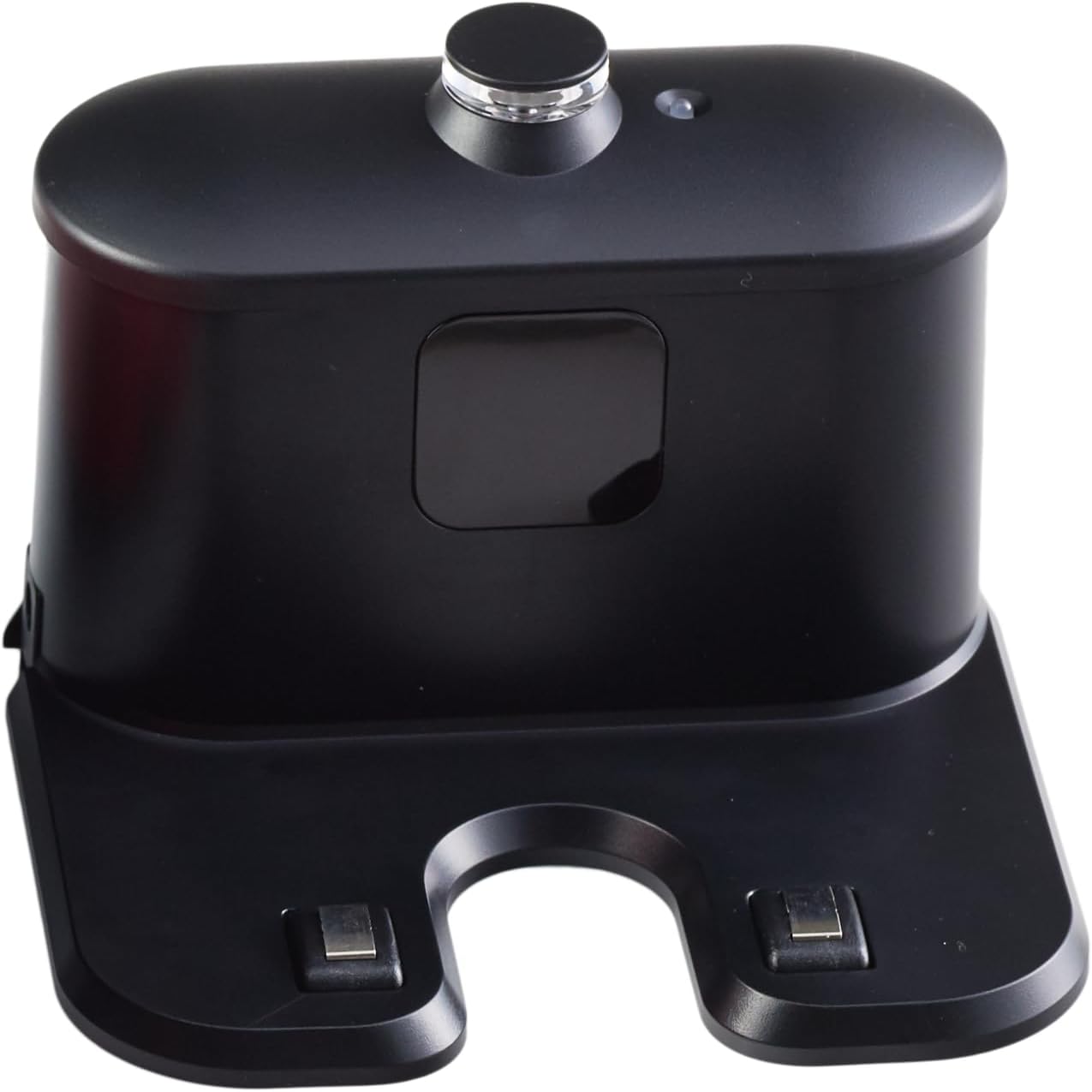
Image: A single rotating side brush, which helps the robot clean edges and corners.
- Remove the side brushes by gently pulling them upwards.
- Remove any hair or debris wrapped around the brushes or their posts.
- Reinstall the brushes, ensuring they are securely attached.
7.4 සංවේදක පිරිසිදු කිරීම
- Wipe the anti-fall and anti-collision sensors with a clean, dry cloth to remove dust and debris.
- රොබෝවරයාගේ සහ ආරෝපණ තටාකයේ ආරෝපණ සම්බන්ධතා පිරිසිදු කරන්න.
8. දෝශ නිරාකරණය
| ගැටලුව | විය හැකි හේතුව | විසඳුම |
|---|---|---|
| රොබෝවරයා සක්රිය නොවේ. | බැටරිය අඩුයි; විදුලිය විසන්ධි කර ඇත. | Charge the robot; ensure power switch is on. |
| රොබෝවරයා ආරෝපණය නොකරයි. | Charging contacts dirty; dock not powered. | Clean charging contacts; ensure dock is plugged in. |
| අඩු කළ චූෂණ බලය. | කුණු බඳුන පිරී ඇත; පෙරහන් අවහිර වී ඇත; බුරුසු පැටලී ඇත. | Empty dustbin; clean/replace filters; clean brushes. |
| රොබෝවරයා නිතරම හිරවෙනවා. | Obstacles on floor; sensors dirty. | Clear floor of cables/small items; clean sensors. |
| රොබෝ ආරෝපණ තටාකයට ආපසු නොයයි. | Dock obstructed; dock not powered; robot too far. | Ensure clear path to dock; check dock power; manually place robot near dock. |
9. පිරිවිතර
| විශේෂාංගය | විස්තර |
|---|---|
| වෙළඳ නාමය | WAP |
| ආදර්ශ අංකය | FW006247 |
| වර්ණය | රතු/කළු |
| නිෂ්පාදන මානයන් (L x W x H) | 30 x 30 x 7.8 සෙ.මී |
| අයිතමයේ බර | කිලෝ ග්රෑම් 2.7 යි |
| ඩස්ට්බින් ධාරිතාව | මිලි ලීටර් 300 යි |
| බලය | 18 ඩබ්ලිව් |
| වෙළුමtage | 110V, 220V (Bivolt) |
| ස්වයංක්රීයව වසා දැමීම | ඔව් |
| ශබ්ද මට්ටම | 74 dB(A) |
| රික්තකය | 5 mbar |
| විශේෂ ලක්ෂණ | Anti-Collision, Anti-Drop Sensors |
| පෙරහන් වර්ගය | Triple filtration with HEPA filter |
| බැටරි ආයු කාලය | 45 minutes to 1 hour 15 minutes (Autonomy may vary) |
| ආරෝපණ කාලය | පැය 3 සිට 5 දක්වා |
| බැටරි සෛල සංයුතිය | ලිතියම් අයන |
| පාලන වර්ගය | දුරස්ථ පාලකය |
10. වගකීම් සහ සහාය
10.1 වගකීම් තොරතුරු
- නිෂ්පාදන වගකීම්: 1 YEAR (3 months legal warranty and an additional 9 months special warranty granted by the manufacturer).
- බැටරි වගකීම්: මාස 6 යි.
Please retain your proof of purchase for warranty claims. The warranty covers manufacturing defects under normal use conditions.
10.2 පාරිභෝගික සහාය
For technical assistance, troubleshooting beyond this manual, or warranty inquiries, please contact WAP customer support through their official webභාණ්ඩය මිලදී ගත් ස්ථානය හෝ සිල්ලර වෙළෙන්දා.


