1. හැඳින්වීම
Thank you for choosing the Cuddeback G-5086 CuddeLink Double Barrel 20MP Trail Camera. This manual provides essential information for the proper setup, operation, and maintenance of your camera. Please read it thoroughly before using the device to ensure optimal performance and longevity.
2. නිෂ්පාදන ලක්ෂණ
The Cuddeback G-5086 trail camera is designed for reliable outdoor surveillance and wildlife monitoring, offering advanced features for high-quality image capture.
- 20 Megapixel Camera: අධි-විභේදන නිශ්චල රූප ලබා ගනී.
- 0.25-Second Trigger Speed: චලනය වන විෂයයන් ඉක්මනින් ග්රහණය කර ගැනීම සහතික කරයි.
- CuddeLink Compatibility: Integrates with CuddeLink and CuddeLink Cell networks for remote image transmission.
- Double Barrel Flash Strobe: Utilizes two 1-inch xenon flash tubes for powerful illumination up to 100 feet.
- Picture Recovery Time: Fast 1 to 2 second recovery for subsequent shots.
- පිපිරුම් මාදිලිය: Capable of capturing 1 to 5 images per trigger event.
- බලශක්ති ප්රභවය: Operates on 4 D batteries (not included).
3. පැකේජ අන්තර්ගතය
ඔබගේ පැකේජයේ සියලුම අයිතම ඇති බව තහවුරු කරගන්න:
- Cuddeback G-5086 Trail Camera
- ඇන්ටනාව
- Mounting Strap (may vary by package)
- පරිශීලක අත්පොත (මෙම ලේඛනය)
4. පිහිටුවීම
4.1. බැටරි ස්ථාපනය
The G-5086 camera requires 4 D-cell batteries for operation. For best performance, use high-quality alkaline or lithium batteries.
- Open the battery compartment door located on the side or bottom of the camera.
- Insert 4 D-cell batteries, ensuring correct polarity (+/-) as indicated inside the compartment.
- Close the battery compartment door securely to maintain the weather seal.

Figure 4.1: Battery compartment with D-cell batteries installed.
4.2. SD කාඩ් ස්ථාපනය
A Class 10 or higher SD card (up to 32GB recommended) is required to store images and videos.
- Locate the SD card slot, typically found under a protective cover on the camera's side or bottom.
- Insert the SD card with the metal contacts facing down (or as indicated by the slot diagram) until it clicks into place.
- To remove, push the card in gently until it springs out.

Figure 4.2: SD card slot and external ports.
4.3. ඇන්ටෙනා ස්ථාපනය
The antenna is crucial for CuddeLink network communication.
- Screw the provided antenna clockwise into the antenna port located on the top or side of the camera until it is finger-tight.
- Ensure the antenna is oriented vertically for optimal signal reception.
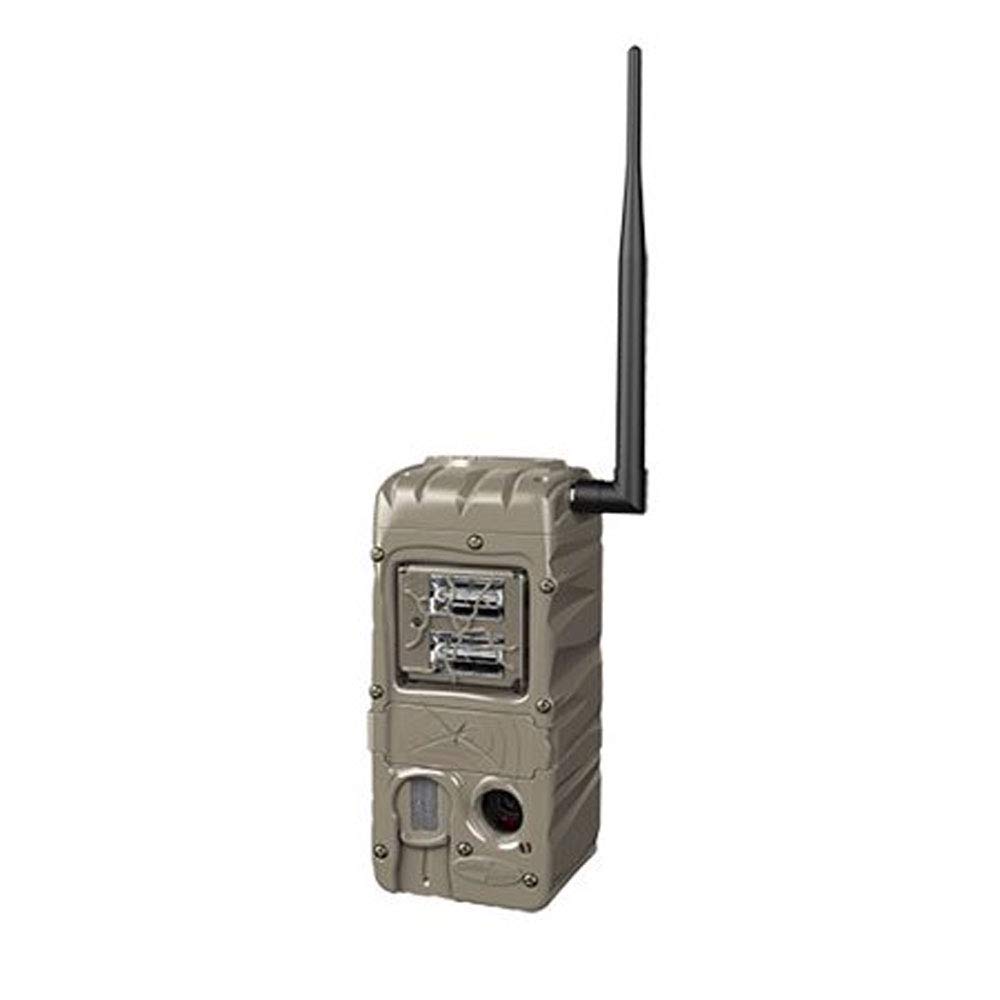
Figure 4.3: Cuddeback G-5086 Trail Camera with antenna.
4.4. කැමරාව සවි කිරීම
Mount the camera to a tree or post using the provided strap or a compatible mounting accessory.
- Position the camera approximately 3-6 feet (1-2 meters) off the ground.
- Aim the camera towards the desired monitoring area, avoiding direct sunlight if possible to prevent overexposure.
- Ensure the camera is stable and secure to prevent movement from wind or animals.
5. මෙහෙයුම් උපදෙස්
5.1. බල ගැන්වීම / අක්රිය කිරීම
Locate the power switch inside the camera housing. Slide it to the 'ON' position to power on the camera. Slide to 'OFF' to power down.
5.2. මූලික සැකසුම්
Access the camera's menu via the internal display and control buttons to configure settings:
- මාදිලිය: Select between Photo, Video, or Time-Lapse.
- විභේදනය: Set image (e.g., 20MP) or video resolution (e.g., 720p).
- ප්රේරක ප්රමාදය: Adjust the time interval before the camera triggers again after an event.
- පිපිරීම: Configure the number of photos taken per trigger (1-5 images).
- දිනය/වේලාව: Set the current date and time for accurate timestamps on captures.
5.3. CuddeLink Network Setup
The G-5086 is CuddeLink compatible, allowing it to send images to a CuddeLink Home camera or Cell camera. Refer to the CuddeLink system manual for detailed instructions on network configuration, pairing, and data transmission settings.
5.4. දත්ත ලබා ගැනීම
Images and videos are stored on the SD card. To retrieve them:
- කැමරාව ක්රියා විරහිත කරන්න.
- SD කාඩ්පත ඉවත් කරන්න.
- Insert the SD card into a computer's card reader or a compatible device to view සහ මාරු කිරීම files.
6. නඩත්තු කිරීම
6.1 පිරිසිදු කිරීම
Regularly clean the camera lens, flash, and PIR sensor window with a soft, lint-free cloth. Avoid abrasive materials or harsh chemicals.
6.2. බැටරි ප්රතිස්ථාපනය
Replace batteries when the low battery indicator appears or when performance degrades. Always replace all batteries at once with new ones of the same type.
6.3. SD කාඩ් කළමනාකරණය
Periodically format the SD card using the camera's menu option to ensure optimal performance and prevent data corruption. Back up important fileහැඩතල ගැන්වීමට පෙර s.
7. දෝශ නිරාකරණය
- කැමරාව බලගන්වන්නේ නැත: Check battery installation and ensure batteries are fresh. Verify the power switch is in the 'ON' position.
- දුර්වල රූපයේ ගුණාත්මකභාවය: Clean the lens and flash window. Ensure the camera is not aimed directly into strong light sources. Check settings for appropriate resolution.
- No images captured: Ensure the SD card is properly inserted and has sufficient free space. Check trigger delay and sensitivity settings. Verify the camera is in an active mode.
- කෙටි බැටරි ආයු කාලය: This can be influenced by extreme temperatures, frequent triggers, or extensive CuddeLink activity. Use high-quality batteries.
- CuddeLink connectivity issues: Ensure the antenna is securely attached. Check the distance between cameras and any obstructions. Refer to the CuddeLink system manual for network diagnostics.
8. පිරිවිතර
| මාදිලියේ නම | G-5086 |
| ඵලදායී නිශ්චල විභේදනය | 20 MP |
| ප්රේරක වේගය | තත්පර 0.25 යි |
| ෆ්ලෑෂ් පරාසය | 100 Feet (Double Barrel Flash Strobe) |
| Picture Recovery Time | තත්පර 1 සිට 2 දක්වා |
| Burst Images | 1 to 5 images |
| සම්බන්ධතා තාක්ෂණය | Wireless (CuddeLink compatible) |
| බලශක්ති ප්රභවය | 4 D Batteries (not included) |
| ගෘහස්ථ / එළිමහන් භාවිතය | එළිමහන් |
| ද්රව්ය | ප්ලාස්ටික් |
| මානයන් (L x W x H) | අඟල් 10.05 x 4.35 x 7.4 |
| අයිතමයේ බර | අවුන්ස 2.4 කි |
9. වගකීම් සහ සහාය
For warranty information and technical support, please refer to the official Cuddeback webවෙබ් අඩවියට පිවිසෙන්න හෝ ඔවුන්ගේ පාරිභෝගික සේවය කෙලින්ම අමතන්න. මිලදී ගැනීමේ සාක්ෂියක් ලෙස ඔබේ මිලදී ගැනීමේ රිසිට්පත තබා ගන්න.


