හැඳින්වීම
Thank you for choosing the MoKo LED Lighted Desktop Magnifier Dome. This device is designed to provide clear, magnified viewing with integrated LED lighting, making it ideal for reading small text, inspecting fine details, or engaging in hobbies. This manual provides essential information for the safe and effective use of your magnifier.
ආරක්ෂිත තොරතුරු
- Do not look directly at the sun through the magnifier, as this can cause permanent eye damage.
- Keep the magnifier away from direct sunlight when not in use to prevent fire hazards, as the lens can concentrate sunlight.
- උපාංගයට හානි වීම වැළැක්වීම සඳහා නිවැරදි ධ්රැවීයතාවයකින් බැටරි ඇතුළු කර ඇති බවට සහතික වන්න.
- Keep out of reach of children to prevent accidental misuse or injury.
- උපාංගය අධික උෂ්ණත්වයට හෝ තෙතමනයට නිරාවරණය නොකරන්න.
පැකේජයේ අන්තර්ගතය
- MoKo LED Lighted Desktop Magnifier Dome
- රැගෙන යන නඩුව
- මයික්රොෆයිබර් පිරිසිදු කිරීමේ රෙදි
- පරිශීලක අත්පොත
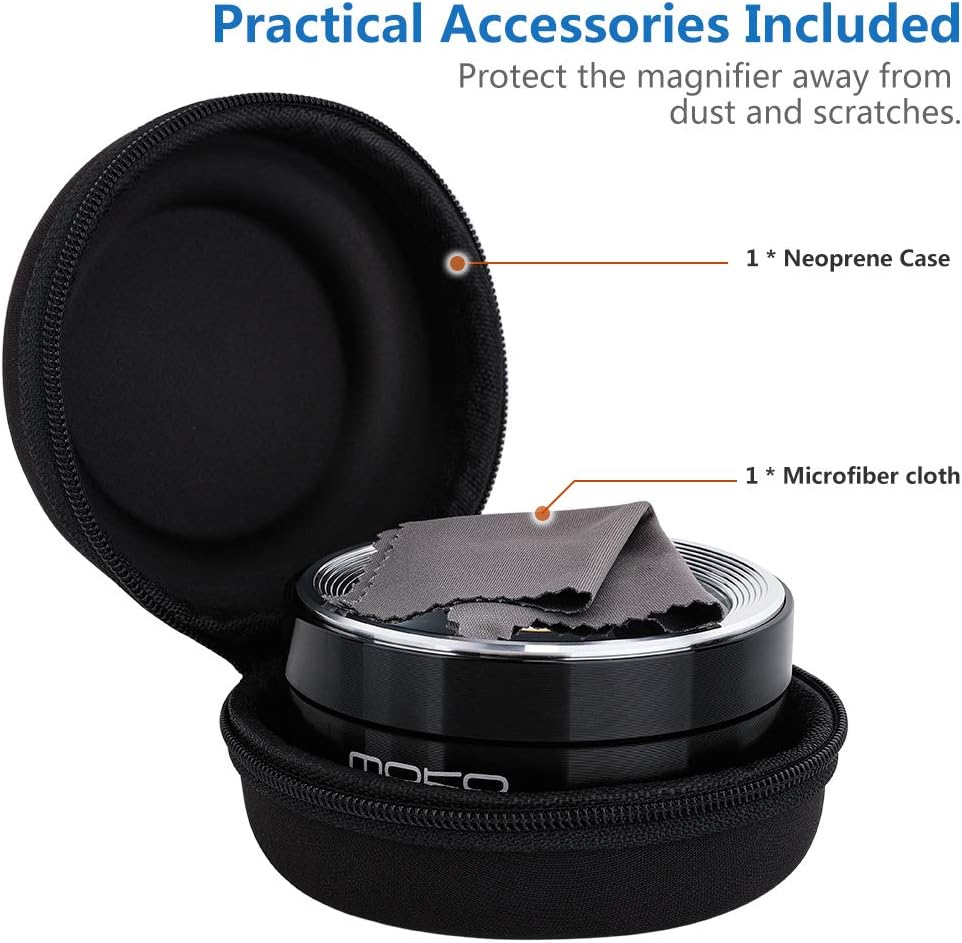
Image: The MoKo LED Lighted Desktop Magnifier Dome shown with its protective neoprene carrying case and a microfiber cleaning cloth.
නිෂ්පාදනය අවසන්view
The MoKo LED Lighted Desktop Magnifier Dome features a durable aluminum frame and a high-quality K9 optical glass lens, providing 5X magnification. It is equipped with three LED lights for enhanced visibility in various lighting conditions. The compact design allows for easy portability and use.
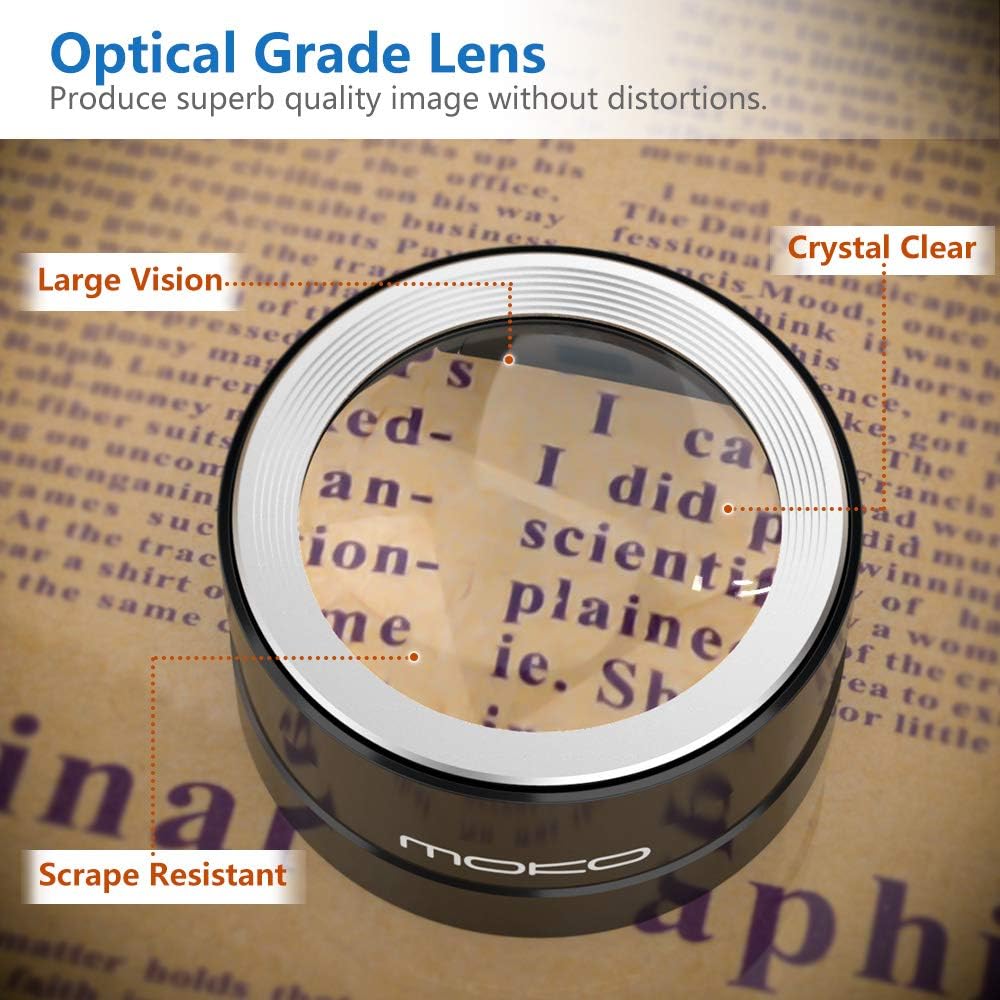
Image: A close-up of the magnifier's optical grade lens, demonstrating its clarity and magnification capabilities on text.
සැලසුම
බැටරි ස්ථාපනය
- Locate the battery compartment on the underside of the magnifier.
- Gently slide open the battery cover.
- Insert the required batteries (type not specified in product data, typically button cells) ensuring correct polarity (+/-) as indicated inside the compartment.
- බැටරි කවරය ආරක්ෂිතව වසා දමන්න.

Image: The underside of the magnifier, highlighting the location of the power switch and the battery compartment.
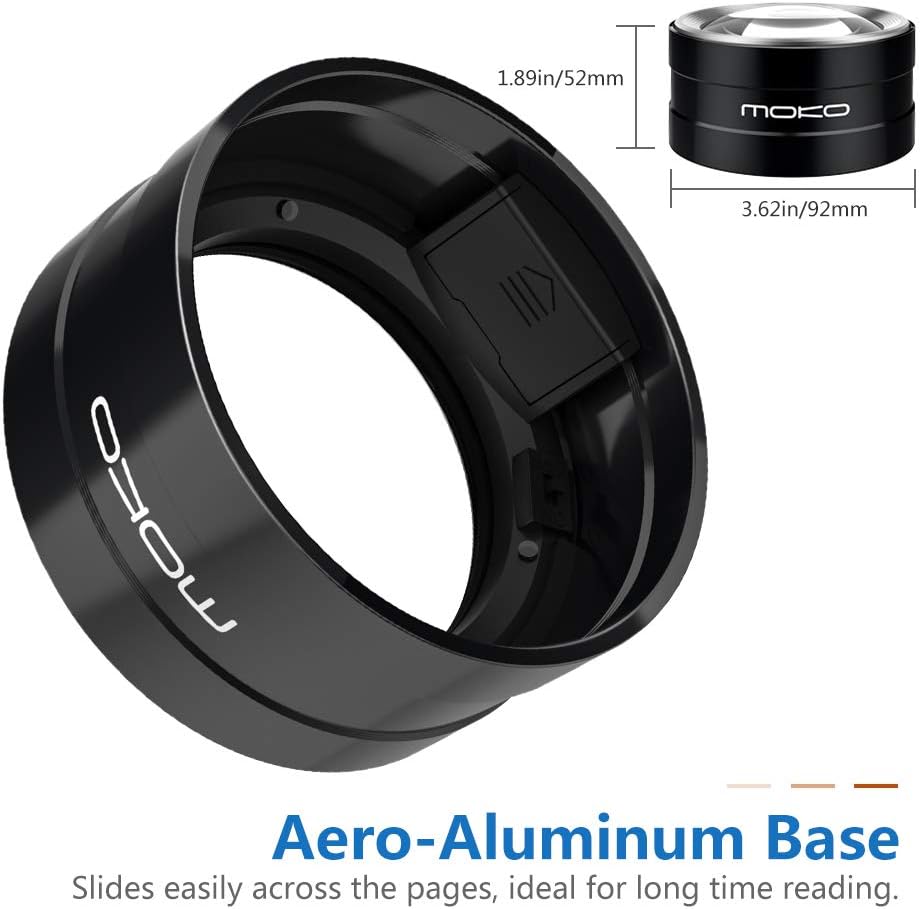
රූපය: සවිස්තරාත්මක view of the battery compartment, showing where batteries should be inserted.
මෙහෙයුම් උපදෙස්
මැග්නීෆයර් භාවිතා කිරීම
- Place the magnifier dome directly onto the surface of the object or text you wish to magnify.
- Move the magnifier smoothly across the surface to view විවිධ ප්රදේශ.
Turning On/Off the LED Lights
- Ensure the main power switch located on the underside of the magnifier is in the 'ON' position. This switch is designed to prevent accidental activation.
- With the main switch on, gently press down on the upper silver ring surrounding the lens. The LED lights will illuminate.
- To turn off the LED lights, press the upper silver ring again.
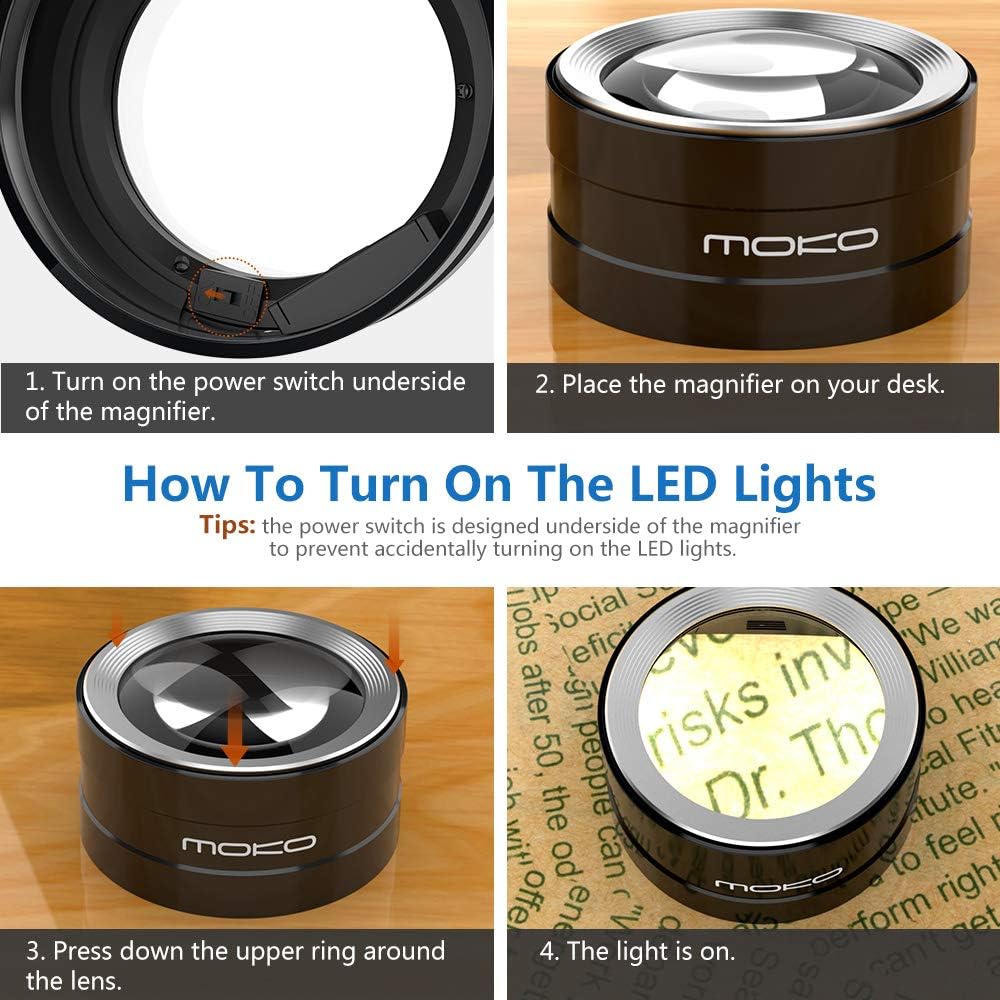
Image: Step-by-step guide on activating the LED lights, including the underside power switch and the upper ring press mechanism.
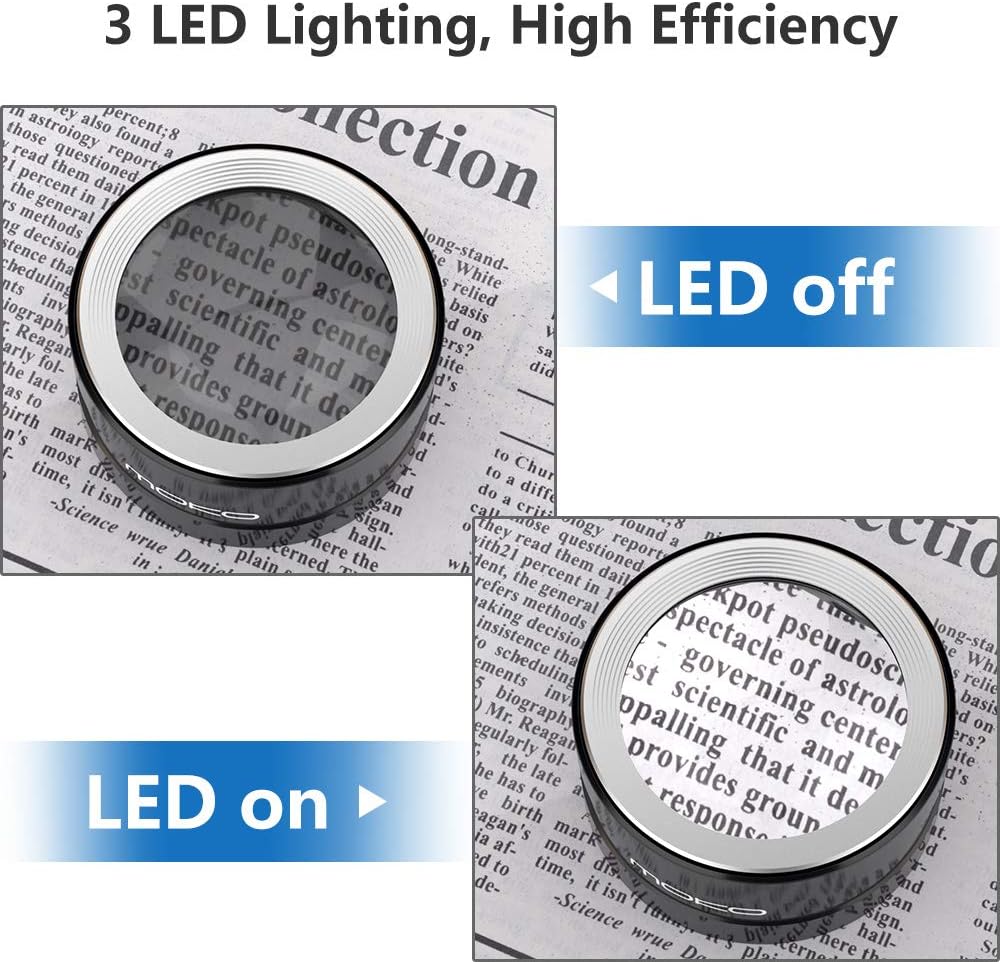
Image: A visual comparison demonstrating the enhanced clarity and illumination provided when the LED lights are activated.
නඩත්තු කිරීම
- කාච පිරිසිදු කිරීම: Use the provided microfiber cleaning cloth to gently wipe the lens. For stubborn smudges, slightly dampකාච පිරිසිදු කිරීමේ ද්රාවණයක් සහිත රෙදි කැබැල්ලක් වසා දමන්න. උල්ෙල්ඛ ද්රව්ය හෝ රළු රසායනික ද්රව්ය භාවිතයෙන් වළකින්න.
- ශරීරය පිරිසිදු කිරීම: ඇලුමිනියම් ශරීරය මෘදු, වියළි රෙද්දකින් පිස දමන්න.
- ගබඩා: When not in use, store the magnifier in its protective carrying case to prevent dust accumulation and scratches.
- බැටරි ආදේශනය: Replace batteries when the LED lights dim or fail to illuminate. Follow the battery installation steps.
දෝෂගවේෂණය
| ගැටලුව | විය හැකි හේතුව | විසඳුම |
|---|---|---|
| LED විදුලි පහන් දැල්වෙන්නේ නැත. |
|
|
| විශාලනය කළ රූපය බොඳ වී ඇත. |
|
|
පිරිවිතර
- වෙළඳ නාමය: MoKo
- ආකෘතිය: B07RL7234Y
- විශාලන ශක්තිය: 5X
- කාච ද්රව්ය: K9 දෘශ්ය වීදුරු
- හැසිරවීමේ ද්රව්ය: ඇලුමිනියම්
- ආලෝකකරණය: 3 LED විදුලි පහන්
- නිෂ්පාදන මානයන්: 1.89"L x 3.62"W (4.8cm L x 9.2cm W)
- අයිතමයේ බර: අවුන්ස 9.4 (ග්රෑම් 266.5)

Image: A diagram illustrating the length and width dimensions of the magnifier dome.
වගකීම් සහ සහාය
For warranty information and customer support, please refer to the product packaging or contact MoKo customer service directly through their official website or the retailer where the product was purchased. Keep your purchase receipt for warranty claims.


