DALI IO-6 වාරික රැහැන් රහිත ඕවර්-ද-කන් ANC හෙඩ්ෆෝන් පරිශීලක අත්පොත
Model: IO-6
හැඳින්වීම
Welcome to the user manual for your DALI IO-6 Premium Wireless Over-The-Ear ANC Headphones. These headphones are designed to deliver exceptional audio quality with the convenience of wireless connectivity and advanced Active Noise Cancellation (ANC) technology. This manual provides essential information on setup, operation, maintenance, and troubleshooting to ensure you get the most out of your DALI IO-6 headphones.
පැකේජයේ අන්තර්ගතය
ඔබ ආරම්භ කිරීමට පෙර, කරුණාකර සියලුම අයිතම පැකේජයේ ඇති බවට වග බලා ගන්න:
- DALI IO-6 හෙඩ්ෆෝන්
- USB ආරෝපණ කේබලය
- 3.5mm ශ්රව්ය කේබල්
- Travel Case (if included)
- ඉක්මන් ආරම්භක මාර්ගෝපදේශය
- කන් කුෂන්
Note: The specific contents may vary slightly based on regional packaging.
සැලසුම
1. හෙඩ්ෆෝන් ආරෝපණය කිරීම
Before first use, fully charge your DALI IO-6 headphones. A full charge provides approximately 30 hours of battery life with ANC enabled.
- Connect the supplied USB charging cable to the USB-C port on the headphones.
- කේබලයේ අනෙක් කෙළවර USB බල ඇඩැප්ටරයකට (සපයා නැත) හෝ පරිගණකයක බලගන්වන ලද USB පෝට් එකකට සම්බන්ධ කරන්න.
- The LED indicator on the headphones will show charging status. It typically takes about 2 hours for a full charge.

Figure 1: DALI IO-6 headphones, Army Green color, showing the overall design. The USB-C port is located on one of the earcups.
2. බ්ලූටූත් යුගලනය
Pair your DALI IO-6 headphones with your Bluetooth-enabled device (smartphone, tablet, laptop, etc.).
- හෙඩ්ෆෝන් ක්රියා විරහිත කර ඇති බවට සහතික වන්න.
- Press and hold the Power/Bluetooth button on the headphones for approximately 5 seconds until the LED indicator flashes blue and red, indicating pairing mode.
- ඔබගේ උපාංගයේ, බ්ලූටූත් සැකසුම් වෙත ගොස් බ්ලූටූත් සබල කරන්න.
- Select "DALI IO-6" from the list of available devices.
- Once paired, the LED indicator on the headphones will turn solid blue.

රූපය 2: ඉදිරිපස view of the DALI IO-6 headphones, showcasing the earcups and headband. The control buttons are located on the right earcup.
3. රැහැන්ගත සම්බන්ධතාවය
For a wired connection, use the supplied 3.5mm audio cable.
- 3.5mm ශ්රව්ය කේබලයේ එක් කෙළවරක් හෙඩ්ෆෝන්වල ඇති ශ්රව්ය ආදාන ජැක් එකට සම්බන්ධ කරන්න.
- Connect the other end to the 3.5mm audio output jack on your device.
- හෙඩ්ෆෝන් ස්වයංක්රීයව රැහැන්ගත ප්රකාරයට මාරු වේ.
මෙහෙයුම් උපදෙස්
බලය සක්රිය / අක්රිය
- To power on: Press and hold the Power button for 2 seconds.
- බලය අක්රිය කිරීමට: තත්පර 3ක් බල බොත්තම ඔබාගෙන සිටින්න.
සංගීත වාදනය සහ ඇමතුම් පාලනය
| කාර්යය | ක්රියාව |
|---|---|
| වාදනය / විරාමය | බහු ක්රියාකාරී බොත්තම වරක් ඔබන්න. |
| ඊළඟ ධාවන පථය | බහුකාර්ය බොත්තම දෙවරක් ඔබන්න. |
| පෙර ධාවන පථය | බහුකාර්ය බොත්තම තුන් වරක් ඔබන්න. |
| ශබ්දය වැඩි කරන්න | වෙළුම + බොත්තම ඔබන්න. |
| Volume Down | වෙළුම් බොත්තම ඔබන්න. |
| ඇමතුමට පිළිතුරු දෙන්න/අවසන් කරන්න | බහු ක්රියාකාරී බොත්තම වරක් ඔබන්න. |
| ඇමතුම ප්රතික්ෂේප කරන්න | බහුකාර්ය බොත්තම තත්පර 2ක් ඔබාගෙන සිටින්න. |
| හඬ සහායක සක්රිය කරන්න | බහුකාර්ය බොත්තම තත්පර 2ක් ඔබාගෙන සිටින්න (ඇමතුමක නොමැති විට). |
ක්රියාකාරී ශබ්ද අවලංගු කිරීම (ANC) සහ විනිවිදභාවය ප්රකාරය
The DALI IO-6 features Active Noise Cancellation to reduce ambient noise and a Transparency Mode to allow external sounds to pass through.
- To cycle through ANC modes (ANC On, Transparency Mode, ANC Off): Press the ANC button located on the earcup.
- The LED indicator will change color to indicate the current ANC mode.
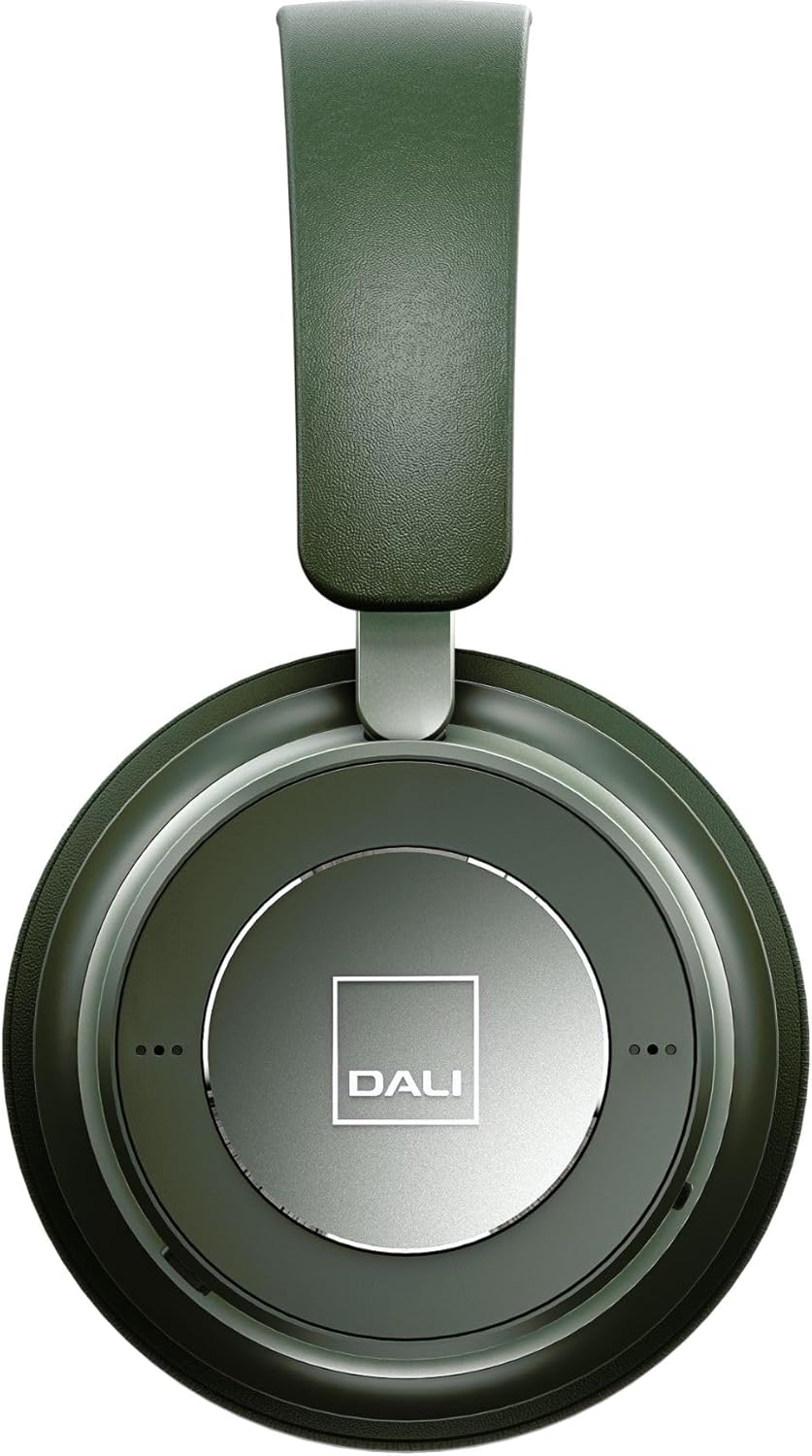
රූපය 3: සමීප රූපය view of the DALI IO-6 earcup, highlighting the DALI logo and the subtle design details. The control buttons are integrated into the earcup design.
නඩත්තු කිරීම සහ රැකවරණය
Proper care will extend the life and performance of your DALI IO-6 headphones.
- පිරිසිදු කිරීම: Use a soft, dry cloth to clean the headphones. Do not use abrasive cleaners, solvents, or strong chemicals.
- ගබඩා: When not in use, store the headphones in their protective travel case to prevent damage.
- උෂ්ණත්වය: හෙඩ්ෆෝන් අධික උෂ්ණත්වයන්ට (උණුසුම් හෝ සීතල) හෝ අධික ආර්ද්රතාවයට නිරාවරණය කිරීමෙන් වළකින්න.
- දියර නිරාවරණය: Keep the headphones away from water and other liquids. They are not waterproof.
- කන් කුෂන්: The ear cushions are designed for comfort and can be replaced if worn. Refer to DALI's official webආදේශන කොටස් සඳහා අඩවිය.

Figure 4: DALI IO-6 headphones resting on a concrete surface, demonstrating their robust build and design. This image highlights the durable materials used.
දෝෂගවේෂණය
If you encounter issues with your DALI IO-6 headphones, try the following solutions:
| ගැටලුව | හැකි විසඳුම |
|---|---|
| බලය නැත | හෙඩ්ෆෝන් සම්පූර්ණයෙන්ම ආරෝපණය වී ඇති බවට වග බලා ගන්න. බල ප්රභවයකට සම්බන්ධ කර ආරෝපණ දර්ශකය පරීක්ෂා කරන්න. |
| බ්ලූටූත් හරහා යුගල කළ නොහැක |
|
| ශබ්දයක් නැත |
|
| ANC Not Working Effectively |
|
පිරිවිතර
| විශේෂාංගය | විස්තර |
|---|---|
| මාදිලියේ නම | IO-6 |
| සම්බන්ධතා තාක්ෂණය | රැහැන් රහිත (බ්ලූටූත් 5.0) |
| ශබ්ද පාලනය | සක්රීය ශබ්ද අවලංගු කිරීම (ANC) |
| හෙඩ්ෆෝන් ජැක් | 3.5 mm ජැක් |
| බැටරි ආයු කාලය | පැය 30ක් දක්වා (ANC සමඟ) |
| ආරෝපණ කාලය | ආසන්න වශයෙන්. පැය 2 යි |
| සංඛ්යාත පරාසය | 10 - 20000 හර්ට්ස් |
| සම්බාධනය | 25 ඕම් |
| ශ්රව්ය ධාවක ප්රමාණය | 50 මි.මී |
| ද්රව්ය | Plastic, Memory Foam |
| නිෂ්පාදන මානයන් | අඟල් 3.11 x 8.86 x 9.65 |
| අයිතමයේ බර | රාත්තල් 2.4 කි |
වගකීම් සහ සහාය
DALI products are built to high standards and come with a limited warranty. For specific warranty terms and conditions, please refer to the warranty card included with your product or visit the official DALI webඅඩවිය.
For technical support, service, or replacement parts, please contact DALI customer support through their official website or authorized service centers. You can find more information and contact details at: www.dali-speakers.com


