1. හැඳින්වීම
This manual provides instructions for the Sound Oasis Bluetooth Tinnitus Sound Therapy System, model BST-80-25T. This device is designed to assist in managing tinnitus and improving sleep quality through sound therapy. Please read this manual thoroughly before using the product to ensure proper operation and to maximize its benefits.
2 ආරක්ෂිත තොරතුරු
- ගෘහස්ථ භාවිතය සඳහා පමණි.
- උපාංගය විවෘත කිරීමට හෝ වෙනස් කිරීමට උත්සාහ නොකරන්න. ඇතුළත පරිශීලක-සේවා කළ හැකි කොටස් නොමැත.
- This product is not a toy; keep out of reach of children.
- Intended for adult use only.
- Prolonged exposure to loud sounds may cause hearing damage. Adjust volume to a comfortable level.
- Unplug the device from the power outlet when not in use for extended periods.
- Refer to the product manual for any specific warnings not listed here.
3. නිෂ්පාදන අවසන්view සහ විශේෂාංග
The Sound Oasis BST-80-25T is a compact sound therapy system featuring 25 built-in sounds specifically designed for tinnitus relief and sleep enhancement. It also includes Bluetooth connectivity for streaming audio from your devices.
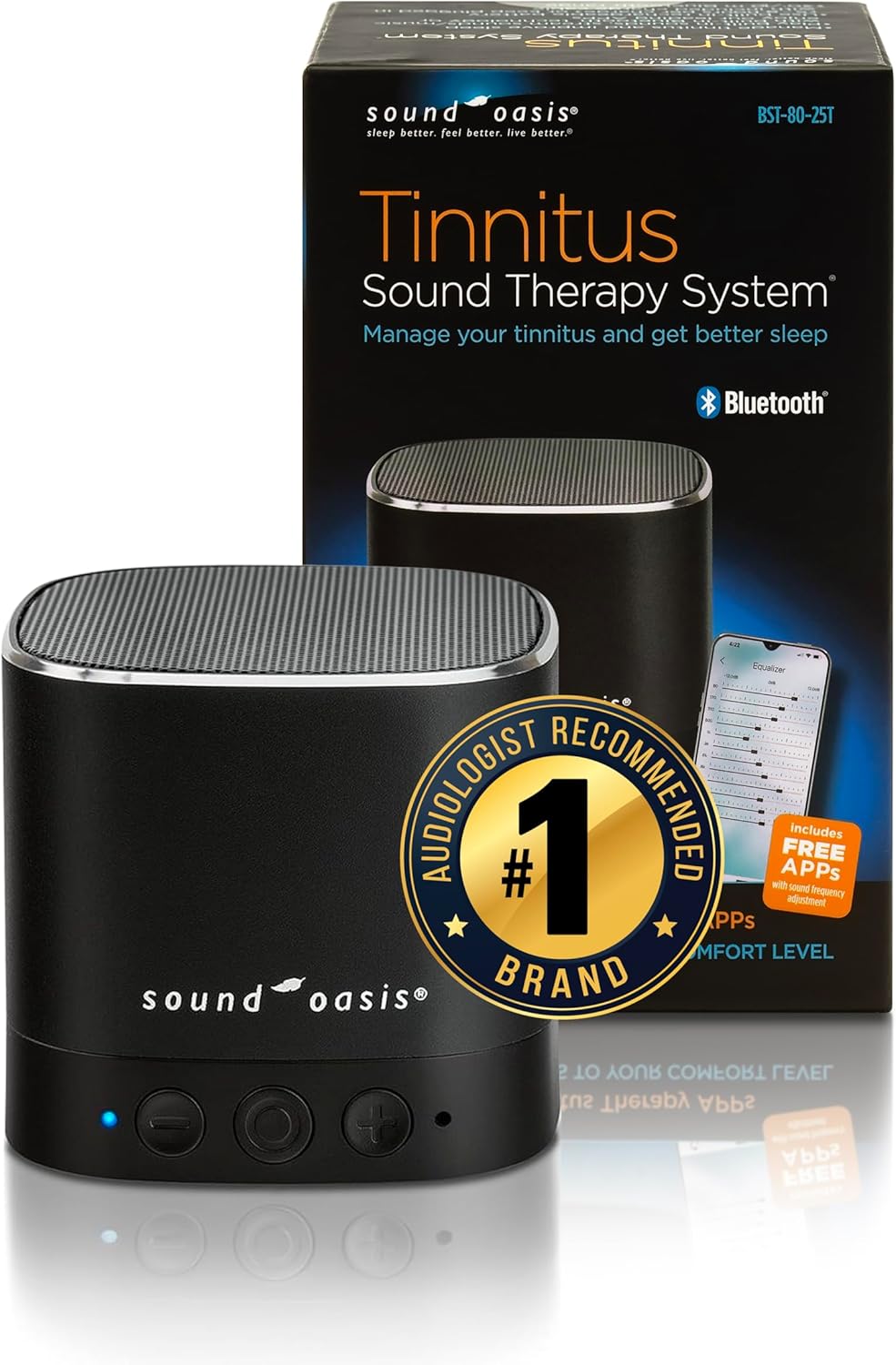
Figure 1: Sound Oasis BST-80-25T Tinnitus Sound Therapy System and its retail packaging.
ප්රධාන ලක්ෂණ:
- 25 Built-in Sounds: A variety of sounds optimized for tinnitus relief and sleep, recommended by audiologists.
- බ්ලූටූත් ප්රවාහය: Seamlessly stream music or sounds from your Bluetooth-enabled devices within a 30-foot (10-meter) range.
- Sound Oasis App Compatibility: Access the included Sound Oasis Professional Tinnitus Frequency App for additional sounds and customization.
- නම්යශීලී බල විකල්ප: Operates on a built-in rechargeable battery (5-8 hours run time) or continuously when plugged in via the included charging cable.
- විස්තීරණ සහාය: Includes a 'Living with Tinnitus' booklet for additional guidance.
- සංයුක්ත හා කල් පවතින නිර්මාණය: Features metal construction for superior acoustics and durability, making it suitable for home or travel.
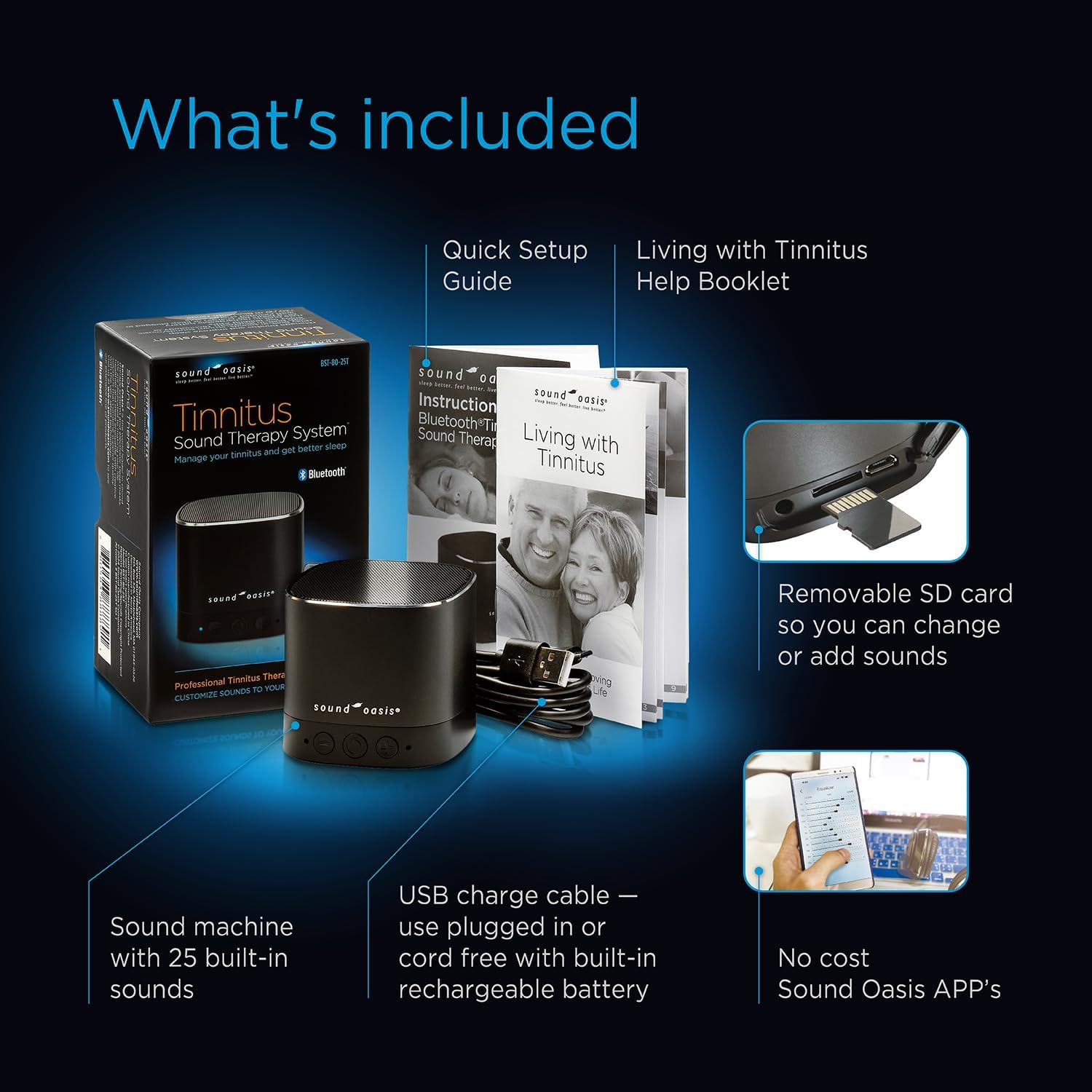
Figure 2: Package contents including the sound machine, USB charge cable, Quick Setup Guide, 'Living with Tinnitus' booklet, and information on the Sound Oasis Apps.

රූපය 3: අභ්යන්තර view highlighting the deep bass speaker system, aircraft aluminum housing, Bluetooth technology, headphone jack, removable sound card, and rechargeable battery.
4. සැකසුම් උපදෙස්
Follow these steps to set up your Sound Oasis Tinnitus Sound Therapy System:
- Unbox the System: ඇසුරුම්කරණයෙන් සියලුම සංරචක ප්රවේශමෙන් ඉවත් කරන්න.
- බැටරි ස්ථාපනය කරන්න: The device requires LR44 batteries (included). Ensure they are installed correctly according to polarity markings.
- උපාංගය ආරෝපණය කරන්න: Connect the included USB charging cable to the device's micro USB port and plug the other end into a USB power adapter (not included) or a computer's USB port. The charge/Bluetooth indicator light will show charging status.
- බල ගැන්වීම: Press and hold the power button (center button on the front) for a few seconds to turn the unit on.

Figure 4: Quick startup directions showing the device's buttons (On/Off, Volume Up/Next Sound, Volume Down/Last Sound, Charge/Bluetooth Indicator, Microphone) and ports (Micro USB Charging Cable, Micro USB Jack, Micro SD Card Slot, Micro SD Card, Headphone Jack).
5. මෙහෙයුම් උපදෙස්
5.1 මූලික මෙහෙයුම
- බලය සක්රිය / අක්රිය: Press and hold the center button for approximately 3 seconds.
- පරිමාව සකසන්න: Briefly press the '+' button to increase volume or the '-' button to decrease volume.
- Change Sound: Press and hold the '+' button to go to the next sound, or the '-' button to go to the previous sound. The device cycles through its 25 built-in sounds.
5.2 බ්ලූටූත් යුගල කිරීම
To stream audio from your smartphone or other Bluetooth-enabled device:
- Ensure the Sound Oasis device is powered on.
- Press the 'M' (Mode) button located on the bottom of the unit to switch to Bluetooth mode. The blue indicator light will flash, indicating it's ready for pairing.
- On your smartphone or device, go to Bluetooth settings and search for available devices.
- Select 'Sound Oasis' from the list. Once paired, the blue indicator light will stop flashing and remain solid.
- You can now play audio from your device through the Sound Oasis speaker.

Figure 5: The device can function as a Bluetooth speaker for personal audio or as a dedicated sleep sound machine.
5.3 Using the Sound Oasis Apps
Enhance your experience with the Sound Oasis Professional Tinnitus Frequency App:
- Download the official Sound Oasis apps from your device's app store.
- Connect your Sound Oasis device via Bluetooth as described above.
- Use the app to access additional sounds, customize sound frequencies with an equalizer, and set auto-shutoff timers.

Figure 6: The Sound Oasis Tinnitus Therapy Apps offer playback frequency control and an equalizer for personalized sound therapy.
5.4 Micro SD Card Functionality
The device features a removable micro SD card containing the built-in sounds. This allows for customization:
- You can replace the existing micro SD card with another containing different MP3 sound files.
- To do this, carefully remove the current micro SD card from its slot (refer to Figure 4 for location).
- Insert a new micro SD card with your desired sounds. The device will play sounds sequentially from the card.
6. නඩත්තු කිරීම
- පිරිසිදු කිරීම: මෘදු වියළි රෙද්දකින් උපාංගය පිස දමන්න. දියර පිරිසිදු කරන්නන් හෝ උල්ෙල්ඛ ද්රව්ය භාවිතා නොකරන්න.
- ගබඩා: උපාංගය සෘජු හිරු එළියෙන් සහ අධික උෂ්ණත්වයන්ගෙන් ඈත්ව සිසිල් වියළි ස්ථානයක ගබඩා කරන්න.
- බැටරි සත්කාර: If the device will not be used for an extended period, fully charge the battery before storage and recharge it every few months to maintain battery health.
7. දෝශ නිරාකරණය
| ගැටලුව | විය හැකි හේතුව | විසඳුම |
|---|---|---|
| උපාංගය බලගන්වන්නේ නැත. | බැටරිය අඩුයි හෝ බල සම්බන්ධතාවයක් නැහැ. | Charge the device using the USB cable. Ensure batteries are correctly installed. |
| ශබ්දයක් නැත හෝ අඩු පරිමාවක් නැත. | Volume too low, incorrect sound selected, or device in Bluetooth mode without audio playing. | Increase volume using the '+' button. Change sound using the '+' or '-' buttons (hold). Ensure audio is playing from the connected Bluetooth device. |
| බ්ලූටූත් සම්බන්ධ නොවේ. | Device not in pairing mode, out of range, or previously paired with another device. | Press the 'M' button to enter Bluetooth pairing mode (flashing blue light). Ensure your device is within 30 feet (10 meters). Forget the device from your phone's Bluetooth list and try pairing again. |
| බලාපොරොත්තු වූවාට වඩා බැටරි ආයු කාලය කෙටි ය. | High volume usage, aging battery, or frequent Bluetooth streaming. | Reduce volume. Ensure the device is fully charged before use. Battery performance may degrade over time. |
8. පිරිවිතර
- ආකෘතිය: BST-80-25T හඳුන්වා දීම
- නිෂ්පාදන මානයන්: අඟල් 2.5 x 2.25 x 2.5
- බර: අවුන්ස 8 කි
- බලශක්ති ප්රභවය: Battery Powered (Rechargeable) / USB Cable
- බැටරි: LR44 batteries (included)
- ද්රව්ය: Plastic, Aircraft Aluminum Housing
- වර්ණය: කළු
- බ්ලූටූත් පරාසය: අඩි 30 (මීටර් 10) දක්වා
- නිෂ්පාදකයා: Sound Oasis®
9. වගකීම් සහ සහාය
For warranty information or technical support, please contact Sound Oasis directly. You can often find contact details on the manufacturer's webස්ථානය හෝ භාණ්ඩය මිලදී ගත් සිල්ලර වෙළෙන්දා හරහා.
An official User Manual in PDF format may also be available for download from the Sound Oasis webඅඩවිය හෝ මෙම සබැඳිය හරහා: Sound Oasis BST-80-25T User Manual (PDF)


