හැඳින්වීම
This manual provides essential information for the setup, operation, and maintenance of your OREI Sony UBP-X800M2 Region Free 4K UHD Blu-ray Player. This player is designed for worldwide use, supporting all Blu-ray disc zones (A/B/C) and DVD regions (0-8), with a built-in NTSC↔PAL 4K HD converter. Enjoy stunning 4K UHD visuals, high-resolution audio including Dolby Atmos and DTS:X, and seamless access to streaming services via Wi-Fi or Ethernet.

රූපය 1: ඉදිරිපස view of the OREI Sony UBP-X800M2 4K UHD Blu-ray Player.
සැලසුම
1. ඇසුරුම් ඉවත් කිරීම සහ ස්ථානගත කිරීම
- ඇසුරුම්කරණයෙන් සියලුම සංරචක ප්රවේශමෙන් ඉවත් කරන්න.
- Place the player on a stable, level surface with adequate ventilation.
- Ensure no objects block the ventilation openings.
2. ඔබේ රූපවාහිනියට සම්බන්ධ වීම
Connect the player to your TV using an HDMI cable for optimal 4K UHD video and audio.
- HDMI කේබලයක එක් කෙළවරක් සම්බන්ධ කරන්න HDMI පිටතට Blu-ray වාදකයේ පිටුපස ඇති port එක.
- HDMI කේබලයේ අනෙක් කෙළවර ඔබේ රූපවාහිනියේ HDMI ආදානයකට සම්බන්ධ කරන්න.
- If using an audio receiver, connect the player's HDMI OUT to the receiver's HDMI IN, then the receiver's HDMI OUT to the TV's HDMI IN.

Figure 2: Rear panel connections, showing HDMI, LAN, and audio outputs.
3. බල සම්බන්ධතාවය
- Connect the AC power cord to the player's power input and then to a suitable electrical outlet.
4. ජාල සම්බන්ධතාවය (විකල්ප)
For streaming services and firmware updates, connect the player to your home network.
- රැහැන්ගත සම්බන්ධතාවය: Connect an Ethernet cable from the player's LAN (100) port to your router or modem.
- රැහැන් රහිත සම්බන්ධතාවය: Navigate to the network settings in the player's menu to connect to your Wi-Fi network.
5. Region Changing Instructions
This player supports all DVD regions (0-8) automatically. Blu-ray regions (A, B, C) are changed manually using the remote control.
- Turn the player ON සහ OPEN THE DISC TRAY.
- Once the tray is completely open, press the corresponding colored button on the remote to select the desired Blu-ray region:
- කලාපය A: ඔබන්න කහ බොත්තම දුරස්ථ පාලකය මත.
- B කලාපය: ඔබන්න නිල් බොත්තම දුරස්ථ පාලකය මත.
- කලාපය C: ඔබන්න රතු බොත්තම දුරස්ථ පාලකය මත.
- You can now put your disc in the tray and then close the tray.

Figure 3: Remote control with colored buttons for region selection.
මෙහෙයුම් උපදෙස්
1. තැටි නැවත ධාවනය
The player supports a wide range of disc formats, including 4K UHD Blu-ray, standard Blu-ray, Blu-ray 3D, DVD, CD, and Super Audio CD (SACD).
- ඔබන්න විවෘත / වසා දමන්න තැටි තැටිය විවෘත කිරීමට වාදකයේ හෝ දුරස්ථ පාලකයේ බොත්තම ඔබන්න.
- ලේබලයේ පැත්ත ඉහළට යොමු වන පරිදි තැටිය මෘදු ලෙස තැටිය මත තබන්න.
- ඔබන්න විවෘත / වසා දමන්න තැටිය වසා දැමීමට නැවත බොත්තම.
- ක්රීඩකයා ස්වයංක්රීයව නැවත ධාවනය ආරම්භ කරනු ඇත හෝ තැටි මෙනුවක් පෙන්වනු ඇත.

රූපය 4: ඉදිරිපස view of the player with the disc tray open, ready for disc insertion.
2. ප්රවාහ සේවා
Access popular streaming services like Netflix and YouTube directly from the player's home menu.
- Ensure the player is connected to the internet (Wi-Fi or Ethernet).
- From the home screen, select the desired streaming application.
- Log in with your account credentials to begin streaming.
3. USB මාධ්ය නැවත ධාවනය
මාධ්ය වාදනය කරන්න files (audio, video, photos) from a USB storage device.
- Insert your USB device into the front USB port.
- Select the USB option from the player's home menu to browse and play your media.
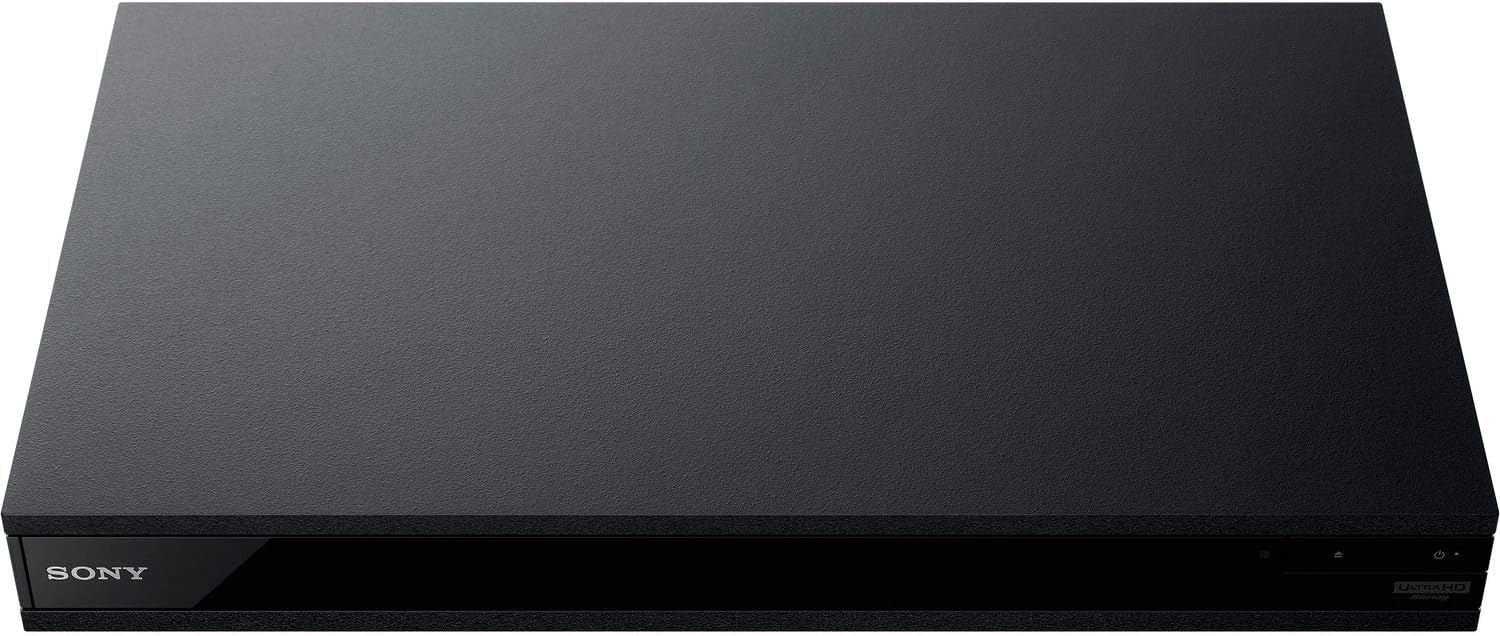
රූපය 5: ඉදිරිපස view of the player with a USB drive inserted into the front port.
නඩත්තු කිරීම
1. ක්රීඩකයා පිරිසිදු කිරීම
- මෘදු, වියළි රෙද්දකින් ක්රීඩකයාගේ බාහිර පෙනුම පිස දමන්න.
- උල්ෙල්ඛ පිරිසිදු කරන්නන්, ඉටි හෝ ද්රාවක භාවිතා නොකරන්න.
- Ensure ventilation openings remain clear of dust and debris.
2. තැටි සත්කාරය
- ඇඟිලි සලකුණු සහ සීරීම් වළක්වා ගැනීම සඳහා තැටි ඒවායේ දාරවලින් හසුරුවන්න.
- මෘදු, ලින්ට් රහිත රෙද්දකින් තැටි පිරිසිදු කරන්න, මැද සිට පිටතට පිස දමන්න.
- තැටි සෘජු හිරු එළියෙන් සහ අධික උෂ්ණත්වයන්ගෙන් ඈත්ව ඒවායේ ආවරණවල ගබඩා කරන්න.
3. ස්ථිරාංග යාවත්කාලීන කිරීම්
Firmware updates can be done via the internet to ensure optimal performance and access to the latest features.
- Go to the home menu, then setup menu, and then to Software Update.
- Click on "Update Via Internet". If a new firmware is available, the player will automatically update.
- නෑ turn off the player while it is updating.
- නෑ perform firmware updates by USB unless instructed by OREI support.
දෝෂගවේෂණය
පොදු ගැටළු
- පින්තූරයක්/ශබ්දයක් නැත:
- Check all HDMI and audio cable connections.
- රූපවාහිනී ආදානය නිවැරදි HDMI තොටට සකසා ඇති බවට වග බලා ගන්න.
- Verify the player is powered on.
- තැටිය වාදනය නොවේ:
- තැටිය පිරිසිදු හා සීරීම් වලින් තොර බවට වග බලා ගන්න.
- තැටිය නිවැරදිව ඇතුළත් කර ඇති බව තහවුරු කරන්න (පැත්ත ඉහළට ලේබල් කරන්න).
- For Blu-ray discs, confirm the player's region setting matches the disc's region (refer to "Region Changing Instructions" in the Setup section).
- Open the tray again and leave the disc in the tray. Once fully open, press the color button to select the region. Then close the tray.
- Region Code Error Message:
If you put in a disc before changing regions, you may get an error message indicating the wrong region. The player remembers this message. To remove that error, you need to reset the player.
- ඔබන්න නිවස button on the remote with no disc inside to go to the home screen.
- Use arrow buttons on the remote to go to the upper right corner where it says සැලසුම සහ ඔබන්න ඇතුල් කරන්න.
- පහළට අනුචලනය කරන්න නැවත සකස් කිරීම on the bottom of the menu.
- තෝරන්න කර්මාන්තශාලා පෙරනිමි සැකසුම් වෙත යළි පිහිටුවන්න.
- පහළට අනුචලනය කර තෝරන්න සියලු සැකසුම් සහ ඔබන්න ඇතුල් කරන්න -> ඔබන්න ඇතුල් කිරීම ආරම්භ කරන්න -> Close ඇතුල් කරන්න.
- Turn the player off and then on again after 30 seconds.
- Select Language English and then select quick start mode OFF. You may need to activate network settings again.
- If you prefer not to connect the player to the internet, you may press the නිවස button and go to the home screen. Now start from step 1 under "Region Changing Instructions" to change regions.
පිරිවිතර
| වෙළඳ නාමය | OREI |
| මාදිලියේ නම | Sony X800M2 (UBP-X800M2) |
| නිෂ්පාදන මානයන් | අඟල් 19 x 14.1 x 3.8 |
| අයිතමයේ බර | රාත්තල් 8.82 (ග්රෑම් 4000) |
| මාධ්ය වර්ගය | Blu-Ray Disc, DVD, 4K UHD Blu-ray, Blu-ray 3D, CD, Super Audio CD |
| විභේදනය | 3840x2160 (4K UHD) |
| සම්බන්ධතා තාක්ෂණය | ඊතර්නෙට්, HDMI, USB, Wi-Fi |
| සම්බන්ධක වර්ගය | HDMI |
| ශ්රව්ය ප්රතිදාන ප්රකාරය | Surround (Dolby Atmos, DTS:X, High-Resolution Audio) |
| වර්ණය | කළු |
| බැටරි | AAA බැටරි 2ක් අවශ්යයි (දුරස්ථ සඳහා) |
| විශේෂ ලක්ෂණය | Region Free (Blu-ray Zones A/B/C, DVD Regions 0-8), Built-in NTSC↔PAL 4K HD Converter |
වගකීම් සහ සහාය
වගකීම් තොරතුරු
For specific warranty details, please refer to the warranty card included with your product or visit the official OREI webවෙබ් අඩවිය. මිලදී ගැනීම පිළිබඳ සාක්ෂියක් ලෙස ඔබේ මිලදී ගැනීමේ රිසිට්පත තබා ගන්න.
පාරිභෝගික සහාය
If you encounter any issues or have questions regarding your OREI Sony UBP-X800M2 Blu-ray Player, please contact OREI customer support.
- මාර්ගගත සහාය: වෙත පිවිසෙන්න OREI Store on Amazon නිතර අසන පැන සහ ආධාරක සම්පත් සඳහා.
- තාක්ෂණික සහාය: Contact OREI directly for technical support. (Specific contact details not provided in source data, please refer to product packaging or official webඅඩවිය).


