හැඳින්වීම
Thank you for choosing the QCY A1 Bluetooth 5.0 Headset. This manual will guide you through the setup, operation, and maintenance of your new wireless headset. Please read these instructions carefully before use to ensure optimal performance and longevity of your device.
නිෂ්පාදනය අවසන්view
පැකේජයේ අන්තර්ගතය
- QCY A1 Bluetooth Headset
- කන් කුෂන්
- ආරෝපණ කේබලය
- පරිශීලක අත්පොත
හෙඩ්සෙට් රූප සටහන

Image: The QCY A1 Bluetooth Headset, showing the earbud, ear hook, and main body with control buttons.
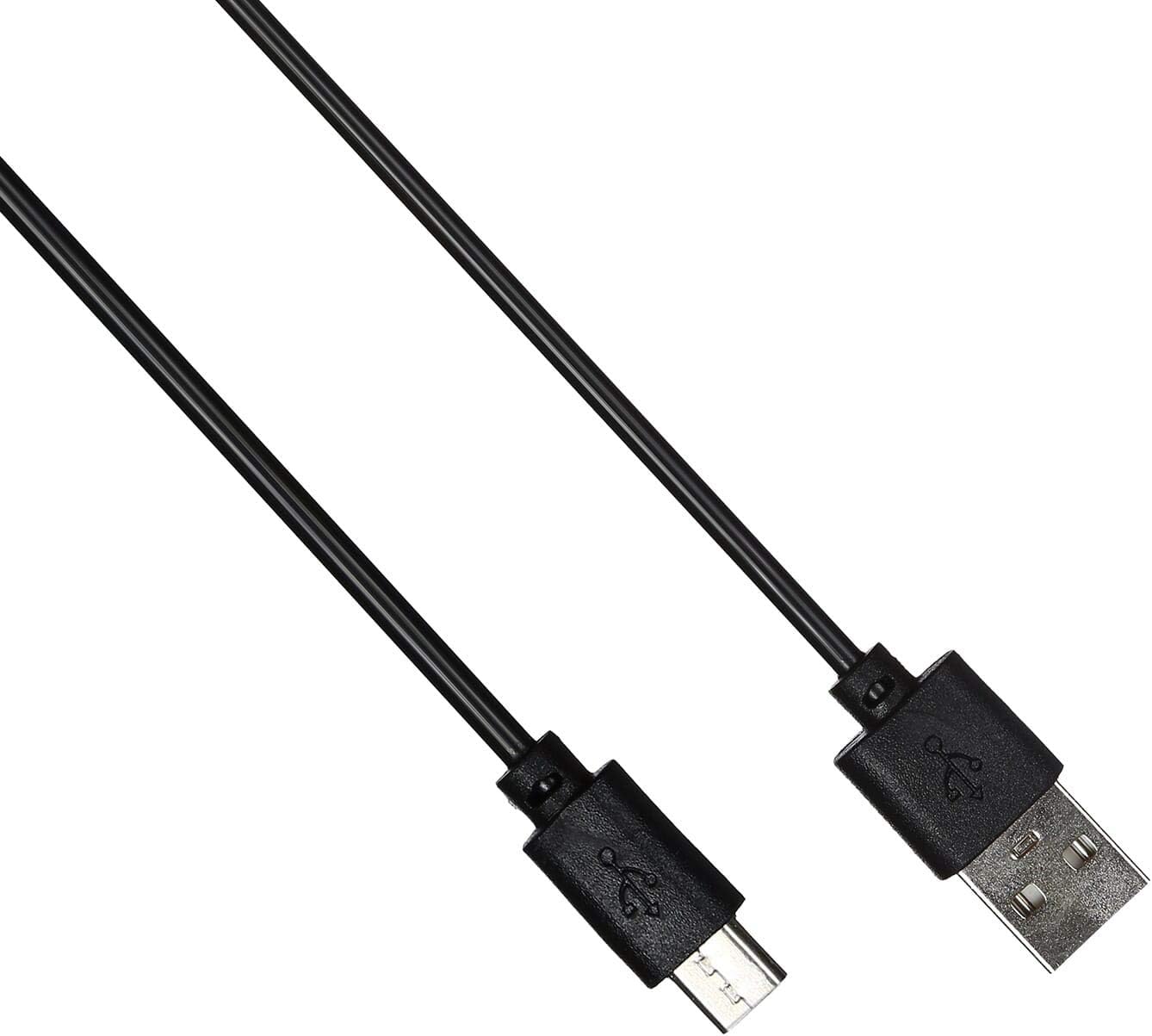
Image: The USB charging cable for the QCY A1 headset.
සැලසුම
1. හෙඩ්සෙට් එක ආරෝපණය කිරීම
- ආරෝපණ කේබලය හෙඩ්සෙට් එකේ ආරෝපණ තොටට සම්බන්ධ කරන්න.
- කේබලයේ අනෙක් කෙළවර USB බල ප්රභවයකට (උදා: පරිගණකය, බිත්ති ඇඩැප්ටරය) සම්බන්ධ කරන්න.
- The indicator light will show charging status. A full charge typically takes approximately 1-2 hours.
- සම්පුර්ණයෙන්ම ආරෝපණය වූ පසු, ආරෝපණ කේබලය විසන්ධි කරන්න.
2. උපාංගයක් සමඟ යුගල කිරීම
- හෙඩ්සෙට් එක ක්රියා විරහිත කර ඇති බවට සහතික වන්න.
- Press and hold the Multi-function button until the indicator light flashes red and blue alternately, indicating pairing mode.
- On your mobile phone or Bluetooth-enabled device, enable Bluetooth and search for available devices.
- සොයාගත් උපාංග ලැයිස්තුවෙන් "QCY A1" තෝරන්න.
- Once connected, the indicator light will flash blue slowly, and you will hear a confirmation tone.
- If pairing fails, turn off the headset and repeat the steps.
මෙහෙයුම් උපදෙස්
බලය සක්රිය / අක්රිය
- බල ගැන්වීම: Press and hold the Multi-function button for 3 seconds. The blue indicator light will flash.
- විදුලිය විසන්ධි කිරීම: Press and hold the Multi-function button for 5 seconds. The red indicator light will flash briefly before turning off.
ඇමතුම් කළමනාකරණය
- පිළිතුරු ඇමතුම: බහුකාර්ය බොත්තම කෙටියෙන් ඔබන්න.
- ඇමතුම අවසන් කරන්න: ඇමතුමක් අතරතුර බහුකාර්ය බොත්තම කෙටියෙන් ඔබන්න.
- ඇමතුම ප්රතික්ෂේප කරන්න: බහුකාර්ය බොත්තම තත්පර 2ක් ඔබාගෙන සිටින්න.
- අවසාන අංකය නැවත අමතන්න: Double-press the Multi-function button when not on a call.
සංගීත වාදනය
- වාදනය/විරාමය: බහුකාර්ය බොත්තම කෙටියෙන් ඔබන්න.
- ඊළඟ ධාවන පථය: ශබ්දය වැඩි කිරීමේ බොත්තම ඔබාගෙන සිටින්න.
- පෙර ධාවන පථය: Volume Down බොත්තම ඔබාගෙන සිටින්න.
- පරිමාව: Volume Up බොත්තම කෙටියෙන් ඔබන්න.
- ශබ්දය පහළට: ශබ්දය අඩු කිරීමේ බොත්තම කෙටියෙන් ඔබන්න.
හඬ සහායක
- හ oice සහකාර සක්රිය කරන්න: Triple-press the Multi-function button (functionality depends on your connected device).
නඩත්තු කිරීම
- මෘදු, වියළි රෙද්දකින් හෙඩ්සෙට් එක නිතිපතා පිරිසිදු කරන්න.
- දරුණු රසායනික ද්රව්ය හෝ උල්ෙල්ඛ ද්රව්ය භාවිතා කිරීමෙන් වළකින්න.
- හෙඩ්සෙට් එක සෘජු හිරු එළියෙන් සහ අධික උෂ්ණත්වයන්ගෙන් ඈත්ව සිසිල් වියළි ස්ථානයක ගබඩා කරන්න.
- Do not immerse the headset in water or expose it to excessive moisture.
- දරුවන්ට ළඟා විය නොහැකි ලෙස තබා ගන්න.
දෝෂගවේෂණය
| ගැටලුව | විසඳුම |
|---|---|
| හෙඩ්සෙට් එක ක්රියාත්මක නොවේ. | හෙඩ්සෙට් එක සම්පුර්ණයෙන්ම ආරෝපණය වී ඇති බව සහතික කර ගන්න. |
| උපාංගය සමඟ යුගල කළ නොහැක. | Ensure the headset is in pairing mode (red and blue lights flashing). Turn off and on your device's Bluetooth. Try pairing again. |
| ශබ්දයක් නැත හෝ දුර්වල ශබ්ද ගුණාත්මකභාවයක් ඇත. | Check the volume levels on both the headset and your connected device. Ensure the headset is within the 10-meter operating range of your device. |
| හෙඩ්සෙට් එක නිතර විසන්ධි වේ. | Ensure there are no obstacles between the headset and your device. Move closer to your device. |
පිරිවිතර
| විශේෂාංගය | විස්තර |
|---|---|
| ආකෘතිය | A1 |
| වෙළඳ නාමය | QCY |
| සම්බන්ධතා තාක්ෂණය | රැහැන් රහිත (බ්ලූටූත් 5.0) |
| බ්ලූටූත් ප්රෝfileගේ සහය දක්වයි | HFP, A2DP, HSP |
| රැහැන් රහිත පරාසය | මීටර් 10 දක්වා |
| පාලන ක්රමය | ස්පර්ශය/බොත්තම |
| හෙඩ්ෆෝන් ආකෘති සාධකය | කනේ |
| ගැළපෙන උපාංග | ජංගම දුරකථන |
| වර්ණය | සුදු |
| අයිතමයේ බර | ග්රෑම් 80 කි |
| ඇතුළත් සංරචක | කන් කුෂන් |
ආරක්ෂිත තොරතුරු
- හෙඩ්සෙට් එක විසුරුවා හැරීම හෝ වෙනස් කිරීම නොකරන්න.
- හෙඩ්සෙට් එක අධික උෂ්ණත්වයකට හෝ ආර්ද්රතාවයට නිරාවරණය කිරීමෙන් වළකින්න.
- සපයා ඇති ආරෝපණ කේබලය හෝ සහතික කළ සමාන ආරෝපණ කේබලයක් පමණක් භාවිතා කරන්න.
- Do not use the headset at high volume for extended periods to prevent hearing damage.
- Be aware of your surroundings when using the headset, especially in traffic or other potentially dangerous situations.