1. හැඳින්වීම
ස්තූතියි, උදව් කළාටasing the LG 43LM5600PTC Full HD Smart LED TV. This manual provides detailed instructions to help you set up, operate, and maintain your television. Please read this manual thoroughly before using the product and keep it for future reference.
The LG 43LM5600PTC is a 43-inch Full HD (1920x1080) Smart LED TV, featuring WebOS for smart functionality, AI ThinQ for voice control, and various connectivity options. It offers a vibrant viewing experience with a 50 Hz refresh rate and powerful 20 Watts audio output.

The LG 43LM5600PTC TV displayed on a modern media console, showcasing its sleek design in a home environment.
2. පෙට්ටියේ ඇති දේ
Upon unpacking your LG 43LM5600PTC TV, please ensure all the following components are present:
- LED TV 1ක්
- 1 මේස මුදුන
- 1 පරිශීලක අත්පොත (මෙම ලේඛනය)
- 1 වගකීම් කාඩ්පත
- 1 දුරස්ථ පාලනය
- AAA බැටරි 2ක් (දුරස්ථ පාලකය සඳහා)
If any items are missing or damaged, please contact LG customer support immediately.
3. පිහිටුවීම
3.1 භෞතික සැකසුම
Your LG TV can be set up on a table using the included stand or mounted on a wall. Ensure the TV is placed on a stable, level surface or securely mounted to a wall according to the wall mount instructions (sold separately).
Table Top Stand Installation
- හානි වැළැක්වීම සඳහා රූපවාහිනී තිරය මෘදු, පැතලි මතුපිටක් මත ප්රවේශමෙන් තබන්න.
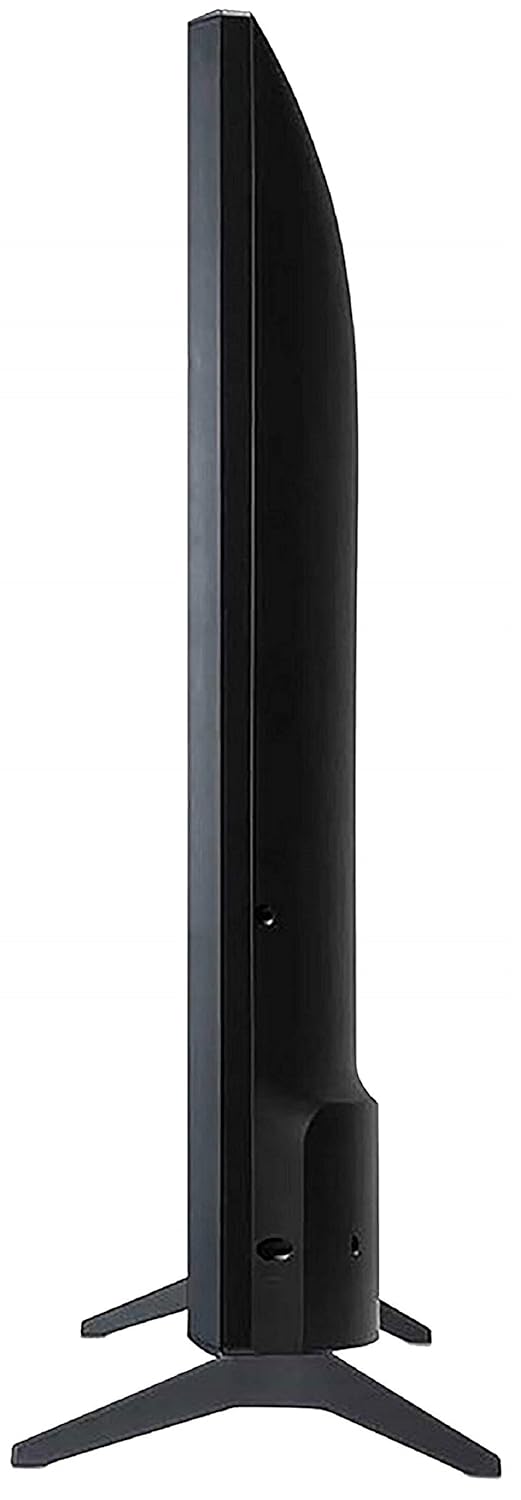
- Attach the table top stand to the designated slots on the bottom of the TV using the provided screws. Ensure the stand is firmly secured.
- Carefully lift the TV and place it on your desired table or cabinet.
A view from the bottom of the LG TV, showing the stable base of the table-top stand.
වෝල් මවුන්ට් ස්ථාපනය
For wall mounting, it is recommended to use a professional installation service. Refer to the wall mount kit's instructions for proper installation. Ensure adequate ventilation around the TV.
3.2 සම්බන්ධක උපාංග
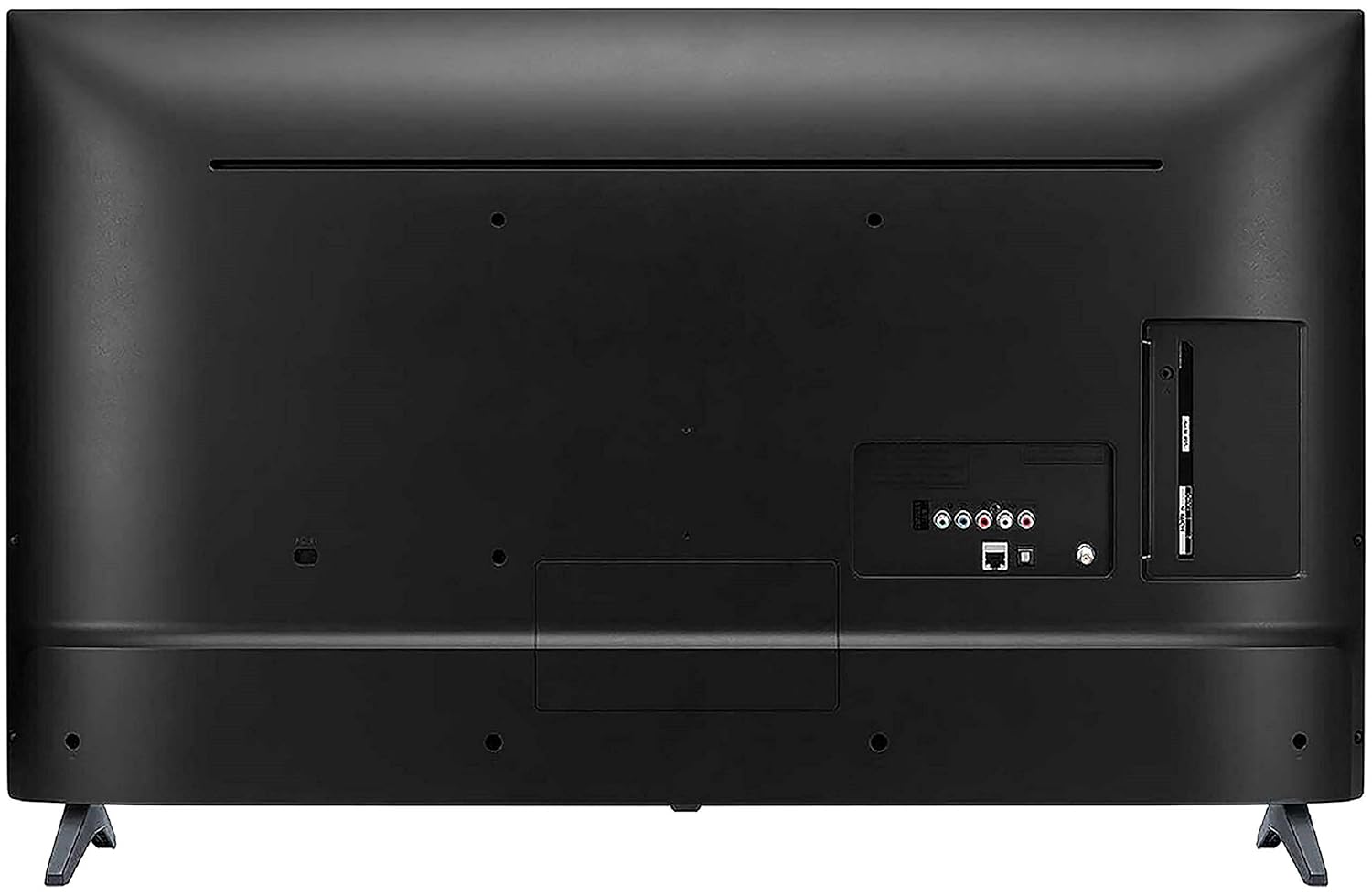
Connect your external devices such as set-top boxes, Blu-ray players, gaming consoles, or USB drives to the appropriate ports on the back of the TV.
The back panel of the LG TV, detailing the arrangement of various input and output ports, including HDMI, USB, and antenna connections.
- HDMI වරාය: The TV features 2 HDMI ports for connecting high-definition devices. Use HDMI cables for optimal picture and sound quality.
- USB Port: A single USB port is available for connecting USB storage devices to play media files.
- Wifi: Connect to your home network wirelessly for smart TV features and internet access.
3.3 ආරම්භක බලය සක්රීය කිරීම
After connecting all necessary cables, plug the TV's power cord into an electrical outlet. Press the power button on the remote control or on the TV itself to turn it on. Follow the on-screen instructions for initial setup, including language selection, network connection, and channel scanning.
4. ඔබේ රූපවාහිනිය ක්රියාත්මක කිරීම
4.1 දුරස්ථ පාලනය
The included standard remote control allows you to navigate the TV's menus, change channels, adjust volume, and access smart features. Insert the two AAA batteries into the remote control, ensuring correct polarity.
4.2 ස්මාර්ට් ටීවී විශේෂාංග (WebOS)
ඔබේ LG රූපවාහිනිය ක්රියාත්මක වන්නේ WebOS operating system, providing a user-friendly interface for accessing a variety of smart features.
- AI ThinQ: Utilize voice control options for convenient operation and smart home integration.
- One-touch Access: Quickly access popular streaming services like Netflix and Amazon Prime Video with dedicated buttons on your remote.
- Miracast (Screen Sharing): අනුකූල ස්මාර්ට්ෆෝන් හෝ ටැබ්ලට් පරිගණකවල අන්තර්ගතය රැහැන් රහිතව ඔබේ රූපවාහිනී තිරයට පිළිබිඹු කරන්න.
- AI Launcher: Access your favorite apps and content quickly from the customizable launcher bar.
- මුල් පිටුව උපකරණ පුවරුව: Manage connected devices and smart home appliances directly from your TV.
- අන්තර්ගත ගබඩාව: Download and install additional applications and games from the LG Content Store.

Screenshot of the LG Home Dashboard, showing various connected devices and smart home controls.

The LG Content Store interface, displaying available apps and content for download.
4.3 පින්තූර සහ ශබ්ද සැකසුම්
Access the TV's settings menu to customize picture and sound to your preference. Key display features include:
- ක්රියාකාරී HDR: වඩාත් ගතික බවක් සඳහා වෙනස සහ වර්ණය වැඩි දියුණු කරයි viewඅත්දැකීමෙන්.
- HDR Dynamic Tone Mapping: දර්ශනයෙන් දර්ශනයට HDR අන්තර්ගත ප්රශස්ත කරයි.
- වර්ණ වැඩි දියුණු කරන්නා: Adjusts color saturation and hue for vivid images.
- DTS Virtual:X: Provides an immersive, multi-dimensional audio experience.

දෘශ්ය හිටපු කෙනෙක්ample of Active HDR technology, highlighting improved contrast and detail in bright and dark areas of the image.

A visual representation of the Color Enhancer feature, showing enhanced color vibrancy on the TV screen.

An image representing the DTS Virtual:X audio experience, suggesting immersive sound.
5. නඩත්තු කිරීම
නිසි නඩත්තුව ඔබේ රූපවාහිනියේ ආයු කාලය සහ ප්රශස්ත ක්රියාකාරිත්වය සහතික කරයි.
- තිරය පිරිසිදු කිරීම: මෘදු, වියළි මයික්රෝෆයිබර් රෙද්දකින් තිරය මෘදු ලෙස පිස දමන්න. මුරණ්ඩු සලකුණු සඳහා, තරමක් dampen ජලය හෝ විශේෂිත තිර පිරිසිදු කරන්නෙකු සහිත රෙදි (තිරය මත කෙලින්ම ඉසින්න එපා).
- කැබිනට් මණ්ඩලය පිරිසිදු කිරීම: රූපවාහිනී කැබිනට්ටුව පිස දැමීමට මෘදු වියළි රෙද්දක් භාවිතා කරන්න. උල්ෙල්ඛ පිරිසිදු කරන්නන් හෝ ද්රාවක භාවිතා කිරීමෙන් වළකින්න.
- වාතාශ්රය: රූපවාහිනියේ වාතාශ්රය විවරයන් අවහිර නොවන බවට වග බලා ගන්න. ප්රමාණවත් වායු ප්රවාහයක් නොමැතිව රූපවාහිනිය සංවෘත අවකාශයක තබන්න එපා.
- විදුලි රැහැන්: Regularly check the power cord for any damage. If damaged, replace it immediately with an authorized LG part.
6. දෝශ නිරාකරණය
ඔබේ රූපවාහිනියේ කිසියම් ගැටළුවක් ඇති වුවහොත්, පාරිභෝගික සහාය සම්බන්ධ කර ගැනීමට පෙර පහත පොදු දෝශ නිරාකරණ පියවර වෙත යොමු වන්න.
- බලය නැත: විදුලි රැහැන රූපවාහිනියට සහ විදුලි අලෙවිසැලට ආරක්ෂිතව සම්බන්ධ කර ඇත්දැයි පරීක්ෂා කරන්න. අලෙවිසැල ක්රියාකාරී බව සහතික කර ගන්න.
- පින්තූරයක්/ශබ්දයක් නැත: Verify that the correct input source is selected. Check all cable connections (HDMI, antenna, etc.) for looseness.
- දුරස්ථ පාලකය ක්රියා නොකරයි: දුරස්ථ පාලකයේ බැටරි මාරු කරන්න. දුරස්ථ පාලකය සහ රූපවාහිනියේ IR සංවේදකය අතර කිසිදු බාධාවක් නොමැති බවට වග බලා ගන්න.
- ස්මාර්ට් විශේෂාංග ක්රියා නොකරයි: Check your Wi-Fi connection. Restart your router and the TV.
- පින්තූර ගුණාත්මක ගැටළු: පින්තූර සැකසුම් (දීප්තිය, වෙනස, වර්ණය) සකසන්න. ආදාන ප්රභවය උසස් තත්ත්වයේ සංඥාවක් සපයන බවට වග බලා ගන්න.
For more complex issues, consult the full user manual available on the LG webවෙබ් අඩවියට පිවිසෙන්න හෝ LG පාරිභෝගික සහාය අමතන්න.
7. පිරිවිතර
Detailed technical specifications for the LG 43LM5600PTC TV:
| විශේෂාංගය | පිරිවිතර |
|---|---|
| වෙළඳ නාමය | LG |
| ආකෘතිය | 43LM5600PTC |
| ආදර්ශ වර්ෂය | 2019 |
| තිර ප්රමාණය | අඟල් 43 (108 සෙ.මී.) |
| සංදර්ශක තාක්ෂණය | LED |
| විභේදනය | සම්පූර්ණ HD (1920 x 1080 පික්සල) |
| Refresh Rate | 50 Hz |
| මෙහෙයුම් පද්ධතිය | WebOS |
| ග්රැෆික් කොප්රොසෙසරය | LG Graphic Processor |
| මතක ගබඩා ධාරිතාව | 4 GB |
| ස්ථාපිත RAM මතක ප්රමාණය | 1 GB |
| සම්බන්ධතා තාක්ෂණය | HDMI, USB, Wi-Fi |
| HDMI වරායන් | 2 |
| USB Ports | 1 |
| ශ්රව්ය ප්රතිදාන ප්රකාරය | ස්ටීරියෝ |
| ශ්රව්ය වොට්tage | වොට් 20 |
| ස්පීකර් සරවුන්ඩ් සවුන්ඩ් | බලවත් ශබ්දය |
| Viewing කෝණය | අංශක 178 |
| නිෂ්පාදන මානයන් (ස්ටෑන්ඩ් නොමැතිව) | 8.1 x 97.7 x 57.5 සෙ.මී |
| අයිතමයේ බර | කිලෝ ග්රෑම් 8.3 කි |
| බලශක්ති ප්රභවය | AC |
| දුරස්ථ පාලක වර්ගය | Standard Remote (IR, Bluetooth) |

Diagram illustrating the precise dimensions of the LG 43LM5600PTC TV, including width (97.7 cm), height (57.5 cm without stand, 61.5 cm with stand), and depth (8.08 cm without stand, 18.7 cm with stand).
8. වගකීම් සහ සහාය
Your LG 43LM5600PTC TV comes with a 1-year LG India Comprehensive Warranty. An additional 1-year warranty is applicable on the panel/module. Please retain your purchase invoice to avail warranty services.
For installation, wall mounting, or product demonstration requests after delivery, please contact LG customer service. You can find contact details on the warranty card or LG's official webඅඩවිය.
This product is eligible for replacement within 10 days of delivery in case of any product defects, damage, or features not matching the description provided. Refer to the retailer's return policy for details.
9. නිෂ්පාදන අවසන්view වීඩියෝ
කෙටි විස්තරයක් සඳහා මෙම නිල නිෂ්පාදන වීඩියෝව නරඹන්නview of the LG 43LM5600PTC Full HD Smart LED TV's key features and benefits.
මෙම වීඩියෝව ඉක්මන් විස්තරයක් සපයයිview of the LG 43LM5600PTC TV's main features, including its Full HD resolution, connectivity options, powerful sound, smart capabilities like AI ThinQ and Miracast, and warranty information.