1. හැඳින්වීම
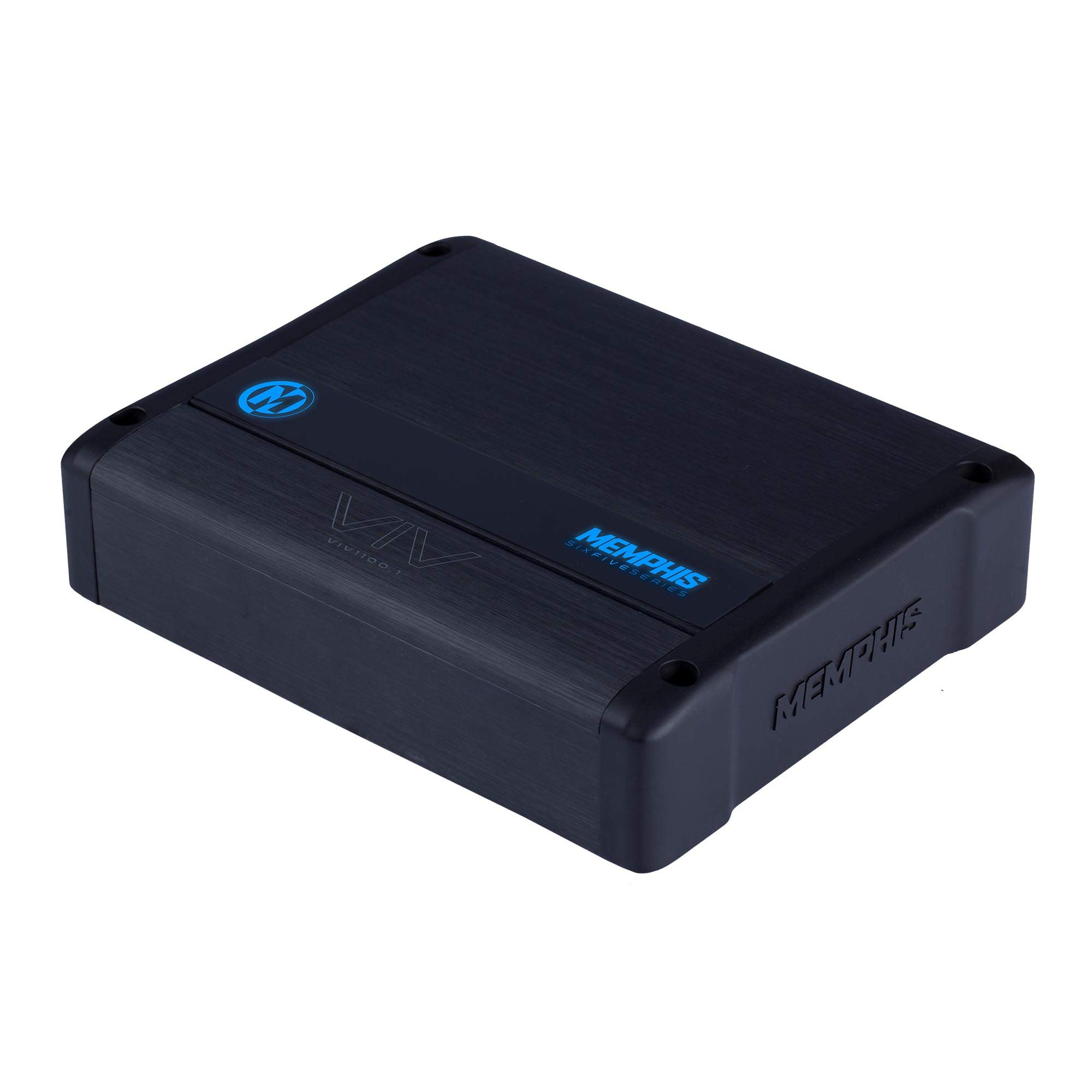
Thank you for choosing the Memphis Audio VIV1100.1 SixFive Series Mono Subwoofer Ampලයිෆයර්. මේ amplifier is designed to deliver powerful and clear bass performance for your car audio system. This manual provides essential information for proper installation, operation, and maintenance to ensure optimal performance and longevity of your ampජීවිතාරක්ෂකයා.
2 ආරක්ෂිත තොරතුරු
WARNING: Improper installation or use of this product can result in serious injury or death. Read and understand all instructions before installing or using this product.
- ඕනෑම ස්ථාපනයක් ආරම්භ කිරීමට පෙර සෑම විටම වාහනයේ බැටරි ඍණ අග්රය විසන්ධි කරන්න.
- Ensure all wiring is properly routed and secured to prevent damage from moving parts or sharp edges.
- මෙම අත්පොතෙහි දක්වා ඇති පරිදි බලය, බිම් සහ ස්පීකර් සම්බන්ධතා සඳහා සුදුසු මිනුම් රැහැන් භාවිතා කරන්න.
- සවි නොකරන්න ampසෘජු හිරු එළිය, අධික තාපය, තෙතමනය හෝ දූවිලි වලට නිරාවරණය වන ස්ථානවල ලයිෆයර්.
- කිසි විටෙකත් ක්රියාත්මක නොකරන්න amplifier with damaged wiring or if it emits smoke or unusual odors. Immediately disconnect power and consult a qualified technician.
- ප්රශස්ත කාර්ය සාධනය සහ ආරක්ෂාව සඳහා වෘත්තීය ස්ථාපනය නිර්දේශ කෙරේ.
3. පැකේජ අන්තර්ගතය
ඔබේ පැකේජයේ පහත අයිතම අඩංගු බව තහවුරු කරන්න:
- Memphis Audio VIV1100.1 Mono Subwoofer Ampජීවිතාරක්ෂකයා
- සවි කිරීමේ දෘඩාංග (ඉස්කුරුප්පු)
- හිමිකරුගේ අත්පොත (මෙම ලේඛනය)
- Remote Bass Knob (if included with your model)
4. සැකසුම සහ ස්ථාපනය
4.1 සවි කිරීම Ampජීවිතාරක්ෂකයා
Choose a mounting location that is dry, well-ventilated, and away from direct heat sources. Ensure there is sufficient airflow around the amplifier for cooling. Secure the ampසපයා ඇති සවිකරන දෘඩාංග භාවිතා කරමින් ලිෆයර් තදින් සවි කරන්න.
4.2 රැහැන් සම්බන්ධතා
All wiring connections must be secure and properly insulated. Refer to the diagrams below for correct wiring procedures.

රූපය 1: පසුපස පැනල් සම්බන්ධතා. This image displays the rear panel of the VIV1100.1 amplifier, highlighting the power input terminals (B+, GND, REM), RCA input/output jacks, and speaker output terminals. Also visible are the 'AUTO TURN ON' switch, 'INPUT LEVEL' switch, and 'PROTECT' indicator.
4.2.1 බල සම්බන්ධතා
- B+ (12V Power): Connect a heavy-gauge power cable (e.g., 4 AWG or larger, depending on installation) directly from the positive terminal of the vehicle's battery. Install an appropriate fuse (not supplied) within 18 inches of the battery.
- GND (බිම): Connect a heavy-gauge ground cable of the same size as the power cable to a clean, unpainted metal surface of the vehicle chassis. Ensure a good electrical connection.
- REM (දුරස්ථ සක්රිය කිරීම): Connect a 18-gauge wire from the remote turn-on output of your head unit to this terminal. This wire turns the ampඔබේ ප්රධාන ඒකකය සමඟ ලයිෆයර් සක්රිය සහ අක්රිය කරන්න.
4.2.2 ආදාන සම්බන්ධතා
ඔබේ ප්රධාන ඒකකයේ RCA ප්රතිදාන සම්බන්ධ කරන්න amplifier's RCA INPUT jacks. If your head unit does not have RCA outputs, use the high-level input option if available (refer to the 'INPUT LEVEL' switch).
4.2.3 කථානායක සම්බන්ධතා
ඔබේ සබ් වූෆර්(ය) සම්බන්ධ කරන්න amplifier's SPEAKER terminals. Ensure correct polarity (+ to + and - to -). This is a mono amplifier, designed for a single subwoofer or multiple subwoofers wired to a single channel. Refer to your subwoofer's specifications for impedance matching.
4.3 Amplifier Controls and Adjustments
The VIV1100.1 amplifier features various controls for fine-tuning your audio system. Adjust these settings carefully to achieve optimal sound quality.
රූපය 2: ඉහළ පැනල පාලන. This image illustrates the top control panel of the VIV1100.1 amplifier, detailing the adjustable knobs for GAIN, SUB-SONIC filter, X-OVER (low-pass crossover), CENTER FREQ, Q, BASS BOOST, and the LED COLOR selector.
- ලාභය: හි ආදාන සංවේදීතාව සීරුමාරු කරයි amplifier to match the output of your head unit. Start with the gain at minimum and slowly increase until desired volume is reached without distortion.
- SUB-SONIC Filter (24dB Per Octave): Filters out extremely low frequencies that are inaudible and can damage subwoofers. Set this just below the lowest frequency your subwoofer can reproduce effectively.
- X-OVER (Low Pass Crossover - 48dB Per Octave): Controls the upper frequency limit of the amplifier's output. Set this to allow only bass frequencies to pass to the subwoofer.
- CENTER FREQ & Q: These controls are part of the M-Equalization™ system, allowing for precise tuning of a specific frequency band. Adjust the CENTER FREQ to select the frequency and Q to adjust the bandwidth of the boost/cut.
- උසස්ෙකාට දක්කනවා: Provides an adjustable boost to bass frequencies. Use sparingly to avoid distortion and potential speaker damage.
- LED වර්ණය: Selects the color of the amplifier's LED panel. This amplifier features 7 selectable colors.
5. මෙහෙයුම් උපදෙස්
Once properly installed and configured, the amplifier will turn on automatically when your head unit is powered on (via the remote turn-on wire or DC offset sensing if 'AUTO TURN ON' is enabled). The LED indicator will illuminate to show operational status.
- බල ගැන්වීම: ද amplifier will power on when the remote turn-on signal is received.
- LED දර්ශකය: The LED panel will display the selected color during normal operation. If the amplifier enters protection mode, the LED may change color or turn off (refer to Troubleshooting).
- ශබ්ද පාලනය: Adjust the overall system volume using your head unit. The amplifier's gain control should be set once and not used as a volume control.
6. නඩත්තු කිරීම
The Memphis Audio VIV1100.1 amplifier requires minimal maintenance. Follow these guidelines to ensure continued performance:
- පිරිසිදු කිරීම: වරින් වර පිස දමන්න ampලිෆයර් එකේ බාහිර පෙනුම මෘදු වියළි රෙද්දකින් පිස දමන්න. රළු රසායනික ද්රව්ය හෝ උල්ෙල්ඛ පිරිසිදු කරන්නන් භාවිතා නොකරන්න.
- පරීක්ෂාව: තද බව සහ විඛාදන හෝ හානිවල සලකුණු සඳහා සියලුම රැහැන් සම්බන්ධතා නිතිපතා පරීක්ෂා කරන්න. වටා ප්රමාණවත් වාතාශ්රයක් සහතික කරන්න. ampජීවිතාරක්ෂකයා.
- බාධා වළක්වා ගන්න: මත වස්තූන් තබන්න එපා amplifier that could block airflow to the heat sinks.
7. දෝශ නිරාකරණය
ඔබ සමඟ ගැටලු අත්විඳින්නේ නම් amplifier, consult the following troubleshooting guide before contacting support.
| ගැටලුව | විය හැකි හේතුව | විසඳුම |
|---|---|---|
| බලය නැත / LED නැත | පිපිරුණු ෆියුස්, දුර්වල බල/බිම් සම්බන්ධතාවය, දුරස්ථව ක්රියාත්මක කිරීමේ සංඥාවක් නොමැත. | Check inline fuse near battery. Verify power, ground, and remote wire connections. Ensure head unit is on. |
| Protection Mode (LED changes/off) | Overheating, speaker short circuit, impedance too low, DC offset. | ඉඩ දෙන්න amplifier to cool. Check speaker wiring for shorts. Verify speaker impedance is within amplifier's limits. Disconnect inputs to check for DC offset. |
| Sound Output නැත | ආදාන සංඥාවක් නැත, වැරදි ලාභ සැකසුම, ස්පීකර් වයර් විසන්ධි වී ඇත. | Check RCA input cables. Adjust gain. Verify speaker connections. Ensure head unit is playing audio. |
| විකෘති ශබ්දය | Gain set too high, improper crossover settings, damaged speaker. | Reduce gain. Adjust crossover and bass boost settings. Test with a different speaker if possible. |
| එන්ජින් ශබ්දය / කෙඳිරිලි හඬ | Poor ground connection, RCA cables routed near power wires, ground loop. | සහතික කරන්න amplifier and head unit have solid, separate ground points. Reroute RCA cables away from power wires. Use a ground loop isolator if necessary. |
8. පිරිවිතර
The following are key specifications for the Memphis Audio VIV1100.1 SixFive Series Mono Subwoofer Ampජීවිත කාලය:
- ආදර්ශ අංකය: VIV1101 0 (VIV1100.1)
- බල ප්රතිදානය: 1,100 watts RMS x 1 at 1 ohm (typical)
- උපසෝනික් පෙරහන: 24dB Per Octave
- අඩු පාස් හරස්කඩ: 48dB Per Octave
- ඩිජිටල් සංඥා සැකසීම: ඔව්
- අවසන් කරන්න: Angel Hair Anodized
- LED පැනලය: 7 Color Selectable Color Changing LED Panel
- සවිකිරීමේ වර්ගය: Door mount (refer to installation guidelines for secure mounting)
- UPC: 841992149113
- පළමු ලබා ගත හැකි දිනය: 23 ජූලි 2020
9. වගකීම් සහ සහාය
9.1 වගකීම් තොරතුරු
This Memphis Audio VIV1100.1 amplifier a සමඟ පැමිණේ දින 90ක සීමිත වගකීමක්. This warranty covers defects in materials and workmanship under normal use. It does not cover damage caused by improper installation, accident, misuse, abuse, neglect, unauthorized modification, or normal wear and tear. Please retain your proof of purchase for warranty claims.
9.2 පාරිභෝගික සහාය
For technical assistance, warranty service, or questions regarding your Memphis Audio VIV1100.1 amplifier, please contact your authorized Memphis Audio dealer or visit the official Memphis Audio website for support resources. When contacting support, please have your product model number and purchase information readily available.


