හැඳින්වීම
The Olympus Tough TG-6 is a durable digital camera designed for use in challenging environments. It features a 12MP BSI CMOS sensor and TruePic VIII image processor, offering high-quality stills and 4K video recording. This camera is waterproof, crushproof, shockproof, freezeproof, and dustproof, making it suitable for various outdoor activities. This manual provides essential information for setting up, operating, maintaining, and troubleshooting your TG-6 camera.
ආරක්ෂිත තොරතුරු
- ජල ආරක්ෂිත අඛණ්ඩතාව: Ensure all covers (battery/card compartment, USB/HDMI ports) are securely closed before exposing the camera to water. Clean and dry the camera thoroughly after underwater use.
- බැටරි ආරක්ෂාව: Use only the specified Olympus LI-92B battery. Do not expose batteries to excessive heat, fire, or attempt to disassemble them.
- උෂ්ණත්ව අන්ත: While the camera is designed for extreme temperatures, avoid prolonged exposure to direct sunlight or extremely cold conditions when not in use to preserve battery life and internal components.
- පිරිසිදු කිරීම: Use a soft, lint-free cloth for cleaning. For the lens, use a specialized lens cleaning solution and cloth. Avoid harsh chemicals.
පැකේජයේ අන්තර්ගතය
Verify that the following items are included with your Olympus Tough TG-6 camera:
- Olympus Tough TG-6 Digital Camera
- LI-92B Rechargeable Lithium-Ion Battery
- F-5AC Adapter (for charging)
- මයික්රෝ-යූඑස්බී කේබලය
- අත් පටිය
කැමරාව අවසන්view
Familiarize yourself with the camera's physical features and controls.
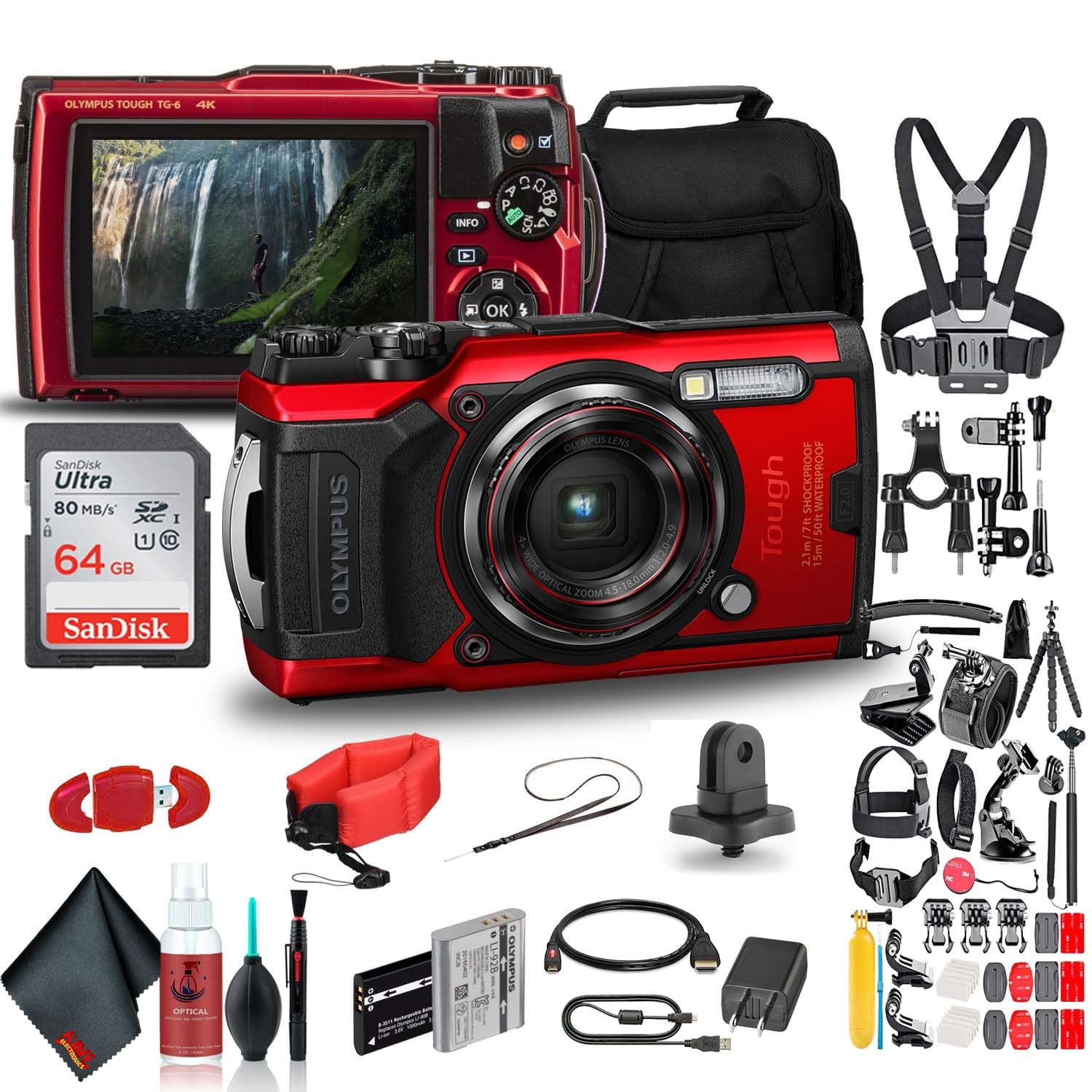
රූපය 1: ඉදිරිපස View. This image displays the front of the Olympus Tough TG-6 camera, highlighting the central lens, the built-in flash, and the prominent 'Tough' branding indicating its durable design.
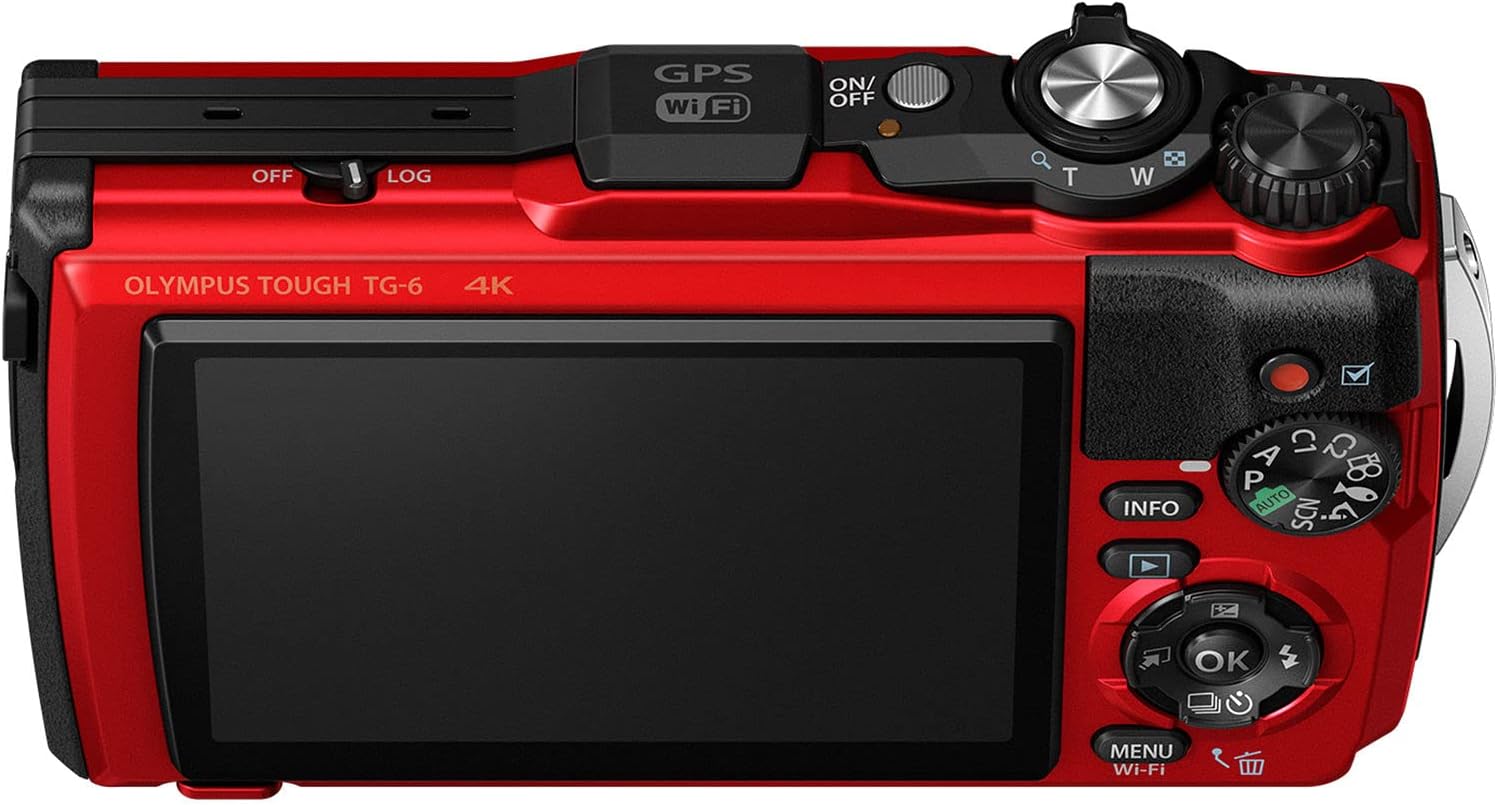
රූපය 2: ආපසු View. This image shows the rear of the Olympus Tough TG-6 camera, featuring the large LCD monitor and various control buttons for navigation and settings adjustments.

රූපය 3: ඉහළ View. This image illustrates the top panel of the Olympus Tough TG-6 camera, including the power button, shutter release button, and the mode dial for selecting shooting modes.
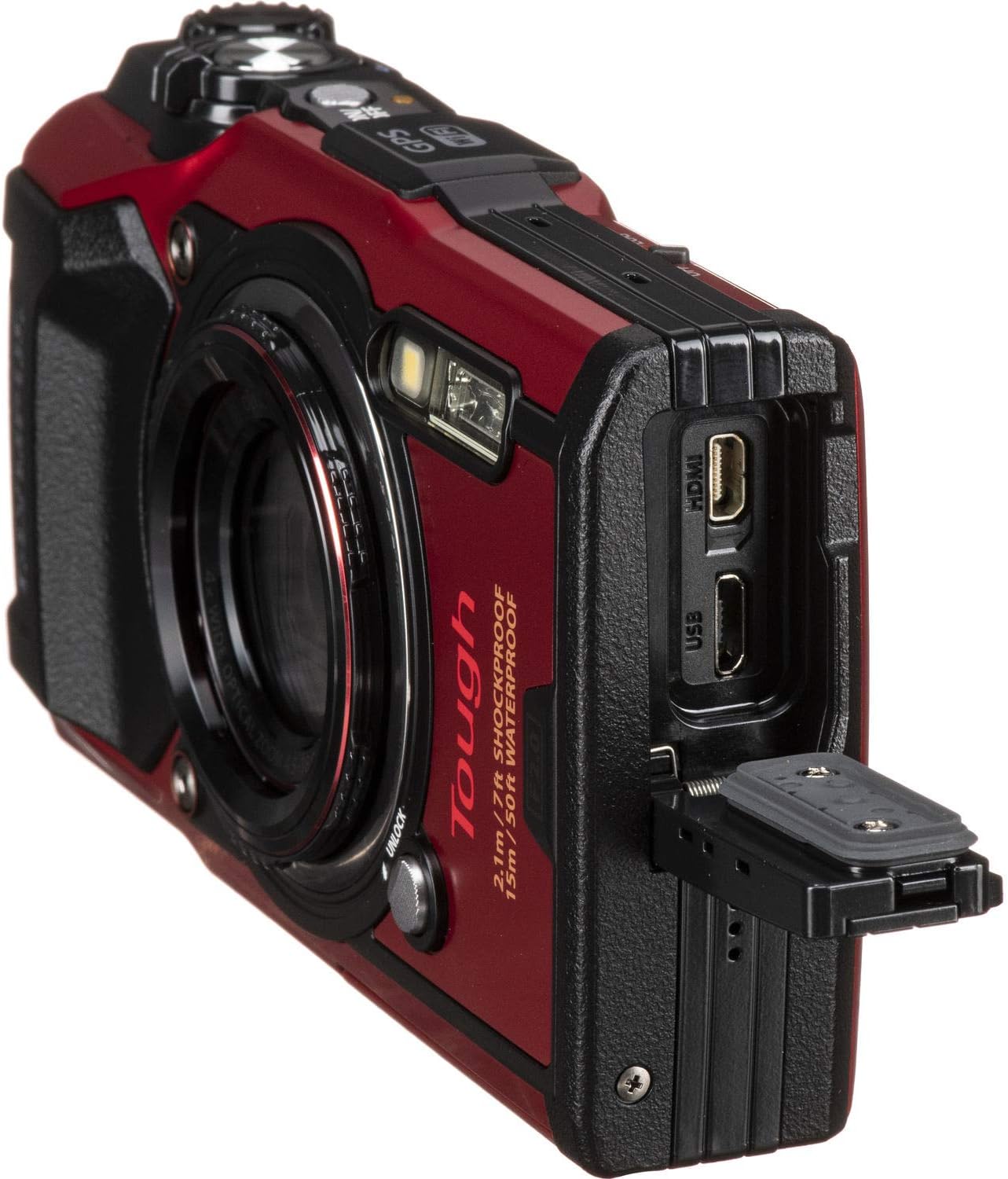
රූපය 4: පැත්ත View වරායන් සමඟ. This image displays the side of the Olympus Tough TG-6 camera with the protective cover open, exposing the Micro USB and HDMI ports for connectivity.
සැලසුම
1. බැටරිය සහ මතක කාඩ්පත ඇතුළු කිරීම
- කැමරාවේ පතුලේ ඇති බැටරි/කාඩ්පත් මැදිරි කවරය විවෘත කරන්න.
- Insert the LI-92B battery with the correct orientation until it clicks into place.
- Insert an SD, SDHC, or SDXC memory card (up to 64GB supported) into the card slot until it clicks.
- Close the compartment cover securely until it locks.
2. බැටරිය ආරෝපණය කිරීම
- Connect the camera to the F-5AC adapter using the Micro-USB cable.
- Plug the adapter into a power outlet. The charging indicator will illuminate.
- දර්ශක ආලෝකය නිවා දැමූ විට ආරෝපණය සම්පූර්ණ වේ.
3. මූලික සැකසුම්
- ඔබන්න සක්රිය / අක්රිය කැමරාව මත බල ගැන්වීමේ බොත්තම.
- භාෂාව, දිනය සහ වේලාව සැකසීමට තිරයේ ඇති විමසීම් අනුගමනය කරන්න.
කැමරාව ක්රියාත්මක කිරීම
1. මූලික ඡායාරූපකරණය
- Turn the mode dial to the desired shooting mode (e.g., i-ඔටෝ for automatic settings).
- LCD මොනිටරය භාවිතයෙන් ඔබේ ඡායාරූපය රාමු කරන්න.
- Press the shutter button halfway to focus. The focus frame will turn green when focus is achieved.
- පින්තූරය ගැනීමට ෂටර් බොත්තම සම්පූර්ණයෙන්ම ඔබන්න.
2. වීඩියෝ පටිගත කිරීම
- To start recording video, press the dedicated චිත්රපට වාර්තා බොත්තම.
- Press the button again to stop recording. The camera supports 4K video recording.
3. විශාලන කාර්යය
- භාවිතා කරන්න Zoom Lever (T/W) to adjust the optical zoom (4x) and digital zoom.
4. ජල ආරක්ෂිත භාවිතය
- The TG-6 is waterproof to 15m (50ft). Ensure all covers are clean and free of debris before closing.
- After use in saltwater, rinse the camera with fresh water and dry thoroughly with a soft cloth.
උසස් විශේෂාංග
1. Wi-Fi සම්බන්ධතාව
- The built-in Wi-Fi allows you to connect the camera to a smartphone or tablet using the Olympus Image Share (OI.Share) app.
- This enables remote control of the camera and wireless transfer of images and videos.
2. GPS and Field Sensor System
- The camera features a Field Sensor System that records location (GPS), temperature, depth, and direction data.
- මෙම දත්ත විය හැක viewed on the camera or with the OI.Track app.
3. Microscope Mode
- ප්රකාර ඩයල් එක අන්වීක්ෂය mode for extreme close-up photography.
- This mode allows focusing as close as 1cm from the subject.
නඩත්තු කිරීම
1. කැමරාව පිරිසිදු කිරීම
- Wipe the camera body with a soft, dry cloth. For stubborn dirt, use a slightly damp රෙදි සහ පසුව හොඳින් වියළන්න.
- For the lens, use a lens brush to remove dust, then gently wipe with a lens cleaning cloth and solution.
- Never use organic solvents like alcohol or paint thinner.
2. බැටරි රැකවරණය
- කැමරාව දිගු කාලයක් භාවිතා නොකරන්නේ නම් බැටරිය ඉවත් කරන්න.
- සිසිල් වියළි ස්ථානයක බැටරි ගබඩා කරන්න.
3. ගබඩා කිරීම
- කැමරාව වියළි, හොඳින් වාතාශ්රය ඇති ප්රදේශයක, සෘජු හිරු එළියෙන් සහ අධික උෂ්ණත්වයන්ගෙන් ඈත්ව ගබඩා කරන්න.
- Avoid storing the camera in areas with high humidity or corrosive chemicals.
දෝෂගවේෂණය
| ගැටලුව | විය හැකි හේතුව / විසඳුම |
|---|---|
| කැමරාව ක්රියාත්මක නොවේ. | Battery is depleted. Charge the battery. Battery is inserted incorrectly. Reinsert the battery correctly. |
| පින්තූර බොඳයි. | Lens is dirty. Clean the lens. Camera shake. Hold the camera steady or use a tripod. Subject is too close/far. Ensure subject is within focus range. |
| කැමරාව ඇතුලේ වතුර. | Battery/card compartment cover was not securely closed. Immediately power off the camera, remove the battery, and contact Olympus service. |
| මතක කාඩ්පතේ දෝෂයක්. | මතක කාඩ්පත පිරී ඇත. අනවශ්ය දේ මකන්න. files or use a new card. Memory card is damaged. Try a different card. Format the card (this will erase all data). |
පිරිවිතර
| විශේෂාංගය | විස්තර |
|---|---|
| සංවේදකය | 12 MP BSI CMOS (අඟල් 1/2.3) |
| රූප සකසනය | TruePic VIII |
| කාච | 4x Optical Zoom (25-100mm equivalent), f/2.0 maximum aperture |
| වීඩියෝ පටිගත කිරීම | 4K30p, Full HD 1080p at 120 fps |
| අඛණ්ඩ වෙඩි තැබීම | 20 fps දක්වා |
| ISO සංවේදීතාව | 100-12800 (පුළුල් කරන ලදී) |
| ප්රදර්ශනය කරන්න | 3.0" 1.04m-Dot LCD Monitor |
| කල්පැවැත්ම | Waterproof to 15m (50ft), Crushproof to 100kgf, Shockproof to 2.1m (7ft), Freezeproof to -10°C (14°F), Dustproof |
| සම්බන්ධතාවය | Built-in Wi-Fi, GPS, Micro USB, HDMI (Type D) |
| Memory Card Slot | SD/SDHC/SDXC (UHS-I අනුකූල) |
| බැටරි | LI-92B Rechargeable Lithium-Ion |
වගකීම් සහ සහාය
Your Olympus Tough TG-6 camera is covered by a manufacturer's warranty. Please refer to the warranty card included in your original packaging for specific terms and conditions. For technical support, service, or to download the full instruction manual, visit the official Olympus website or contact Olympus customer service in your region.
මාර්ගගත සහාය: www.olympus-imaging.com