හැඳින්වීම
This user manual provides comprehensive instructions for the setup, operation, maintenance, and troubleshooting of your Trust Ozaa Rechargeable Wireless Mouse. Please read this manual carefully before using the product to ensure optimal performance and longevity.

Image: The Trust Ozaa Rechargeable Wireless Mouse shown with its USB receiver and micro-USB charging cable. This image illustrates the main components included with the mouse.
පැකේජයේ අන්තර්ගතය
සියලුම අයිතම පැකේජයේ ඇති බව තහවුරු කරගන්න:
- Trust Ozaa Rechargeable Wireless Mouse
- USB ලබන්නා
- Micro-USB ආරෝපණ කේබලය
- භාවිතය සඳහා උපදෙස් (මෙම අත්පොත)

Image: The retail packaging for the Trust Ozaa Rechargeable Wireless Mouse, highlighting its key features such as 10m wireless range, comfortable design, and silent click buttons.
සැලසුම
- මූසිකය ආරෝපණය කරන්න: Before first use, connect the supplied micro-USB charging cable to the mouse's charging port and to a USB power source (e.g., computer USB port, USB wall adapter). The charging indicator light will illuminate. Allow the mouse to fully charge.
- USB ග්රාහකය ඇතුළු කරන්න: Locate the USB receiver, typically stored in a compartment on the underside of the mouse. Remove it and plug it into an available USB-A port on your computer (PC or Mac).
- බල ගැන්වීම: Turn on the mouse using the on/off switch located on the underside.
- ස්වයංක්රීය සම්බන්ධතාවය: The mouse should automatically connect to your computer. No additional drivers are typically required for basic functionality (Plug and Play).

Image: A user operating the Trust Ozaa mouse wirelessly next to a laptop, demonstrating its plug-and-play functionality and 10-meter wireless range.
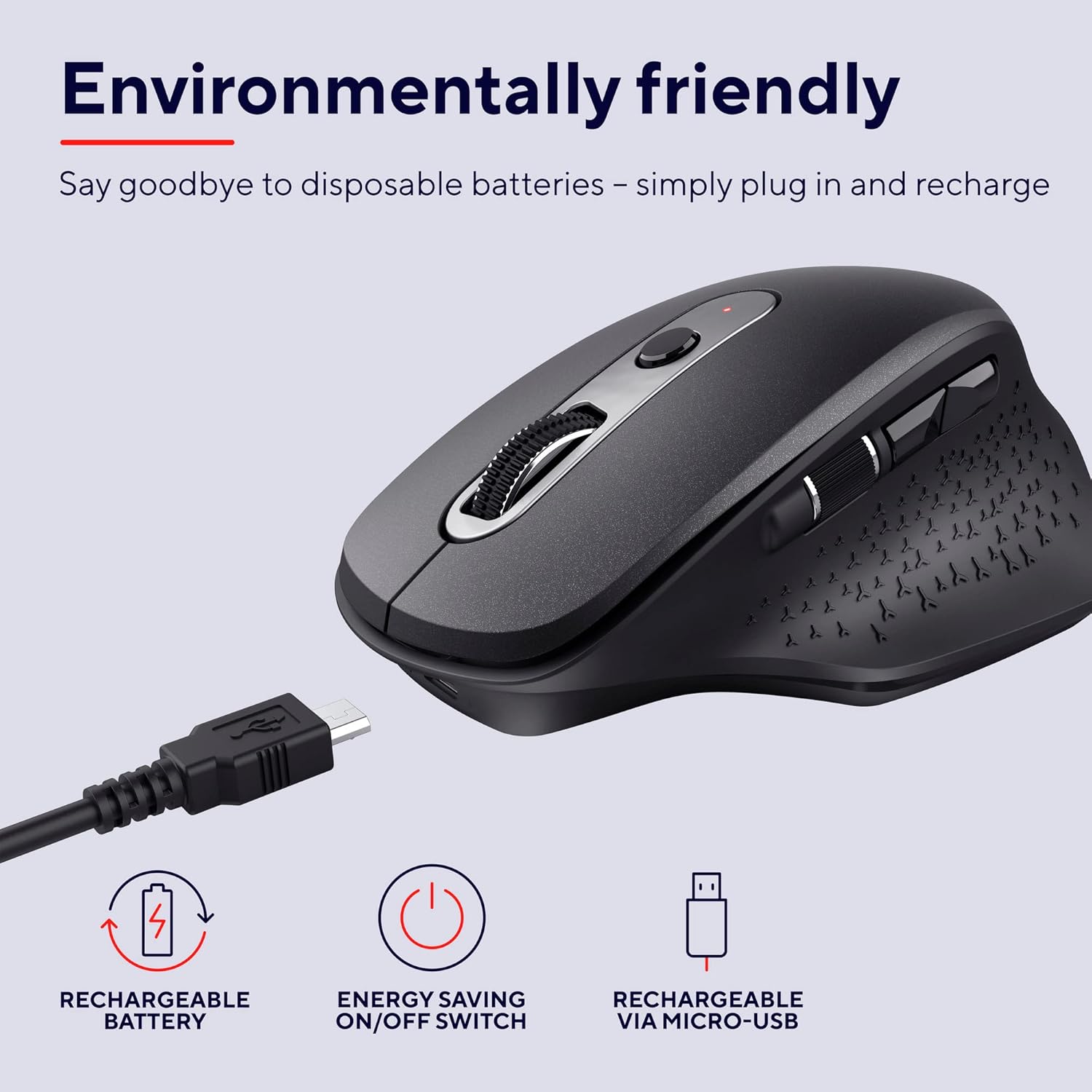
Image: The Trust Ozaa mouse being charged via its micro-USB cable, highlighting its rechargeable battery and energy-saving features.
මෙහෙයුම් උපදෙස්
බොත්තම් කාර්යයන්
- වම් ක්ලික් බොත්තම: Standard primary click. Designed for silent operation.
- දකුණු ක්ලික් බොත්තම: Standard secondary click. Designed for silent operation.
- Scroll Wheel (Middle Button): ලේඛන හරහා සිරස් අතට අනුචලනය කරන්න සහ web pages. Press down for middle-click functionality.
- DPI ගැලපුම් බොත්තම: Located behind the scroll wheel. Press to cycle through different cursor speeds (DPI settings: 800, 1200, 1600, 2400 DPI).
- Side Scroll Wheel: Located on the left side. Allows for horizontal scrolling.
- ඉදිරියට/පසුපසට බොත්තම්: Located above the side scroll wheel. Used for navigating forward and backward in web බ්රවුසර හෝ file ගවේෂකයන්.

රූපය: උඩින් ඇති දෙයක් view of the Trust Ozaa mouse, visually indicating the DPI adjustment, silent buttons, and convenient side scroll wheel.
DPI ගැලපීම
The mouse features an adjustable cursor speed (DPI) ranging from 800 to 2400 DPI. To change the DPI, press the dedicated DPI button located behind the main scroll wheel. Each press will cycle through the available settings, allowing you to select the sensitivity that best suits your task or preference.
බලශක්ති ඉතිරිකිරීම්
To conserve battery life, the mouse is equipped with an on/off switch on its underside. It also features an automatic sleep mode that activates after a period of inactivity. To wake the mouse, simply move it or click any button.
නඩත්තු කිරීම
- පිරිසිදු කිරීම: මූසිකය පිරිසිදු කිරීම සඳහා මෘදු වියළි රෙද්දක් භාවිතා කරන්න. මුරණ්ඩු අපිරිසිදුකම සඳහා, තරමක් damp රෙදි භාවිතා කළ හැකි නමුත් තෙතමනය අභ්යන්තර සංරචක වලට ඇතුළු නොවන බවට වග බලා ගන්න. රළු රසායනික ද්රව්ය හෝ උල්ෙල්ඛ පිරිසිදු කරන්නන් භාවිතා නොකරන්න.
- අයකිරීම: Recharge the mouse when the battery indicator light signals low power or when performance degrades. Use only the provided charging cable or a compatible micro-USB cable.
- ගබඩා: When not in use for extended periods, turn off the mouse to preserve battery life. Store it in a cool, dry place.
දෝෂගවේෂණය
| ගැටලුව | විය හැකි හේතුව | විසඳුම |
|---|---|---|
| මූසිකය ප්රතිචාර නොදක්වයි. |
|
|
| කර්සරයේ චලනය අක්රමවත් හෝ පැනීමකි. |
|
|
| Buttons not working. |
|
|
පිරිවිතර
| වෙළඳ නාමය | විශ්වාසය |
| ආදර්ශ අංකය | 23812 |
| සම්බන්ධතා තාක්ෂණය | ගුවන්විදුලි සංඛ්යාතය (රැහැන් රහිත) |
| රැහැන් රහිත පරාසය | මීටර් 10 දක්වා |
| DPI සැකසුම් | 800, 1200, 1600, 2400 DPI (Adjustable) |
| බොත්තම් ගණන | 6 (Left, Right, Scroll Wheel Click, DPI, Forward, Backward) + Side Scroll Wheel |
| ප්රධාන බොත්තම් | Silent Left and Right Buttons |
| බලශක්ති ප්රභවය | Rechargeable Battery (1 AAA battery included, contained in equipment) |
| ආරෝපණ වරාය | Micro-USB |
| නිෂ්පාදන මානයන් (L x W x H) | 7.7 x 11.8 x 4.6 සෙ.මී |
| අයිතමයේ බර | 122 ග්රෑම් |
| දෘඪාංග වේදිකා අනුකූලතාව | PC, Mac |
| මෙහෙයුම් පද්ධති අනුකූලතාව | ක්රෝම් ඕඑස්, වින්ඩෝස්, මැක් ඕඑස් |
| විශේෂ ලක්ෂණ | Wireless, Rechargeable, Quiet, Ergonomic Design, Energy-saving On/Off Switch |
වගකීම් සහ සහාය
වගකීම් තොරතුරු සහ තාක්ෂණික සහාය සඳහා, කරුණාකර නිල භාරය වෙත යොමු වන්න. webවෙබ් අඩවියට හෝ ඔවුන්ගේ පාරිභෝගික සේවයට සෘජුවම සම්බන්ධ වන්න. වගකීම් හිමිකම් සඳහා ඔබේ මිලදී ගැනීමේ සාක්ෂි තබා ගන්න.
භාර නිලධාරියා Webඅඩවිය: www.trust.com
මෙම අත්පොතෙහි ඇතුළත් කිරීම සඳහා විකුණුම්කරුගේ නිල නිෂ්පාදන වීඩියෝ කිසිවක් නොතිබුණි.


