1. නිෂ්පාදන අවසන්view
The JVC Gumy HAFX7AN in-ear earbud headphones are designed to provide a comfortable listening experience with powerful sound. Featuring soft elastomer earbuds for a secure fit and superior sound isolation, these wired headphones are equipped with neodymium drivers for deep bass and clear treble. They come with a 3.3-foot color-matched cord and a standard 3.5mm gold-plated headphone plug, compatible with a wide range of devices.
ප්රධාන ලක්ෂණ:
- බලවත් ශබ්දය: Experience deep bass and clean treble for ultra-clear audio.
- Comfort Fit Ear Tips: Soft, color-matched elastomer ear tips ensure a comfortable and secure fit. Available in small, medium, and large sizes.
- දිගු ලණුව: A 3.3 ft (approximately 1 meter) color-matched cord provides ample length for connection.
- සම්මත සම්බන්ධතාවය: Features a 3.5mm audio plug for universal compatibility with various devices.
- ශබ්ද හුදකලාව: Designed to provide superior sound isolation for an immersive listening experience.
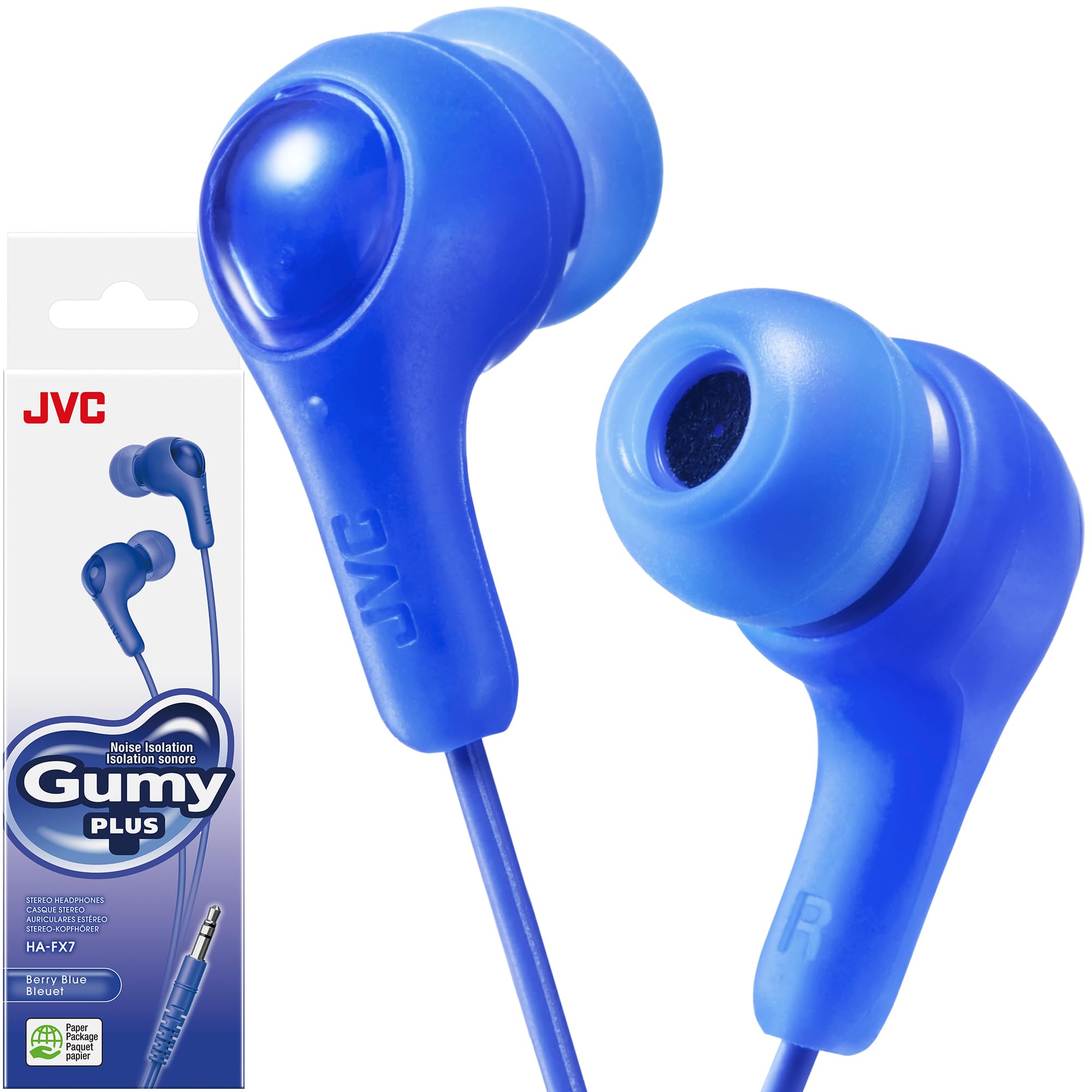
Figure 1: JVC Gumy HAFX7AN Blue Earbuds in their retail packaging.
2. පිහිටුවීම
2.1 Selecting the Correct Ear Tips
For optimal sound quality and comfort, it is crucial to select the correct size ear tips. The JVC Gumy HAFX7AN earbuds come with small (S), medium (M), and large (L) silicone ear tips.
- ප්රමාණ සමඟ අත්හදා බැලීම: Try each size to determine which provides the most comfortable and secure fit in your ear canal. A good fit will block out ambient noise effectively and deliver the best bass response.
- Replacing Ear Tips: Gently pull off the pre-installed ear tips. Align the new ear tip with the earbud nozzle and push it firmly until it is securely attached.

Figure 2: Close-up of the JVC Gumy HAFX7AN earbuds, showing the silicone ear tips. Ensure a snug fit for optimal sound.
2.2 ඔබගේ උපාංගයට සම්බන්ධ වීම
The JVC Gumy HAFX7AN earbuds feature a universal 3.5mm audio jack for wired connection.
- Locate Audio Port: Identify the 3.5mm audio jack on your smartphone, tablet, computer, or other compatible audio device.
- ප්ලග් එක ඇතුළු කරන්න: Firmly insert the 3.5mm audio plug of the earbuds into the device's audio jack until it clicks into place.
- සම්බන්ධතාවය තහවුරු කරන්න: Play audio on your device to confirm that sound is being transmitted through the earbuds.
These earbuds are compatible with devices such as iPhone, iPod, iPad, and Android smartphones that feature a 3.5mm audio port.
3. මෙහෙයුම් උපදෙස්
3.1 ශ්රව්ය නැවත ධාවනය
Once connected, audio playback is controlled directly from your connected device.
- ශබ්ද පාලනය: Adjust the volume using the volume controls on your connected device.
- වාදනය/විරාමය/මඟ හරින්න: These earbuds do not feature inline media controls. Please use your connected device to play, pause, or skip tracks.
3.2 ඉයර්බඩ් පැළඳීම
Insert the earbuds gently into your ear canals. The left earbud is typically marked with an 'L' and the right with an 'R'. Ensure a snug fit to maximize sound isolation and audio quality.
4. නඩත්තු කිරීම
Proper care will extend the lifespan of your JVC Gumy earbuds.
- කන් පිරිසිදු කිරීමේ උපදෙස්: නිතිපතා සිලිකොන් කන් කෙළවර ඉවත් කර මෘදු, d රෙදි කඩකින් පිරිසිදු කරන්න.amp cloth. Allow them to dry completely before reattaching.
- ඉයර්බඩ් පිරිසිදු කිරීම: Wipe the earbud bodies with a dry, soft cloth. Avoid using harsh chemicals or abrasive materials.
- කේබල් රැකවරණය: Avoid sharply bending or twisting the cable, especially near the connectors, to prevent internal wire damage.
- ගබඩා: When not in use, store the earbuds in a clean, dry place, away from extreme temperatures and direct sunlight.
5. දෝශ නිරාකරණය
| ගැටලුව | විය හැකි හේතුව | විසඳුම |
|---|---|---|
| ශබ්දය හෝ අඩු පරිමාවක් නොමැත |
|
|
| ශබ්ද විකෘති කිරීම හෝ ඉරිතැලීම් |
|
|
| ඉයර්බඩ් පහසුවෙන් ගැලවී යයි |
|
|
6. පිරිවිතර
| විශේෂාංගය | විස්තර |
|---|---|
| වෙළඳ නාමය | JVC |
| ආදර්ශ අංකය | HAFX7AN |
| වර්ණය | නිල් |
| කන් ස්ථානගත කිරීම | කනේ |
| ආකෘති සාධකය | කනේ |
| සම්බන්ධතා තාක්ෂණය | රැහැන්ගත |
| හෙඩ්ෆෝන් ජැක් | 3.5 mm ජැක් |
| ශබ්ද පාලනය | ශබ්ද හුදකලා කිරීම |
| සම්බාධනය | 16 ඕම් |
| සංවේදීතාව | 100 dB |
| සංඛ්යාත ප්රතිචාරය | 20 Hz - 20000 Hz (Typical range for audio devices) |
| ද්රව්ය | Silicone (Ear Tips) |
| කේබල් දිග | අඩි 3.3 (ආසන්න වශයෙන් මීටර 1) |
| අයිතමයේ බර | අවුන්ස 0.634 කි |
| ඇතුළත් සංරචක | Headphones, Small/Medium/Large Silicone Ear Tips |
7. වගකීම් සහ සහාය
For warranty information and customer support, please refer to the documentation included with your product packaging or visit the official JVC website. JVCKENWOOD USA Corporation is the manufacturer.
ඔබට ද නැරඹිය හැකිය JVC Store on Amazon තවත් නිෂ්පාදන තොරතුරු සහ සහාය සම්පත් සඳහා.


