1. හැඳින්වීම
This manual provides detailed instructions for the safe and efficient use of your DigiLand DL1036 Android Tablet. Please read this manual thoroughly before operating the device and keep it for future reference. The DigiLand DL1036 is a 10.1-inch Android tablet designed for versatile use, featuring a quad-core processor, HD IPS touchscreen, and dual cameras.
2 ආරක්ෂිත තොරතුරු
To ensure proper operation and avoid damage, please observe the following safety precautions:
- ටැබ්ලටය අධික උෂ්ණත්වයන්ට, සෘජු හිරු එළියට හෝ අධික ආර්ද්රතාවයට නිරාවරණය නොකරන්න.
- ටැබ්ලටය බිම හෙළීමෙන් හෝ දැඩි බලපෑම්වලට ලක් කිරීමෙන් වළකින්න.
- Use only the charger and charging cable provided with the tablet.
- Do not disassemble, repair, or modify the tablet yourself. Refer to qualified service personnel.
- ටැබ්ලටය ජලයෙන් සහ අනෙකුත් ද්රව වලින් ඈත් කර තබන්න.
- දේශීය රෙගුලාසිවලට අනුව වගකීමෙන් යුතුව ටැබ්ලටය සහ එහි බැටරිය බැහැර කරන්න.
3. පෙට්ටියේ ඇති දේ
Carefully unpack your DigiLand DL1036 Tablet and ensure all items are present:
- DL1036 Tablet
- චාජර්
- ආරෝපණ කේබලය
- පරිශීලක අත්පොත (මෙම ලේඛනය)

Image: The DigiLand DL1036 Tablet shown with its included charger and charging cable, alongside the user manual.
4. නිෂ්පාදන අවසන්view
ඔබේ ටැබ්ලටයේ භෞතික සංරචක පිළිබඳව ඔබව හුරු කරවන්න.
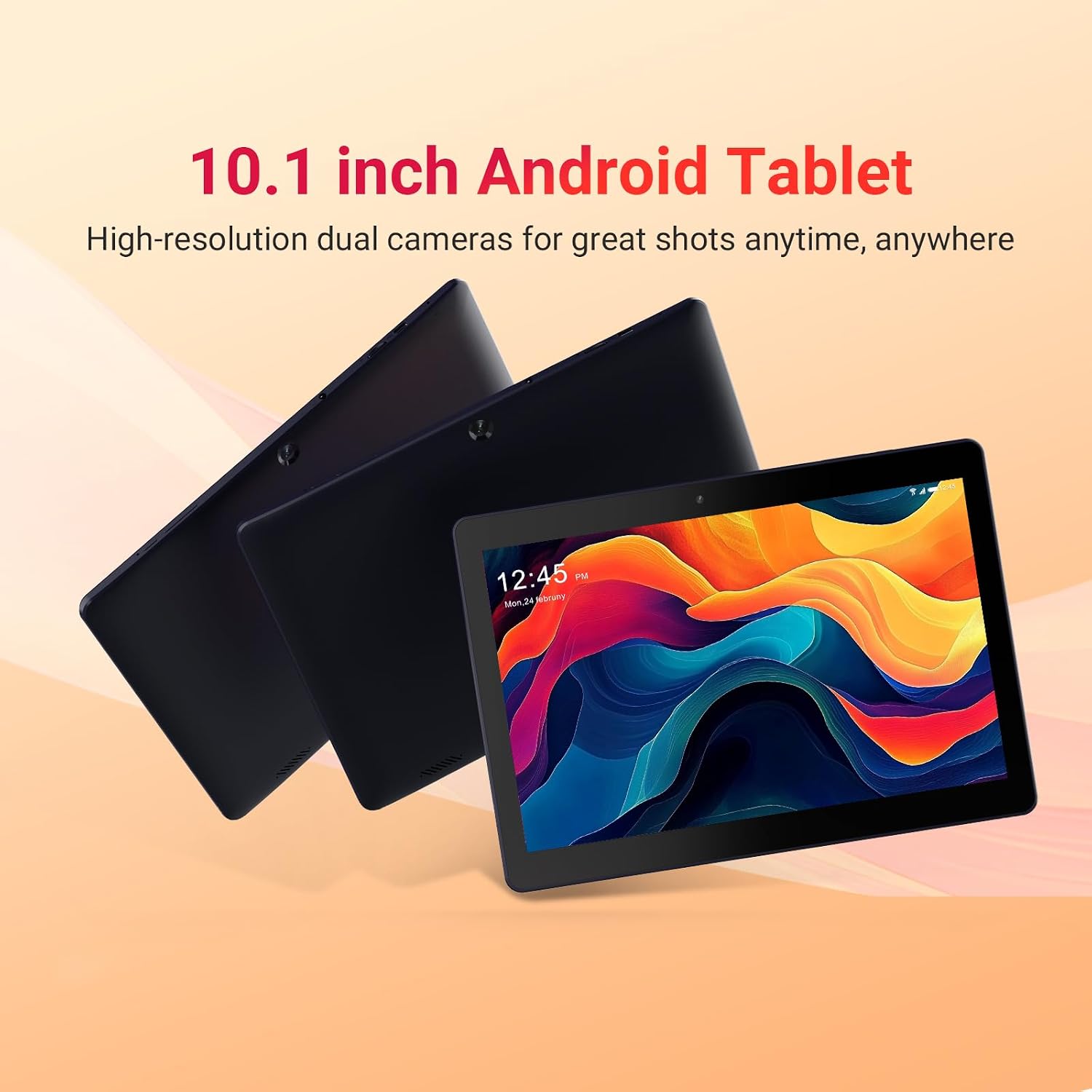
Image: Three DigiLand DL1036 tablets displayed from different angles, showcasinජී ද ස්ලිම් ප්රෝfile and rear camera placement.
4.1 වරාය සහ බොත්තම්
- බල බොත්තම: ටැබ්ලටය සක්රිය/අක්රිය කිරීමට හෝ නිදා ගැනීමට/අවදි කිරීමට භාවිතා කරන පැත්තේ පිහිටා ඇත.
- වෙළුම් බොත්තම්: ශ්රව්ය පරිමාව සකසන්න.
- USB-C වරාය: අයකිරීම් සහ දත්ත හුවමාරුව සඳහා.
- හෙඩ්ෆෝන් ජැක්: 3.5mm ශ්රව්ය ප්රතිදානය.
- MicroSD කාඩ් පත: 256GB දක්වා ගබඩාව පුළුල් කිරීම සඳහා.
- ඉදිරිපස කැමරාව: වීඩියෝ ඇමතුම් සහ සෙල්ෆි සඳහා.
- පසුපස කැමරාව: ඡායාරූප සහ වීඩියෝ ගැනීම සඳහා.
- කථිකයන්: ශ්රව්ය ප්රතිදානය සඳහා.

රූපය: සමීප ඡායාරූපයක් view of the DigiLand DL1036 tablet's side, highlighting the USB-C charging port and the MicroSD card slot.
5. පිහිටුවීම
5.1. ටැබ්ලටය ආරෝපණය කිරීම
Before first use, fully charge the tablet. Connect the provided charging cable to the USB-C port on the tablet and the other end to the charger. Plug the charger into a power outlet. The battery indicator on the screen will show charging status.
5.2. බල ගැන්වීම / අක්රිය කිරීම
- බල ගැන්වීමට: Press and hold the Power button until the DigiLand logo appears.
- බලය අක්රිය කිරීමට: බල විකල්ප මෙනුව දිස්වන තුරු බල බොත්තම ඔබාගෙන සිටින්න. "බලය අක්රිය කරන්න" තෝරා තහවුරු කරන්න.
- නින්ද/අවදි කිරීම: Briefly press the Power button to put the tablet to sleep or wake it up.
5.3. මූලික සැකසුම
පළමු වරට බලගැන්වීමෙන් පසු, ටැබ්ලටය මූලික සැකසුම් ක්රියාවලිය හරහා ඔබට මග පෙන්වනු ඇත:
- භාෂා තේරීම: ඔබ කැමති භාෂාව තෝරන්න.
- Wi-Fi සම්බන්ධතාවය: Select your Wi-Fi network and enter the password. A stable internet connection is recommended for setup.
- Google ගිණුම: ඔබගේ පවතින Google ගිණුමෙන් පුරනය වන්න හෝ නව එකක් සාදන්න. Google Play Store සහ අනෙකුත් Google සේවාවන් වෙත ප්රවේශ වීමට මෙය අවශ්ය වේ.
- දිනය සහ වේලාව: නිවැරදි දිනය සහ වේලාව සකසන්න, නැතහොත් ජාලයට එය ස්වයංක්රීයව සැකසීමට ඉඩ දෙන්න.
- ආරක්ෂාව: Set up a screen lock (PIN, pattern, or password) for security.
6. ටැබ්ලටය ක්රියාත්මක කිරීම
6.1. සංචාලනය සහ අභිනයන්
The DigiLand DL1036 uses a touch-sensitive screen for navigation:
- තට්ටු කරන්න: අයිතමයක් තේරීමට හෝ යෙදුමක් විවෘත කිරීමට.
- ස්පර්ශ කර අල්ලාගෙන සිටින්න: සන්දර්භීය මෙනු වෙත ප්රවේශ වීමට හෝ අයිකන ගෙනයාමට.
- ස්වයිප්: පිටු හෝ ලැයිස්තු හරහා අනුචලනය කිරීමට.
- විශාලනය කිරීමට පින්ච් කරන්න: රූප විශාලනය කිරීමට හෝ අඩු කිරීමට හෝ web පිටු.
6.2. Wi-Fi වෙත සම්බන්ධ වීම
Wi-Fi ජාලයකට සම්බන්ධ වීමට:
- වෙත යන්න සැකසීම් > ජාලය සහ අන්තර්ජාලය > Wifi.
- Wi-Fi සක්රිය කරන්න.
- ලැයිස්තුවෙන් ඔබට අවශ්ය ජාලය තෝරන්න.
- විමසන්නේ නම් මුරපදය ඇතුළත් කර තට්ටු කරන්න සම්බන්ධ කරන්න.

Image: A graphic illustrating the 2.4G WiFi capability of the DigiLand DL1036 tablet, along with camera and charging details.
6.3. යෙදුම් බාගත කිරීම
Access the Google Play Store to download and install applications:
- තට්ටු කරන්න Play Store icon on your home screen or app drawer.
- ඒ සඳහා සොයන්න the app you want to install.
- තට්ටු කරන්න ස්ථාපනය කරන්න සහ තිරයේ විමසුම් අනුගමනය කරන්න.

Image: The DigiLand DL1036 tablet screen filled with various application icons, demonstrating its compatibility with Google Play Store apps.
6.4. කැමරා භාවිතය
ටැබ්ලටයේ ඉදිරිපස 2MP කැමරාවක් සහ පසුපස 2MP කැමරාවක් ඇත.
- විවෘත කරන්න කැමරාව යෙදුම.
- ඉදිරිපස සහ පසුපස කැමරා අතර මාරු වීමට කැමරා ස්විච් නිරූපකය තට්ටු කරන්න.
- ඡායාරූපයක් ගැනීමට හෝ වීඩියෝ පටිගත කිරීම ආරම්භ කිරීමට/නවත්වා ගැනීමට ෂටර් බොත්තම තට්ටු කරන්න.

රූපය: සවිස්තරාත්මක ග්රැෆික් සංදර්ශනයක්asing the dual 2MP cameras of the DigiLand DL1036 tablet, emphasizing its photo and video capabilities.
6.5. ගබඩා කළමනාකරණය
The tablet comes with 32GB of internal storage and supports expansion up to 256GB via a MicroSD card. To manage storage:
- වෙත යන්න සැකසීම් > ගබඩා කිරීම දක්වා view ගබඩා භාවිතය.
- Insert a MicroSD card into the designated slot to expand storage for photos, videos, and other files.

Image: A visual representation of the DigiLand DL1036 tablet's 2GB RAM and 32GB ROM, indicating ample space for photos, videos, and music.
6.6. බැටරි ආයු කාලය
The tablet is equipped with a 5000mAh battery, providing extended usage time. To optimize battery life:
- තිරයේ දීප්තිය අඩු කරන්න.
- භාවිතයේ නොමැති විට Wi-Fi හෝ බ්ලූටූත් අක්රිය කරන්න.
- පසුබිමේ ධාවනය වන භාවිතයට නොගත් යෙදුම් වසා දමන්න.

Image: A graphic highlighting the 5000mAh battery capacity of the DigiLand DL1036 tablet, emphasizing its long-lasting power.
7. නඩත්තු කිරීම
7.1 පිරිසිදු කිරීම
Use a soft, lint-free cloth to clean the tablet screen and body. Do not use liquid cleaners or aerosols directly on the tablet.
7.2. මෘදුකාංග යාවත්කාලීන
Periodically check for system updates to ensure optimal performance and security:
- වෙත යන්න සැකසීම් > පද්ධතිය > පද්ධති යාවත්කාලීන කිරීම.
- පවතින ඕනෑම යාවත්කාලීනයක් බාගත කර ස්ථාපනය කිරීමට තිරයේ ඇති උපදෙස් අනුගමනය කරන්න.
7.3. ගබඩා ප්රශස්තිකරණය
To maintain smooth performance, regularly clear unnecessary files and apps:
- ඔබ තවදුරටත් භාවිතා නොකරන යෙදුම් අස්ථාපනය කරන්න.
- යෙදුම් සඳහා හැඹිලි දත්ත හිස් කරන්න සැකසීම් > යෙදුම් සහ දැනුම්දීම් > [යෙදුම් නාමය] > ගබඩාව සහ හැඹිලිය.
- විශාල මාරු කිරීම files (photos, videos) to a MicroSD card or cloud storage.
8. දෝශ නිරාකරණය
ඔබේ ටැබ්ලටය සමඟ ගැටලු ඇති වුවහොත්, පහත පොදු විසඳුම් වෙත යොමු වන්න:
| ගැටලුව | විසඳුම |
|---|---|
| ටැබ්ලටය සක්රිය නොවේ | Ensure the battery is charged. Connect the charger and wait a few minutes before attempting to power on again. If still unresponsive, perform a forced restart by holding the Power button for 10-15 seconds. |
| Wi-Fi සම්බන්ධතා ගැටළු | Check if Wi-Fi is enabled in Settings. Restart your Wi-Fi router. Forget the network and reconnect. |
| Tablet is slow or unresponsive | Close unused apps. Clear app cache. Restart the tablet. Check for system updates. If issues persist, consider a factory reset (backup data first). |
| යෙදුම් බිඳ වැටෙමින් පවතී | Clear the app's cache and data (Settings > Apps & notifications > [App Name] > Storage & cache). Reinstall the app. Ensure the tablet's software is up to date. |
| තිරය ප්රතිචාර නොදක්වයි | ටැබ්ලටය නැවත ආරම්භ කරන්න. තිරය පිරිසිදුව හා වියලිව ඇති බවට වග බලා ගන්න. |
8.1. කර්මාන්තශාලා යළි පිහිටුවීම
A factory reset will erase all data from your tablet and restore it to its original factory settings. ඉදිරියට යාමට පෙර සියලු වැදගත් දත්ත උපස්ථ කරන්න.
- වෙත යන්න සැකසීම් > පද්ධතිය > විකල්ප යළි පිහිටුවන්න.
- තෝරන්න සියලු දත්ත මකන්න (කර්මාන්තශාලා යළි පිහිටුවීම).
- ඔබගේ තීරණය තහවුරු කර විමසන්නේ නම් ඔබගේ PIN අංකය/රටාව/මුරපදය ඇතුළත් කරන්න.
9. පිරිවිතර
Key technical specifications for the DigiLand DL1036 Tablet:

Image: A comprehensive graphic detailing the DigiLand DL1036 tablet's core specifications including display, battery, processor, OS, RAM, and ROM.
| විශේෂාංගය | පිරිවිතර |
|---|---|
| මාදිලියේ නම | DL1036 |
| තිර දර්ශන ප්රමාණය | අඟල් 10.1 |
| තිර විභේදනය | 1280 x 800 IPS |
| ප්රොසෙසරය | 2 GHz Quad-core (MediaTek) |
| RAM | 2 GB |
| අභ්යන්තර ගබඩාව | 32 GB |
| පුළුල් කළ හැකි ගබඩාව | Up to 256GB (MicroSD) |
| මෙහෙයුම් පද්ධතිය | Android 11 Go |
| පසුපස Webcam විභේදනය | 2 MP |
| ඉදිරිපස Webcam විභේදනය | 2 MP |
| බැටරි ආයු කාලය (සාමාන්ය) | පැය 10 යි |
| බැටරි ධාරිතාව | 5000mAh |
| රැහැන් රහිත වර්ගය | 802.11g (2.4G WiFi) |
| අයිතමයේ බර | රාත්තල් 1.06 කි |
| නිෂ්පාදන මානයන් | අඟල් 9.6 x 6.8 x 0.3 |
| වර්ණය | නිල් |
10. වගකීම් සහ සහාය
DigiLand products are covered by a limited warranty. For specific warranty terms and conditions, please refer to the warranty card included with your product or visit the official DigiLand website. If you encounter any issues or require technical assistance, please contact DigiLand customer support through the contact information provided on our website or in your product packaging. Please have your model number (DL1036) and purchase information ready when contacting support.


