1. හැඳින්වීම
This manual provides essential information for the proper use and maintenance of your Soundcore Anker Life 2 Neo Wireless Headphones. Please read it thoroughly before using the product to ensure optimal performance and longevity.
2. පෙට්ටියේ ඇති දේ
- Soundcore Anker Life 2 Neo Wireless Headphones
- USB-C ආරෝපණ කේබලය
- 3.5mm ශ්රව්ය කේබල්
- පරිශීලක අත්පොත (මෙම ලේඛනය)
3. නිෂ්පාදන ලක්ෂණ
- 100% More Bass: Oversized 40mm titanium-coated drivers with BassUp technology for enhanced bass output.
- Hi-Res ශ්රව්ය: Delivers sound up to 40 kHz for a rich listening experience.
- දිගු කළ ක්රීඩා කාලය: තනි ආරෝපණයකින් පැය 60ක් දක්වා අඛණ්ඩ නැවත ධාවනය.
- වේගවත් ආරෝපණය: 5-minute charge provides 5 hours of listening via the high-speed USB-C port.
- සුවපහසු නිර්මාණය: Features memory foam earcups, an adjustable headband, and flexible earcups for extended wear.
- සම්බන්ධතාවය: Bluetooth 5.0 for wireless connection and a 3.5mm audio jack for wired listening.
- නම්යශීලී නිර්මාණය: පහසු ගබඩා කිරීම සහ ප්රවාහනය සඳහා සංයුක්ත සහ අතේ ගෙන යා හැකි.

Image: Soundcore Life 2 Neo Headphones highlighting Hi-Res Audio certification.

Image: Diagram illustrating the BassUp Technology within the Soundcore Life 2 Neo Headphones.
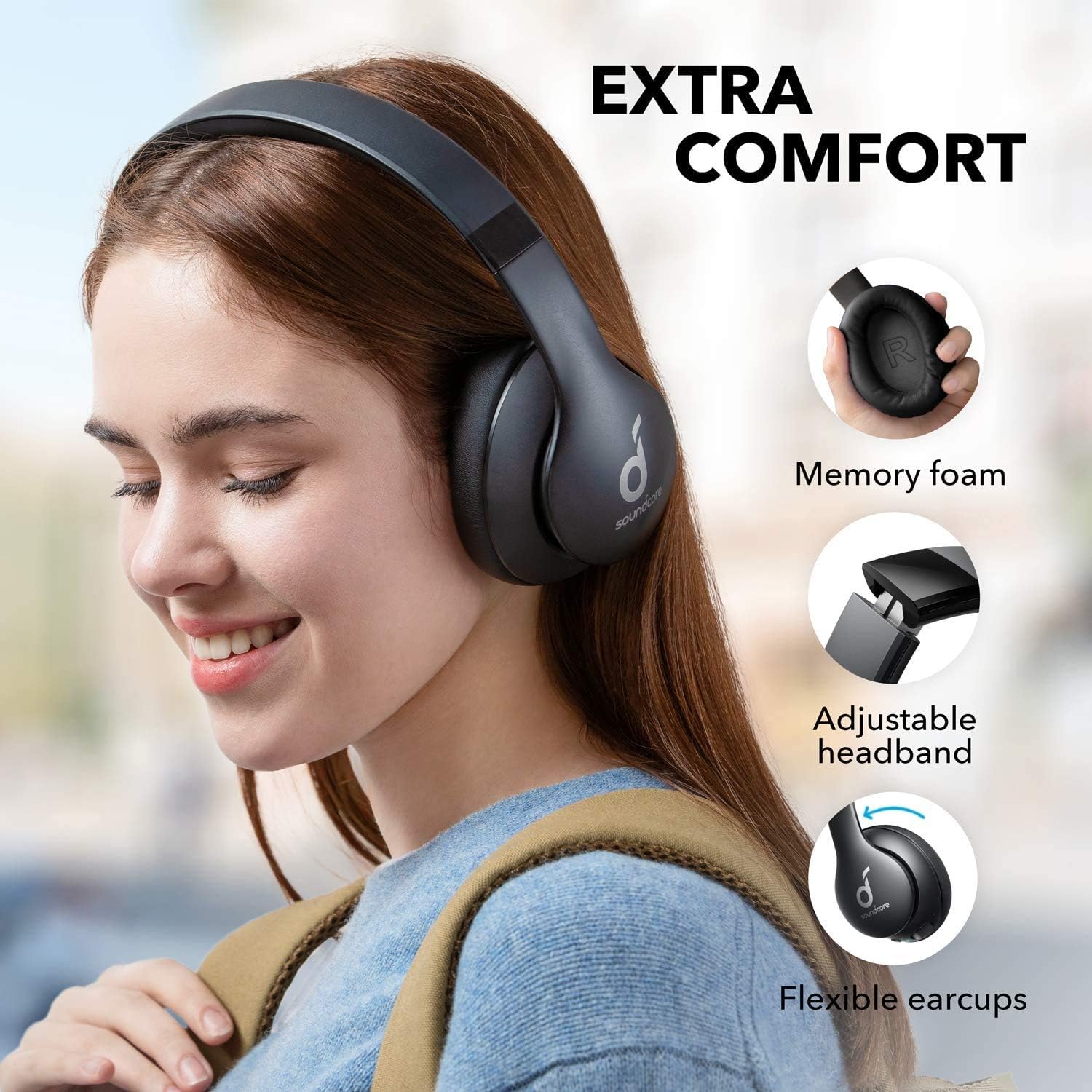
Image: Soundcore Life 2 Neo Headphones demonstrating memory foam, adjustable headband, and flexible earcups for extra comfort.
4. පිහිටුවීම
4.1 හෙඩ්ෆෝන් ආරෝපණය කිරීම
Before first use, fully charge your headphones. Connect the provided USB-C cable to the charging port on the headphones and the other end to a compatible USB power source (e.g., wall adapter, computer USB port). The LED indicator will show charging status.
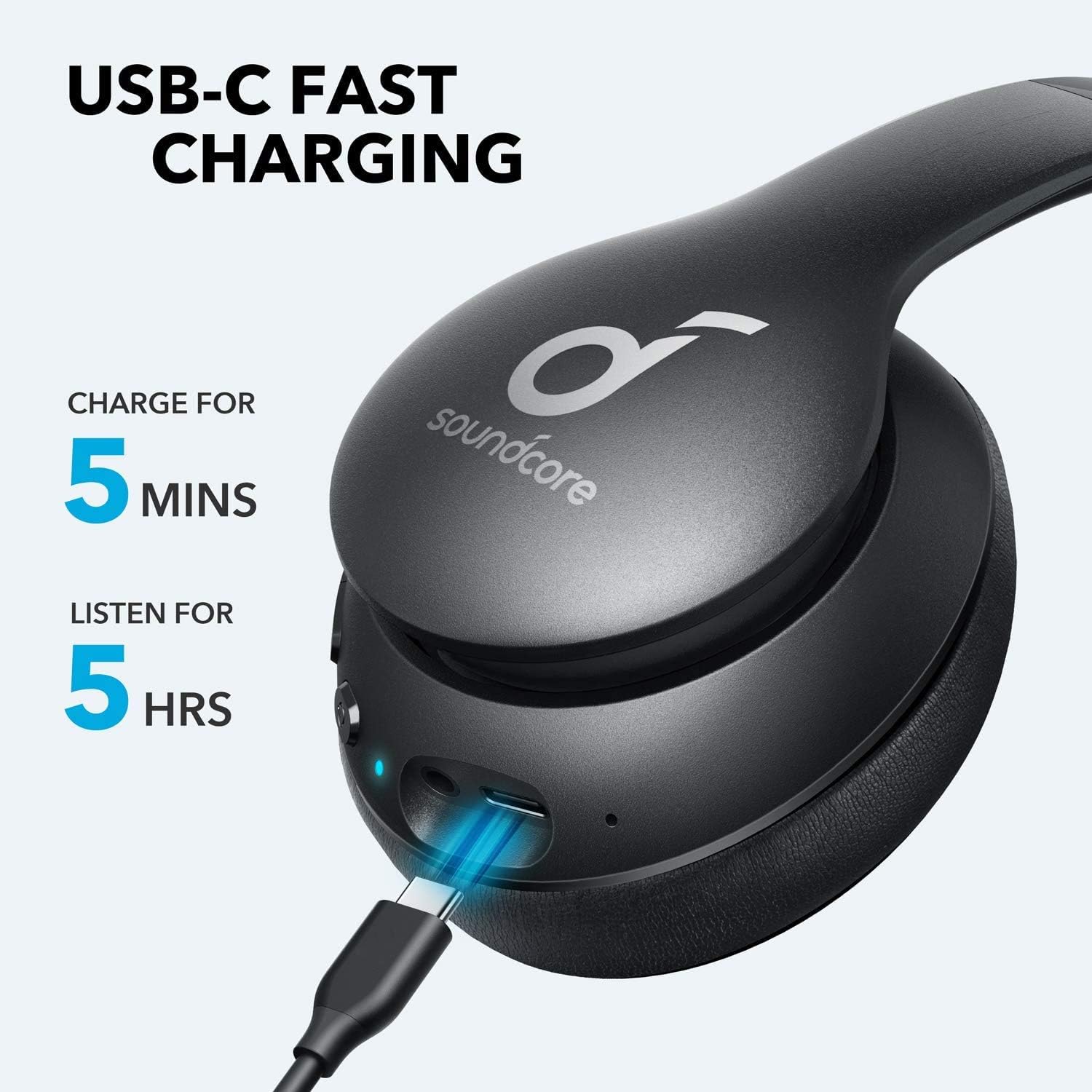
Image: Soundcore Life 2 Neo Headphones being charged via USB-C cable, illustrating the fast charging capability.
4.2 බල ගැන්වීම සක්රිය / අක්රිය කිරීම
- බල ගැන්වීමට: LED දර්ශකය දැල්වෙන තුරු බල බොත්තම ඔබාගෙන සිටින්න.
- බලය අක්රිය කිරීමට: LED දර්ශකය නිවී යන තුරු බල බොත්තම ඔබාගෙන සිටින්න.
4.3 බ්ලූටූත් යුගල කිරීම
- හෙඩ්ෆෝන් ක්රියා විරහිත කර ඇති බවට සහතික වන්න.
- යුගල කිරීමේ මාදිලිය දක්වමින් LED දර්ශකය නිල් පැහැයෙන් දැල්වෙන තෙක් බල බොත්තම ආසන්න වශයෙන් තත්පර 3-5ක් ඔබාගෙන සිටින්න.
- ඔබගේ උපාංගයේ (ස්මාර්ට්ෆෝන්, ටැබ්ලටය, පරිගණකය), බ්ලූටූත් සක්රීය කර පවතින උපාංග සොයන්න.
- උපාංග ලැයිස්තුවෙන් "Soundcore Life 2 Neo" තෝරන්න.
- සම්බන්ධ වූ පසු, LED දර්ශකය ඝන නිල් පැහැයක් ගනී.
4.4 වයර් සම්බන්ධතාවය
If Bluetooth is not available or the battery is depleted, you can use the provided 3.5mm audio cable. Plug one end into the headphone's audio jack and the other end into your device's 3.5mm audio output.
5. මෙහෙයුම් උපදෙස්
5.1 පාලන
හෙඩ්ෆෝන් වල ඉයර්කප් එක මත පිහිටා ඇති බුද්ධිමය පාලනයන් ඇත:
- බල බොත්තම: බලය සක්රිය/අක්රිය කරන්න, සංගීතය වාදනය කරන්න/විරාම කරන්න, ඇමතුම්වලට පිළිතුරු දෙන්න/අවසන් කරන්න.
- පරිමාව වැඩි කරන්න (+): Increase volume, skip to next track (long press).
- ශබ්දය අඩු කිරීම (-): Decrease volume, skip to previous track (long press).
- BassUp බොත්තම: Activate/deactivate BassUp mode for enhanced bass.
5.2 හෙඩ්ෆෝන් පැළඳීම
The Soundcore Life 2 Neo headphones are designed for over-ear comfort. Adjust the headband to fit snugly on your head, ensuring the earcups fully cover your ears. The earcups are marked 'L' for left and 'R' for right for correct orientation.

Image: A person wearing Soundcore Life 2 Neo Headphones, demonstrating proper fit and comfort.
6. නඩත්තු කිරීම
- මෘදු වියළි රෙද්දකින් හෙඩ්ෆෝන් නිතිපතා පිරිසිදු කරන්න.
- හෙඩ්ෆෝන් අධික උෂ්ණත්වයන්ට, ආර්ද්රතාවයට හෝ සෘජු හිරු එළියට නිරාවරණය වීමෙන් වළකින්න.
- උල්ෙල්ඛ පිරිසිදු කරන්නන් හෝ ද්රාවණ භාවිතා නොකරන්න.
- භාවිතයේ නොමැති විට හෙඩ්ෆෝන් සිසිල් වියළි ස්ථානයක ගබඩා කරන්න. නැමිය හැකි සැලසුම සංයුක්ත ගබඩා කිරීම සඳහා ඉඩ සලසයි.
7. දෝශ නිරාකරණය
7.1 උපාංගය සමඟ යුගල කළ නොහැක
- Ensure the headphones are in pairing mode (flashing blue LED).
- ඔබගේ උපාංගයේ බ්ලූටූත් සබල කර ඇති බවට වග බලා ගන්න.
- හෙඩ්ෆෝන් ඔබේ උපාංගයට සමීප කරන්න.
- හෙඩ්ෆෝන් සහ ඔබගේ උපාංගය දෙකම නැවත ආරම්භ කිරීමට උත්සාහ කරන්න.
- ඔබගේ උපාංගයේ පෙර බ්ලූටූත් සම්බන්ධතා ඉවත් කර නැවත යුගල කිරීමට උත්සාහ කරන්න.
7.2 ශබ්දයක් නැත හෝ අඩු ශබ්දයක්
- හෙඩ්ෆෝන් සහ ඔබේ සම්බන්ධිත උපාංගය යන දෙකෙහිම ශබ්ද මට්ටම් පරීක්ෂා කරන්න.
- හෙඩ්ෆෝන් නිසි ලෙස යුගල කර ඇති බවට හෝ 3.5mm ශ්රව්ය කේබලය හරහා සම්බන්ධ කර ඇති බවට සහතික වන්න.
- If using a wired connection, ensure the cable is fully inserted into both jacks.
- වෙනස් ශ්රව්ය ප්රභවයක් හෝ උපාංගයක් සමඟ පරීක්ෂා කරන්න.
7.3 අයකිරීමේ ගැටළු
- Ensure the USB-C cable is securely connected to both the headphones and the power source.
- වෙනත් USB-C කේබලයක් හෝ බල ඇඩැප්ටරයක් භාවිතා කිරීමට උත්සාහ කරන්න.
- Verify the power source is functioning correctly.
8. පිරිවිතර
| විශේෂාංගය | විස්තර |
|---|---|
| මාදිලියේ නම | ජීවිතය 2 නියෝ |
| වෙළඳ නාමය | ශබ්ද කෝෂය |
| සම්බන්ධතා තාක්ෂණය | රැහැන් රහිත (බ්ලූටූත්), රැහැන්ගත (3.5mm) |
| රැහැන් රහිත සන්නිවේදන තාක්ෂණය | බ්ලූටූත් 5.0 |
| ශ්රව්ය ධාවක ප්රමාණය | මිලිමීටර් 40 යි |
| බැටරි ආයු කාලය | පැය 60 යි |
| ආරෝපණ කාලය | පැය 5ක නැවත ධාවනය සඳහා මිනිත්තු 5ක් |
| පාලන වර්ගය | මාධ්ය පාලනය, හඬ |
| කන් ස්ථානගත කිරීම | කනට උඩින් |
| ද්රව්ය | Faux Leather, Metal, Plastic |
| අයිතමයේ බර | කිලෝග්රෑම් 0.5 (රාත්තල් 1.1) |
| විශේෂ ලක්ෂණය | Foldable, USB connectivity, Wireless |
9. වගකීම් සහ සහාය
For warranty information and customer support, please refer to the documentation included with your purchase or visit the official Soundcore webඅඩවිය. නිශ්චිත වගකීම් නියමයන් කලාපය සහ සිල්ලර වෙළෙන්දා අනුව වෙනස් විය හැකිය.