හැඳින්වීම
The ThermoPro TP03H Digital Meat Thermometer is designed to provide fast and accurate temperature readings for various foods, ensuring perfect cooking results every time. Its foldable probe, waterproof design, and convenient features make it an essential tool for any kitchen or grilling enthusiast.
This manual provides detailed instructions on how to set up, operate, maintain, and troubleshoot your ThermoPro TP03H thermometer.
පැකේජයේ අන්තර්ගතය

Image: ThermoPro TP03H Digital Meat Thermometer, showing the main unit, a AAA battery, and a small screwdriver.
- 1 x ThermoPro TP03H Digital Meat Thermometer
- 1 x AAA බැටරි
- 1 x ඉස්කුරුප්පු නියනක් (බැටරි මැදිරිය සඳහා)
- 1 x පරිශීලක අත්පොත (මෙම ලේඛනය)
ප්රධාන ලක්ෂණ
- වේගවත් හා නිවැරදි කියවීම්: Equipped with a 10cm / 3.9-inch food-grade stainless steel probe and a high-precision sensor, providing internal temperature readings within 3-4 seconds with an accuracy of ±0.5 °C / 0.9 °F.

Image: The thermometer probe inserted into meat on a grill, illustrating the fast response time and high accuracy.
- Completely Waterproof (IPX6): The thermometer boasts an IPX6 waterproof rating, allowing for easy cleaning under running water without fear of damage.
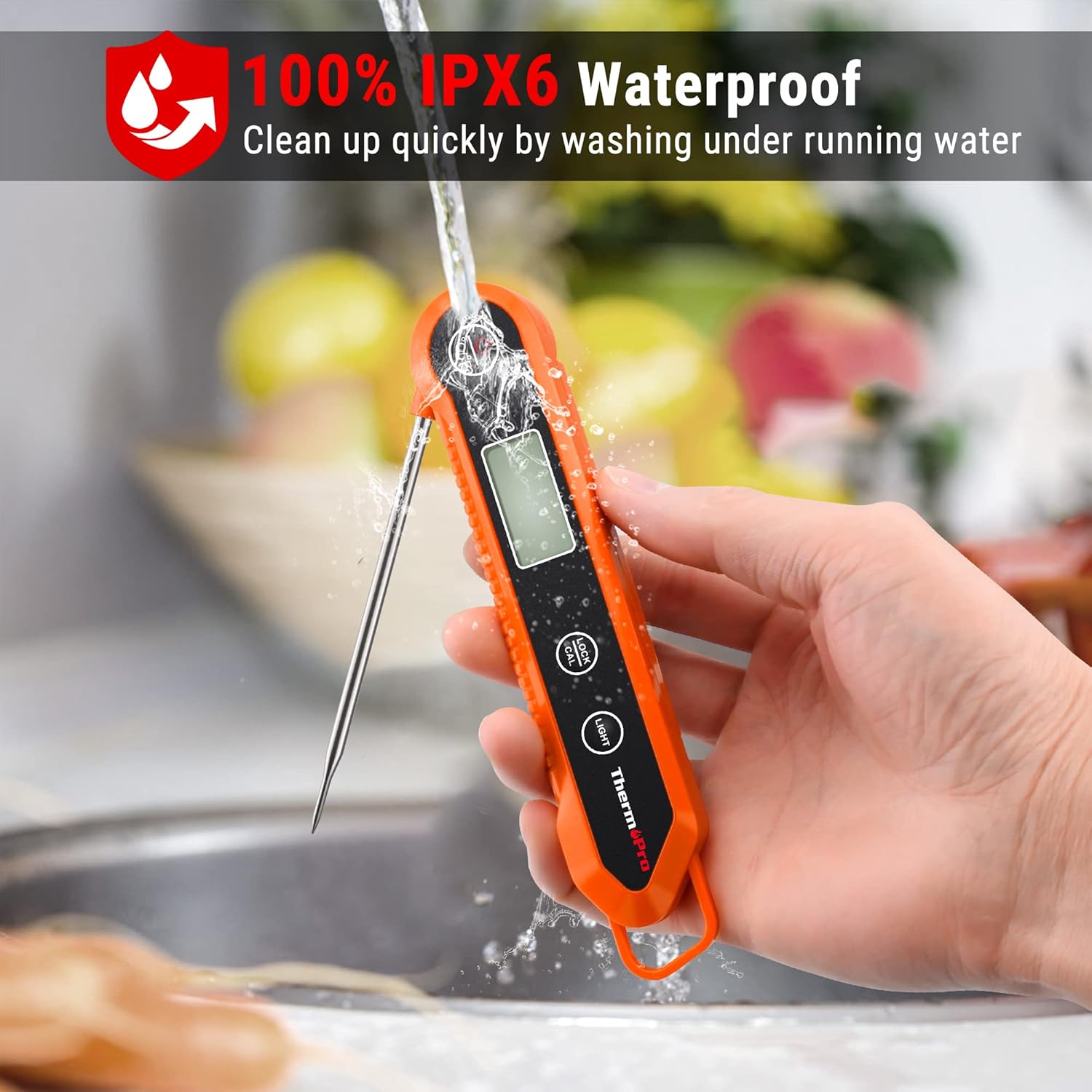
Image: A hand holding the thermometer under a running faucet, demonstrating its waterproof capability.
- අගුළු කාර්යය: Allows you to lock the current temperature reading on the display after removing the probe from the food, preventing the need to peer into hot ovens or grills.
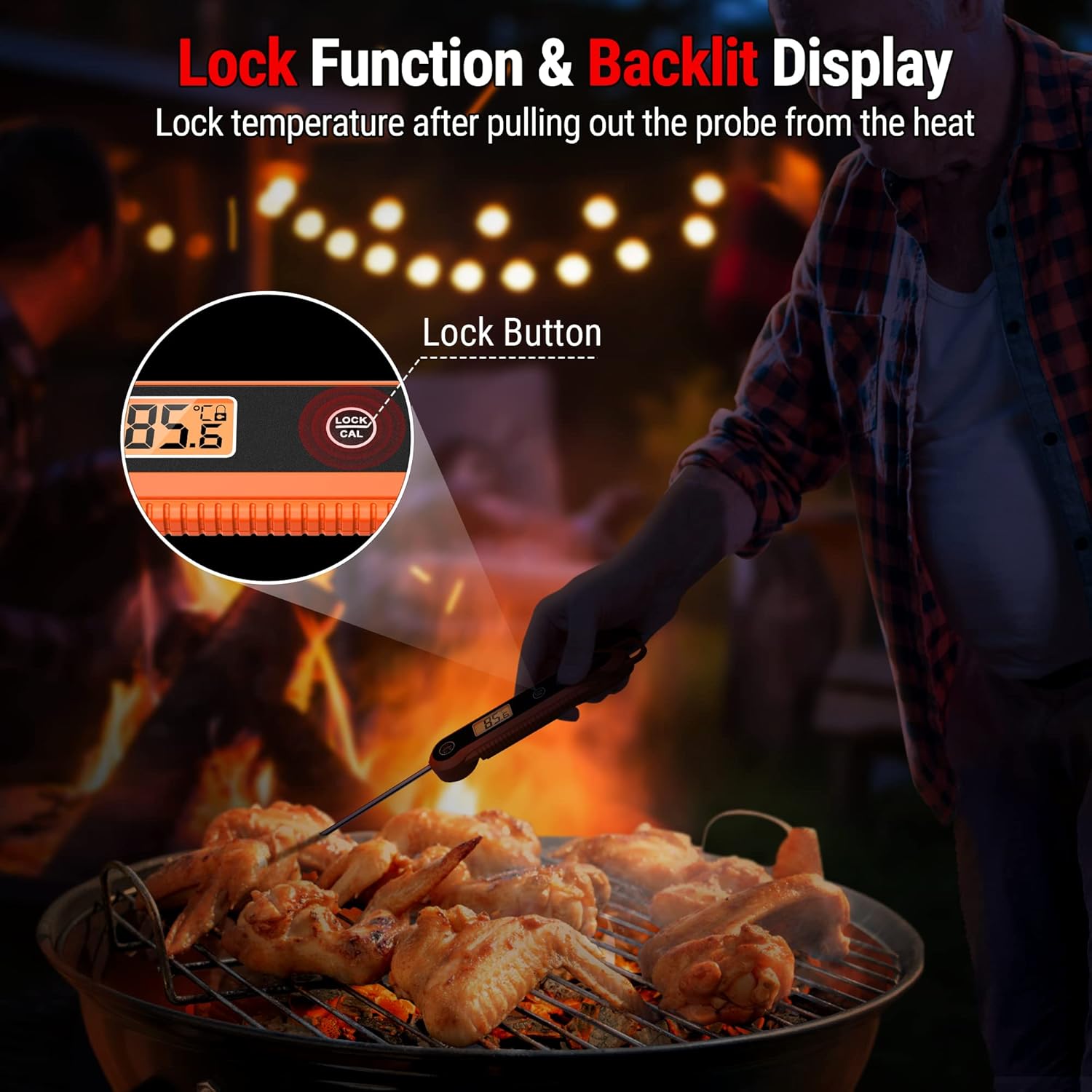
Image: The thermometer with its probe inserted into food on a grill, highlighting the "Lock" button and the temperature display.
- පසුතල සංදර්ශකය: Features an LCD backlight for easy reading in low-light conditions.
- පහසු ගබඩා: Designed with a foldable probe for compact storage in drawers. It also includes a magnetic back for attaching to metal surfaces like refrigerators and a hang hole for hooks.
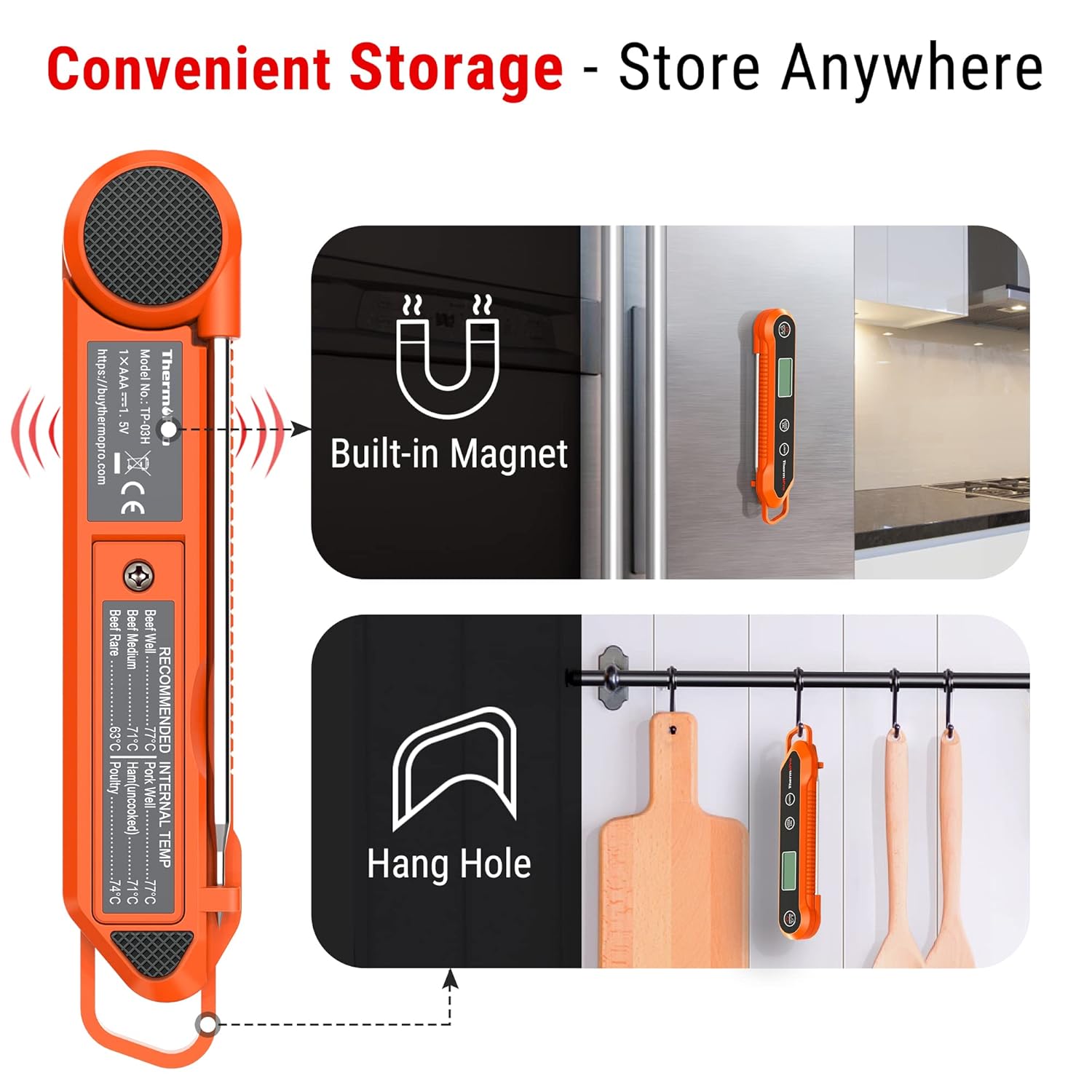
Image: Illustrations showing the thermometer attached to a refrigerator via its built-in magnet and hanging on a hook.
- ක්රමාංකන කාර්යය: Allows for adjustment to maintain accuracy over time.
- ස්වයංක්රීයව අක්රිය: බැටරි ආයු කාලය ඉතිරි කර ගැනීම සඳහා අක්රියව තත්පර 90 කට පසු ස්වයංක්රීයව ක්රියා විරහිත වේ.
සැලසුම
1. බැටරි ස්ථාපනය
The ThermoPro TP03H requires one AAA battery (included). Follow these steps to install the battery:
- උෂ්ණත්වමානයේ පිටුපස බැටරි මැදිරිය සොයා ගන්න.
- බැටරි මැදිරි කවරය විවෘත කිරීමට සපයා ඇති ඉස්කුරුප්පු නියනක් භාවිතා කරන්න.
- මැදිරිය තුළ දක්වා ඇති පරිදි නිවැරදි ධ්රැවීයතාව (+/-) සහතික කරමින් AAA බැටරිය ඇතුළු කරන්න.
- Replace the battery compartment cover and secure it with the screwdriver.
2. මූලික බලය සක්රිය කිරීම
Once the battery is installed, unfold the probe to automatically turn on the thermometer. The display will light up, showing the current temperature.
මෙහෙයුම් උපදෙස්
1. උෂ්ණත්ව කියවීමක් ලබා ගැනීම
- Unfold the stainless steel probe. The thermometer will power on automatically.
- Insert the tip of the probe into the thickest part of the food, avoiding bone or gristle.
- Wait for 3-4 seconds for the temperature reading to stabilize on the LCD display.
- අපේක්ෂිත උෂ්ණත්වයට ළඟා වූ පසු, ආහාරයෙන් පරීක්ෂණය ඉවත් කරන්න.
2. උෂ්ණත්ව ඒකක මාරු කිරීම (°C/°F)
Press the °C/°F button located on the thermometer to switch between Celsius and Fahrenheit temperature units.
3. Using the Lock Function
To lock the current temperature reading on the display:
- While the probe is inserted and displaying a temperature, press the LOCK/CAL button briefly. The current temperature will be held on the display.
- ඔබන්න LOCK/CAL button again to unlock and resume live temperature readings.
4. පසුබිම් ආලෝකය භාවිතා කිරීම
ඔබන්න ආලෝකය button to activate the display backlight for better visibility in dim environments. Press it again to turn off the backlight.
5. ස්වයංක්රීය අක්රිය විශේෂාංගය
The thermometer will automatically turn off after 90 seconds of inactivity to save battery life. To turn it back on, simply unfold the probe or press any button.

Image: The thermometer being used for BBQ, frying, baking, and checking baby milk temperature, demonstrating its versatility.
ක්රමාංකනය
The ThermoPro TP03H comes pre-calibrated from the factory. However, if you suspect the accuracy has drifted over time, you can recalibrate it using the ice-water method.
Ice-Water Calibration Method:
- Fill a large glass with crushed ice and top it off with cold water. Stir well and let it sit for 3 minutes.
- අල්ලාගෙන සිටින්න LOCK/CAL button for 5 seconds to enter Calibration mode. The display will show "CAL".
- Immerse the probe into the ice water, ensuring the tip is fully submerged but not touching the bottom or sides of the glass.
- Wait until the reading stabilizes. The thermometer should read 32°F (0°C). If it does not, the thermometer will automatically adjust to 32°F (0°C).
- Once calibrated, remove the probe from the ice water. The thermometer will exit calibration mode automatically.

Image: A two-step visual guide for calibration, showing holding the LOCK/CAL button and immersing the probe in ice water.
රැකවරණය සහ නඩත්තුව
- පිරිසිදු කිරීම: Clean the thermometer probe with a damp cloth or by rinsing under running water with mild soap before and after each use. The main body can be wiped with a damp cloth. Do not immerse the entire unit in water for extended periods, despite its IPX6 rating.
- ගබඩා: Fold the probe back into the unit for safe and compact storage. Utilize the magnetic back to store it on a refrigerator or the hang hole to hang it on a hook. Store in a dry place away from extreme temperatures.
- හැසිරවීම: Avoid scratching yourself with the sharp tip of the probe. Do not use the thermometer in a closed oven.
- බැටරි ආදේශනය: Replace the AAA battery when the display becomes dim or the thermometer stops functioning correctly.
දෝෂගවේෂණය
- Display shows "LL.L" or "HH.H": This indicates the temperature is outside the measurable range of -58°F ~ 572°F (-50°C ~ 300°C).
- වැරදි කියවීම්:
- Ensure the probe is inserted into the thickest part of the food and not touching bone or fat.
- Perform a calibration using the ice-water method as described in the "Calibration" section.
- Check battery level; a low battery can affect accuracy.
- Thermometer does not turn on:
- AAA බැටරිය නිවැරදි ධ්රැවීයතාවයෙන් නිවැරදිව ස්ථාපනය කර ඇති බවට සහතික වන්න.
- බැටරිය අලුත් එකක් සමඟ ප්රතිස්ථාපනය කරන්න.
- Make sure the probe is fully unfolded to activate the unit.
- සංදර්ශකය අඳුරුයි: AAA බැටරිය ප්රතිස්ථාපනය කරන්න.
පිරිවිතර
| උෂ්ණත්ව පරාසය | -58 ° F ~ 572 ° F (-50 ° C ~ 300 ° C) |
| උෂ්ණත්ව නිරවද්යතාව | ±0.9°F (±0.5°C) 32 සිට 212°F (0 සිට 100°C) අතර පරාසයක |
| විභේදනය | 0.1 °C/°F |
| පරීක්ෂණ දිග | 10 cm / 3.9 inches (Food Grade Stainless Steel) |
| ප්රතිචාර කාලය | තත්පර 3-4 |
| ජල ආරක්ෂිත ශ්රේණිගත කිරීම | IPX6 |
| ස්වයංක්රීයව අක්රිය කරන්න | තත්පර 90 යි |
| බල සැපයුම | 1 x AAA බැටරි (ඇතුළත්) |
| මානයන් | Compact and lightweight design (Original data: 0.01 x 0.01 x 0.01 inches) |
| බර | අවුන්ස 2.12 කි |
| ආදර්ශ අංකය | TP-03H |
වගකීම් සහ සහාය
ThermoPro provides a warranty for this product. For detailed warranty information, please refer to the official ThermoPro webවෙබ් අඩවිය හෝ පාරිභෝගික සේවාව අමතන්න.
පාරිභෝගික සේවාව:
If you have any questions or require assistance with your ThermoPro TP03H thermometer, please contact ThermoPro Customer Service:
- ඇමරිකා එක්සත් ජනපදය සහ කැනඩාව: 1-877-515-7797
- ජර්මනිය (DE): 49-215-493-19011
- එක්සත් රාජධානිය (එක්සත් රාජධානිය): 44-808-164-1683
- ප්රංශය (FR): 33-975-129-576
- ඉතාලිය (IT): 39-052-317-15570
- ස්පාඤ්ඤය (ES): 34-910-601-787
- ඕස්ට්රේලියාව (AU): 61-180-057-7492
- විද්යුත් තැපෑල: service@buythermopro.com

Image: A section of the product packaging showing "Package Contents" and "Customer Service" contact numbers and email.