1. හැඳින්වීම
This manual provides essential instructions for the safe and efficient operation of your Itel TV A3210IE 80cm (32-inch) HD Ready Smart TV. Please read this manual thoroughly before using your television and retain it for future reference.
2 ආරක්ෂිත තොරතුරු
ආරක්ෂිත ක්රියාකාරිත්වය සහතික කිරීමට සහ හානි වැළැක්වීමට, පහත සඳහන් පූර්වාරක්ෂාවන් නිරීක්ෂණය කරන්න:
- ගින්න හෝ විදුලි කම්පනය වැළැක්වීම සඳහා රූපවාහිනිය වැස්සට හෝ තෙතමනයට නිරාවරණය නොකරන්න.
- වාතාශ්රය විවරයන් අවහිර නොකරන්න. නිසි වායු ප්රවාහය සඳහා රූපවාහිනිය වටා ප්රමාණවත් ඉඩක් ඇති බවට වග බලා ගන්න.
- රූපවාහිනිය වැටීම වැළැක්වීම සඳහා ස්ථාවර, සමතලා මතුපිටක් මත තබන්න.
- විදුලි රැහැන ඇවිදීමෙන් හෝ ඇණ ගැසීමෙන් ආරක්ෂා කරන්න.
- අකුණු කුණාටු ඇති විට හෝ දිගු කාලයක් භාවිතා නොකළ විට රූපවාහිනිය විසන්ධි කරන්න.
- සියලුම සේවා සුදුසුකම් ලත් සේවා පුද්ගලයින් වෙත යොමු කරන්න.
3. පැකේජ අන්තර්ගතය
සියලුම අයිතම පැකේජයේ ඇති බව තහවුරු කරගන්න:
- Itel TV A3210IE 80cm (32-inch) HD Ready Smart TV
- දුරස්ථ පාලකය
- TV Stand (if applicable for desktop placement)
- විදුලි රැහැන්
- පරිශීලක අත්පොත (මෙම ලේඛනය)
- ස්ථාවර එකලස් කිරීම සඳහා ඉස්කුරුප්පු (අදාළ නම්)
4. පිහිටුවීම
4.1 භෞතික සැකසුම
Your Itel TV A3210IE can be placed on a stand or wall-mounted. Ensure the TV is placed on a stable surface or securely mounted to a wall.
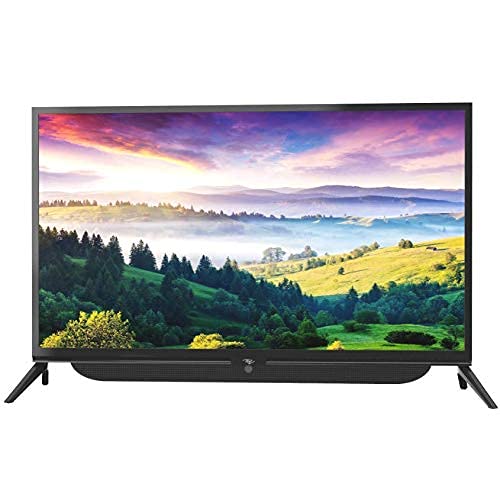
රූපය 4.1: ඉදිරිපස view of the Itel TV A3210IE with its stand. The television features a slim bezel design and a central stand for stable placement on a flat surface.
For wall mounting, use a compatible VESA mount (not included) and follow the instructions provided with the mount. The TV's sleek design with slim bezels allows for a modern aesthetic in any room.
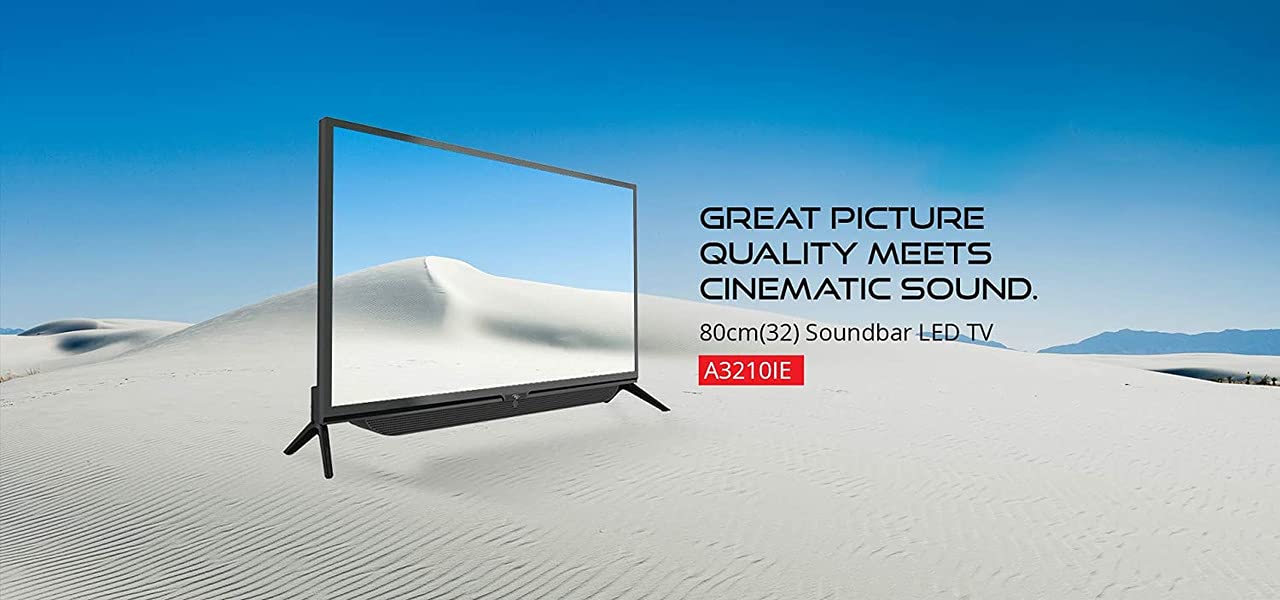
රූපය 4.2: පැත්ත view of the Itel TV A3210IE, highlighting its slim profile. මේ view demonstrates the television's compact design, suitable for various living spaces.
4.2 ආරම්භක බලය සක්රීය කිරීම
- විදුලි රැහැන රූපවාහිනියට සම්බන්ධ කර පසුව විදුලිබල අලෙවිසැලකට සම්බන්ධ කරන්න.
- දුරස්ථ පාලකයේ හෝ රූපවාහිනියේම බල බොත්තම ඔබන්න.
- Follow the on-screen instructions to complete the initial setup, including language selection and time zone.
4.3 ජාල සම්බන්ධතාවය
To access Smart TV features, connect your TV to the internet:
- Navigate to the "Settings" menu on your TV.
- "ජාලය" හෝ "Wi-Fi සැකසුම්" තෝරන්න.
- ලැයිස්තුවෙන් ඔබගේ Wi-Fi ජාලය තෝරා මුරපදය ඇතුළත් කරන්න.
- Once connected, the TV will indicate a successful internet connection.
5. රූපවාහිනිය ක්රියාත්මක කිරීම
5.1 මූලික කාර්යයන්
- බලය සක්රිය / අක්රිය: දුරස්ථ පාලකයේ හෝ රූපවාහිනියේ බල බොත්තම භාවිතා කරන්න.
- ශබ්ද පාලනය: දුරස්ථ පාලකයේ ශබ්දය ඉහළ/පහළ බොත්තම් භාවිතා කරන්න.
- ආදාන මූලාශ්රය: Press the "Source" or "Input" button on the remote to switch between HDMI, USB, and other connected devices.
- සංචාලනය: Use the arrow keys and "OK" button on the remote to navigate menus.
5.2 ස්මාර්ට් ටීවී විශේෂාංග
The Itel TV A3210IE runs on Android OS, providing access to a range of smart features:
- ප්රවාහ සේවා: Access popular streaming applications directly from the TV's home screen.
- Web බ්රවුසරය: අන්තර්ජාලයේ සැරිසැරීමට බිල්ට් බ්රවුසරය භාවිතා කරන්න.
- යෙදුම් වෙළඳසැල: ඒකාබද්ධ යෙදුම් ගබඩාවෙන් අමතර යෙදුම් බාගත කර ස්ථාපනය කරන්න.
- තිරයේ ප්රතිබිම්බය: Share content from compatible smartphones or tablets to the TV screen.
5.3 බාහිර උපාංග සම්බන්ධ කිරීම
රූපවාහිනිය සම්බන්ධතා විකල්ප කිහිපයක් ඉදිරිපත් කරයි:
- HDMI වරාය: Connect gaming consoles, Blu-ray players, set-top boxes, or laptops.
- USB Ports: Connect USB drives to play media file(ඡායාරූප, වීඩියෝ, සංගීතය).
- VGA වරාය: පැරණි පරිගණක හෝ ලැප්ටොප් පරිගණක සම්බන්ධ කරන්න.

Figure 5.1: A user engaged in gaming on the Itel TV A3210IE. This illustrates the TV's capability to connect with gaming consoles for an immersive entertainment experience.
6. නඩත්තු කිරීම
නිසි නඩත්තුව ඔබේ රූපවාහිනියේ ආයු කාලය සහතික කරයි:
- තිරය පිරිසිදු කිරීම: මෘදු, වියලි, ලින්ට් රහිත රෙද්දකින් තිරය මෘදු ලෙස පිස දමන්න. මුරණ්ඩු සලකුණු සඳහා, තරමක් dampරූපවාහිනී සඳහා විශේෂයෙන් නිර්මාණය කර ඇති ජලය හෝ තිර පිරිසිදු කරන්නෙකු සහිත රෙදි. තිරය මත කෙලින්ම දියර ඉසින්න එපා.
- කැබිනට් මණ්ඩලය පිරිසිදු කිරීම: රූපවාහිනී කැබිනට්ටුව පිරිසිදු කිරීම සඳහා මෘදු වියළි රෙද්දක් භාවිතා කරන්න. උල්ෙල්ඛ පිරිසිදු කරන්නන් හෝ ද්රාවක භාවිතා කිරීමෙන් වළකින්න.
- වාතාශ්රය: Ensure the ventilation openings are clear of dust and obstructions.
- විදුලි රැහැන්: කිසියම් හානියක් සඳහා විදුලි රැහැන නිතිපතා පරීක්ෂා කරන්න.
7. දෝශ නිරාකරණය
පොදු ගැටළු සහ ඒවායේ විසඳුම් සඳහා මෙම කොටස බලන්න:
| ගැටලුව | විය හැකි හේතුව | විසඳුම |
|---|---|---|
| බලය නැත | Power cord disconnected; Power outlet not working | විදුලි රැහැන් සම්බන්ධතාවය පරීක්ෂා කරන්න; වෙනත් උපාංගයක් සමඟ අලෙවිසැල පරීක්ෂා කරන්න |
| පින්තූරයක් නැත, නමුත් ශබ්දය පවතී | වැරදි ආදාන මූලාශ්රයක් තෝරා ඇත; පසුතල ආලෝක ගැටළුව | Press "Source" button to select correct input; Contact support if backlight is faulty |
| ශබ්දයක් නැත, නමුත් පින්තූරය තිබේ | Volume muted or too low; External audio device issue | Unmute or increase volume; Check connections to external audio devices |
| දුරස්ථ පාලකය ක්රියා නොකරයි | බැටරි අවසන් වී ඇත; දුරස්ථ පාලකය සහ රූපවාහිනිය අතර අවහිරතාවයක්. | Replace batteries; Remove obstructions; Ensure remote is pointed at TV sensor |
| Wi-Fi වෙත සම්බන්ධ විය නොහැක | වැරදි මුරපදයක්; රවුටරයේ ගැටලුවක්; රූපවාහිනිය රවුටරයෙන් බොහෝ දුරයි. | Verify password; Restart router; Move TV closer to router or use a Wi-Fi extender |
8. පිරිවිතර
Key technical specifications for the Itel TV A3210IE:
- වෙළඳ නාමය: Itel
- මාදිලියේ නම: A3210IE
- තිර ප්රමාණය: 80cm (32-inch)
- විභේදනය: HD සූදානම් (1366 x 768 පික්සල)
- මෙහෙයුම් පද්ධතිය: ඇන්ඩ්රොයිඩ්
- විශේෂ ලක්ෂණ: Smart TV, Android OS
- සම්බන්ධතා තාක්ෂණය: HDMI, USB, VGA
- දෘඪාංග අතුරුමුහුණත: USB, USB වර්ගය C
- ශ්රව්ය ප්රතිදාන ප්රකාරය: ස්ටීරියෝ
- වට්tage: වොට් 16
- Viewකෝණය: අංශක 178
- දර්ශන අනුපාතය: 16:9
- සවිකිරීමේ වර්ගය: වෝල් මවුන්ට්
- අයිතමයේ බර: 6 kg 500 ග්රෑම්
- පැකේජ මානයන්: 74.2 x 56.5 x 34.5 සෙ.මී
9. වගකීම් සහ සහාය
For warranty information and technical support, please refer to the warranty card included with your product or visit the official Itel customer support webවෙබ් අඩවිය. වගකීම් හිමිකම් සඳහා මිලදී ගැනීමේ සාක්ෂියක් ලෙස ඔබේ මිලදී ගැනීමේ රිසිට්පත තබා ගන්න.


