1. හැඳින්වීම
The WORX WA4301 Extension Pole is designed to extend the reach of your WORX WG324E portable pruning saw or mini chainsaw, allowing you to prune high branches safely and efficiently without the need for a ladder. This manual provides essential information for the safe and effective use of your extension pole.
2. වැදගත් ආරක්ෂක උපදෙස්
Always observe basic safety precautions when using this product to reduce the risk of fire, electric shock, and personal injury. Read all instructions carefully before use.
- Read the Chainsaw Manual: Before using the extension pole, thoroughly read and understand the user manual for your WORX WG324E mini chainsaw.
- පුද්ගලික ආරක්ෂක උපකරණ (PPE) පළඳින්න: Always wear safety glasses, gloves, and appropriate protective clothing when operating the tool.
- භාවිතයට පෙර පරීක්ෂා කරන්න: Check the extension pole and chainsaw for any damage or loose parts before each use. Do not use if damaged.
- ආරක්ෂිත සම්බන්ධතාවය: Ensure the chainsaw is securely attached to the extension pole before operation.
- සමබරතාවය පවත්වා ගන්න: Always maintain proper footing and balance, especially when working at height. Avoid overreaching.
- වැඩ කරන ප්රදේශය හිස් කරන්න: Keep the work area clear of bystanders, children, and pets. Be aware of falling branches.
- Avoid Power Lines: Never operate near electrical power lines. Contact with power lines can cause serious injury or death.
- නිසි ලෙස හැසිරවීම: Hold the extension pole firmly with both hands during operation.
- ගබඩා: Store the extension pole in a dry, secure place out of reach of children.
3. පැකේජ අන්තර්ගතය
Carefully unpack your WORX WA4301 Extension Pole and check for the following items:
- WORX WA4301 Extension Pole (Aluminum extension support without tools)
- පරිශීලක අත්පොත
කිසියම් අයිතමයක් අස්ථානගත වී හෝ හානි වී ඇත්නම්, කරුණාකර පාරිභෝගික සහාය අමතන්න.

Image 1: The WORX WA4301 Extension Pole, showing its full length and connection points.
4. සැකසීම සහ එකලස් කිරීම
The WA4301 extension pole is designed for simple and quick installation with your compatible WORX mini chainsaw (WG324E or WG325E) without the need for additional tools.
- දම්වැල සකස් කරන්න: Ensure your WORX WG324E mini chainsaw is turned off and the battery is removed before attempting to attach it to the extension pole.
- Align the Pole and Chainsaw: Locate the connection point on the extension pole and the corresponding slot on your mini chainsaw. Align them carefully.
- Connect the Chainsaw: Slide the mini chainsaw onto the extension pole until it clicks securely into place. Ensure there is no wobble or looseness.
- සම්බන්ධතාවය සුරක්ෂිත කරන්න: If applicable, tighten any locking mechanisms or screws by hand to ensure a stable and secure attachment.
- බැටරිය ඇතුළු කරන්න: Once the chainsaw is securely attached, insert the battery into the designated slot on the extension pole handle. The connection to the chainsaw should be immediate.
The extension pole provides a stable and secure hold for confident work, improving cutting precision even in hard-to-reach areas.
5. මෙහෙයුම
Once assembled, the extension pole allows you to operate your WORX mini chainsaw for high-altitude pruning tasks.
- ග්රහණය: Hold the extension pole firmly with both hands. The lightweight design ensures comfortable and effortless handling.
- ස්ථානගත කිරීම: Position yourself in a stable stance. Extend the pole to reach the desired branch, ensuring you have a clear view කපන ප්රදේශයේ.
- කැපීම: Activate the chainsaw using the controls on the extension pole handle. Make smooth, controlled cuts. Avoid forcing the saw.
- ශාඛා ඉවත් කිරීම: Be aware of the direction a cut branch will fall. Ensure the area below is clear.
- පශ්චාත් මෙහෙයුම: After completing your task, turn off the chainsaw, remove the battery, and disconnect the chainsaw from the extension pole for cleaning and storage.
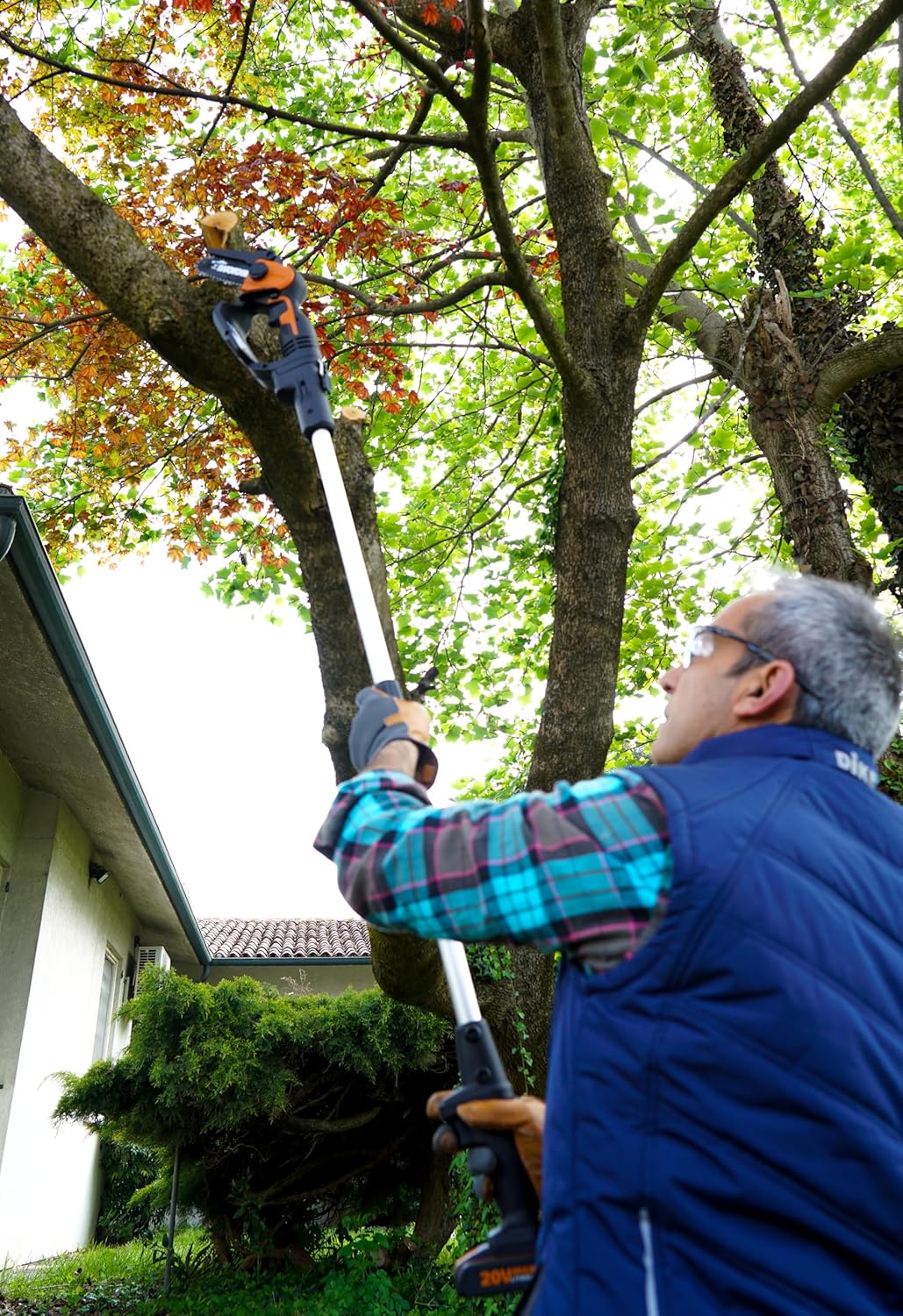
Image 2: A user operating the WORX extension pole with a mini chainsaw to prune a high tree branch.

රූපය 3: තවත් එකක් view of a user effectively pruning a tree using the WORX extension pole.
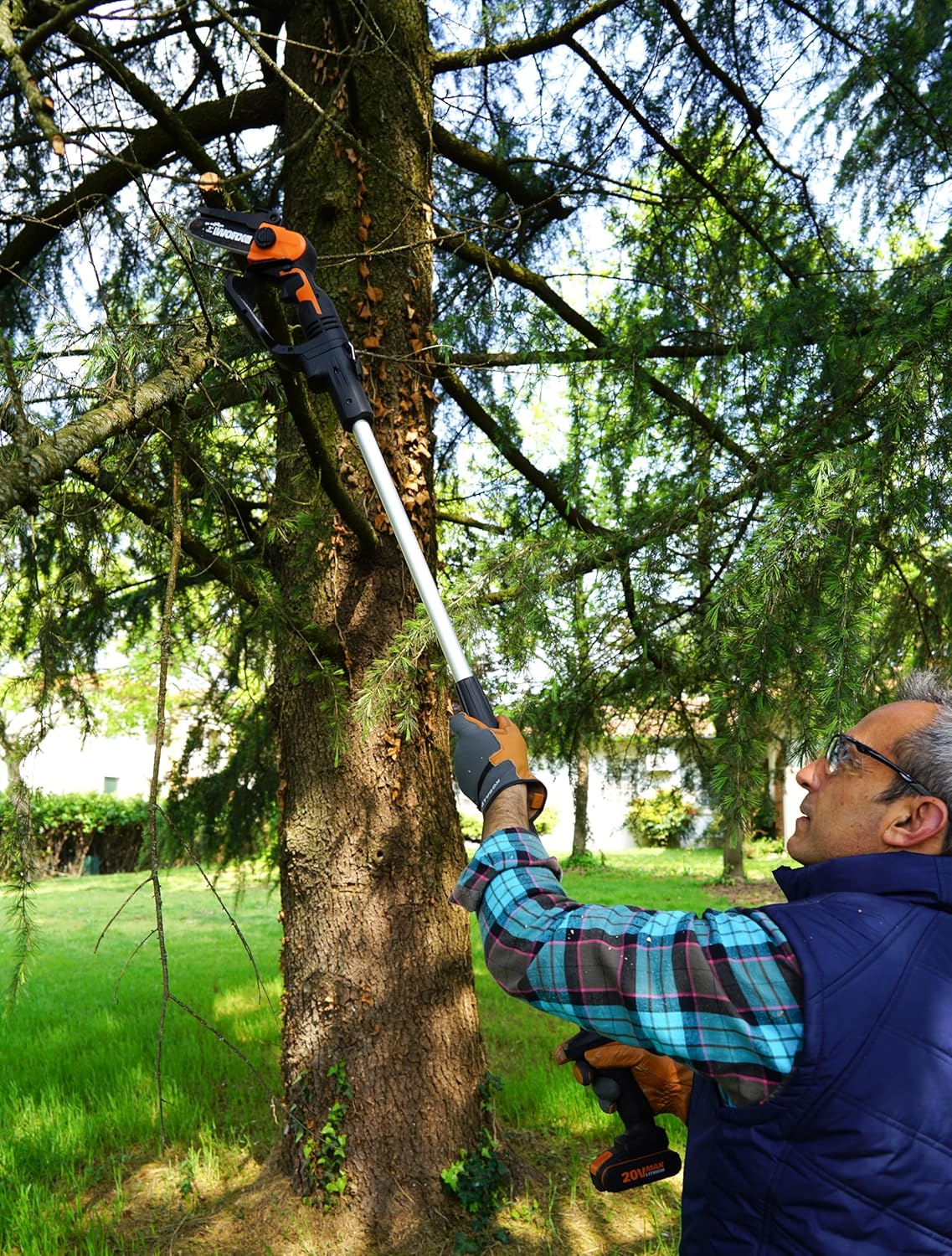
Image 4: A user demonstrating the reach and control offered by the WORX extension pole for precise cuts.
6. නඩත්තු කිරීම
Proper maintenance ensures the longevity and safe operation of your extension pole.
- පිරිසිදු කිරීම: After each use, wipe down the extension pole with a clean, damp cloth to remove any sap, dirt, or debris. Do not use harsh chemicals.
- පරීක්ෂාව: Regularly inspect the pole for any signs of damage, bends, or cracks. Check the connection points for wear.
- ගබඩා: Store the extension pole in a dry, cool place, away from direct sunlight and moisture. Ensure it is stored in a way that prevents bending or damage.
- ලිහිසි තෙල්: No specific lubrication is required for the extension pole itself, but always follow the lubrication guidelines for your mini chainsaw.
7. දෝශ නිරාකරණය
If you encounter issues with your WORX WA4301 Extension Pole, refer to the following table:
| ගැටලුව | විය හැකි හේතුව | විසඳුම |
|---|---|---|
| Chainsaw not connecting securely | Improper alignment; debris in connection; damaged connection point. | Ensure correct alignment. Clean connection points. Inspect for damage; contact support if damaged. |
| Chainsaw not operating when attached | Battery not inserted correctly; poor electrical contact; chainsaw issue. | Ensure battery is fully inserted. Check for clean contacts. Refer to your chainsaw's manual for troubleshooting. |
| Pole feels wobbly during use | Chainsaw not fully secured; locking mechanism loose. | Re-check chainsaw attachment. Tighten any locking mechanisms. |
For issues not listed here, please contact WORX customer support.
8. තාක්ෂණික පිරිවිතර
| විශේෂාංගය | පිරිවිතර |
|---|---|
| ආදර්ශ අංකය | වොක්ස්නියම් |
| නිෂ්පාදකයා | WORX |
| නිෂ්පාදන මානයන් (L x W x H) | 15.5 x 6.8 x 66.5 සෙ.මී |
| අයිතමයේ බර | කිලෝ ග්රෑම් 1.28 යි |
| වර්ණය | රිදී |
| විශේෂ ලක්ෂණය | දිගු කළ හැකි ධ්රැවය |
| ඇතුළත් සංරචක | Tool-free aluminum extension support |
| බැටරි(ය) අවශ්යයි | Yes (for connected chainsaw) |
| මුල් රට | චීනය |
9. වගකීම් සහ පාරිභෝගික සහාය
For warranty information, please refer to the documentation provided with your original WORX product purchase or visit the official WORX website. If you have any questions, require technical assistance, or need to report a problem, please contact WORX customer support through their official channels.
මාර්ගගත සහාය: Visit the WORX webනිතර අසන ප්රශ්න, නිෂ්පාදන ලියාපදිංචි කිරීම සහ සම්බන්ධතා තොරතුරු සඳහා අඩවිය.
සේවා ස්ථාන: Information on authorized service centers can be found on the WORX webඅඩවිය.


