1. හැඳින්වීම
The Autel MaxiSys Ultra is an advanced automotive diagnostic scan tool designed for comprehensive vehicle analysis and repair. This intelligent scanner integrates a 5-in-1 VCMI (Vehicle Communication and Measurement Interface), offering extensive diagnostic protocols, service functions, and advanced hardware capabilities. It is engineered to enhance diagnostic and repair efficiency for professional automotive workshops.
2. නිෂ්පාදන අවසන්view සහ සංරචක
The MaxiSys Ultra system includes the main tablet, the MaxiFlash VCMI, and various cables and adapters necessary for vehicle connection and testing.

Figure 2.1: Autel MaxiSys Ultra main tablet, VCMI, and included accessories in carrying case.
2.1. Main Tablet Features
- සංදර්ශකය: 12.9-inch TFT-LCD touchscreen with 2732x2048 resolution.
- මෙහෙයුම් පද්ධතිය: Android 7.0.
- සකසනය: 2.3GHz Quad + 1.7GHz Quad (8-core).
- මතකය: 4GB RAM & 256GB ROM.
- කැමරා: Front 5MP & Rear 16MP.
- බැටරි: 18000mAh Lithium-Polymer for extended operation.
- සම්බන්ධතාවය: Dual Wi-Fi (2.4 & 5 GHz) and BT Dual Wireless Connection.
2.2. MaxiFlash VCMI (5-in-1)
The VCMI unit combines multiple diagnostic tools into one device:
- VCI: Vehicle Communication Interface for diagnostic data exchange.
- Oscilloscope: For detailed signal analysis.
- තරංග ආකෘති උත්පාදක යන්ත්රය: To simulate sensor and ECU signals.
- බහුමාපකය: For electrical measurements.
- OBD2 CAN BUS Check: To detect communication malfunctions.

Figure 2.2: The MaxiFlash VCMI unit highlighting its integrated functions.
3. සැකසුම සහ මූලික භාවිතය
3.1. Unboxing and Charging
Upon receiving your MaxiSys Ultra, carefully unbox all components. Ensure the main tablet is fully charged before first use. Connect the tablet to the provided power adapter and allow it to charge completely.
Video 3.1: This video provides an introduction to the hardware components of the Autel MaxiSys Ultra, including the tablet and VCMI unit.
3.2. Connecting the VCMI
Connect the MaxiFlash VCMI to the vehicle's OBD2 port. The VCMI communicates wirelessly with the main tablet via dual Wi-Fi, allowing for flexible movement around the vehicle during diagnostics.
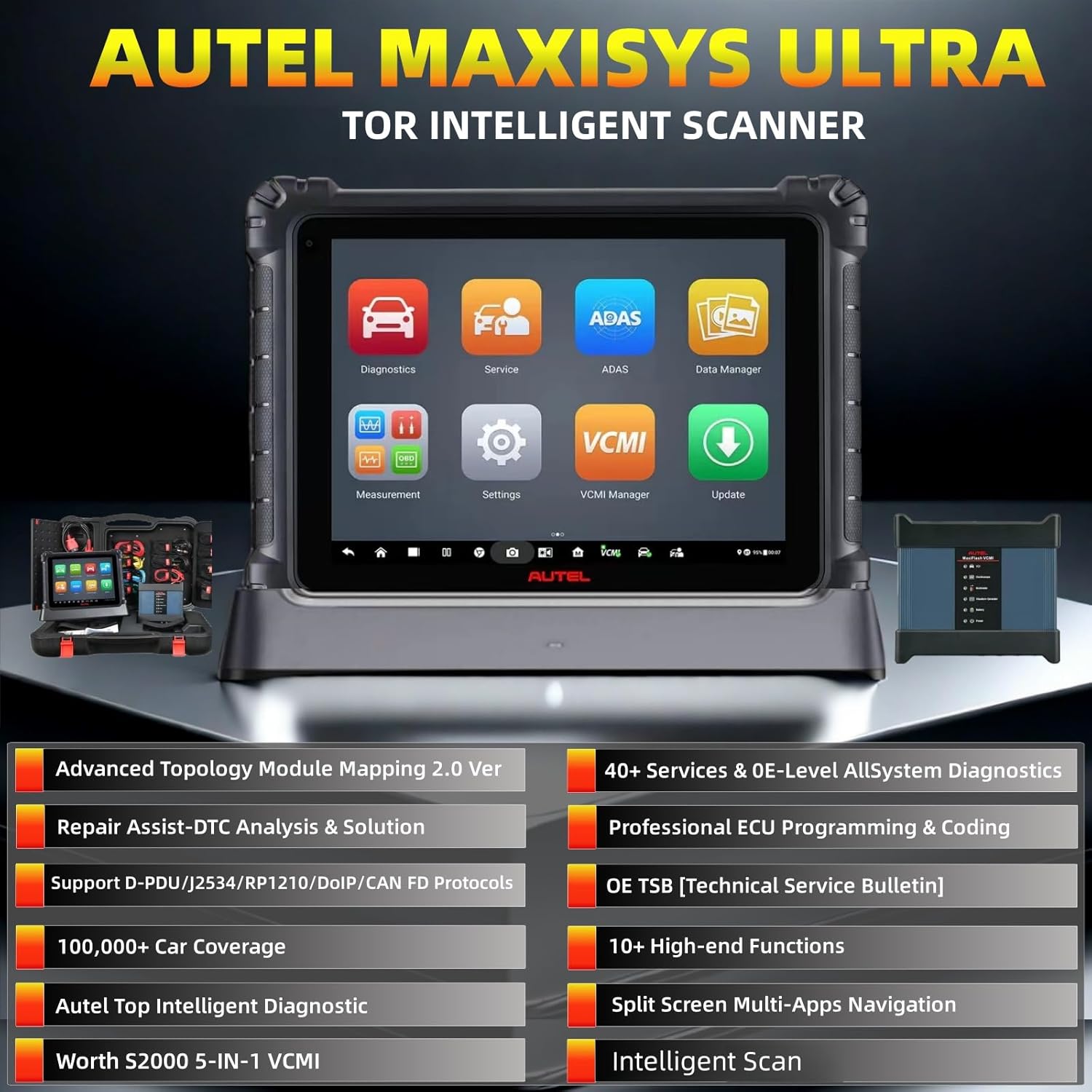
Figure 3.1: The MaxiSys Ultra tablet and VCMI in use, connected to a vehicle.
4. මෙහෙයුම් උපදෙස්
4.1. Auto Scan 2.0
The Auto Scan 2.0 feature significantly optimizes scanning speed for all vehicles using CAN protocols, providing diagnostics up to 3 times faster than previous versions. This allows for quick identification of vehicle systems and their communication statuses.
Video 4.1: This video demonstrates the capabilities and speed of the Autel AutoScan 2.0 feature.
4.2. Intelligent Diagnostics with Topology Mapping 2.0
The intelligent scan tool provides an OE-level Topology Module, visually displaying DTCs and communication statuses across all vehicle systems. This feature helps in intuitively identifying problem areas with color-coded module statuses for faster analysis.

Figure 4.1: The MaxiSys Ultra displaying the Topology Mapping 2.0 interface, showing vehicle module communication status.
4.3. ECU Programming & Coding
The MaxiSys Ultra supports ECU programming to flash/rewrite/code/match new ECUs after module replacement. It also offers advanced ECU coding functions to unlock hidden features and activate high-end functions on supported vehicles. Bi-directional control capabilities assist in identifying hidden issues.
Video 4.2: This video explains the use of J-2534 for module replacement and programming with Autel devices.
4.4. 40+ Maintenance Functions
The scanner provides over 40 maintenance and reset functions for a wide range of vehicles. These include, but are not limited to, EPB Reset, SAS Calibration, Battery Reset, Throttle Reset, ABS Bleed, Injector Coding, Power Balance, Suspension Calibration, EGR, VGT Turbo Calibration, Transmission, Headlamps, Window Door Roof, and more.

Figure 4.2: Screen showing various maintenance functions available on the MaxiSys Ultra.
5. නඩත්තු කිරීම
5.1. මෘදුකාංග යාවත්කාලීන
Regularly update the MaxiSys Ultra software to ensure access to the latest vehicle coverage, diagnostic functions, and bug fixes. Updates are typically available via Wi-Fi.
5.2 සාමාන්ය සත්කාර
Keep the tablet and VCMI clean and free from dust and debris. Store the device in its protective case when not in use to prevent damage. Avoid exposing the device to extreme temperatures or moisture.
6. දෝශ නිරාකරණය
For common issues, refer to the integrated OE Technical Service Bulletins (TSB) and repair tips available directly on the device. The MaxiSys Ultra provides step-by-step repair guidance, DTC analysis, component measurement, and relevant case studies to assist in troubleshooting.
7. පිරිවිතර
| විශේෂාංගය | පිරිවිතර |
|---|---|
| නිෂ්පාදකයා | ඔටෙල් |
| ආකෘතිය | MaxiSys Ultra |
| අයිතමයේ බර | රාත්තල් 34.9 කි |
| පැකේජ මානයන් | අඟල් 28 x 19.5 x 7.25 |
| අයිතම ආදර්ශ අංකය | MaxiSys Ultra |
| නිෂ්පාදකයාගේ කොටස අංකය | MS919-JM040 |
| මෙහෙයුම් පද්ධතිය | Android 7.0 |
| UPC | 792499843373 |
8. වගකීම් සහ සහාය
For warranty information, please refer to the documentation included with your product or contact Autel customer support. Autel provides free technical support for its products. For assistance, refer to the contact information provided in your product packaging or on the official Autel webඅඩවිය.


