හැඳින්වීම
The MOVSSOU E7 Active Noise Cancelling Headphones are designed to provide a superior audio experience with advanced noise cancellation, deep bass, and comfortable wear. This manual provides detailed instructions for setup, operation, and maintenance of your headphones, ensuring you get the most out of your device.
පෙට්ටියේ ඇති දේ
සියලුම අයිතම ඇසුරුම්වල ඇති බව තහවුරු කර ගන්න:
- 1 * MOVSSOU E7 Active Noise Cancelling Bluetooth Wireless Headphones
- 1 * Charge Cable
- 1 * Audio Cable (3.5mm)
- පරිශීලක අත්පොත

Image: The MOVSSOU E7 headphones in black, along with their charging cable and audio cable, as typically found in the product packaging.
නිෂ්පාදනය අවසන්view
Familiarize yourself with the main components and controls of your MOVSSOU E7 headphones.

Image: A close-up of the headphone ear cup highlighting key features: Active Noise Cancelling, 30 Hours Playtime, and Built-in Microphone.

රූපය: විස්තරාත්මක view of the headphone's control panel, showing buttons for power, volume, and ANC, along with ports.
පාලන සහ දර්ශක
- බල බොත්තම: බලය සක්රිය / අක්රිය කිරීමට ඔබා අල්ලාගෙන සිටින්න.
- පරිමාව වැඩි කරන්න (+): ශබ්දය වැඩි කිරීමට කෙටි ඔබන්න. ඊළඟ ධාවන පථය සඳහා දිගු ඔබන්න.
- ශබ්දය අඩු කිරීම (-): ශබ්දය අඩු කිරීමට කෙටි ඔබන්න. පෙර ධාවන පථය සඳහා දිගු ඔබන්න.
- බහුකාර්ය බොත්තම: Play/Pause music, Answer/End/Reject calls.
- ANC බොත්තම: Activates/deactivates Active Noise Cancelling.
- LED දර්ශකය: බලය, යුගල කිරීම සහ ආරෝපණ තත්ත්වය පෙන්වයි.
- 3.5mm ඕඩියෝ ජැක්: රැහැන්ගත ශ්රව්ය සම්බන්ධතාවය සඳහා.
- USB-C ආරෝපණ වරාය: හෙඩ්ෆෝන් ආරෝපණය කිරීම සඳහා.
සැලසුම
හෙඩ්ෆෝන් ආරෝපණය කිරීම
Before first use, fully charge the headphones to ensure optimal battery performance.
- සපයා ඇති USB ආරෝපණ කේබලය හෙඩ්ෆෝන්වල ආරෝපණ වරායට සම්බන්ධ කරන්න.
- කේබලයේ අනෙක් කෙළවර USB බල ඇඩැප්ටරයකට (ඇතුළත් කර නැත) හෝ පරිගණකයේ USB පෝට් එකකට සම්බන්ධ කරන්න.
- LED දර්ශකය ආරෝපණ තත්ත්වය පෙන්වනු ඇත (උදා: ආරෝපණය වන විට රතු, සම්පූර්ණයෙන්ම ආරෝපණය වූ විට අක්රිය).
- A full charge takes approximately 4 hours and provides up to 30 hours of playtime.
බ්ලූටූත් යුගලනය
To connect your MOVSSOU E7 headphones to a Bluetooth-enabled device:
- හෙඩ්ෆෝන් ක්රියා විරහිත කර ඇති බවට සහතික වන්න.
- යුගල කිරීමේ මාදිලිය දක්වමින් LED දර්ශකය නිල් සහ රතු මාරුවෙන් මාරුවට දැල්වෙන තුරු බල බොත්තම ඔබාගෙන සිටින්න.
- ඔබගේ උපාංගයේ, බ්ලූටූත් සබල කර පවතින උපාංග සඳහා සොයන්න.
- Select "MOVSSOU E7" from the list.
- Once connected, the LED indicator will turn solid blue or flash slowly.

Image: The MOVSSOU E7 headphones demonstrating Bluetooth 5.0 connectivity with a phone, tablet, laptop, desktop, and TV, highlighting versatile compatibility.
මෙහෙයුම් උපදෙස්
බලය සක්රිය / අක්රිය
- To power on, press and hold the Power button for approximately 2 seconds.
- To power off, press and hold the Power button for approximately 3 seconds.
ක්රියාකාරී ශබ්ද අවලංගු කිරීම (ANC)
The ANC function reduces ambient noise for an immersive listening experience.
- Press the ANC button once to activate noise cancellation. The ANC indicator light will illuminate.
- ශබ්ද අවලංගු කිරීම අක්රිය කිරීමට නැවත ANC බොත්තම ඔබන්න.
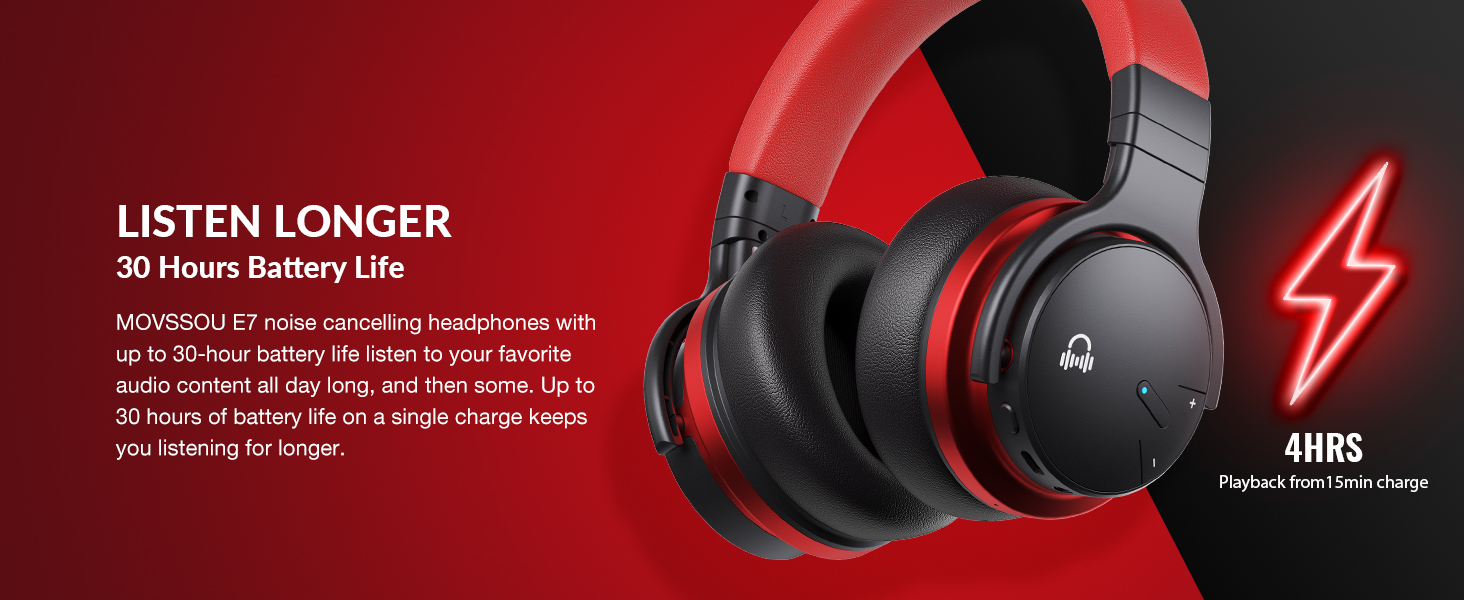
Image: A person wearing MOVSSOU E7 headphones, illustrating the activation of ANC mode with a single touch for a quieter personal audio experience.
සංගීත වාදනය
- Press the Multi-function button once to Play/Pause music.
- Short press Volume Up (+) to increase volume.
- Short press Volume Down (-) to decrease volume.
- Long press Volume Up (+) for the next track.
- Long press Volume Down (-) for the previous track.
ඇමතුම් කළමනාකරණය
- To answer an incoming call, press the Multi-function button once.
- To end a call, press the Multi-function button once.
- To reject an incoming call, press and hold the Multi-function button for 2 seconds.
- To redial the last number, double-press the Multi-function button.

Image: A woman wearing MOVSSOU E7 headphones, demonstrating clear hands-free calling capabilities with the built-in microphone.
නඩත්තු කිරීම සහ රැකවරණය
Proper care will extend the lifespan of your MOVSSOU E7 headphones.
- මෘදු වියළි රෙද්දකින් හෙඩ්ෆෝන් නිතිපතා පිරිසිදු කරන්න. උල්ෙල්ඛ පිරිසිදු කරන්නන් හෝ ද්රාවක භාවිතා නොකරන්න.
- හෙඩ්ෆෝන් අධික උෂ්ණත්වයන්ට, ආර්ද්රතාවයට හෝ සෘජු හිරු එළියට නිරාවරණය වීමෙන් වළකින්න.
- හෙඩ්ෆෝන් භාවිතයේ නොමැති විට සිසිල් වියළි ස්ථානයක, වඩාත් සුදුසු ආරක්ෂිත ආවරණයක ගබඩා කරන්න.
- හෙඩ්ෆෝන් විසුරුවා හැරීමට හෝ වෙනස් කිරීමට උත්සාහ නොකරන්න, මෙය වගකීම් සහතිකය අවලංගු කරයි.
- Keep the charging port free of dust and debris to ensure proper charging.
දෝෂගවේෂණය
If you encounter any issues with your headphones, refer to the table below for common problems and solutions.
| ගැටලුව | විසඳුම |
|---|---|
| හෙඩ්ෆෝන් ක්රියාත්මක නොවේ. | හෙඩ්ෆෝන් ආරෝපණය කර ඇති බවට වග බලා ගන්න. බල ප්රභවයකට සම්බන්ධ කර නැවත උත්සාහ කරන්න. |
| උපාංගය සමඟ යුගල කළ නොහැක. | Ensure headphones are in pairing mode (flashing blue/red). Turn off and on Bluetooth on your device. Move headphones closer to the device. |
| ශබ්දයක් නැත හෝ අඩු පරිමාවක් නැත. | හෙඩ්ෆෝන් සහ සම්බන්ධිත උපාංග දෙකෙහිම ශබ්ද මට්ටම් පරීක්ෂා කරන්න. හෙඩ්ෆෝන් නිසි ලෙස යුගල කර ඇති බවට වග බලා ගන්න. උපාංග දෙකම නැවත ආරම්භ කිරීමට උත්සාහ කරන්න. |
| ANC ඵලදායී ලෙස ක්රියා නොකරයි. | Ensure ANC is activated. ANC is most effective for low-frequency, constant noises. Ensure earcups form a good seal around your ears. |
පිරිවිතර
Detailed technical specifications for the MOVSSOU E7 headphones.
| විශේෂාංගය | විස්තර |
|---|---|
| මාදිලියේ නම | E7 Wireless Noise Cancelling Headphones |
| සම්බන්ධතා තාක්ෂණය | රැහැන් රහිත (බ්ලූටූත් 5.0) |
| ශ්රව්ය ධාවක ප්රමාණය | මිලිමීටර් 45 යි |
| බැටරි ආයු කාලය | පැය 30 දක්වා |
| ආරෝපණ කාලය | පැය 4 යි |
| සංඛ්යාත ප්රතිචාරය | 20Hz - 20kHz |
| බ්ලූටූත් පරාසය | අඩි 33 (මීටර් 10) |
| ශබ්ද පාලනය | ක්රියාකාරී ශබ්ද අවලංගු කිරීම |
| හෙඩ්ෆෝන් ජැක් | 3.5 mm ජැක් |
| අයිතමයේ බර | අවුන්ස 13.8 (රාත්තල් 0.86) |
| නිෂ්පාදන මානයන් | අඟල් 7.68 x 7.2 x 2.17 |
| ද්රව්ය | ප්ලාස්ටික් |
| පාලන වර්ගය | Noise Control, Voice Control, Call Control, Volume Control |
වගකීම් සහ සහාය
MOVSSOU products are designed and manufactured to the highest quality standards. For detailed warranty information and technical support, please refer to the warranty card included with your product or visit the official MOVSSOU webඅඩවිය.
For further assistance, you may contact MOVSSOU customer support through their official channels. Please have your product model (E7 Basic C) and purchase information ready when contacting support.


