1. හැඳින්වීම
This manual provides detailed instructions for the installation, configuration, operation, and maintenance of your TP-Link EAP610 AX1800 Gigabit Dual-Band Wi-Fi 6 Access Point. Please read this manual thoroughly before using the device to ensure proper functionality and to avoid any potential issues.
2. නිෂ්පාදන අවසන්view
The TP-Link EAP610 is a high-performance Wi-Fi 6 access point designed for demanding network environments. It offers advanced features for enhanced wireless connectivity and efficient network management.
ප්රධාන ලක්ෂණ:
- Ultra-Fast Wi-Fi 6 Speeds: Delivers combined speeds of up to 1775 Mbps (574 Mbps on 2.4 GHz and 1201 Mbps on 5 GHz) for smooth streaming and fast downloads.
- අධි-ඝනත්ව සම්බන්ධතාවය: Supports up to 4 times more connected devices simultaneously compared to Wi-Fi 5, ideal for environments with many users.
- Integrated with Omada SDN: Provides Zero-Touch Provisioning, Centralized Cloud Management, and Intelligent Monitoring for simplified network administration.
- බාධාවකින් තොරව රෝමිං: Ensures uninterrupted video and voice calls as users move between access points.
- නම්යශීලී බල විකල්ප: Supports both 802.3at Power over Ethernet (PoE) and DC power for versatile installation.
3. පැකේජ අන්තර්ගතය
ඔබේ පැකේජයේ පහත අයිතම අඩංගු බව තහවුරු කරන්න:
- 1 × EAP610 Access Point
- Mounting Kit (Ceiling/Wall Mount)
- ස්ථාපන මාර්ගෝපදේශය
කිසියම් අයිතමයක් අස්ථානගත වී හෝ හානි වී ඇත්නම්, කරුණාකර ඔබේ විකුණුම්කරු අමතන්න.
4 දෘඪාංග ස්ථාපනය
The EAP610 can be mounted on a wall or ceiling. Ensure the chosen location provides optimal Wi-Fi coverage and is near a power source (PoE switch/injector or DC outlet).
4.1 උපාංගය අවසන්view
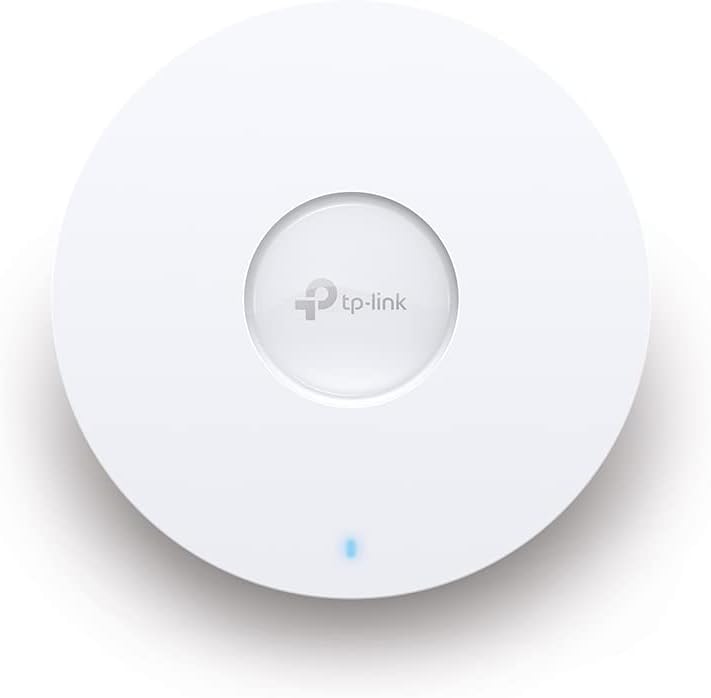
රූපය 1: ඉදිරිපස view of the TP-Link EAP610 Access Point, showing the TP-Link logo and status LED.

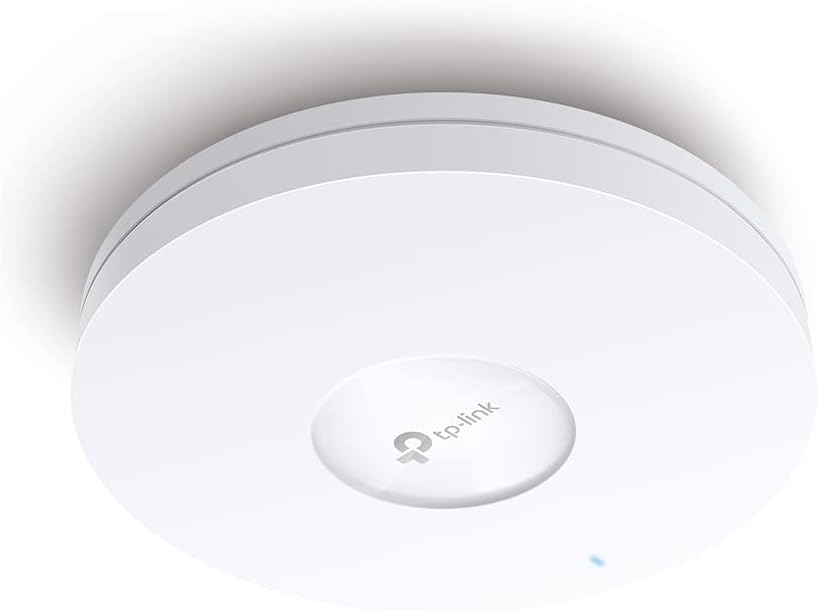
රූපය 2: පැත්ත view of the TP-Link EAP610 Access Point, illustrating its slim profile.
රූපය 3: පහළ view of the TP-Link EAP610 Access Point, showing the Ethernet port and power input.
4.2 ප්රවේශ ස්ථානය සවි කිරීම
Use the provided mounting kit to secure the EAP610 to a wall or ceiling. Ensure the mounting surface is stable and can support the device's weight.
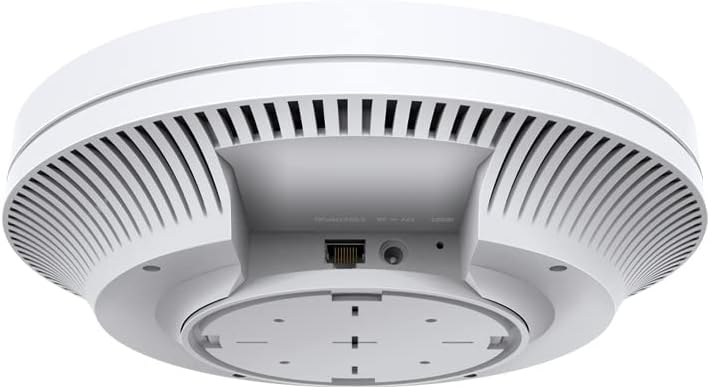
Figure 4: The EAP610 Access Point installed on a ceiling in an office environment.

Figure 5: The EAP610 Access Point installed on a wall in a commercial setting.
4.3 උපාංගය බල ගැන්වීම
The EAP610 supports two power methods:
- ඊතර්නෙට් හරහා බලය (PoE): Connect an Ethernet cable from a PoE-enabled switch or PoE injector to the EAP610's Ethernet port. This provides both data and power.
- DC බලය: Connect a 12V DC power adapter (not included) to the DC power jack on the EAP610.
හානි වැළැක්වීම සඳහා බල ප්රභවය උපාංගයේ අවශ්යතා සපුරාලන බවට වග බලා ගන්න.
5. මෘදුකාංග වින්යාසය
The EAP610 can be configured and managed using the TP-Link Omada SDN platform or the Omada app.
5.1 Omada SDN Controller
For centralized management of multiple Omada devices, use the Omada SDN Controller. This allows for zero-touch provisioning, cloud access, and intelligent network monitoring.
- Download the Omada SDN Controller software from the official TP-Link webඅඩවිය.
- Follow the on-screen instructions to install and set up the controller.
- Connect your EAP610 to the network where the Omada Controller is running. The controller will detect and allow you to adopt the EAP610.
5.2 Omada App
For convenient management via your mobile device, use the Omada app.
- Download the TP-Link Omada app from the App Store (iOS) or Google Play (Android).
- Launch the app and follow the instructions to add your EAP610.
For detailed configuration steps, refer to the official TP-Link Omada documentation available on their support webඅඩවිය.
6. මෙහෙයුම් උපදෙස්
Once installed and configured, the EAP610 will broadcast Wi-Fi signals for client devices to connect.
6.1 Wi-Fi වෙත සම්බන්ධ කිරීම
- ඔබගේ රැහැන් රහිත උපාංගයේ (ස්මාර්ට්ෆෝන්, ලැප්ටොප්, ටැබ්ලටය), පවතින Wi-Fi ජාල සොයන්න.
- Select the SSID (Wi-Fi network name) configured for your EAP610.
- විමසන්නේ නම් Wi-Fi මුරපදය ඇතුළත් කරන්න.
- Your device should now be connected to the EAP610's Wi-Fi network.
6.2 බාධාවකින් තොරව රෝමිං
When multiple EAP610 access points are deployed and managed by an Omada Controller, client devices can seamlessly roam between them without interruption. This ensures a consistent connection for applications like video calls and voice over IP (VoIP) as you move within the coverage area.
7. නඩත්තු කිරීම
Regular maintenance helps ensure optimal performance and longevity of your EAP610 access point.
- ස්ථිරාංග යාවත්කාලීන කිරීම්: වරින් වර TP-Link පරීක්ෂා කරන්න website or your Omada Controller for new firmware versions. Updating firmware can improve performance, add new features, and fix security vulnerabilities.
- පිරිසිදු කිරීම: උපාංගය පිරිසිදුව හා දූවිලි වලින් තොරව තබා ගන්න. බාහිර කොටස පිස දැමීමට මෘදු වියළි රෙද්දක් භාවිතා කරන්න. දියර පිරිසිදු කරන්නන් හෝ එයරොසෝල් භාවිතා නොකරන්න.
- ප්රශස්ත ස්ථානගත කිරීම: Ensure the access point remains in an unobstructed location for best signal propagation. Avoid placing it near large metal objects or sources of electromagnetic interference.
- නැවත ආරම්භ කිරීම: If you experience network issues, a simple restart of the access point can often resolve them.
8. දෝශ නිරාකරණය
This section addresses common issues you might encounter with your EAP610.
8.1 බලය නැත
- Ensure the Ethernet cable is securely connected to both the EAP610 and the PoE source (switch or injector).
- Verify that the PoE source is powered on and functioning correctly.
- If using a DC adapter, ensure it is properly connected and the power outlet is active.
8.2 Wi-Fi සංඥාවක් නැත
- Check the status LED on the EAP610. Refer to the installation guide for LED indicator meanings.
- Verify that the EAP610 is properly configured via the Omada Controller or app.
- Ensure the Wi-Fi function is enabled and the SSIDs are broadcasting.
- Restart the EAP610.
8.3 මන්දගාමී Wi-Fi වේගය
- Check for interference from other electronic devices or neighboring Wi-Fi networks.
- Ensure your client device supports Wi-Fi 6 (802.11ax) to take full advantage of the EAP610's capabilities.
- Verify the EAP610's channel settings and adjust if necessary to avoid congestion.
- Ensure the Ethernet connection to the EAP610 is gigabit-speed.
For more advanced troubleshooting, consult the comprehensive FAQ and support resources on the TP-Link webඅඩවිය.
9. පිරිවිතර
| විශේෂාංගය | විස්තර |
|---|---|
| වෙළඳ නාමය | TP-Link |
| මාදිලියේ නම | ඊඒපී 610 |
| අයිතම ආදර්ශ අංකය | ඊඒපී 610 |
| නිෂ්පාදන මානයන් | 13.34 x 0.79 x 4.22 සෙ.මී |
| අයිතමයේ බර | ග්රෑම් 600 කි |
| වර්ණය | සුදු |
| රැහැන් රහිත වර්ගය | 802.11ax (Wi-Fi 6) |
| සංඛ්යාත කලාප පන්තිය | ද්විත්ව සංගීත කණ්ඩායම |
| රැහැන් රහිත සන්නිවේදන ප්රමිතිය | 802.11 පොරව |
| සම්බන්ධතා තාක්ෂණය | ඊතර්නෙට් |
| බලශක්ති ප්රභවය | DC, Power over Ethernet (PoE) |
| වෙළුමtage | වෝල්ට් 12 |
| මෙහෙයුම් පද්ධතිය | RouterOS (Note: This might be a generic entry, Omada SDN is the primary management platform) |
| විශේෂ ලක්ෂණ | RJ-45, Wireless |
| ගැළපෙන උපාංග | Wi-Fi 6 enabled devices (smartphones, laptops, etc.) |
| නිෂ්පාදනය සඳහා නිර්දේශිත භාවිතයන් | Company, Commercial |
| ඇතුළත් සංරචක | 1 × EAP610 |
| බැටරි | Not known, requires batteries (Note: This device typically does not use batteries) |
| බැටරි ඇතුළත් | නැත |
10. වගකීම් සහ සහාය
වගකීම් තොරතුරු, තාක්ෂණික සහාය සහ අමතර සම්පත් සඳහා, කරුණාකර නිල TP-Link වෙත පිවිසෙන්න. webඅඩවිය:
You can find FAQs, updated drivers and firmware, and contact information for technical assistance.