1. හැඳින්වීම
This manual provides instructions for the Monoprice Dark Matter 27-inch 165Hz Gaming Monitor. This monitor features an IPS panel, a 165Hz refresh rate, and a 1920x1080p Full HD resolution. It includes Adaptive Sync technology for smooth visuals and offers multiple connectivity options, including HDMI and DisplayPort inputs.
2 ආරක්ෂිත තොරතුරු
- මොනිටරය ක්රියාත්මක කිරීමට පෙර සියලුම උපදෙස් කියවන්න.
- Keep the monitor away from water or damp පරිසරයන්.
- වාතාශ්රය විවෘත කිරීම අවහිර නොකරන්න.
- නිෂ්පාදකයා විසින් සපයන ලද බල ඇඩැප්ටරය පමණක් භාවිතා කරන්න.
- අස්ථායී පෘෂ්ඨ මත මොනිටරය තැබීමෙන් වළකින්න.
- අකුණු කුණාටු ඇති විට හෝ දිගු කාලයක් භාවිතා නොකළ විට විදුලි රැහැන විසන්ධි කරන්න.
- සියලුම සේවා සුදුසුකම් ලත් පුද්ගලයින් වෙත යොමු කරන්න.
3. පැකේජ අන්තර්ගතය
ඔබේ පැකේජයේ පහත අයිතම අඩංගු බව තහවුරු කරන්න:
- Monoprice Dark Matter 27-inch Gaming Monitor
- මොනිටර් ස්ටෑන්ඩ් (පාදය සහ බෙල්ල)
- බල ඇඩැප්ටරය සහ බල කේබලය
- HDMI කේබලය
- පරිශීලක අත්පොත (මෙම ලේඛනය)
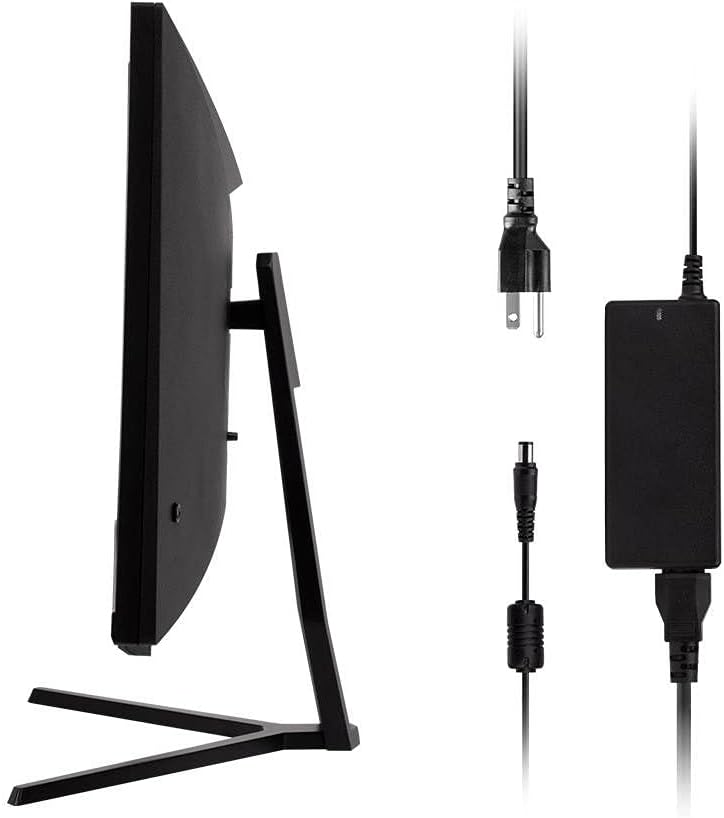
Image: Monitor side view with included power adapter and cable.
4. අධීක්ෂණය අවසන්view
ඉදිරිපස View
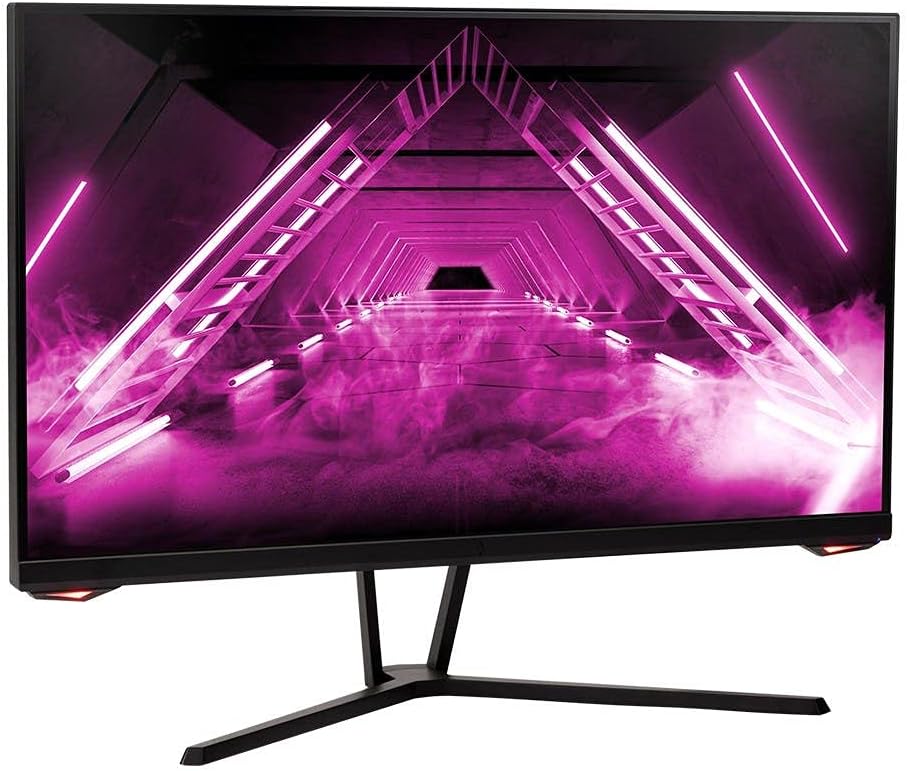
රූපය: ඉදිරිපස view මොනිටරයේ.
පසුපස View සහ වරායන්
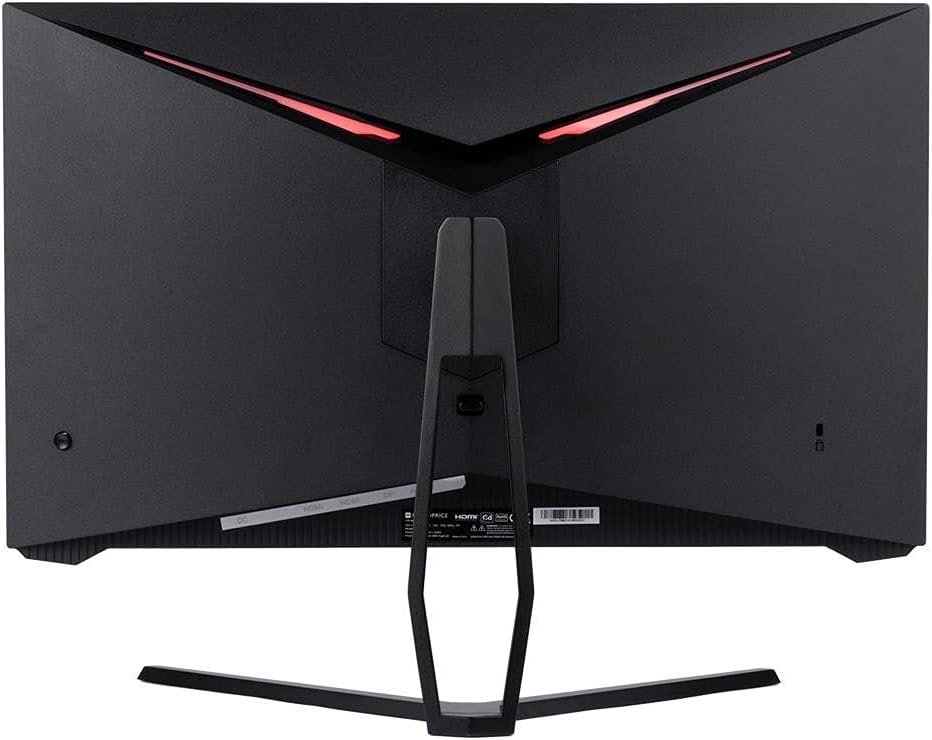
රූපය: පසුපස view of the monitor, highlighting the VESA mount and stand attachment.

Image: Close-up of the monitor's input ports.
5. පිහිටුවීම
5.1 ස්ථාවර එකලස් කිරීම
- මෘදු මතුපිටක් මත ආරක්ෂිතව තබා ගනිමින්, මොනිටරය එහි ඇසුරුම්වලින් ප්රවේශමෙන් ඉවත් කරන්න.
- Attach the stand neck to the monitor's rear panel by aligning the tabs and securing any screws if present.
- ස්ථාවර පාදය ස්ථාවර බෙල්ලට සවි කරන්න, එය ස්ථිරව ආරක්ෂිත බව සහතික කරන්න.
- එකලස් කරන ලද මොනිටරය ස්ථාවර, පැතලි මතුපිටක් මත තබන්න.
5.2 VESA සවි කිරීම
The monitor supports a 75x75mm VESA mount pattern. To use a wall or desk mount:
- Remove the pre-attached stand by unscrewing it from the monitor's rear panel.
- Attach your VESA-compatible mount to the monitor using the appropriate screws (not included).
- Ensure the mount is securely fastened before releasinමොනිටරය g කරන්න.
5.3 පරිගණකයකට සම්බන්ධ වීම
Connect the monitor to your computer using one of the following methods:
- DisplayPort: Connect one end of a DisplayPort cable to the DisplayPort output on your computer's graphics card and the other end to the DisplayPort input on the monitor.
- HDMI: Connect one end of an HDMI cable to an HDMI output on your computer's graphics card and the other end to one of the HDMI inputs on the monitor.
After connecting the video cable, connect the power adapter to the monitor's DC input and then plug the power cable into a wall outlet.
6. මොනිටරය ක්රියාත්මක කිරීම
6.1 බලය සක්රිය / අක්රිය
Press the power button, typically located on the rear or bottom of the monitor, to turn the monitor on or off. The power indicator light will illuminate when the monitor is on.
6.2 තිරය මත සංදර්ශක (OSD) මෙනුව
The OSD menu allows you to adjust various monitor settings. Access the OSD menu by pressing the menu button (often a joystick or a series of buttons) on the monitor. Navigate through the options using the directional controls and confirm selections.
පොදු OSD සැකසුම් වලට ඇතුළත් වන්නේ:
- පින්තූර සැකසීම්: දීප්තිය, වෙනස, තියුණු බව, වර්ණ උෂ්ණත්වය.
- ආදාන තෝරන්න: Choose between DisplayPort and HDMI inputs.
- ශ්රව්ය: ශ්රව්ය ප්රතිදානය සඳහා ශබ්ද පාලනය.
- ක්රීඩා විශේෂාංග: Overdrive, FreeSync/Adaptive Sync settings.
6.3 ප්රධාන ලක්ෂණ
- 165Hz නැවුම් කිරීමේ අනුපාතය: This monitor supports a 165Hz refresh rate, providing smoother motion and reduced input lag compared to standard 60Hz monitors. Ensure your graphics card and system settings are configured to utilize this refresh rate.
- අනුවර්තන සමමුහුර්තකරණය: This technology synchronizes the monitor's refresh rate with your graphics card's frame rate, eliminating screen tearing and stuttering for a smoother gaming experience. Enable Adaptive Sync in your graphics card's control panel and the monitor's OSD menu.
- Full HD Resolution (1920x1080p): The monitor displays content at 1920x1080 pixels, offering clear and detailed visuals.
7. නඩත්තු කිරීම
To maintain your monitor and ensure its longevity:
- තිරය පිරිසිදු කිරීම: මෘදු, ලින්ට් රහිත රෙද්දකින් තිරය මෘදු ලෙස පිස දමන්න. මුරණ්ඩු සලකුණු සඳහා, තිරයට කෙලින්ම නොව, රෙද්දට යොදන මොනිටරයට විශේෂිත පිරිසිදු කිරීමේ විසඳුමක් භාවිතා කරන්න.
- සී පිරිසිදු කිරීමasing: මොනිටරය පිස දැමීමට මෘදු වියළි රෙද්දක් භාවිතා කරන්න casinඋල්ෙල්ඛ පිරිසිදු කරන්නන්ගෙන් වළකින්න.
- වාතාශ්රය: Ensure the monitor's ventilation openings are clear of dust and obstructions to prevent overheating.
- විදුලිය විසන්ධි කිරීම: Turn off the monitor when not in use for extended periods.
8. දෝශ නිරාකරණය
If you encounter issues with your monitor, refer to the following troubleshooting guide:
| ගැටලුව | විය හැකි හේතුව | විසඳුම |
|---|---|---|
| තිරයේ රූපයක් නැත / බල LED අක්රියයි. | Monitor not powered on; Power cable loose; Power outlet faulty. | Press the power button; Check power cable connections; Try a different power outlet. |
| රූපයක් නැත / "සංඥාවක් නැත" පණිවිඩය | Video cable loose; Incorrect input selected; Computer not outputting signal. | Check video cable connections; Select the correct input via OSD; Ensure computer is on and outputting video. |
| Screen flickers or goes black intermittently | Loose video cable; Graphics driver issue; Monitor overheating; Faulty cable. | Ensure video cable is secure; Update graphics drivers; Ensure adequate ventilation around the monitor; Try a different video cable. |
| අධික උනුසුම් වීම / දුම | Blocked ventilation; Internal component issue. | Immediately unplug the monitor. Ensure ventilation is clear. Do not use the monitor if smoke is present. Contact support. |
| Red line or other display artifacts | Faulty panel; Graphics card issue. | Test with a different video cable and computer. If the issue persists, contact support. |
| Backlight turns off, requires power cycle | Power management settings; Internal fault. | Check computer's power saving settings. If issue persists, contact support. |
9. පිරිවිතර
| විශේෂාංගය | පිරිවිතර |
|---|---|
| ආදර්ශ අංකය | 142771 |
| තිර ප්රමාණය | අඟල් 27 |
| පැනල් වර්ගය | IPS |
| විභේදනය | 1920 x 1080 (FHD 1080p) |
| Refresh Rate | 165Hz |
| දර්ශන අනුපාතය | 16:9 |
| වීඩියෝ ආදාන | 2x HDMI 1.4, 1x DisplayPort 1.2a |
| වෙසා කන්ද | 75x75 මි.මී |
| මානයන් (LxWxH) | අඟල් 28.8 x 7.1 x 19.3 |
| අයිතමයේ බර | රාත්තල් 15.77 කි |
10. වගකීම් සහ සහාය
10.1 වගකීම් තොරතුරු
This Monoprice monitor is backed by a 1 Year PixelPerfect Guarantee. This warranty covers defects in materials and workmanship under normal use for one year from the date of purchase. Please refer to Monoprice's official webසම්පූර්ණ වගකීම් නියමයන් සහ කොන්දේසි සඳහා අඩවිය.
10.2 පාරිභෝගික සහාය
For technical assistance, warranty claims, or further information, please contact Monoprice Customer Support. Contact details can typically be found on the official Monoprice webවෙබ් අඩවිය හෝ ඔබේ මිලදී ගැනීමේ ලියකියවිලි.
11. වීඩියෝ සම්පත්
මෙම ආකෘතිය සඳහා විකුණුම්කරුගෙන් නිල නිෂ්පාදන වීඩියෝ කිසිවක් හමු නොවීය.