1. ආරම්භ කිරීම
1.1 පැකේජයේ අන්තර්ගතය
කරුණාකර පහත අයිතම සඳහා පැකේජය පරීක්ෂා කරන්න:
- WENKEY E2 Wireless Earbuds (Left and Right)
- අයකිරීමේ නඩුව
- USB ආරෝපණ කේබලය
- Multiple Sizes of Ear Tips (XS, S, M, L, XL)
- පරිශීලක අත්පොත
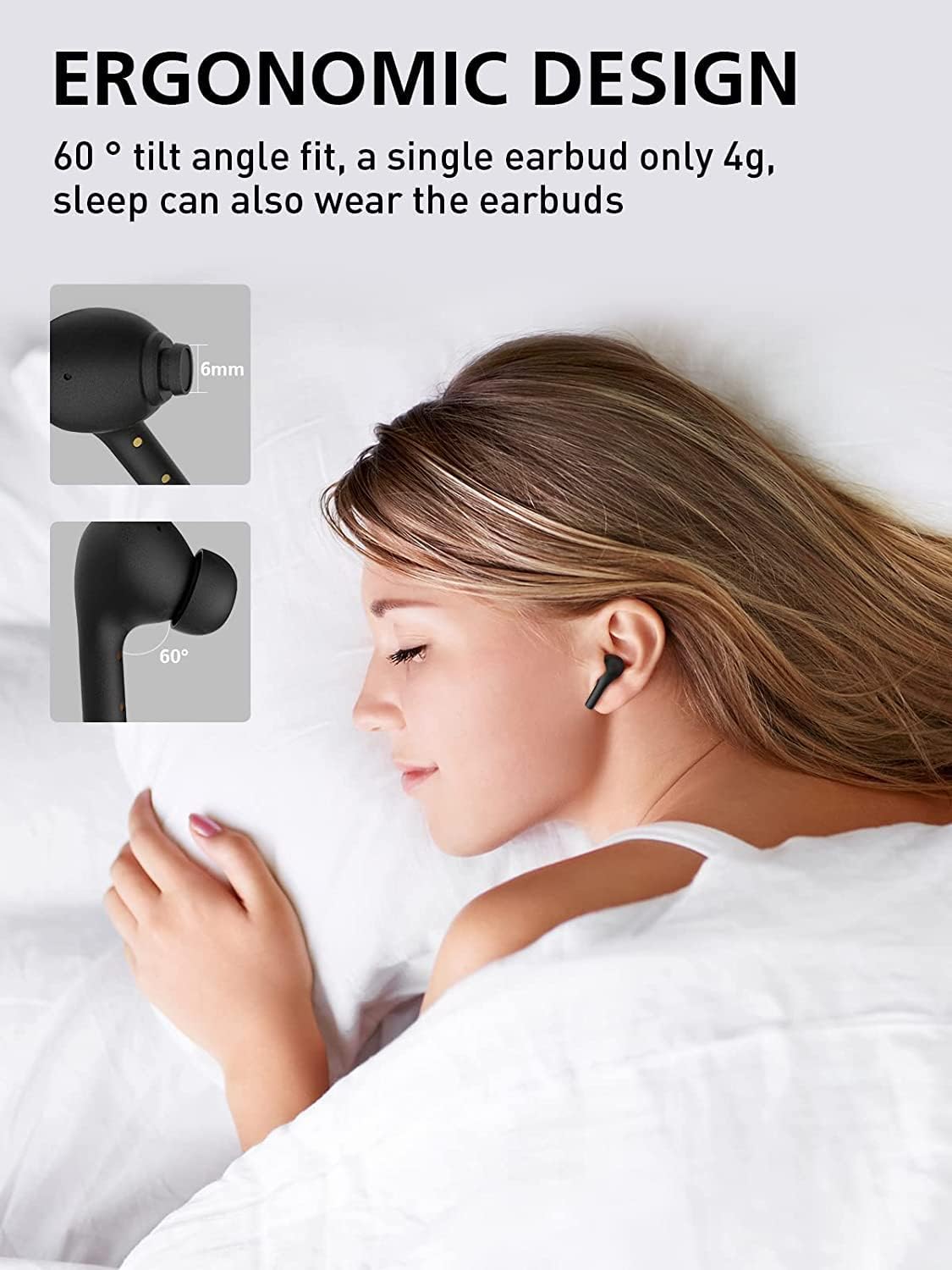
Image: All components included in the WENKEY E2 Earbuds package.
1.2 ඉයර්බඩ් සහ කේස් ආරෝපණය කිරීම
Before first use, fully charge the earbuds and the charging case. The charging case provides up to 5 full charges for the earbuds, extending total listening time to 30 hours.
- Place the earbuds into the charging case. Ensure they are correctly seated; the indicator lights on the earbuds will illuminate.
- සපයා ඇති USB කේබලය භාවිතයෙන් ආරෝපණ පෙට්ටිය USB බල ප්රභවයකට සම්බන්ධ කරන්න.
- The LED indicators on the charging case will show the charging status. Four lights indicate a full charge.

Image: WENKEY E2 Earbuds seated in their charging case, ready for charging.

Image: Visual representation of the charging case's LED indicators and their battery level meanings.
1.3 ඔබගේ උපාංගය සමඟ යුගල කිරීම
පහසුව සඳහා ඉයර්බඩ් වල එක්-පියවර යුගලනය ඇතුළත් වේ.
- ආරෝපණ පෙට්ටිය විවෘත කරන්න. ඉයර්බඩ් ස්වයංක්රීයව ක්රියාත්මක වී යුගල කිරීමේ ප්රකාරයට ඇතුළු වේ.
- ඔබගේ උපාංගයේ (ස්මාර්ට්ෆෝන්, ටැබ්ලටය, ලැප්ටොප්) බ්ලූටූත් සක්රීය කරන්න.
- ඒ සඳහා සොයන්න "WENKEY E2" in the list of available Bluetooth devices and select it to connect.
- සම්බන්ධ වූ පසු, ඔබට තහවුරු කිරීමේ ස්වරයක් ඇසෙනු ඇති අතර, ඉයර්බඩ් භාවිතයට සූදානම් වනු ඇත.
The advanced Bluetooth 5.1 technology ensures a fast, stable connection with a range of up to 15 meters.
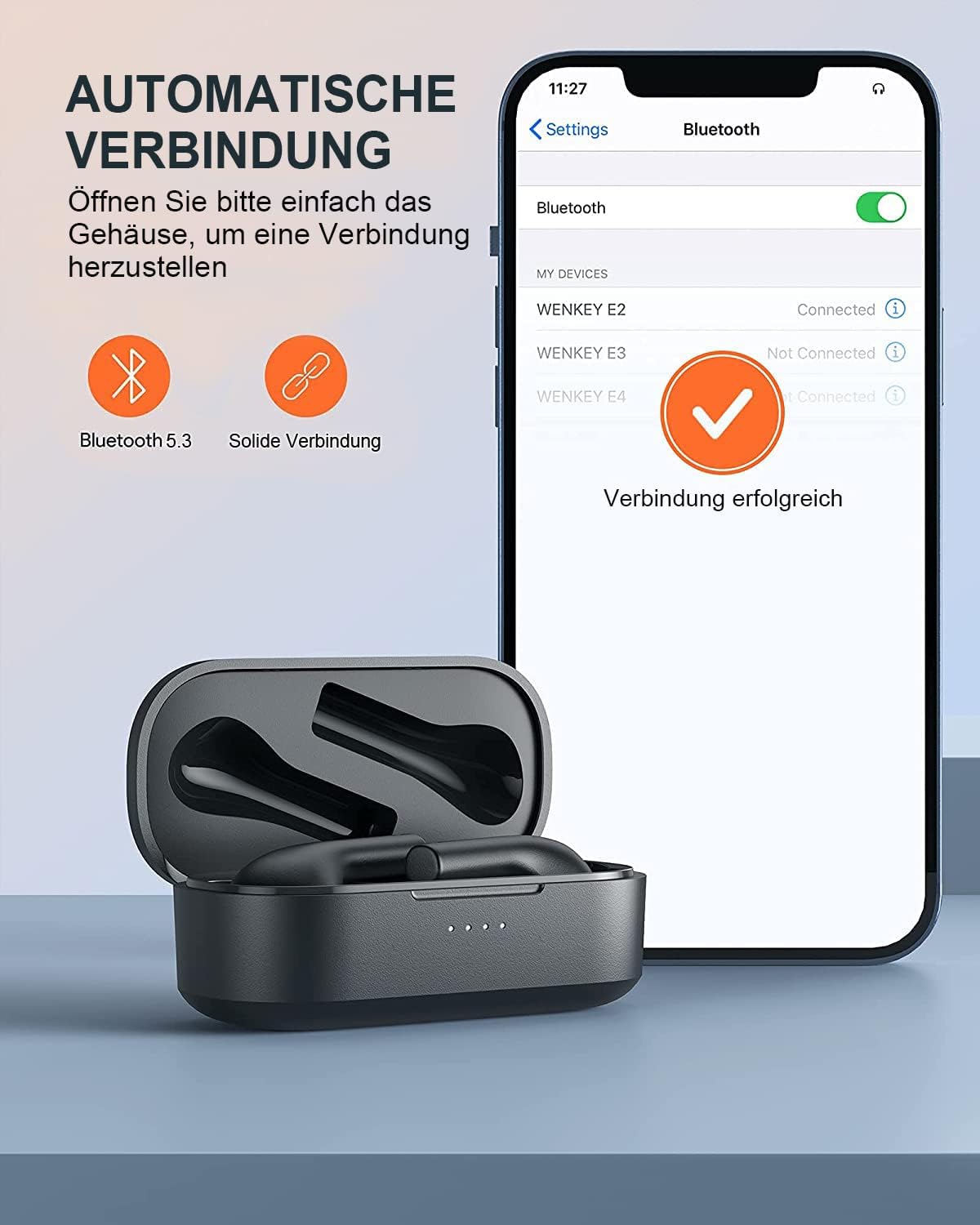
Image: Automatic pairing process shown on a smartphone's Bluetooth settings.
2. ඉයර්බඩ් ක්රියාත්මක කිරීම
2.1 ඉයර්බඩ් පැළඳීම
The WENKEY E2 earbuds are designed with an ergonomic 60-degree tilt angle for a secure and comfortable fit. Choose the ear tips that best fit your ear canal for optimal sound quality and noise isolation.

Image: Ergonomic design of the earbuds for comfortable and secure wear.

Image: Selection of ear tip sizes for a customized and comfortable fit.
2.2 ස්පර්ශ පාලන
The earbuds feature intuitive touch controls for managing media playback and calls.
| කාර්යය | ක්රියාව |
|---|---|
| වාදනය / විරාමය | ඉයර්බඩ් දෙකෙන් දෙකට තට්ටු කරන්න |
| ඊළඟ ධාවන පථය | Touch and hold the right earbud for 2 seconds |
| පෙර ධාවන පථය | Touch and hold the left earbud for 2 seconds |
| ඇමතුමට පිළිතුරු දෙන්න/අවසන් කරන්න | ඉයර්බඩ් දෙකෙන් දෙකට තට්ටු කරන්න |
| ඇමතුම ප්රතික්ෂේප කරන්න | තත්පර 2ක් සඳහා ඉයර්බඩ් එකක් ස්පර්ශ කර අල්ලාගෙන සිටින්න |
| හඬ සහායක | Triple-tap either earbud |

Image: Visual guide to the touch control functions on the earbuds.
2.3 Call Functions and Audio Quality
The earbuds feature ENC (Environmental Noise Cancellation) microphones, ensuring clear calls even in noisy environments. Experience Hi-Fi stereo sound with enhanced bass for an immersive audio experience.

Image: Explanation of the noise-canceling microphone technology for clear calls.

Image: Internal structure of the earbud driver, emphasizing high-fidelity audio.
2.4 තනි ඉයර්බඩ් භාවිතය
Either earbud can be used independently as a mono Bluetooth headset, allowing you to stay aware of your surroundings while enjoying audio or making calls.

Image: Demonstrating the flexibility of using a single earbud.
3. නඩත්තු කිරීම
3.1 පිරිසිදු කිරීම
ප්රශස්ත ක්රියාකාරිත්වය සහ සනීපාරක්ෂාව පවත්වා ගැනීම සඳහා, ඔබේ ඉයර්බඩ් සහ ආරෝපණ පෙට්ටිය නිතිපතා පිරිසිදු කරන්න.
- ඉයර්බඩ් සහ ආරෝපණ පෙට්ටිය පිස දැමීමට මෘදු, වියලි, ලින්ට් රහිත රෙද්දක් භාවිතා කරන්න.
- කුඩා, පිරිසිදු බුරුසුවක් හෝ කපු පුළුන් කැබැල්ලක් භාවිතයෙන් කන් ඉඟි සහ ස්පීකර් දැලෙන් කන් ඉටි හෝ සුන්බුන් මෘදු ලෙස ඉවත් කරන්න.
- උල්ෙල්ඛ පිරිසිදු කරන්නන්, මධ්යසාර හෝ රසායනික ද්රාවක භාවිතා නොකරන්න.
3.2 ජල ප්රතිරෝධය (IPX6)
The WENKEY E2 earbuds are IPX6 waterproof, meaning they are resistant to sweat, water splashes, and rain. They are suitable for sports and outdoor activities.
Note: The charging case is not waterproof. Do not expose the charging case to liquids.

Image: Visual representation of the earbuds' IPX6 water resistance.
3.3 ගබඩා කිරීම
භාවිතයේ නොමැති විට, ඉයර්බඩ් ආරක්ෂා කර ගැනීමට සහ ඒවා ආරෝපණය වී ඇති බව සහතික කිරීමට ඒවායේ ආරෝපණ පෙට්ටියේ ගබඩා කරන්න.
4. දෝශ නිරාකරණය
If you encounter any issues with your WENKEY E2 earbuds, please refer to the following common solutions:
| ගැටලුව | හැකි විසඳුම |
|---|---|
| ඉයර්බඩ් යුගලනය/සම්බන්ධ නොවේ |
|
| ශබ්දය හෝ අඩු පරිමාවක් නොමැත |
|
| Intermittent connection/sound flickering |
|
| ඉයර්බඩ් ආරෝපණය නොවේ |
|
5. පිරිවිතර
| විශේෂාංගය | විස්තර |
|---|---|
| ආදර්ශ අංකය | E2 |
| වෙළඳ නාමය | වෙන්කි |
| සම්බන්ධතා තාක්ෂණය | රැහැන් රහිත (බ්ලූටූත් 5.1) |
| රැහැන් රහිත සන්නිවේදන තාක්ෂණය | බ්ලූටූත් |
| ජල ප්රතිරෝධක මට්ටම | IPX6 (Sweatproof, Water-resistant) |
| බැටරි ආයු කාලය (ඉයර්බඩ්) | එක් ආරෝපණයකින් පැය 5ක් දක්වා |
| ආරෝපණ නඩුව සමඟ මුළු ක්රීඩා කාලය | පැය 30 දක්වා |
| විශේෂ ලක්ෂණ | Fast Charging, ENC Noise Cancellation, Hi-Fi Stereo Sound |
| වර්ණය | කළු |
| ආකෘති සාධකය | In-ear |
| ද්රව්ය | ප්ලාස්ටික් |

Image: Illustration of the extended battery life with the charging case.

Image: Compatibility of WENKEY E2 earbuds with various operating systems.
6. වගකීම් සහ සහාය
6.1 වගකීම් තොරතුරු
Specific warranty details for the WENKEY E2 earbuds are not provided in the product data. Please refer to the warranty card included in your product packaging or contact the retailer/manufacturer directly for warranty terms and conditions.
6.2 පාරිභෝගික සහාය
For further assistance, technical support, or inquiries, please contact WENKEY customer service. Contact information is typically found on the product packaging, the official WENKEY webඅඩවිය, හෝ ඔබේ මිලදී ගැනීමේ වේදිකාව හරහා.
7. නිල නිෂ්පාදන වීඩියෝ
සපයා ඇති දත්තවල විකුණුම්කරුගේ නිල නිෂ්පාදන වීඩියෝ කිසිවක් හමු නොවීය.


