1. හැඳින්වීම
This manual provides detailed instructions for the setup, operation, and maintenance of your TECLAST Mini PC N10. This compact desktop computer features an Intel Celeron N4000 processor, 6GB DDR4 RAM, 128GB SSD, and comes pre-installed with Windows 11 Pro. It is designed for various applications including office work, multimedia playback, and general computing tasks.
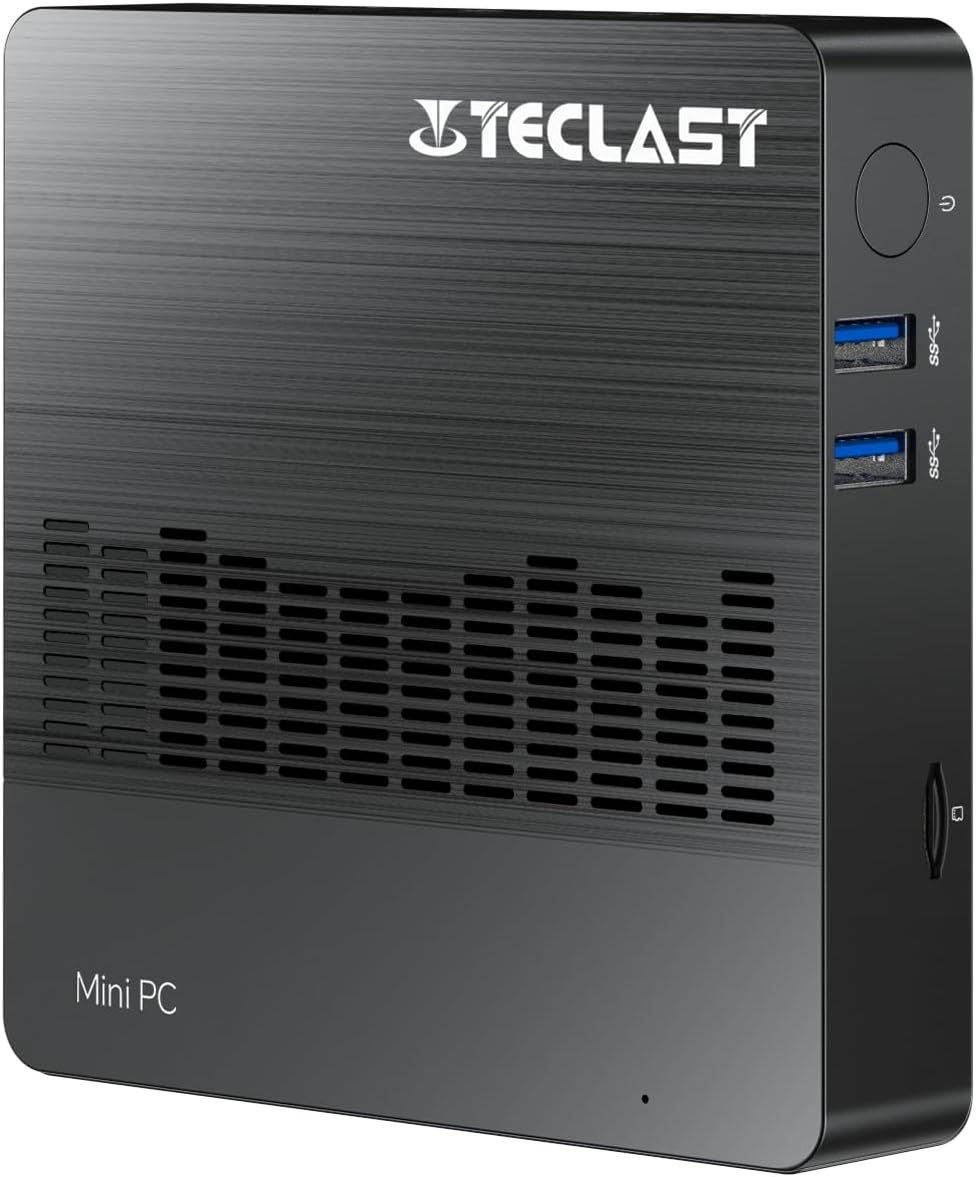
රූපය 1.1: ඉදිරිපස view of the TECLAST Mini PC N10, showing its compact design and front ports.
2. පැකේජ අන්තර්ගතය
කරුණාකර පහත අයිතම සඳහා පැකේජය පරීක්ෂා කරන්න:
- TECLAST Mini PC N10 Unit
- බල ඇඩැප්ටරය
- පරිශීලක අත්පොත
කිසියම් අයිතමයක් අස්ථානගත වී හෝ හානි වී ඇත්නම්, කරුණාකර පාරිභෝගික සහාය අමතන්න.
3. නිෂ්පාදන අවසන්view
3.1. භෞතික මානයන් සහ නිර්මාණය
The TECLAST Mini PC N10 is designed to be compact and lightweight, making it suitable for various environments. Its dimensions are approximately 11.9 x 11.9 x 2.4 cm, and it weighs around 700g.

Image 3.1: Illustration of the TECLAST Mini PC N10's compact dimensions (120mm x 120mm x 24mm) and lightweight design (200g, note: product specifications state 700g).
3.2. වරාය පිරිසැලසුම
The Mini PC N10 features a variety of ports for connectivity, located on its right, left, and back sides.

රූපය 3.2: විස්තරාත්මක view of the TECLAST Mini PC N10's expansion ports.
- දකුණු පැත්ත: TF (MicroSD) Card Reader x 1, USB 3.2 x 2, Power Button x 1
- වම් පැත්ත: VGA පෝට් x 1
- පිටුපස පැත්ත: Reset Button x 1, DC Power Input x 1, USB 3.2 x 1, HDMI Port x 1, RJ45 Ethernet Port x 1, 3.5mm Headphone Output x 1
4. මූලික සැකසුම
Follow these steps to set up your TECLAST Mini PC N10:
- සංදර්ශකයකට සම්බන්ධ වන්න: Connect your monitor or TV to the Mini PC using either the HDMI port or the VGA port. For optimal resolution, use the HDMI port.
- පර්යන්ත සම්බන්ධ කරන්න: ඔබගේ යතුරුපුවරුව සහ මූසිකය පවතින USB 3.2 ports වෙත සම්බන්ධ කරන්න.
- බලයට සම්බන්ධ කරන්න: Connect the power adapter to the DC power input port on the back of the Mini PC, then plug the adapter into a power outlet.
- බල ගැන්වීම: Press the power button located on the right side of the Mini PC. The system will boot up.
- ආරම්භක වින්ඩෝස් සැකසුම: භාෂාව, කලාපය, ජාල සම්බන්ධතාවය සහ පරිශීලක ගිණුම් නිර්මාණය ඇතුළුව Windows 11 Pro සැකසුම සම්පූර්ණ කිරීමට තිරයේ ඇති උපදෙස් අනුගමනය කරන්න.
5. මෙහෙයුම් උපදෙස්
5.1 අන්තර්ජාලයට සම්බන්ධ වෙමින්
- රැහැන්ගත සම්බන්ධතාවය: Connect an Ethernet cable from your router or modem to the RJ45 Ethernet port on the back of the Mini PC.
- රැහැන් රහිත සම්බන්ධතාවය: The Mini PC supports 2.4GHz and 5GHz Wi-Fi. During Windows setup or via Windows settings, select your Wi-Fi network and enter the password.
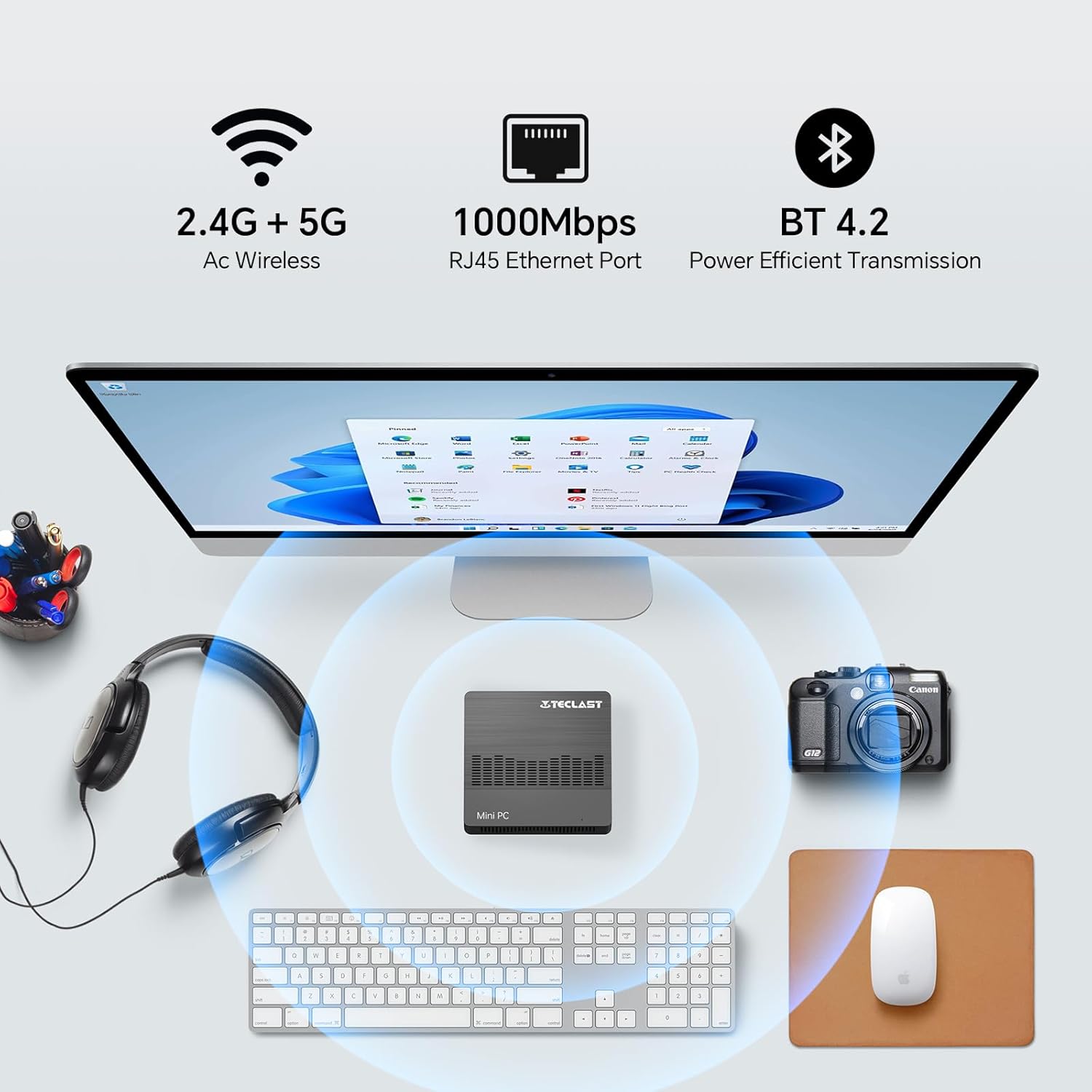
Image 5.1: The Mini PC N10 supports 2.4G+5G Wi-Fi, 1000Mbps RJ45 Ethernet, and Bluetooth 4.2 for versatile connectivity.
5.2. ද්විත්ව සංදර්ශක සැකසුම
The TECLAST Mini PC N10 supports dual display output via its HDMI and VGA ports, allowing you to extend your desktop across two screens or duplicate your display.
- ඔබේ ප්රාථමික මොනිටරය HDMI පෝට් එකට සම්බන්ධ කරන්න.
- ඔබගේ ද්විතීයික මොනිටරය VGA port එකට සම්බන්ධ කරන්න.
- Once both monitors are connected and powered on, Windows 11 should automatically detect them.
- To configure display settings (extend, duplicate, resolution), right-click on the desktop, select 'Display settings', and adjust as needed. The HDMI port supports up to 4K@60Hz resolution.

Image 5.2: The Mini PC N10 connected to two monitors via HDMI and VGA for dual display output.
5.3. ගබඩා පුළුල් කිරීම
The Mini PC N10 includes 128GB of internal SSD storage. For additional storage, it supports SATA protocol for M.2 SSD expansion (2242 length, M.2 interface, not included). A TF (MicroSD) card reader is also available for removable storage.
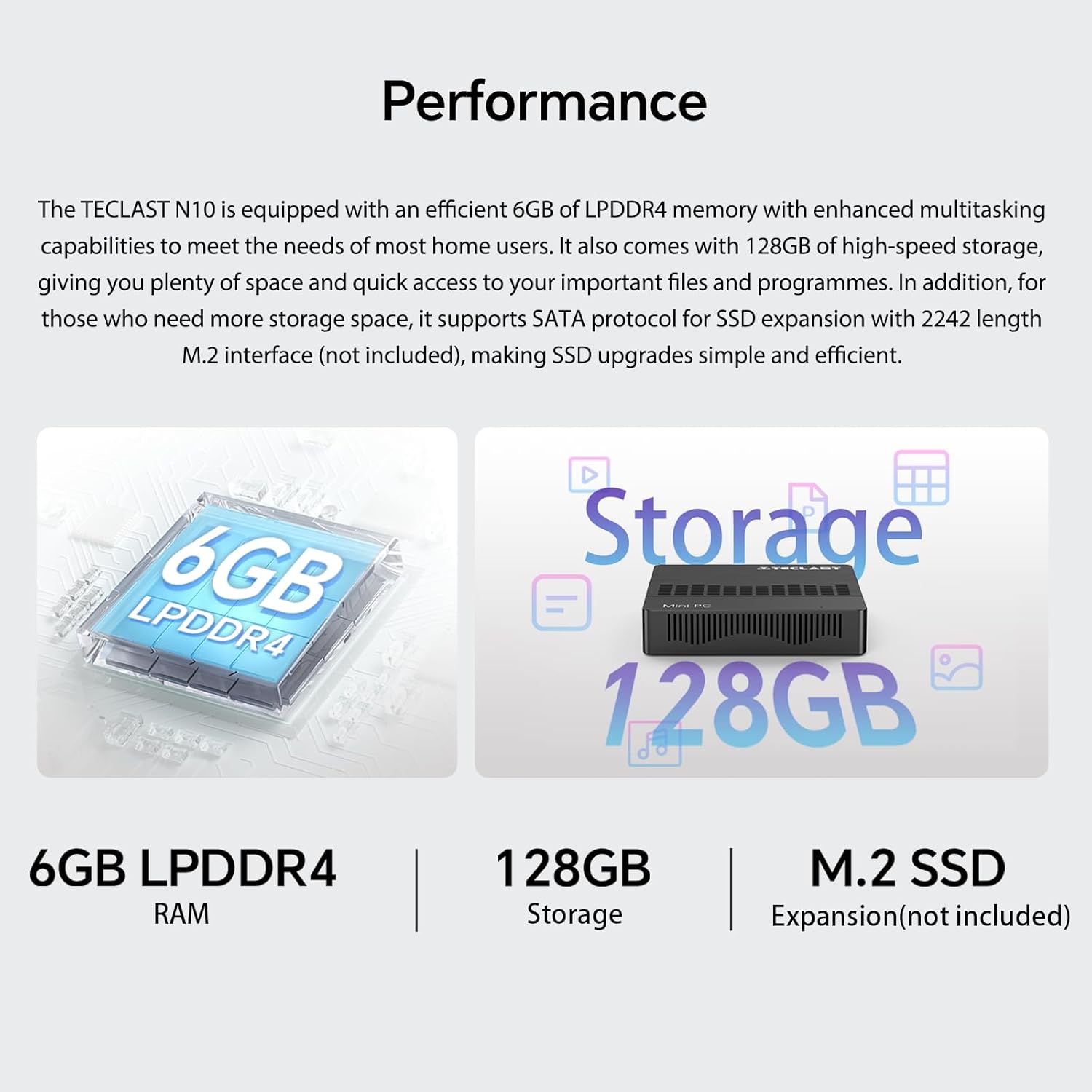
රූපය 5.3: ඉවරයිview of the Mini PC N10's 6GB LPDDR4 RAM, 128GB storage, and M.2 SSD expansion capability.
6. පිරිවිතර
| විශේෂාංගය | විස්තර |
|---|---|
| වෙළඳ නාමය | ටෙක්ලාස්ට් |
| මාදිලියේ නම | N10 |
| නිෂ්පාදන මානයන් | 11.9 x 11.9 x 2.4 සෙ.මී |
| නිෂ්පාදන බර | 700 ග්රෑම් |
| වර්ණය | කළු |
| මෙහෙයුම් පද්ධතිය | Windows 11 Pro |
| ප්රොසෙසර් නිෂ්පාදකයා | ඉන්ටෙල් |
| ප්රොසෙසර වර්ගය | Intel Celeron N4000 |
| ප්රොසෙසරයේ වේගය | 2.6 GHz (Turbo Frequency) |
| ප්රොසෙසර ගණන | 2 |
| RAM ධාරිතාව | 6 GB |
| මතක තාක්ෂණය | DDR4 |
| දෘඪ තැටි විස්තරය | SSD |
| මතක ගබඩා ධාරිතාව | 128 GB |
| ග්රැෆික් කොප්රොසෙසරය | Intel UHD Graphics 600 |
| ග්රැෆික් කාඩ්පත් විස්තරය | ඒකාබද්ධ |
| උපරිම විභේදනය | 3840 x 2160 (4K) |
| සම්බන්ධතා වර්ගය | Wi-Fi, බ්ලූටූත් |
| රැහැන් රහිත සම්බන්ධතා වර්ගය | 2.4GHz + 5GHz Wi-Fi, Bluetooth 5.0 |
| වරායන් | HDMI x 1, VGA x 1, USB 3.2 x 3, RJ45 Ethernet x 1, 3.5mm Audio x 1, TF (MicroSD) x 1 |

Image 6.1: Details of the Intel Celeron N4000 processor, featuring 14nm process, Gemini Lake Architecture, 4MB cache, and up to 2.6GHz turbo frequency.
7. නඩත්තු කිරීම
- පිරිසිදු කිරීම: කුඩා පරිගණකයේ බාහිර පෙනුම පිරිසිදු කිරීම සඳහා මෘදු වියළි රෙද්දක් භාවිතා කරන්න. උපාංගය මත කෙලින්ම දියර පිරිසිදු කරන්නන් හෝ ඉසින භාවිතා කිරීමෙන් වළකින්න.
- වාතාශ්රය: Ensure the ventilation openings are not blocked to prevent overheating. Place the Mini PC on a flat, stable surface.
- මෘදුකාංග යාවත්කාලීන: පද්ධති ස්ථායිතාව සහ ආරක්ෂාව සහතික කිරීම සඳහා නිතිපතා වින්ඩෝස් යාවත්කාලීන කිරීම් පරීක්ෂා කර ස්ථාපනය කරන්න.
- දත්ත උපස්ථ: දත්ත නැතිවීම වැළැක්වීම සඳහා වැදගත් දත්ත වරින් වර බාහිර ධාවකයකට හෝ වලාකුළු ගබඩාවකට උපස්ථ කරන්න.
8. දෝශ නිරාකරණය
8.1. බලය නැත
- බල ඇඩැප්ටරය කුඩා පරිගණකයට සහ ක්රියාකාරී බල අලෙවිසැලකට ආරක්ෂිතව සම්බන්ධ කර ඇති බවට වග බලා ගන්න.
- වෙනත් උපාංගයක් සම්බන්ධ කිරීමෙන් බල සැපයුම ක්රියාකාරී බව තහවුරු කර ගන්න.
8.2. සංදර්ශකය නැත
- HDMI හෝ VGA කේබලය කුඩා පරිගණකයට සහ මොනිටරයට ආරක්ෂිතව සම්බන්ධ වී ඇත්දැයි පරීක්ෂා කරන්න.
- මොනිටරය ක්රියාත්මක කර නිවැරදි ආදාන ප්රභවයට (HDMI/VGA) සකසා ඇති බව සහතික කර ගන්න.
- Try connecting to a different display or using a different cable to rule out faulty components.
8.3. අන්තර්ජාල සම්බන්ධතාවයක් නොමැත
- වයර්: ඊතර්නෙට් කේබල් සම්බන්ධතාවය පරීක්ෂා කරන්න. ඔබේ රවුටරය/මොඩමය නිවැරදිව ක්රියා කරන බව තහවුරු කර ගන්න.
- රැහැන් රහිත: Windows සැකසුම් තුළ Wi-Fi සක්රීය කර ඇති බවට වග බලා ගන්න. ඔබ නිවැරදි ජාලයට සම්බන්ධ වී මුරපදය නිවැරදිව ඇතුළත් කර ඇත්දැයි පරීක්ෂා කරන්න. ඔබේ රවුටරය/මොඩමය නැවත ආරම්භ කරන්න.
8.4. System Slowdown
- පසුබිමේ ධාවනය වන අනවශ්ය යෙදුම් වසා දමන්න.
- ඕනෑම අපේක්ෂිත Windows යාවත්කාලීන කිරීම් සඳහා පරීක්ෂා කර ස්ථාපනය කරන්න.
- SSD එකේ ප්රමාණවත් නිදහස් ඉඩක් ඇති බවට වග බලා ගන්න.
- අනිෂ්ට මෘදුකාංග පරීක්ෂා කිරීමට වෛරස් ස්කෑන් එකක් ධාවනය කරන්න.
9. වගකීම් සහ සහාය
9.1. වගකීම් තොරතුරු
The TECLAST Mini PC N10 comes with a 2-year warranty, valid immediately after purchase. Please retain your proof of purchase for warranty claims.
9.2. පාරිභෝගික සහාය
If you require assistance or have any questions regarding your TECLAST Mini PC N10, please contact our customer support team. Send us a message, and our specialists will respond within 1 business day. We are committed to providing support for our products.


