හැඳින්වීම
This manual provides comprehensive instructions for the VR-robot V9 Pro Motorcycle Helmet Intercom Communication System. It covers setup, operation, maintenance, and troubleshooting to ensure optimal performance and user safety. The V9 Pro is designed to provide clear communication, stereo music, and FM radio functionality for motorcycle riders.

Image: The VR-robot V9 Pro main unit with attached speakers and microphone, illustrating the complete system components.
පැකේජයේ අන්තර්ගතය
පහත ලැයිස්තුගත කර ඇති සියලුම අයිතම ඔබේ පැකේජයට ඇතුළත් කර ඇති බව තහවුරු කරගන්න:

Image: A visual representation of all components included in the VR-robot V9 Pro package, numbered for easy identification.
- වෙල්ක්රෝ
- 3M මැලියම්
- Fixed Velcro
- Fixed Velcro (additional)
- Microphone Protective Cover
- ඉයර්ෆෝන් ක්ලිප්
- පරිශීලක අත්පොත
- ස්පීකර් පෑඩ්
- ආරෝපණ කේබලය
- මයික්රෆෝන දිගු කේබලය
- සැඟවුණු මයික්රොෆෝනය
- V9 Pro Main Unit
- කණු මයික්රෆෝනය
- ස්පීකර් කට්ටලය
සැකසුම සහ ස්ථාපනය
The V9 Pro offers two installation methods: Velcro and metal earphone clip. Choose the method best suited for your helmet type.
1. උපාංගය ආරෝපණය කිරීම
Before first use, fully charge the V9 Pro. Connect the provided charging cable to the device and a USB power source. A full charge takes approximately 2.5 hours.

Image: Illustration showing the 850mAh battery capacity and charging time of 2.5 hours, with a standby time of up to 200 hours.
2. Installing on Helmet
The V9 Pro is compatible with both open helmets and full-face helmets. No additional screws are needed, preserving the helmet's appearance.

Image: Various types of motorcycle helmets, demonstrating the versatility of the V9 Pro's installation across different helmet designs.
Using the Earphone Clip:
- Attach the earphone clip to the side of your helmet.
- Slide the V9 Pro main unit onto the clip until it securely locks into place.
- Insert the speakers into the helmet's ear pockets, ensuring they are positioned directly over your ears for optimal sound.
- Attach the microphone (soft or rod-type) to a suitable position inside the helmet, near your mouth, using the microphone extension cable if needed.
Using Velcro:
- Clean the desired installation area on your helmet.
- Apply the fixed Velcro strips to the helmet surface.
- Attach the V9 Pro main unit to the Velcro.
- Proceed with speaker and microphone installation as described above.
Image: A step-by-step visual guide demonstrating how to install the V9 Pro unit onto a motorcycle helmet using the provided clip and connecting the speakers and microphone.
මෙහෙයුම් උපදෙස්
The V9 Pro features multi-function buttons designed for easy operation, even while wearing gloves.

Image: A comparison illustrating the ease of operating the V9 Pro's large buttons with both bare hands and gloved hands.
1. බලය සක්රිය / අක්රිය කරන්න
- බල ගැන්වීම: තත්පර 3 ක් සඳහා බල බොත්තම ඔබාගෙන සිටින්න.
- විදුලිය විසන්ධි කිරීම: තත්පර 3 ක් සඳහා බල බොත්තම ඔබාගෙන සිටින්න.
2. බ්ලූටූත් යුගලනය
The V9 Pro uses Bluetooth 3.0 for connectivity.
- උපාංගය අක්රිය බව සහතික කර ගන්න.
- Press and hold the Multi-function button until the indicator light flashes red and blue, indicating pairing mode.
- On your mobile device, search for "V9 Pro" in the Bluetooth settings and select to pair.
- Once paired, the indicator light will turn blue.
3. ඉන්ටර්කොම් සන්නිවේදනය
The V9 Pro supports intercom communication between two riders up to 800 meters (2625 feet).

Image: Two motorcyclists communicating, with an overlay indicating an intercom distance of up to 800 meters.
- To initiate intercom, ensure both V9 Pro units are powered on and within range.
- Press the Intercom button on one unit to connect.
- To end intercom, press the Intercom button again.
4. දුරකථන ඇමතුම්
The V9 Pro supports hands-free calling with automatic answer functionality.

Image: A motorcyclist riding, with an overlay of a smartphone screen showing an incoming call, illustrating the automatic call answering feature.
- පිළිතුරු ඇමතුම: Incoming calls are automatically answered after a few rings. You can also short press the Multi-function button to answer.
- ඇමතුම අවසන් කරන්න: බහුකාර්ය බොත්තම කෙටියෙන් ඔබන්න.
- ඇමතුම ප්රතික්ෂේප කරන්න: බහුකාර්ය බොත්තම තත්පර 2ක් ඔබාගෙන සිටින්න.
- අවසාන අංකය නැවත අමතන්න: බහුකාර්ය බොත්තම දෙවරක් ඔබන්න.
5. සංගීතය නැවත ධාවනය
Enjoy stereo music with DSP noise reduction technology for clear audio.
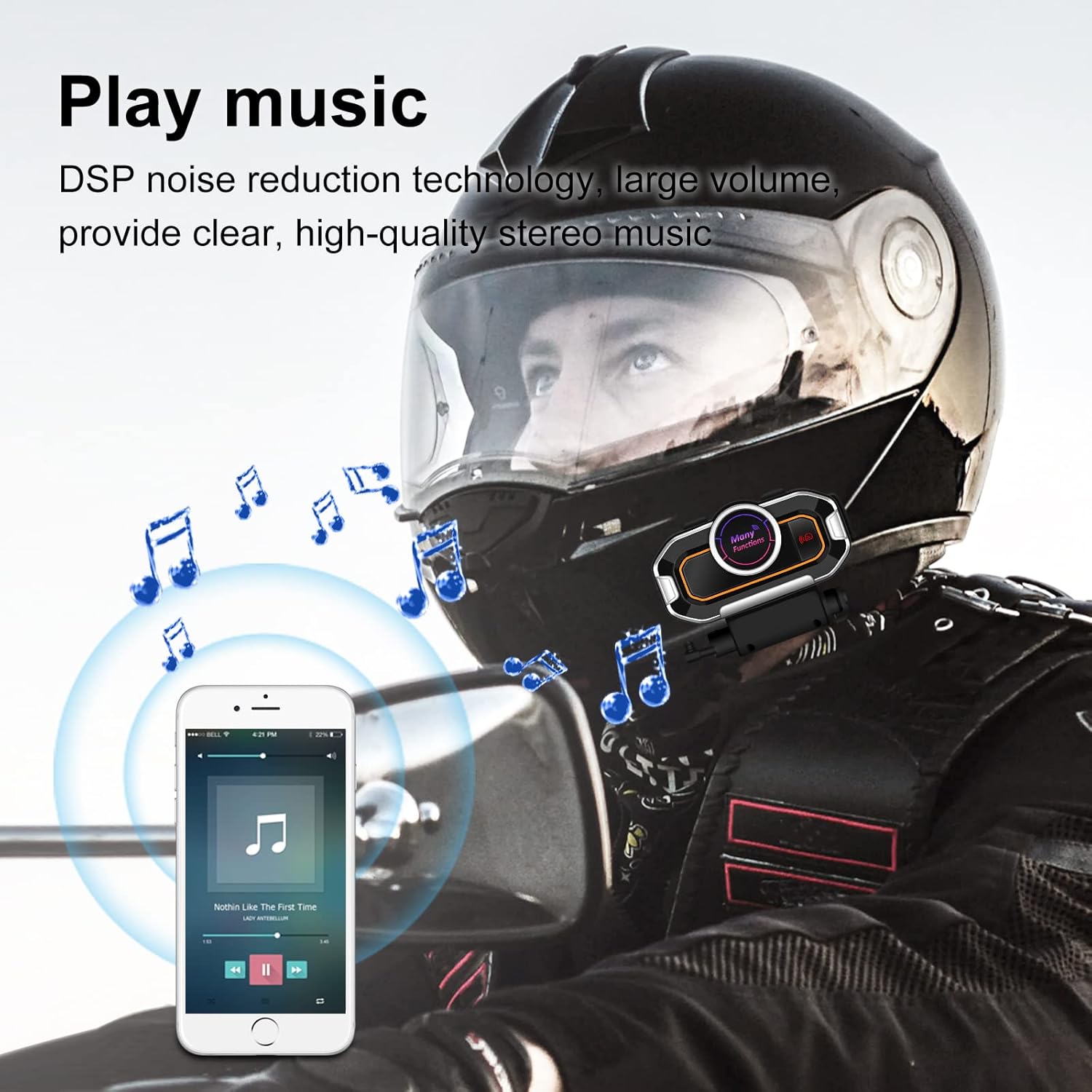
Image: A motorcyclist wearing a helmet, with musical notes floating around, indicating the stereo music playback capability of the V9 Pro.
- වාදනය/විරාමය: බහුකාර්ය බොත්තම කෙටියෙන් ඔබන්න.
- ඊළඟ ධාවන පථය: Volume Up බොත්තම කෙටියෙන් ඔබන්න.
- පෙර ධාවන පථය: ශබ්දය අඩු කිරීමේ බොත්තම කෙටියෙන් ඔබන්න.
- පරිමාව: ශබ්දය වැඩි කිරීමේ බොත්තම දිගු වේලාවක් ඔබන්න.
- ශබ්දය පහළට: ශබ්දය අඩු කිරීමේ බොත්තම දිගු වේලාවක් ඔබන්න.
6. එෆ්එම් රේඩියෝව
Tune into FM radio for real-time road conditions and entertainment.

Image: A motorcyclist riding, with a transparent map overlay showing radio waves, symbolizing the FM radio function for real-time information.
- FM රේඩියෝව සක්රිය/අක්රිය කරන්න: FM බොත්තම ඔබන්න.
- නාලිකා පරිලෝකනය කරන්න: Press and hold the FM button to automatically scan and save available stations.
- ඊළඟ ස්ථානය: Volume Up බොත්තම කෙටියෙන් ඔබන්න.
- පෙර ස්ථානය: ශබ්දය අඩු කිරීමේ බොත්තම කෙටියෙන් ඔබන්න.
7. Voice Prompts and GPS
The V9 Pro provides voice prompts for device status and can relay GPS voice instructions from your paired smartphone.
නඩත්තු කිරීම
Proper maintenance ensures the longevity and optimal performance of your V9 Pro system.
- පිරිසිදු කිරීම: මෘදු, ඩී භාවිතා කරන්නamp cloth to clean the main unit and speakers. Avoid using harsh chemicals or abrasive cleaners.
- ජල ප්රතිරෝධය: The V9 Pro has a daily-use waterproof design, allowing normal operation in bad weather. However, avoid submerging the device in water.
- ගබඩා: When not in use for extended periods, store the device in a cool, dry place. Ensure it is fully charged before storage to preserve battery health.
- බැටරි සත්කාර: Recharge the battery regularly, even if not frequently used, to maintain its capacity.

Image: The V9 Pro unit with water droplets on its surface, demonstrating its waterproof capabilities against rain.
දෝෂගවේෂණය
If you encounter issues with your V9 Pro, refer to the following common problems and solutions:
| ගැටලුව | විය හැකි හේතුව | විසඳුම |
|---|---|---|
| උපාංගය බලගන්වන්නේ නැත. | අඩු බැටරි. | උපාංගය අවම වශයෙන් පැය 2.5ක් ආරෝපණය කරන්න. |
| දුරකථනය සමඟ යුගල කළ නොහැක. | Device not in pairing mode; Bluetooth off on phone; device already paired with another device. | Ensure V9 Pro is in pairing mode (flashing red/blue). Turn on phone's Bluetooth. Disconnect from other devices. |
| ඉන්ටර්කොම් සම්බන්ධ නොවේ. | Units out of range; units not properly paired for intercom. | Ensure units are within 800m. Re-initiate intercom connection. |
| දුර්වල ශ්රව්ය ගුණාත්මකභාවය/ශබ්දය. | Microphone/speakers improperly positioned; external interference. | Adjust microphone closer to mouth. Ensure speakers are centered over ears. Move away from strong electromagnetic fields. |
| බොත්තම් ප්රතිචාර නොදක්වයි. | උපාංගය ශීත කර ඇත; බැටරිය අඩුයි. | Try restarting the device. Charge the device. |
If the problem persists, please contact VR-robot customer support.
පිරිවිතර
| විශේෂාංගය | විස්තර |
|---|---|
| මාදිලියේ නම | V9 Pro |
| සම්බන්ධතා තාක්ෂණය | රැහැන් රහිත (බ්ලූටූත්) |
| බ්ලූටූත් අනුවාදය | 3.0 |
| ඉන්ටර්කොම් පරාසය | Up to 800 meters (2625 feet) for 2 riders |
| බැටරි ධාරිතාව | 850mAh ලිතියම් බැටරි |
| ආරෝපණ කාලය | පැය 2.5 යි |
| අඛණ්ඩ වැඩ කරන කාලය | 10 hours (Play time: 12 hours) |
| පොරොත්තු කාලය | පැය 200 දක්වා |
| ශබ්ද පාලනය | ක්රියාකාරී ශබ්ද අවලංගු කිරීම (DSP) |
| ජල ප්රතිරෝධක මට්ටම | Waterproof (Daily-use) |
| මයික්රොෆෝන විකල්ප | Soft microphone, Rod-type hard microphone |
| පාලන වර්ගය | Call Control, Noise Control, Voice Control, Volume Control (Multi-function buttons) |
| මානයන් | අඟල් 3.26 x 1.73 x 1.02 |
| අයිතමයේ බර | අවුන්ස 1.94 කි |
වගකීම් සහ සහාය
VR-robot is committed to providing satisfactory solutions. If you have any questions or require assistance with your V9 Pro, please contact customer support.
සහාය අමතන්න:
- Refer to the contact information provided in your product packaging or on the official VR-robot webඅඩවිය.
- For Amazon purchases, you can typically click "VR robot" on the product page and then "ASK A QUESTION" for support.

Image: An image depicting customer service representatives, symbolizing the availability of support for VR-robot products.


