1. නිෂ්පාදන අවසන්view
The QCY T16 Mini Wireless Earbuds are designed for a comfortable audio experience with advanced features. This manual provides instructions for optimal use.

Image: QCY T16 Mini Wireless Earbuds and charging case.
ප්රධාන ලක්ෂණ:
- Ultra Light-Weight: සුවපහසු ඇඳුම් සඳහා සෑම ඉයර්බඩ් එකක්ම ආසන්න වශයෙන් ග්රෑම් 4 ක් බරයි.
- Comfortable In-Ear Design: Ergonomic design with cozy eartips for extended use.
- Premium Immersive Sound: Features Qualcomm aptX Adaptive audio technology and dual composite dynamic drivers.
- දිගු කළ ක්රීඩා කාලය: Up to 5.5 hours on a single charge, and 22 hours total with the charging case.
- Customized EQ: Adjustable sound settings via the QCY App.
- IPX5 ජල ප්රතිරෝධය: Protection against sweat and light splashes.
2. සැකසුම සහ යුගලනය
මූලික යුගලනය:
- Open the lid of the charging case. The earbuds will automatically enter connectable mode (one LED will blink green).
- On your phone, navigate to Bluetooth settings and search for "QCY-T16".
- Tap on "QCY-T16" to connect. The LED on the earbud will turn off once connected.

Image: Earbuds in charging case next to a smartphone displaying Bluetooth pairing options.
One-Step Connectable Mode:
- Place both earbuds into the charging case and open the lid.
- ආරෝපණ නඩුවේ බොත්තම තත්පර 4ක් ඔබාගෙන සිටින්න.
- The earbuds will then automatically enter connectable mode.
Video: Demonstrates how to connect the QCY T16 earbuds to a device.
3. මෙහෙයුම් උපදෙස්
සංගීත පාලනය:
- වාදනය/විරාමය: Double touch either earbud panel.
- ඉදිරියට මඟ හරින්න: Keep touching the right earbud panel for 1.5 seconds.
- ධාවන පථය පසුපසට මඟ හරින්න: Keep touching the left earbud panel for 1.5 seconds.
ඇමතුම් හැසිරවීම:
- පිළිතුර/අවසන් ඇමතුම: Double touch either earbud.
- ඇමතුම නොසලකා හරින්න: Keep touching either earbud for 1.5 seconds.
හ oice සහකාර:
- හ oice සහකාර සක්රිය කරන්න: Triple touch the left earbud panel.
සූදු ප්රකාරය:
- ක්රීඩා ප්රකාරය ටොගල් කරන්න: Triple touch the right earbud panel to switch on/off.
Video: Demonstrates music control, call handling, voice assistant activation, and gaming mode toggle.
4. නඩත්තු කිරීම
අයකිරීම:
- Connect the charging case to a power source using a USB Type-C cable.
- The earbuds will charge when placed inside the case.
- A 10-minute charge provides approximately 1 hour of playback.
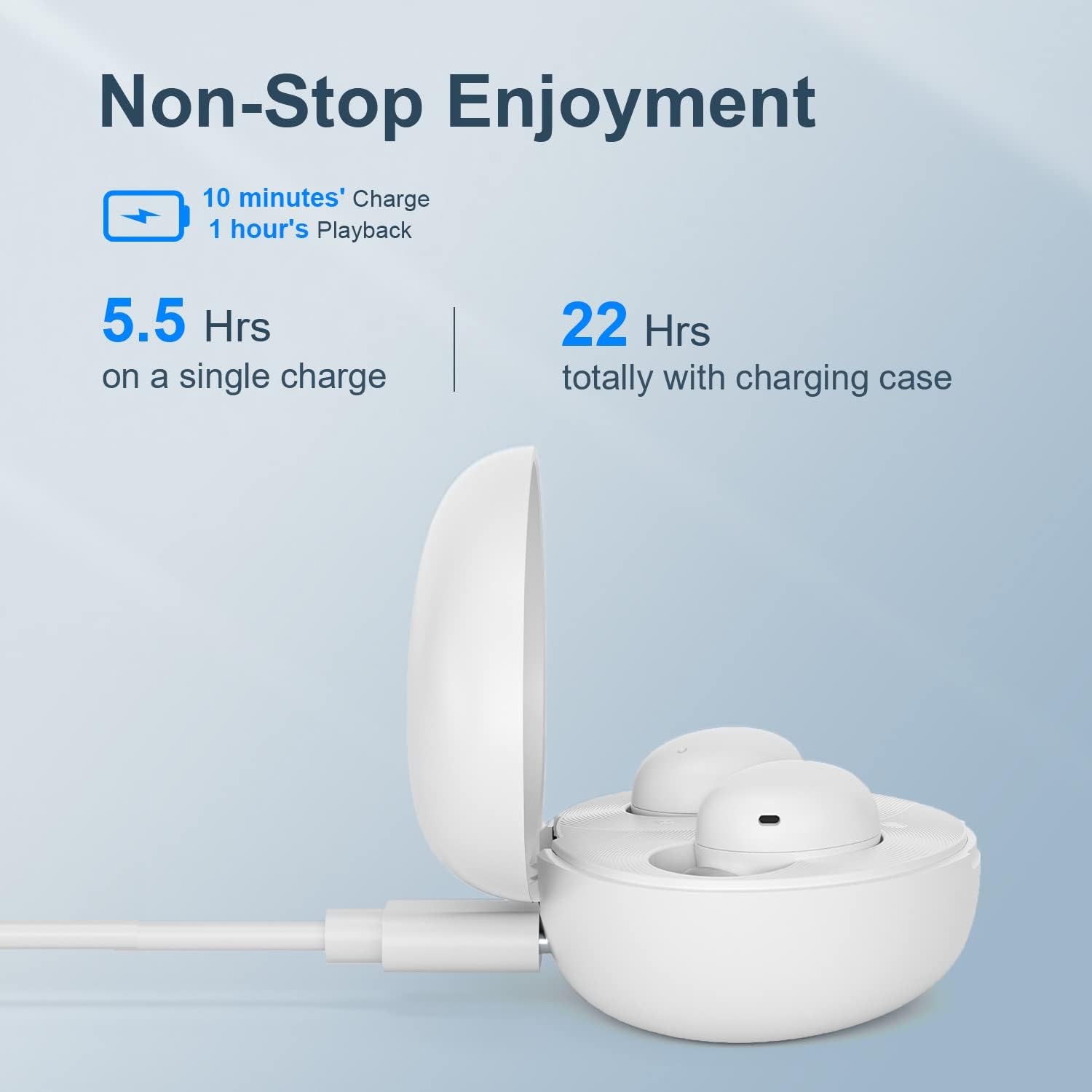
Image: QCY T16 charging case being charged via a USB-C cable.
පිරිසිදු කිරීම:
- Regularly clean the earbuds and charging contacts with a soft, dry cloth to ensure optimal performance and charging.
- කන් ඉඟි ඉවත් කර අවශ්ය නම් ජලය සහ මෘදු සබන් යොදා පිරිසිදු කරන්න, නැවත සවි කිරීමට පෙර ඒවා සම්පූර්ණයෙන්ම වියළී ඇති බවට වග බලා ගන්න.
5. දෝශ නිරාකරණය
Master-Slave Switch:
- If one earbud is placed back into the charging case and the lid is closed, the other earbud will continue to function independently.
- To re-pair the inside earbud with the other, open the lid of the charging case. The LED will blink green and then turn off.
Disconnecting & Reconnecting:
- Place both earbuds into the charging case and keep the lid open.
- Press and hold the charging case button for 4 seconds or until the LED on the case blinks green to disconnect from the device.
කර්මාන්තශාලා යළි පිහිටුවීම:
- Place both earbuds into the charging case and keep the lid open.
- Press and hold the charging case button for 10 seconds or until the LED on the case blinks red 5 times to set to factory settings.
Video: Demonstrates master-slave switch functionality, disconnecting, and factory reset procedures.
6. පිරිවිතර
| විශේෂාංගය | විස්තර |
|---|---|
| වෙළඳ නාමය | QCY |
| මාදිලියේ නම | ටී 16 මිනි |
| සම්බන්ධතා තාක්ෂණය | රැහැන් රහිත |
| රැහැන් රහිත සන්නිවේදන තාක්ෂණය | බ්ලූටූත් 5.2 |
| කන් ස්ථානගත කිරීම | කනේ |
| ආකෘති සාධකය | කනේ |
| ද්රව්ය | ප්ලාස්ටික්, සිලිකන් |
| අයිතමයේ බර | 0.141 ounces (approx. 4 grams per earbud) |
| ජල ප්රතිරෝධක මට්ටම | ජල ප්රතිරෝධක (IPX5) |
| පාලන ක්රමය | දුරස්ථ (ස්පර්ශ පාලන) |
| ශ්රව්ය ධාවක වර්ගය | ගතික ධාවකය |
| බ්ලූටූත් පරාසය | මීටර් 10 |
| බැටරි ආයු කාලය (ඉයර්බඩ්) | පැය 5.5 (තනි ආරෝපණයකින්) |
| සම්පූර්ණ බැටරි ආයු කාලය (කේස් එක සමඟ) | පැය 22 යි |
| විශේෂ ලක්ෂණ | Lightweight, Microphone Included, Wireless, AptX Adaptive, EQ |
7. වගකීම් සහ සහාය
For warranty information and technical support, please refer to the official QCY webවෙබ් අඩවියට පිවිසෙන්න හෝ ඔබේ සිල්ලර වෙළෙන්දා අමතන්න. ඕනෑම වගකීම් හිමිකම් සඳහා ඔබේ මිලදී ගැනීමේ සාක්ෂි තබා ගන්න.
ඔබට සංචාරය කළ හැකිය Amazon හි QCY වෙළඳසැල අමතර නිෂ්පාදන තොරතුරු සහ සහාය සම්පත් සඳහා.


