නිෂ්පාදනය අවසන්view
The Jadfezy J-7000 is a high-performance 4K Action Camera designed for capturing dynamic moments in various environments. It features 4K/60FPS video recording, 24MP photo resolution, Electronic Image Stabilization (EIS), Wi-Fi connectivity, and a robust waterproof case for underwater use.

Image: The Jadfezy J-7000 Action Camera, shown with its protective waterproof housing, a remote control, a dual battery charger with two batteries, and a compact carrying case. This image highlights the camera's readiness for various action-packed scenarios.
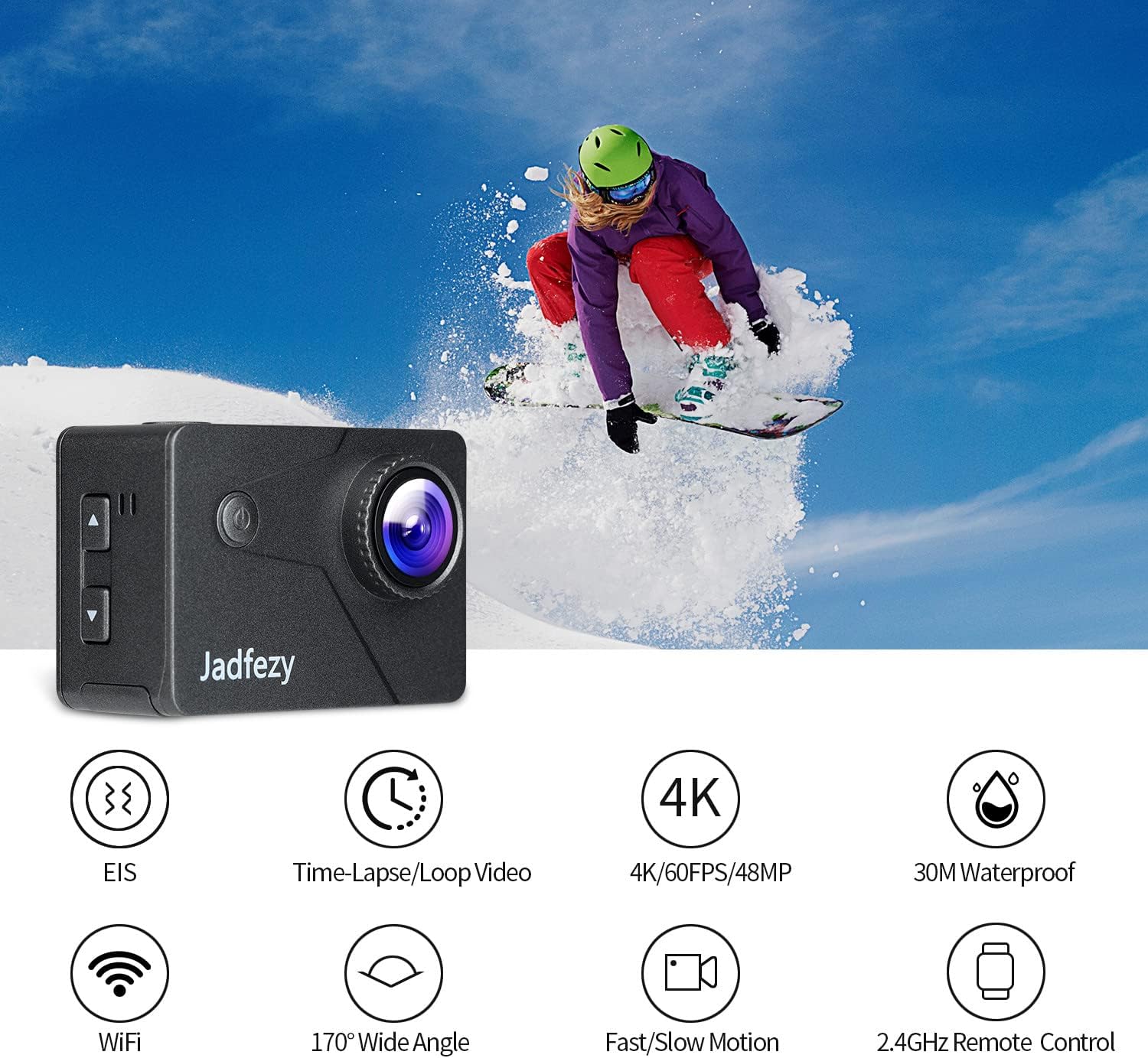
Image: The Jadfezy J-7000 Action Camera displayed alongside icons illustrating its core functionalities: Electronic Image Stabilization (EIS), Time-Lapse/Loop Video, 4K/60FPS/48MP recording, 30M Waterproof capability, Wi-Fi connectivity, 170° Wide Angle lens, Fast/Slow Motion modes, and 2.4GHz Remote Control compatibility.
සැලසුම
1. බැටරි ස්ථාපනය සහ ආරෝපණය කිරීම
The camera comes with two 1500 mAh Lithium Ion batteries. Before first use, ensure batteries are fully charged.
- කැමරාවේ පතුලේ ඇති බැටරි මැදිරි කවරය විවෘත කරන්න.
- නිවැරදි දිශානතිය සමඟ බැටරිය ඇතුල් කරන්න.
- බැටරි මැදිරි කවරය ආරක්ෂිතව වසා දමන්න.
- To charge, use the included dual battery charger and USB cable. Connect the charger to a USB power source. The indicator lights will show charging status.
2. Micro SD Card Insertion
A Micro SD card (not included) is required for recording. The camera supports Micro SD cards up to 64GB (Class 10 or higher recommended).
- කැමරාවේ පැත්තේ මයික්රෝ එස්ඩී කාඩ් පත සොයා ගන්න.
- Insert the Micro SD card with the contacts facing the front of the camera until it clicks into place.
- ඉවත් කිරීමට, කාඩ්පත පිටතට එන තුරු මෘදු ලෙස ඇතුළට තල්ලු කරන්න.

රූපය: පුළුල් view of the Jadfezy J-7000 Action Camera and its extensive accessory kit. This includes the camera in its waterproof housing, a dual battery charger with two batteries, a remote control, various mounts (helmet, bicycle, wrist), straps, a tripod, cleaning cloth, and a durable carrying case, demonstrating the versatility and completeness of the package.
කැමරාව ක්රියාත්මක කිරීම
1. මූලික පාලනයන්
- බලය / ප්රකාර බොත්තම: Press and hold to power on/off. Press briefly to switch between video, photo, and playback modes.
- ෂටර්/හරි බොත්තම: Press to start/stop recording video or take a photo. In menu, press to confirm selection.
- ඉහළ/පහළ බොත්තම්: Navigate menu options or zoom in/out.
2. Video Recording and Photo Capture
The J-7000 supports various resolutions for video and high-resolution photos.
- වීඩියෝ විභේදන: 4K/60FPS, 4K/30FPS, 2.7K/60FPS, 1080P/120FPS, 1080P/60FPS.
- ඡායාරූප විභේදනය: 24MP.
- To switch between video and photo modes, press the Power/Mode button.
- Press the Shutter/OK button to begin recording or take a picture.
3. Electronic Image Stabilization (EIS)
The EIS feature helps to stabilize footage, reducing blur and shakiness, especially during action-packed activities.
- Access the camera settings menu to enable or disable EIS.
- When EIS is active, the camera digitally compensates for movements, resulting in smoother video.

Image: A visual comparison demonstrating the effect of Electronic Image Stabilization (EIS). The left side shows a clear, stable image of a skier with EIS ON, while the right side shows a blurred, shaky image of the same skier with EIS OFF, highlighting the effectiveness of the stabilization feature.
4. Wi-Fi Connectivity and App Control
Connect the camera to your smartphone via Wi-Fi for remote control and file මාරු.
- Download the "ISMART DV" app from your smartphone's app store.
- On the camera, enable Wi-Fi through the settings menu. The camera's Wi-Fi name and password will be displayed.
- ඔබගේ ස්මාර්ට් ජංගම දුරකථනයේ, කැමරාවේ Wi-Fi ජාලයට සම්බන්ධ වන්න.
- Open the "ISMART DV" app to control the camera, view සජීවී footage, and download videos/photos.

Image: The Jadfezy J-7000 Action Camera positioned next to a smartphone, illustrating its Wi-Fi connectivity feature. Various action shots are displayed on the smartphone screen, symbolizing the ability to share captured moments instantly via social media platforms like Twitter, Facebook, and InstagRAM.
5. දුරස්ථ පාලක මෙහෙයුම්
The included 2.4G wireless remote control allows for convenient operation from a distance.
- Ensure the remote control is paired with the camera (refer to the camera's settings for pairing instructions if needed).
- Use the remote to start/stop video recording or take photos without directly touching the camera.
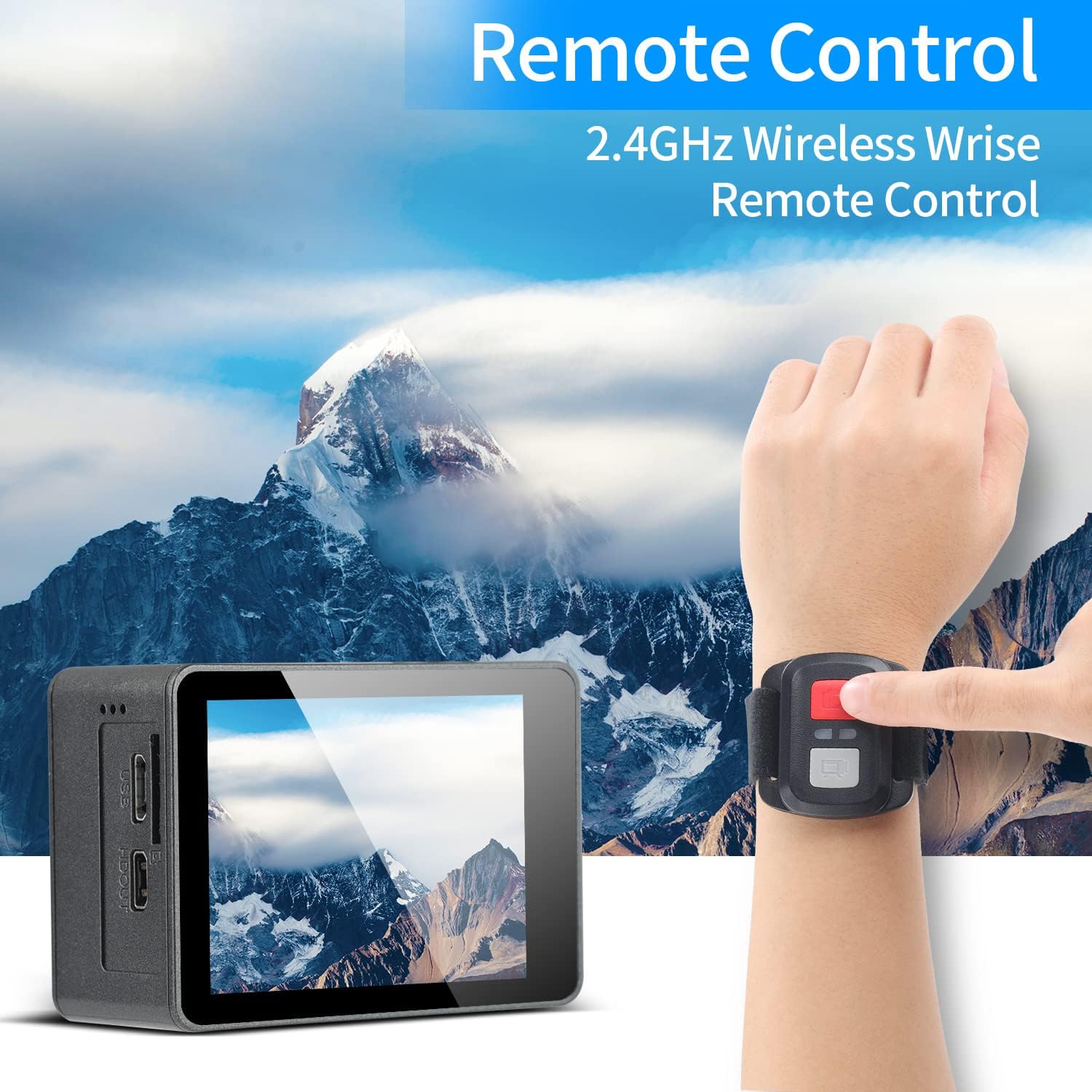
Image: A person's hand wearing the 2.4GHz wireless remote control for the Jadfezy J-7000 Action Camera, with the camera itself visible in the foreground. The background features a majestic mountain landscape, emphasizing the camera's suitability for outdoor adventures and the convenience of remote operation.
6. Underwater Usage
The camera is equipped with an IP68 certified waterproof case, allowing for dives up to 30 meters (98 feet).
- Always ensure the waterproof case is properly sealed before submerging the camera. Check for any debris or hair around the seal.
- After each use in saltwater, rinse the case with fresh water and allow it to air dry.

Image: The Jadfezy J-7000 Action Camera, enclosed in its waterproof housing, submerged underwater alongside a diver. A depth scale on the right indicates its capability up to 30 meters, highlighting its suitability for various underwater activities.
7. Multiple Modes
The camera offers various shooting modes to enhance your creative possibilities:
- Time-lapse Video: වේගවත් වීඩියෝවක් නිර්මාණය කිරීම සඳහා නියමිත කාල පරතරයන්හිදී රාමු ග්රහණය කරයි.
- ලූප් පටිගත කිරීම: Records video continuously, overwriting the oldest footage මතක කාඩ්පත පිරී ඇති විට.
- මන්දගාමී චලනය: Records at a higher frame rate to create smooth slow-motion playback.
- රියදුරු ප්රකාරය: Functions as a dash cam, starting recording automatically when powered on.
- කාලය ගත වූ ඡායාරූපය: නියමිත කාල පරතරයන්හිදී ඡායාරූප ගනී.
- අඛණ්ඩ වෙඩි තැබීම: ඉක්මනින් අනුප්රාප්තිකව ඡායාරූප කිහිපයක් ග්රහණය කරයි.
නඩත්තු කිරීම
- කැමරාව පිරිසිදු කිරීම: කැමරා ශරීරය පිරිසිදු කිරීම සඳහා මෘදු, වියළි රෙද්දක් භාවිතා කරන්න. කාචය සඳහා, විශේෂිත කාච පිරිසිදු කිරීමේ රෙදි සහ ද්රාවණයක් භාවිතා කරන්න. රළු රසායනික ද්රව්යවලින් වළකින්න.
- Waterproof Case Care: Regularly inspect the waterproof case's O-ring for dirt, sand, or damage. Clean the O-ring and its groove with a soft, damp cloth. Apply silicone grease to the O-ring periodically to maintain its seal.
- බැටරි සත්කාර: Store batteries in a cool, dry place. If not using the camera for an extended period, remove the batteries. Avoid fully discharging batteries frequently to prolong their lifespan.
- ගබඩා: Store the camera and accessories in the provided carrying case in a dry, dust-free environment away from direct sunlight and extreme temperatures.
දෝෂගවේෂණය
| ගැටලුව | විය හැකි හේතුව | විසඳුම |
|---|---|---|
| කැමරාව ක්රියාත්මක නොවේ. | බැටරිය අවසන් වී හෝ නිවැරදිව ඇතුළත් කර නොමැත. | බැටරිය සම්පූර්ණයෙන්ම ආරෝපණය කරන්න. නිවැරදි ධ්රැවීයතාවයකින් බැටරිය ඇතුළු කර ඇති බවට වග බලා ගන්න. |
| දුර්වල වීඩියෝ/ඡායාරූප ගුණාත්මකභාවය. | කාචය අපිරිසිදුයි; වැරදි සැකසුම්; ප්රමාණවත් ආලෝකකරණයක් නොමැත. | කාචය පිරිසිදු කරන්න. විභේදන සැකසුම් සකසන්න. ප්රමාණවත් ආලෝකකරණයක් සහතික කරන්න. |
| Water leakage in waterproof case. | Case not sealed properly; O-ring damaged or dirty. | Ensure case is securely latched. Check O-ring for debris or damage; clean or replace if necessary. |
| Wi-Fi සම්බන්ධතා ගැටළු. | Incorrect password; camera Wi-Fi not enabled; app issues. | Verify Wi-Fi password. Ensure camera Wi-Fi is on. Restart camera and app. |
| දුරස්ථ පාලකය ක්රියා නොකරයි. | Remote battery low; not paired with camera. | Replace remote battery. Re-pair remote with camera according to instructions. |
පිරිවිතර
| විශේෂාංගය | විස්තර |
|---|---|
| වෙළඳ නාමය | ජැඩ්ෆෙසි |
| මාදිලියේ නම | J-7000 |
| වීඩියෝ ග්රහණ විභේදනය | 4K (60FPS), 1080p (120FPS) |
| ඡායාරූප විභේදනය | 24 MP |
| රූප ස්ථායීකරණය | විද්යුත් රූප ස්ථායීකරණය (EIS) |
| ජල ආරක්ෂිත ගැඹුර | Up to 30m (98ft) with included case |
| තිර ප්රමාණය | අඟල් 2 |
| සම්බන්ධතා තාක්ෂණය | Wi-Fi, USB |
| ෆ්ලෑෂ් මතක වර්ගය | Micro SD (up to 64GB, Class 10+) |
| බැටරි | 2 x 1500 mAh Lithium Ion (included) |
| ඔප්ටිකල් සූම් | 8x |
| අයිතමයේ බර | රාත්තල් 1.44 කි |
| නිෂ්පාදන මානයන් | අඟල් 1.2 x 2.3 x 1.6 |
වගකීම් සහ සහාය
For warranty information and technical support, please refer to the documentation included with your purchase or contact Jadfezy customer service directly. Keep your proof of purchase for any warranty claims.


