වැදගත් ආරක්ෂක තොරතුරු
Please read this entire manual before assembly and use of your Masterbuilt Gravity Series 1050 Digital Charcoal Grill Smoker Combo. Failure to follow these instructions could result in property damage, bodily injury, or death. Keep this manual for future reference.
- Always operate the grill on a flat, stable, non-combustible surface.
- Maintain a minimum distance of 10 feet (3 meters) from combustible materials.
- Never use gasoline, alcohol, or other highly volatile fuels to light or relight charcoal.
- ළමයින් සහ සුරතල් සතුන් සෑම විටම ග්රිල් වලින් ඈත් කරන්න.
- Do not move the grill while in use or while it contains hot charcoal.
- Always use heat-resistant gloves when handling hot surfaces or charcoal.
1. සැකසුම සහ මූලික භාවිතය
1.1 ඇසිරීම සහ එකලස් කිරීම
Carefully remove all components from the packaging. It is recommended to assemble the grill on a clean, flat surface. Follow the detailed assembly instructions provided in the separate assembly guide included with your product. Ensure all bolts, nuts, and screws are securely tightened before first use.

රූපය: ඉදිරිපස view of the Masterbuilt Gravity Series 1050 Digital Charcoal Grill Smoker Combo, showcasing its digital control panel and charcoal hopper.
1.2 Initial Burn-In
Before cooking food for the first time, perform an initial burn-in to remove any manufacturing oils or residues. Load the charcoal hopper, ignite the charcoal, and operate the grill at 350°F (175°C) for at least one hour. This process helps season the grill and ensures optimal performance.

Image: The Masterbuilt Gravity Series 1050 with its lid open, revealing the cooking grates and internal structure.
1.3 Connecting to Smart Device
Your Masterbuilt Gravity Series 1050 can be controlled via WiFi or Bluetooth using a compatible smart device. Download the Masterbuilt app from your device's app store. Follow the in-app instructions to pair your grill and begin controlling temperature and cook time remotely.
2. මෙහෙයුම් උපදෙස්
2.1 අඟුරු පැටවීම
Open the charcoal hopper lid and fill with lump charcoal or briquettes. Ensure the charcoal grate is clear of ash before loading. The Gravity Series design feeds charcoal automatically, maintaining consistent heat.
2.2 Igniting Charcoal
Place a fire starter in the designated area at the bottom of the charcoal hopper. Ignite the starter. Once the charcoal begins to ash over, close the hopper lid and the ash door. The DigitalFan will then regulate airflow to reach your desired temperature.
2.3 උෂ්ණත්ව පාලනය
Use the digital control panel on the grill or the Masterbuilt app on your smart device to set the desired cooking temperature. The DigitalFan system precisely controls airflow to maintain the set temperature. The grill can reach 225°F (107°C) in approximately 10 minutes and 700°F (371°C) in approximately 15 minutes.

Image: The Masterbuilt Gravity Series 1050 in operation, with food cooking on the grates.
3. නඩත්තුව සහ රැකවරණය
3.1 Cleaning the Grill
Regular cleaning is essential for optimal performance and longevity. After each use, allow the grill to cool completely. Remove cooking grates and clean with a grill brush. Empty the ash pan and charcoal hopper of any remaining ash. Wipe down exterior surfaces with a damp රෙදි.
3.2 Using the Protective Cover
To protect your grill from the elements, use the included Masterbuilt protective cover. The cover features durable, double-stitched seams to prevent leaking and an interior PVC liner to prevent tearing. UV additives help prevent fading. An adjustable drawstring ensures the cover stays securely in place.

Image: The Masterbuilt Gravity Series 1050 grill with its black protective cover fully installed, shielding it from outdoor elements.
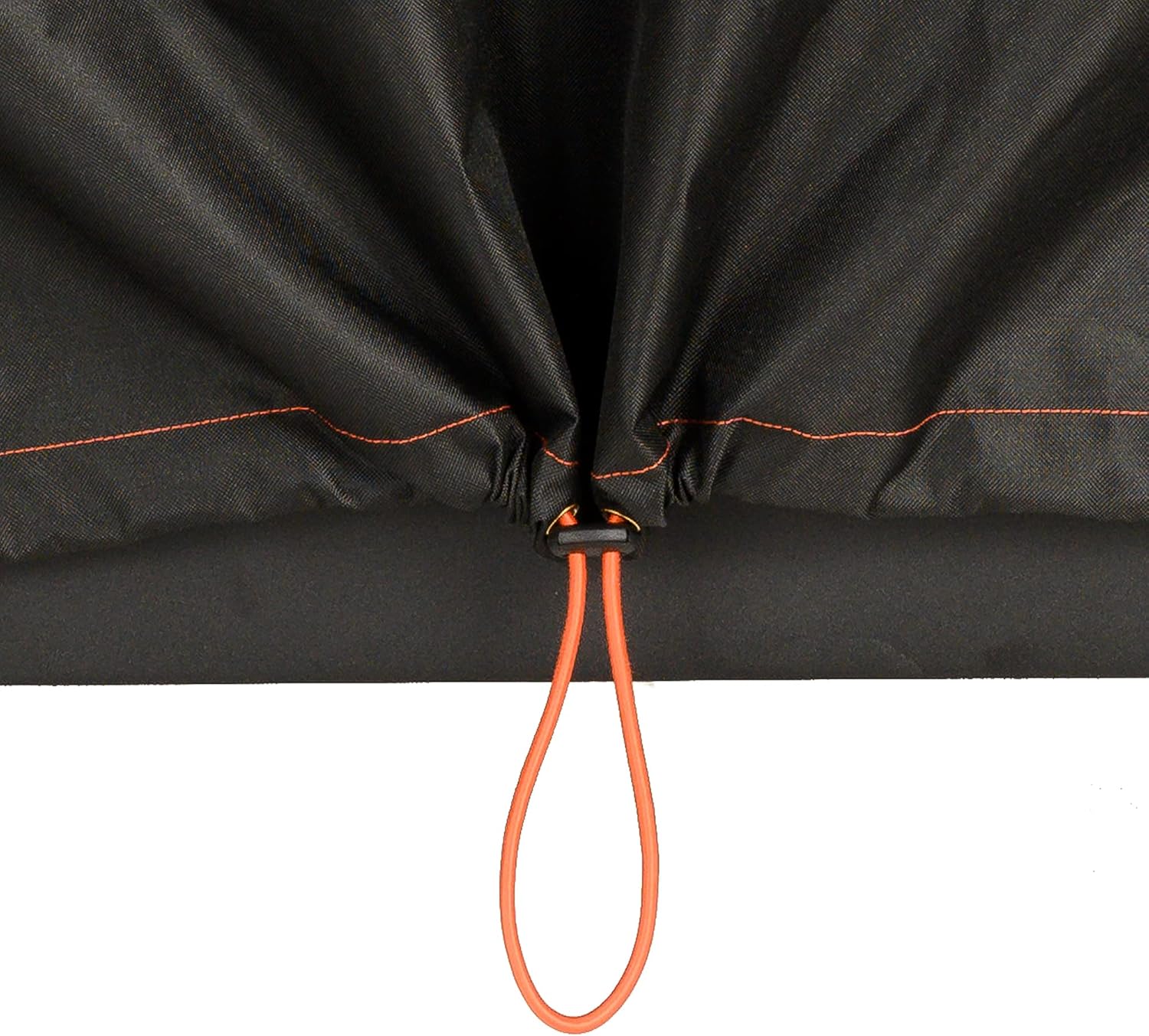
රූපය: සමීප ඡායාරූපයක් view of the adjustable drawstring at the bottom of the Masterbuilt grill cover, designed to secure it tightly.
4. දෝශ නිරාකරණය
If you encounter issues with your Masterbuilt Gravity Series 1050, refer to the following common troubleshooting tips:
- Grill not reaching desired temperature: Ensure the charcoal hopper is adequately filled and the ash door is fully closed. Check for any blockages in the airflow system. Verify the DigitalFan is operating.
- Digital control panel not responding: Check power connections. Ensure the power cord is securely plugged into a grounded outlet. If using battery power (if applicable), check battery levels.
- Smart device connectivity issues: Ensure your grill is within range of your WiFi network or Bluetooth device. Restart both the grill and your smart device. Re-pair the device through the Masterbuilt app.
- අධික දුම්පානය: This can be normal during initial ignition or when adding wood chunks. If persistent, ensure proper airflow and that no grease is accumulating and burning.
For more detailed troubleshooting or issues not listed here, please contact Masterbuilt customer support.
5. පිරිවිතර
| වෙළඳ නාමය | මාස්ටර්බිල්ට් |
| මාදිලියේ නම | ගුරුත්වාකර්ෂණ ශ්රේණි 1050 |
| බලශක්ති ප්රභවය | අඟුරු |
| ඉන්ධන වර්ගය | අඟුරු |
| වර්ණය | අඟුරු |
| Outer Material (Cover) | PVC |
| නිෂ්පාදකයා | මාස්ටර්බිල්ට් |
5.1 මානයන් සහ ධාරිතාව
- උස: අඟල් 61
- ගැඹුර: අඟල් 33
- පළල: අඟල් 52
- පිසීමේ ප්රදේශය: වර්ග අඟල් 1050
- ධාරිතාව: Fits 45 burgers, 7 racks of ribs, or 17 chickens

Image: A visual representation of the Masterbuilt Gravity Series 1050's dimensions and its cooking capacity for various food items.
6. වගකීම් සහ සහාය
For warranty information, please refer to the warranty card included with your product or visit the official Masterbuilt website. If you require technical assistance, replacement parts, or have any questions regarding your Masterbuilt Gravity Series 1050, please contact Masterbuilt customer support.
Masterbuilt Support: Visit Masterbuilt Contact Us Page